What Are Microservices, and When Should You Use Them?
Microservices split one large app into small services, each doing one job and deploying alone. Learn how they work, when they help, and when a simpler design wins.
On this page
Short answer
Microservices are an architecture in which an application is built as a set of small, independent services, each owning one business capability and its own data. Each service can be developed, deployed and scaled on its own, and services talk to each other over a network.
What is microservices architecture?
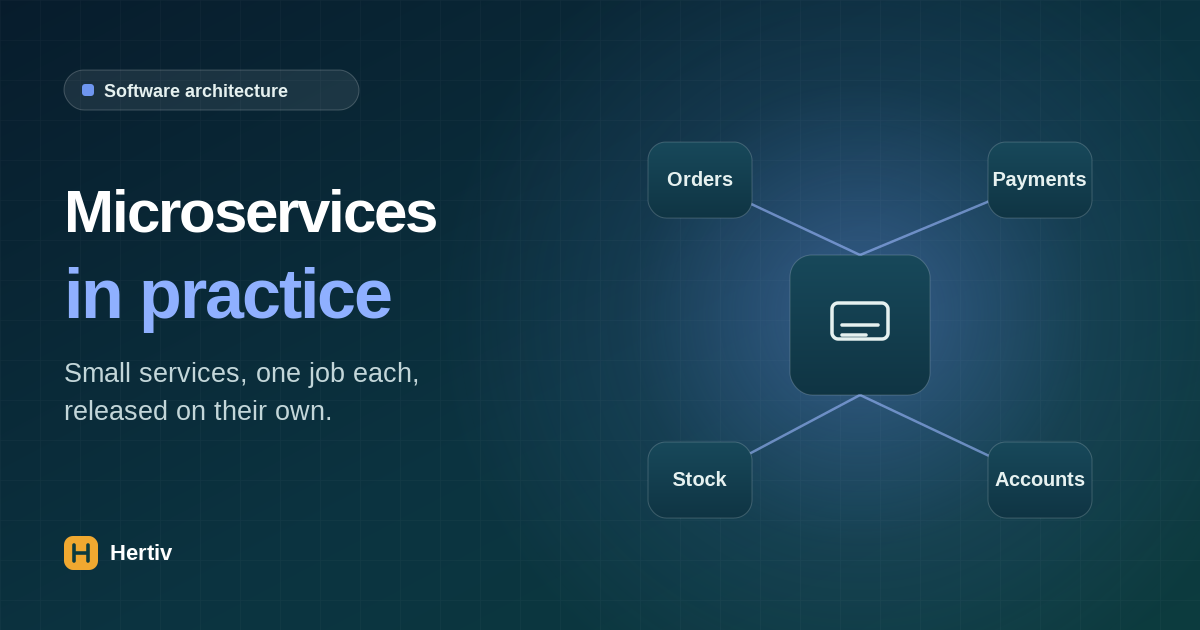
Microservices architecture is a way of building software as a set of small services, each responsible for one part of the product. A shop might have one service for orders, one for payments, one for stock and one for customer accounts. Each service has its own code, its own data store and its own release cycle.
The contrast is a monolith, where all of those parts live in one codebase and deploy together. In a monolith, a change to payments means a new release of the whole application. With microservices, the payments team can release its service without waiting for the orders team, or the other way round.
Services talk to each other through defined interfaces, usually HTTP APIs or message queues. That boundary matters more than size: a service should be small enough for one team to own, and its interface should change slowly, even when the code inside changes often.
How do microservices work?
Microservices work by splitting a system along business lines and letting each service run as its own process. A request from a user often passes through an API gateway, which routes it to the right service. That service does its job, reads or writes its own database, and may call other services for the data it needs.
Each service is deployed on its own, often in a container, and can be scaled on its own. If the search service is busy, you run more copies of that service only. The rest of the system stays as it is, which keeps the cost of scaling tied to the part that is actually under load.
Teams usually add shared pieces around the services: service discovery so services can find each other, central logging so one request can be traced across services, and automated deployment so each service can be released safely. These pieces are part of the design, not an afterthought, because a system of many services is hard to run without them.
Microservices vs monolith: what changes?
The main change is where the complexity sits. A monolith keeps the complexity inside one codebase, where calls are simple function calls and data is in one database. Microservices move that complexity into the network, into deployment and into operations, where calls can fail, data is spread out and releases happen at different times.
| Area | Monolith | Microservices |
|---|---|---|
| Deployment | One release for the whole app | Each service releases on its own |
| Scaling | Scale the whole app | Scale only the busy service |
| Data | One shared database | Each service owns its data |
| Failure | One fault can stop the app | One service can fail alone |
| Team work | Teams share one codebase | Teams own separate services |
| Running it | Simpler to operate | Needs more tooling and monitoring |
That table shows why the choice is a trade-off, not a ranking. A small team with one product often moves faster with a monolith, because it has less to operate. A larger product with several teams and parts that change at different speeds can gain from services, because teams stop blocking each other.
What are the benefits of microservices?
Microservices help when different parts of a product need to change at different speeds. The team that owns checkout can release a fix on a Tuesday without waiting for a planned release of the whole shop. That independence is the main benefit, and it shows up as shorter waits between finishing work and putting it in front of users.
They also help with scaling and with fault isolation. A busy service can be scaled on its own, and a fault in one service does not have to take down the rest. If the recommendations service stops, the shop can still take orders, show stock and accept payment, even if one part of the page is missing.
Teams can also pick the right tool for each service, within limits. One service might use a relational database and another a document store, because their data shapes differ. That freedom helps only if the team can support the tools it picks, so most teams keep the list of tools short on purpose.
How do you start with microservices?
Start with microservices by drawing the boundaries first, before writing code. List the business capabilities of the product, such as orders, payments, stock and accounts, and decide which data each one owns. A boundary that is wrong will cause services to call each other for every small task, which is a sign that two services should have been one.
- Pick one capability to split out first, ideally one that changes often and has a clear owner.
- Define its interface: the requests it accepts, the data it returns and the errors it can give.
- Give it its own database and its own deployment, so it can release on its own.
- Add logging and health checks, so you can see what it does in production.
- Move traffic to it in small steps, and keep the old path until the new one proves itself.
Most teams split one service at a time rather than rebuilding the whole system at once. That keeps the product running while the architecture changes, and each split teaches the team what the next split should look like. For teams that need help with the move, custom software development work often starts with this kind of boundary design.
Example (hypothetical): splitting a shop
Example (hypothetical): a small online shop runs as one application with 4 parts: catalogue, cart, orders and payments. The team decides to split out payments first, because it changes often and has strict rules. They give payments its own service and its own database.
The shop takes 120 orders in a day. Before the split, a payment fix meant a full release, which took 2 hours of preparation. After the split, a payment fix is a release of one service, which takes 20 minutes of preparation. Over 6 payment fixes, that saves 6 times 100 minutes, which is 600 minutes, or 10 hours of preparation time.
The arithmetic is simple, but the point is not the exact saving. The point is that the saving comes from releasing one small service instead of the whole application, and it only holds if the boundary is right and the service can be tested on its own.
Common mistakes with microservices
Common mistakes with microservices start with splitting too early. A new product with one team and few users gains little from services, because the team pays the cost of running many services before it gains the benefit of independent releases. A monolith is often the right start, with services split out as the product grows.
Another mistake is sharing one database between services. If two services read and write the same tables, they are not really separate: a change to the tables can break both, and neither team can release on its own. Each service should own its data, even if that means some data is copied between services.
A third mistake is making services too small. A service that only does one tiny task will be called constantly by other services, and every call is a chance for a delay or a failure. If two services always change together, they are probably one service. Cloud services teams see this pattern often, and the fix is usually to merge the two services back together.
Key takeaways
- Microservices split an app into small services, each owning one job and its own data.
- Independent releases are the main gain; scaling and fault isolation follow from them.
- Services talk through defined interfaces, usually APIs or message queues.
- The cost is operational: more services need more monitoring, logging and deployment tooling.
- Split one capability at a time, starting with a clear boundary and a clear owner.
Frequently asked questions
When should I not use microservices?
Do not use microservices for a new product with one small team and few users, where a monolith is simpler to build and run. Split services out later, when parts of the product start changing at different speeds and teams start blocking each other.
How big should a microservice be?
A service should be big enough for one team to own and small enough to change on its own. If two services always change together, or one calls the other for every task, they are probably one service and should be merged.
Do microservices need containers?
No, containers are a common way to run microservices, but they are not required. A service is defined by its boundary and its own deployment, not by the tool used to run it.
How do microservices share data?
They should not share a database. Each service owns its data and shares it through its interface, so a change inside one service does not break another service that depends on it. That separation is what lets teams release on their own without waiting for each other.
Are microservices faster to build?
They are usually slower at the start, because the team must build deployment, logging and monitoring for many services. They can become faster later, when teams release on their own.
What happens if one service fails?
The rest of the system should keep working, with the failed part degraded or missing. That only holds if callers handle failure, for example by timing out and showing a fallback.


