How Tool Use in LLMs Works, Step by Step
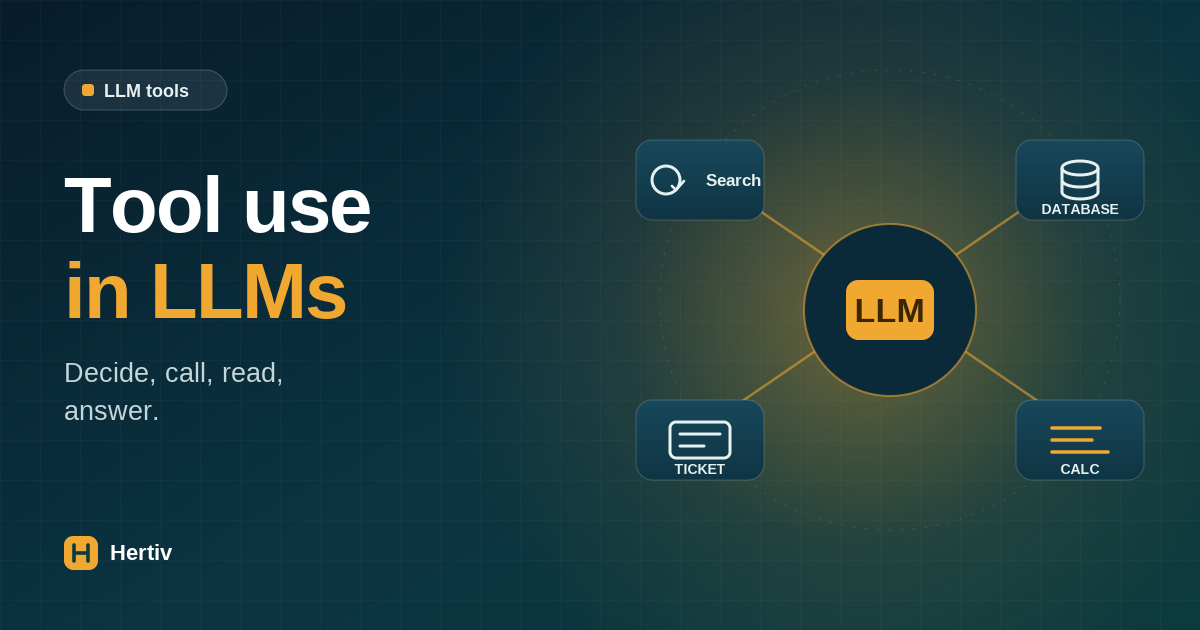
Tool use lets an LLM call external functions while it works: it decides a tool is needed, emits a request, reads the result, and repeats until it can answer.
On this page
Short answer
Tool use lets a language model call external functions while it works: it decides a tool is needed, produces a structured request, a separate program runs the call, and the model reads the result and either answers or calls another tool. The loop repeats until the model has enough live data to answer.
What is tool use in an LLM?
Tool use in LLMs is the ability of a language model to call external functions, APIs and systems while it works, instead of answering only from what it learned in training. A model with tool use can look up an order, run a calculation, search a document store or create a ticket, and then use the result in its answer.
The model itself does not run the tool. It decides that a tool is needed, produces a structured request for it, and a separate piece of software executes the call and returns the result. The model then reads the result and continues, either answering or calling another tool.
Tool use matters because a model on its own cannot see live data. Without tools it can only guess at current prices, order status or account details. With tools it can check, which is what makes LLM applications useful in real workflows.
How does the model decide to call a tool?
The model decides to call a tool when the task needs information or an action it cannot produce from its own knowledge. The decision is part of the model's output: given the conversation and the list of available tools, it either answers directly or emits a tool call.
Three signals drive that decision. First, the question itself: a request about a specific order, a live price or a file cannot be answered without checking a system. Second, the tool descriptions: each tool is described in plain language, so the model can match the task to the tool that fits. Third, the model's own uncertainty: when it cannot answer confidently from training, a tool call is the safer path.
Good tool design makes the decision easy. Tools with narrow, clearly described jobs get called correctly far more often than tools that do many things at once. If two tools overlap, the model has to guess which one fits, and guesses are where tool use goes wrong.
What does a tool definition look like?
A tool definition is a small schema that tells the model what the tool does, what inputs it takes and what it returns. It usually names the tool, describes it in one or two sentences, and lists each input with its type and whether it is required.
For example, a tool called get_order_status might take one input, order_id, described as the order number from the customer's message. The model reads that definition, finds the order number in the conversation, and fills it in. If the order number is missing, the model should ask the user for it rather than inventing one.
Definitions also set limits. They state what the tool cannot do, such as refunding an order or changing an address, so the model does not try to use it for the wrong job. Clear limits are a form of safety: they keep the model inside the actions the system is willing to allow.
The standard way to expose tools to a model is the Model Context Protocol, which defines how tools are described and called. See what an MCP server is for how that works in practice.
How does the call-and-response loop work?
The call-and-response loop is the cycle a model follows when it uses tools: think, call, read the result, and repeat until it can answer. Each round gives the model new facts to work with, so the final answer is grounded in live data rather than guesswork.
A typical loop runs like this:
- The user asks a question, and the model receives the conversation plus the tool list.
- The model decides whether a tool is needed, and if so, which one and with which inputs.
- The application executes the tool call and returns the result as text.
- The model reads the result and decides: answer now, or call another tool.
- When the model has enough information, it writes the final answer.
Loops need a cap on rounds, because a model can otherwise call tools in circles. A common limit is a handful of rounds, after which the model must answer with what it has or hand off to a human. That cap keeps runaway loops from burning time and money.
For the function-calling variant of this pattern, what function calling is explains the mechanism in detail.
What can tools do, and where do they stop?
Tools can read live data, run calculations, search documents and take bounded actions such as creating a ticket or updating a record. They turn a model from a text generator into a working part of a system, as long as each action is narrow and reversible.
| Tool type | What it does | Needs approval? |
|---|---|---|
| Lookup | Reads live data, such as order status | No |
| Search | Finds documents or records | No |
| Compute | Runs a calculation on given inputs | No |
| Action | Creates or updates a record | Yes, for irreversible changes |
The limits matter as much as the powers. A tool should not have broad database access, should not be able to move money or delete records without approval, and should not return more data than the model needs. Each of those limits reduces the damage a wrong call can do.
Permissions are enforced outside the model, in the application that runs the tools. The model can ask for anything, but the application decides what actually runs. That separation is the core safety pattern: the model proposes, the system disposes.
Teams building this pattern should read MCP server development, which covers how to expose tools with the right scope and permissions.
Example (hypothetical): a support agent checks an order
Example (hypothetical): a support agent handles a message from a customer who asks where order 48210 is. The agent has three tools: get_order_status, get_delivery_estimate and create_ticket.
The model reads the message, finds the order number 48210, and calls get_order_status with it. The tool returns that the order shipped two days ago and is due tomorrow. The model then calls get_delivery_estimate, which returns a delivery window of 9 a.m. to 1 p.m. tomorrow.
With both results in hand, the model answers: the order shipped, it is due tomorrow between 9 a.m. and 1 p.m., and the customer can reply if they need to change the delivery. No ticket is needed, so create_ticket is not called.
Now scale that up. If the agent handles 120 such messages a day and resolves 80 of them directly, that is 80 cases a human does not touch. If each case saves a human 3 minutes, the agent saves 80 times 3, which is 240 minutes, or 4 hours a day. The remaining 40 cases go to humans, which is the correct split: the agent handles the routine, people handle the rest.
What are the common mistakes?
The most common mistakes in LLM tool use are giving the model too many overlapping tools, skipping the loop cap, and trusting tool results without checking them.
- Too many tools. A long list of similar tools makes the model pick the wrong one. Fewer, narrower tools work better.
- Vague descriptions. A tool described in one unclear sentence will be called for the wrong jobs.
- No loop cap. Without a round limit, a model can call tools in circles and never answer.
- Broad permissions. A tool with write access to a whole database can do real damage from one wrong call.
- Blind trust in results. Tool output can be stale, wrong or injected by a third party, so the model should treat it as data to check, not as fact.
- No logging. Without a trace of every call and result, a bad answer cannot be debugged.
For production LLM work, LLM development covers the evaluation and guardrail patterns that keep tool use reliable.
Key takeaways
- Tool use means the model calls external functions; it does not run them itself
- The model picks a tool by matching the task to the tool's plain-language description
- Each tool needs a clear definition: what it does, its inputs, and its limits
- The loop is think, call, read the result, repeat, with a cap on rounds
- Permissions are enforced outside the model, by the application that runs the tools
Frequently asked questions
What is the difference between tool use and function calling?
Function calling is one form of tool use: the model calls a function defined in code. Tool use is the broader idea, covering any external capability, such as web search, code execution or an MCP server. Most LLM applications use function calling as the mechanism for tool use.
How does an LLM know which tool to use?
Each tool is described in plain language, with its name, purpose and inputs. The model reads those descriptions alongside the user's question and picks the tool whose description matches the task. Clear, narrow descriptions make the choice far more reliable.
Can an LLM call tools on its own?
No. The model only produces a structured request for a tool call. The application that hosts the model executes the call, applies permissions and returns the result. The model never touches the underlying system directly.
What happens if a tool returns bad data?
The model reads the result as data, not as fact, and a good application checks it before acting on it. Results can be stale, incomplete or tampered with, so important actions need validation or a human approval step before they run.
How many tools should an LLM have?
As few as the task needs, each with a narrow job. A long list of overlapping tools makes the model pick the wrong one. Most reliable applications expose a handful of well-described tools rather than dozens of broad ones.
Do tools make LLMs more expensive to run?
They can, because each tool round adds model calls and the tool itself may charge per use. A loop cap, usually a handful of rounds, keeps costs bounded. Measure cost per resolved task, not per call, to judge whether the tool use is worth it.


