How to Use AI for Better UI Design
AI can draft layouts, write interface copy and test design variants, but it works best with a designer checking the result. Learn a practical workflow.
On this page
Short answer
Using AI for better UI design means letting a model draft layouts, suggest copy and generate design variants, then having a designer check the result against real user needs. It speeds up the early drafts and the testing of options, but it does not replace user research or design judgement. The best workflow pairs fast AI drafts with human review, usability testing and accessibility checks before anything ships.
What does AI do in UI design?
AI in UI design means using a model to draft layouts, suggest interface copy, generate design variants and summarise user feedback, while a designer decides what ships. The model works from a brief, a screenshot or a description, and returns options a designer can edit, rather than a finished design.
The useful work falls into three groups: drafting, testing and checking. Drafting covers first layouts, colour and type suggestions, and microcopy such as button labels and error messages. Testing covers generating variants for A/B tests and summarising the results. Checking covers flagging contrast problems, inconsistent spacing and copy that is too long for its container.
The model is a drafting assistant, not a designer. It has no sense of your users, your brand or the task the screen must support, so its output is a starting point. A design that ships without a human review will usually look plausible and fail in use, because the model optimises for what looks right, not for what works.
Where does AI help in UI design?
AI helps in UI design where the work is repetitive or variant-heavy, and it needs a human review wherever the design touches real users, money or accessibility.
| Design task | What the model does | Human check |
|---|---|---|
| First layouts | Drafts several screen layouts | Check the task flow makes sense |
| Interface copy | Suggests labels and error text | Check tone and clarity |
| Variants | Generates options for testing | Pick by test results, not looks |
| Accessibility | Flags contrast and size issues | Test with a screen reader |
| Feedback summary | Summarises user test notes | Check the summary against the notes |
| Design systems | Suggests components that match | Check against the system rules |
The pattern is the same in every row: the model drafts, a person checks. The time saved comes from starting with a good draft instead of a blank screen, not from removing the review. For the design context, top app UI design trends shows what good interfaces look like today.
How to use AI in a UI design workflow in 5 steps
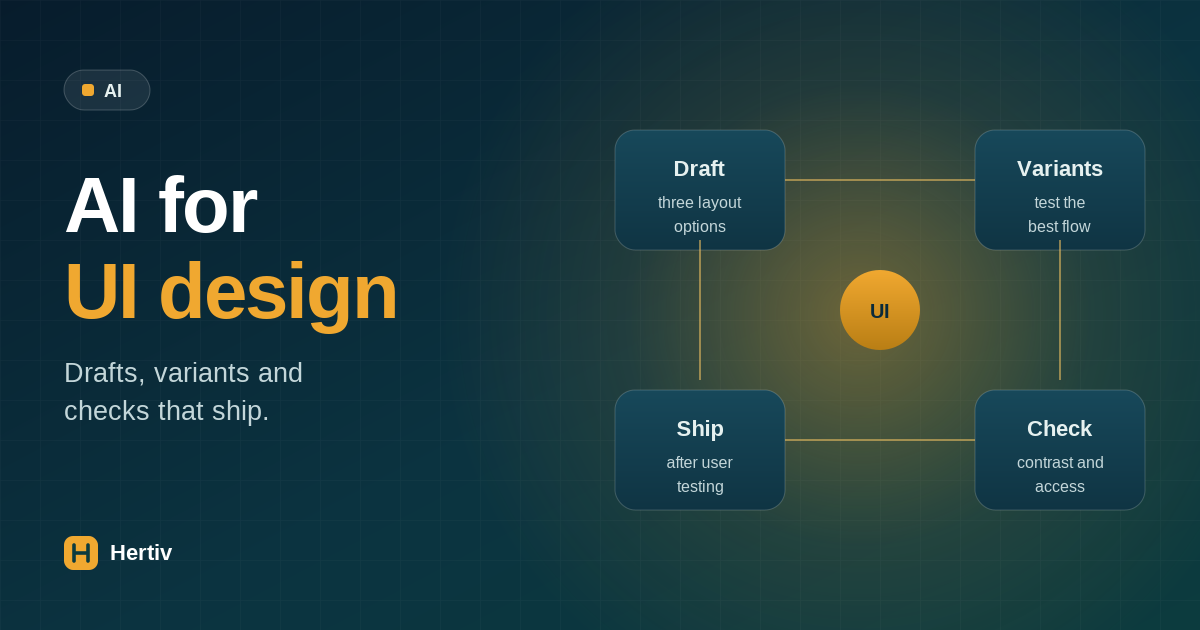
You use AI in a UI design workflow in five steps, starting with a clear brief and ending with a usability test of the result.
- Write the brief. State the screen's task, the user, the key action and the constraints, such as the design system and the brand rules.
- Generate three drafts. Ask the model for three different layouts, then pick the one whose flow fits the task best, not the one that looks nicest.
- Refine with the designer. Fix the hierarchy, the spacing and the copy by hand, and check the design against the system components.
- Test with real users. Run five users through the task and watch where they hesitate or fail, instead of asking whether they like the design.
- Check accessibility. Test contrast, text size, keyboard use and screen reader order, and fix what fails before the design ships.
Keep the brief short and specific. A brief that says "a checkout screen for a food delivery app, one-tap reorder, must work one-handed" gives far better drafts than "a nice checkout screen". For the testing side, how to test AI models covers the same test-first thinking for the model behind the drafts.
How do you check AI-generated designs?
You check an AI-generated design by testing the task it supports, not by judging how it looks. A design that looks polished can still hide the main action, bury an error message or break on a small screen.
Start with the task flow: can a new user complete the main action without help, and can they recover from a mistake? Then check the details: does every button label say what happens next, does the error text explain how to fix the problem, and does the layout hold up on the smallest screen you support?
Then check accessibility: contrast ratios, text sizes, focus order and screen reader labels. Models often produce low-contrast text and decorative elements that confuse a screen reader, so this check matters more, not less, when the draft came from a model. For mobile specifics, mobile app UI design tips covers the small-screen checks that catch most failures.
What AI cannot do in UI design
AI cannot do the parts of UI design that need judgement about users, brand and business. It cannot interview users, watch them struggle with a screen, or decide which trade-off matters most when two goals conflict.
It also cannot carry a brand. A model can copy a style, but it cannot decide what a brand should feel like, or when to break a rule on purpose. And it cannot take responsibility for a design that fails: when a checkout loses orders or a form confuses users, a person has to own the fix.
Use the model for drafts and variants, and keep the judgement with the designer. The designer talks to users, sets the priorities and signs off the result. The model makes that work faster; it does not do the work.
Example (hypothetical): a team redesigns a checkout with AI
Example (hypothetical): a small team redesigns the checkout of a food delivery app. Drawing three layout variants by hand takes about 8 hours each, so three variants would take 24 hours of design time before any testing.
The team asks the model for three layout drafts from a short brief, then a designer spends 2 hours on each one fixing the flow, the copy and the spacing. Three drafts at 2 hours each is 6 hours, against 24 hours by hand, so the team saves 18 hours and starts testing a week earlier.
The team tests the best variant with 20 users. Fifteen of them complete a checkout without help, against 12 of 20 on the old design, so the new layout is better, but five users still hesitate at the address step. The designer fixes that step by hand, and the team re-tests before shipping. The model saved the drafting time; the testing is what made the design better.
What are the common mistakes?
The most common mistakes with AI in UI design are shipping the first draft, skipping user testing, and letting the model decide the copy and the flow.
- Shipping the first draft. The first draft is a starting point, not a design. Refine it, test it and fix what fails.
- Skipping user testing. A design that was never tested with real users is a guess, however good it looks.
- Letting the model write the copy. Model copy is often wordy or vague. Shorten it, and make every label say what happens next.
- Ignoring accessibility. Low contrast and missing labels are common in model drafts, so check them before shipping.
- No design system. Without a system, each model draft invents its own spacing and components, and the product drifts apart.
- Testing looks, not tasks. Asking users whether they like a design tells you little. Watch them complete the task instead.
Key takeaways
- AI drafts layouts, copy and variants; a designer checks the result against real user needs
- Start with a clear brief, generate three drafts, then refine and test the best one
- Test the task, not the looks, and check accessibility before shipping
- AI cannot interview users, carry a brand or take responsibility for a failed design
- A design system keeps model drafts consistent with the rest of the product
Frequently asked questions
Can AI design a whole app interface by itself?
It can draft screens and variants, but it cannot design a whole app on its own. It has no sense of your users, your brand or the task each screen supports, so its output needs a designer to refine it and users to test it before anything ships.
What is the best way to use AI for UI design?
Write a short, specific brief, generate three drafts, pick the one whose flow fits the task, then refine it by hand and test it with real users. The model saves drafting time; the testing and the judgement stay with the designer.
Does AI help with accessibility in UI design?
It can flag contrast and size problems and suggest fixes, which is a useful first check. It cannot replace a real accessibility test, so check contrast, keyboard use and screen reader order by hand before the design ships.
Will AI replace UI designers?
No. AI removes some of the repetitive drafting, so designers spend more time on user research, task flows and judgement calls. The work that needs an understanding of users and business goals still belongs to people.
How do I write a good brief for AI UI drafts?
State the screen's task, the user, the key action and the constraints, such as the design system and brand rules. A brief that names the task and the limits gives far better drafts than one that just asks for a nice-looking screen.
Should I A/B test AI-generated design variants?
Yes, if you have enough traffic to read the result. Generate two or three variants, test them on the real task, and pick by completion rate and errors, not by which one looks best. With low traffic, a small usability test with five users tells you more.


