How to Implement a Vector Database Step by Step
A vector database stores embeddings so your app can search by meaning instead of keywords. It covers choosing one, loading data and building the search path.
On this page
Short answer
A vector database is a database that stores numerical representations of content, called embeddings, and finds the items closest in meaning to a query. Implementing one means choosing the database, generating embeddings for your content, loading them with metadata, and wiring a search path into your app.
What is a vector database?
A vector database is a database that stores numerical representations of content, called embeddings, and finds the items closest in meaning to a query. Each embedding is a long list of numbers produced by a model from text, an image or another piece of content, and items with similar meaning end up close together in that number space.
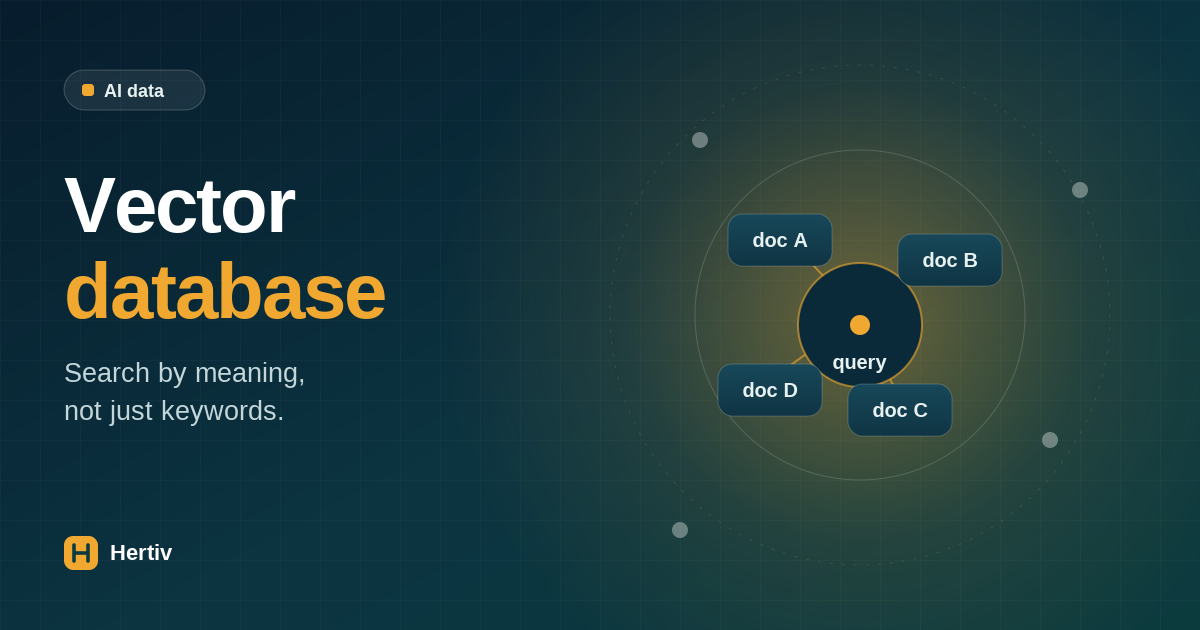
That closeness is the point. A keyword search for "refund policy" only finds documents containing those words. A vector search finds documents about returns, cancellations and money back, even when none of them use the word refund. The database measures the distance between the query embedding and the stored embeddings, and returns the nearest ones.
A vector database is not a replacement for your main database. It stores the embeddings and the identifiers that link back to the real records, plus the metadata you filter on, such as date, category or owner. The documents, products or tickets themselves stay where they already live. For the background on how these databases differ from the ones you already use, what a vector database is explains the basics.
Most teams add a vector database to power search, recommendations or retrieval for an AI feature. If your app needs to answer questions from your own documents, this is the component that finds the right passages to show the model.
Which vector database should you choose?
Which vector database to choose depends on your data size, your hosting preference and whether you need it to be a standalone service or part of a database you already run. There is no single best choice; the right one fits your scale and your team's skills.
Start with size. Under a few hundred thousand vectors, almost any option works, including a vector extension inside a database you already run. Past a few million, you need to think about indexing, memory and how the database handles updates.
| Option | Good when | Watch out for |
|---|---|---|
| Vector extension in Postgres | Small data, team knows Postgres | Slower at very large scale |
| Managed vector service | You want no operations work | Cost grows with data and queries |
| Self-hosted vector database | Large data, strict data rules | You run and tune it yourself |
| Search engine with vectors | You need keyword and vector search together | More moving parts to configure |
Also check the basics before you commit: does it support the distance measure your embedding model expects, does it filter on metadata before or after the vector search, and can it update and delete vectors without a full rebuild? The answers decide whether your filters stay fast as data grows. Pricing for managed options is on the vendor site; the running cost is usually driven by data size and query volume.
How do you prepare your embeddings?
You prepare embeddings by splitting your content into pieces, generating an embedding for each piece with a model, and storing the piece, its embedding and its metadata together. The splitting step matters more than most teams expect.
Split content into chunks that each hold one idea. A 400-word chunk of a help article works well for question answering; a whole 5,000-word manual does not, because the embedding blends too many ideas and the search returns the whole manual for every question. Aim for chunks of roughly 200 to 500 words, split at paragraph or heading boundaries, with a small overlap so a sentence is not cut in half.
Pick one embedding model and stick with it. Embeddings from different models live in different number spaces and cannot be compared with each other. If you change the model later, you must re-embed everything. Record the model name and version with each vector so a future change is visible.
Store useful metadata with each vector: the source document, the section, the date, the language and any access rules. Metadata is what lets you filter results to the right documents before the model ever sees them, which is where most quality problems are actually fixed.
How do you build the search path?
You build the search path by turning the user's question into an embedding, searching the vector database for the nearest chunks, filtering by metadata, and handing the best chunks to the next step in your app. Each step is simple on its own; the quality comes from getting all of them right.
- Embed the query. Use the same model that produced your stored embeddings. A different model will return poor matches even if everything else is right.
- Filter by metadata first. Limit the search to the right documents, language or date range before ranking by similarity. This removes most bad matches cheaply.
- Search for the nearest vectors. Ask for more results than you need, such as the top 20, so the next step has room to choose.
- Re-rank if it matters. Score the top results again with a second, slower method, such as a cross-encoder or a keyword check, and keep the best 5.
- Hand the chunks to your app. Pass the winning chunks, with their source links, to the model or the results page. Never show an answer without its source.
- Log the query and the results. Record what was asked, what was returned and what the user did next, so you can find the queries that fail.
Keep the path short and testable. Each step should be a function you can run on its own with a test query, so when search quality drops you can tell whether the problem is the embedding, the filter, the ranking or the data. For teams building retrieval into an AI product, retrieval-augmented generation development covers the wider pattern this search path sits inside.
How do you keep search quality high?
You keep search quality high by testing with real questions, fixing the data behind the failures, and re-checking after every change to the model or the content. Search quality is a data problem far more often than a database problem.
Build a test set of 30 to 50 real questions with the right answers marked. Run the set after every change: a new embedding model, a new chunk size, a new index setting. If the score drops, the change caused it, and you can roll it back.
When a query fails, look at what was returned before blaming the database. The usual causes are a chunk that mixes two topics, a missing document, or metadata that filtered the right answer out. Fix the chunking or the metadata, not the index settings.
Watch the index as data grows. Approximate indexes trade a little accuracy for speed, and the trade gets worse as the data grows unless the index is tuned. Rebuild or re-tune the index on a schedule, and check the test set after each rebuild.
Example: product search for a small catalogue
Example (hypothetical): an online shop with 8,000 products wants customers to search by meaning, so "waterproof shoes for rain" finds the right boots even when the listing says "weatherproof footwear".
The team writes a short description for each product, splits it into one chunk per product, and generates embeddings with a single model. Each vector stores the product id, category, price band and stock status as metadata. They choose a managed vector service because the catalogue is small and the team has no one to run a database.
The search path embeds the query, filters to in-stock products, takes the top 20 results and re-ranks them with a simple keyword check, keeping the best 8 for the results page. A test set of 40 real customer questions shows 34 returning the right product in the top 3 results. The 6 failures trace back to listings with thin descriptions, so the team rewrites those listings instead of tuning the database.
After launch, the team logs queries that return poor results and reviews them weekly. The first month adds about 20 rewritten listings and one new metadata field for product use, such as running or hiking. Search quality improves because the data improves, not because the database changed.
What are the common mistakes?
The most common vector database mistakes are chunking badly, mixing embedding models, skipping the test set, and treating the database as the whole search system.
- Chunks too large. A whole manual in one vector blends many ideas and matches everything poorly. Split at one idea per chunk.
- Two embedding models. Vectors from different models cannot be compared. Pick one model and record its version.
- No metadata filters. Searching the whole collection when the answer is in one folder wastes ranking power on wrong documents.
- No test set. Without fixed questions and known answers, every change is a guess and regressions go unnoticed.
- Ignoring updates and deletes. Stale vectors from deleted or changed documents will keep appearing in results. Handle updates in the same pipeline as inserts.
- Choosing scale before need. A managed service or a Postgres extension handles most first versions. Move to a dedicated database when measurements say you must.
Key takeaways
- A vector database finds content by meaning, using embeddings and nearest-neighbour search
- Chunk content into one idea per piece, with one embedding model used throughout
- Filter by metadata before ranking, and re-rank the top results when quality matters
- A test set of real questions catches regressions after every change
- Most search failures are data problems — chunks, metadata or missing documents — not database problems
Frequently asked questions
What is the difference between a vector database and a search engine?
A search engine matches keywords and ranks by text relevance. A vector database matches meaning by comparing embeddings. Many teams use both: keyword search for exact terms and codes, vector search for questions asked in the user's own words. Some search engines now support both in one system.
How many vectors do I need before a vector database is worth it?
Even a few thousand vectors justify one, because the database handles the similarity search, filtering and updates for you. Below that, a simple in-memory search can work for a prototype, but it will not scale and it lacks metadata filtering and persistence.
Can I use a vector database with the database I already have?
Yes, if your database has a vector extension or a vector type. Postgres with a vector extension is a common choice for smaller data. It keeps your data in one place and your team in familiar tooling. Move to a dedicated vector database when size or query load demands it.
What happens if I change my embedding model?
You must re-embed all of your content, because embeddings from different models cannot be compared. Record the model name and version with each vector so the change is visible, and keep the test set ready so you can check whether the new model actually performs better.
How do I choose an index for my vector database?
Start with the default approximate index your database recommends and measure it with your test set. Tune it only when measurements show a problem. The main trade is speed against recall: a faster index may miss some good matches, so check recall on real questions before accepting the trade.
How much does a vector database cost?
Managed services usually charge by data size and query volume, while self-hosted options cost in server time and operations effort. Check the vendor site for current pricing, and estimate from your vector count and expected queries per month. Small catalogues are usually inexpensive to run.


