How to Implement DevSecOps in Your Delivery Pipeline
DevSecOps adds security checks to the pipeline so flaws are found early. Learn the stages, the checks at each step, and a rollout that keeps releases moving.
On this page
Short answer
DevSecOps is a way of building software in which security checks run inside the delivery pipeline, so code is scanned, tested and reviewed for security at every step before it reaches users. It extends DevOps by making security a shared duty of the whole team instead of a separate gate at the end.
What is DevSecOps?
DevSecOps is a way of building software in which security checks run inside the delivery pipeline, so code is scanned, tested and reviewed for security at every step before it reaches users. It extends DevOps, which joins development and operations, by making security a shared duty of the whole team instead of a separate gate at the end.
In a traditional setup, security reviewed a release near the end, when fixes were slow and costly. In DevSecOps, the same checks happen earlier: when code is written, when it is merged, when it is built into an image, and when it runs in production. A problem found in a pull request costs a developer an hour; the same problem found after release can cost a team a week.
DevSecOps is not a tool you buy. It is a set of practices — scanning, testing, secret checks, access rules and monitoring — wired into the pipeline your team already uses, with clear owners for each check. For the background, read what DevSecOps is and how it changes delivery.
What does a DevSecOps pipeline look like?
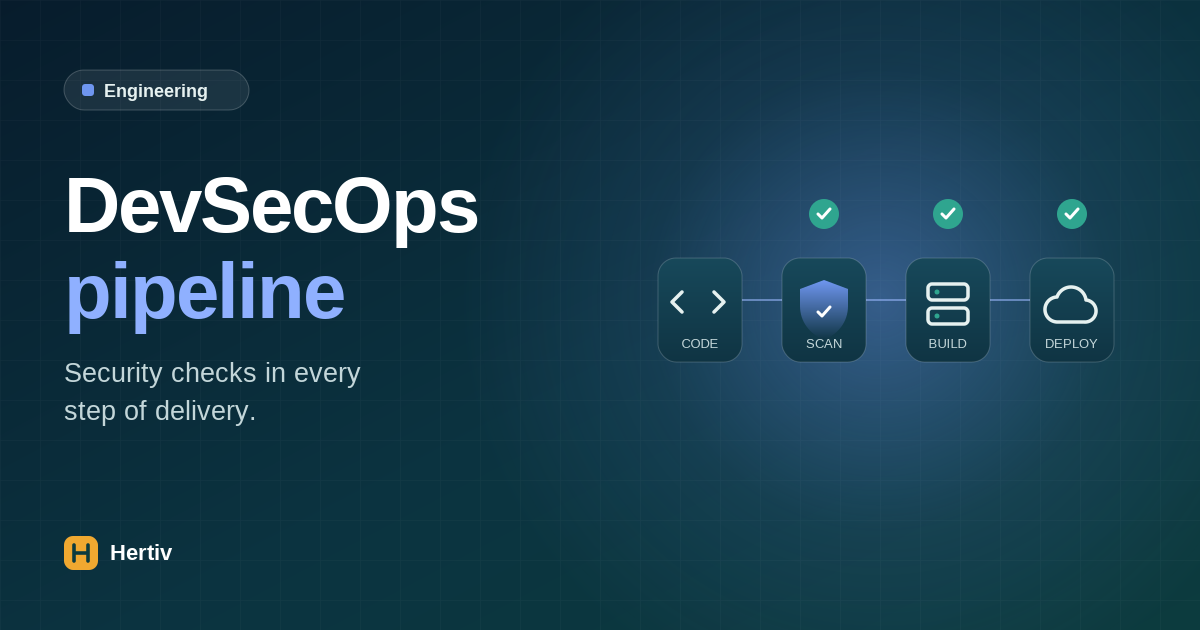
A DevSecOps pipeline adds security checks to the stages a release already passes through: write, merge, build, test, deploy and run. Each stage gets one or two checks that run automatically, so nothing depends on a person remembering to run a scan.
| Stage | Check | What it catches |
|---|---|---|
| Code written | Secret scan, coding rules | Hard-coded passwords and keys |
| Pull request | Static analysis | Risky code patterns before merge |
| Build | Dependency scan | Known flaws in libraries |
| Image | Container scan | Flaws in base images |
| Deploy | Configuration check | Open ports, broad permissions |
| Running | Runtime monitoring | Unusual behaviour in production |
The checks are fast by design. A scan that takes an hour will be skipped or worked around, so teams pick checks that finish in minutes and run the slower, deeper scans once a day or once a week. This is the same delivery flow that DevOps services already automate, with security added at each step.
How do you implement DevSecOps step by step?
You implement DevSecOps by adding one check at a time to the pipeline, starting with the checks that catch the most common problems, and only then widening coverage.
- Map the pipeline. List each stage from commit to production and name who owns it.
- Add secret scanning first. Block hard-coded keys and passwords in new commits.
- Add static analysis to pull requests. Flag risky patterns before code is merged.
- Scan dependencies and images at build time. Fail the build on known severe flaws.
- Check configuration at deploy. Verify ports, permissions and settings against a baseline.
- Add runtime monitoring. Alert on unusual behaviour and feed findings back into the backlog.
Run each new check in warning mode for one or two weeks before making it block a release. That gives the team time to fix the backlog of old findings without stopping delivery.
Which security checks belong at each stage?
The right check for a stage is the one that can see the problem at that point, and no earlier. A secret in code is cheapest to catch in the editor; a misconfigured cloud setting can only be checked at deploy time.
- Editor and commit: secret scanning and secure coding rules.
- Pull request: static analysis and peer review with a security checklist.
- Build: dependency scanning and licence checks.
- Image: container and base-image scanning.
- Deploy: infrastructure-as-code checks and configuration baselines.
- Production: runtime monitoring, log review and regular penetration testing.
Do not put every check at every stage. Duplicated checks slow the pipeline and produce the same finding twice, which teaches the team to ignore both.
How do you handle findings without slowing delivery?
Findings are handled by severity, not in the order they appear. Severe findings that an attacker could use right away block the release; lower-severity findings go into the backlog with a due date.
Set a simple rule before the first scan runs: who triages findings, how fast each severity must be fixed, and what happens when a deadline passes. Without that rule, findings pile up and the pipeline's warnings stop meaning anything. The budget side of this trade-off is covered in how much DevSecOps costs.
Keep the false-positive rate low. If a check flags clean code often, tune it or replace it. A team that trusts its checks fixes findings; a team that does not trust them finds ways around the pipeline.
Example (hypothetical): a 30-person team adds DevSecOps
Example (hypothetical): a 30-person engineering team ships a web product twice a week. It adds secret scanning and static analysis to pull requests, dependency scanning at build, and a weekly container scan.
In the first month the scans flag 42 findings: 3 severe, 14 medium and 25 low. The team fixes the 3 severe findings in 2 days, schedules the 14 medium ones across the next 3 sprints, and accepts the 25 low ones as documented risks with a review date.
The arithmetic: 3 + 14 + 25 = 42 findings, and the pipeline adds about 4 minutes to each build — 4 minutes × 8 builds a week = 32 minutes a week of extra build time.
After three months, new severe findings drop to about one a month, because the checks catch the same mistakes before they merge. The team then adds configuration checks at deploy time, which is the next largest source of risk it found in its own incident log.
What are the common mistakes?
The most common DevSecOps mistakes are adding every tool at once, making scans block releases before the backlog is cleared, and treating security as the security team's job alone.
- Buying tools before defining policy. Scanners without rules for severity and ownership just create noise.
- Blocking releases on day one. Old findings should be triaged first, or delivery stops while the team argues about them.
- Ignoring secrets and service accounts. Automated credentials often have more access than any human and are rarely reviewed.
- No owner for findings. A finding with no owner and no due date will still be open in six months.
- Skipping production monitoring. Pipeline checks cannot catch a problem that only appears when the system runs.
If the programme needs outside help, a partner for cybersecurity services can review the pipeline and set up the checks with the team.
Key takeaways
- DevSecOps adds security checks to the pipeline stages a release already passes through
- Start with secret scanning and static analysis, then add dependency, image and configuration checks
- Run each new check in warning mode for one or two weeks before it blocks a release
- Handle findings by severity, with a named owner and a due date for each one
- A check the team does not trust will be worked around, so keep false positives low
Frequently asked questions
What is the difference between DevOps and DevSecOps?
DevOps joins development and operations so teams ship faster. DevSecOps adds security checks to that same pipeline, so code is scanned and reviewed for security at every step instead of once at the end. The delivery flow stays the same; security becomes part of it.
Do small teams need DevSecOps?
Yes, but in a small form. A small team can start with secret scanning and static analysis on pull requests, which need little setup and catch the most common problems. Larger checks such as container scanning and runtime monitoring can wait until the team ships more often.
Which DevSecOps tool should we start with?
Start with the check that fits your stack, not with a brand name. Most teams start with a secret scanner and a static analysis tool that plugs into their code host, because those two run on every change and need almost no maintenance.
How long does it take to implement DevSecOps?
A first version with secret scanning, static analysis and dependency checks usually takes a few weeks. Full coverage, including configuration checks and runtime monitoring, is a programme that grows over months as the team clears old findings and adds checks one at a time.
Does DevSecOps slow down releases?
It adds a few minutes per build if the checks are chosen well. It slows releases mainly when teams turn on blocking checks before clearing the backlog of old findings, or when a slow scan runs on every commit instead of on a schedule.
Who owns DevSecOps in a team?
Everyone owns part of it: developers fix findings in their own code, the platform team owns the pipeline checks, and a security lead sets severity rules and reviews exceptions. A single owner for the programme keeps the checks tuned and the backlog moving.


