What Is DevSecOps, and How Does It Change Delivery?
DevSecOps puts security checks into the delivery pipeline, so problems are found while code is written, not after release. Learn the practices that make it work.
On this page
Short answer
DevSecOps is a way of building software in which security checks are built into the delivery pipeline, so code is scanned, tested and reviewed for security at each step. It extends DevOps, which joins development and operations, by making security a shared duty of the whole team.
What is DevSecOps?
DevSecOps is a practice in which security is part of software delivery from the start, not a check at the end. The name joins development, security and operations, and the idea is simple: the same pipeline that builds and tests code should also check it for security problems.
In older ways of working, a team wrote code, tested it, and then handed it to a security team for review. Problems found at that late stage were costly to fix, because the code was already written and often already scheduled for release. DevSecOps moves those checks earlier, so a problem is found while the code is still fresh in the mind of the person who wrote it.
It is a change of habits as much as a change of tools. Developers learn to think about security when they write code, operations teams learn to keep the pipeline safe, and security specialists help the team by building checks into the pipeline, rather than by reviewing finished work by hand.
How does DevSecOps work?
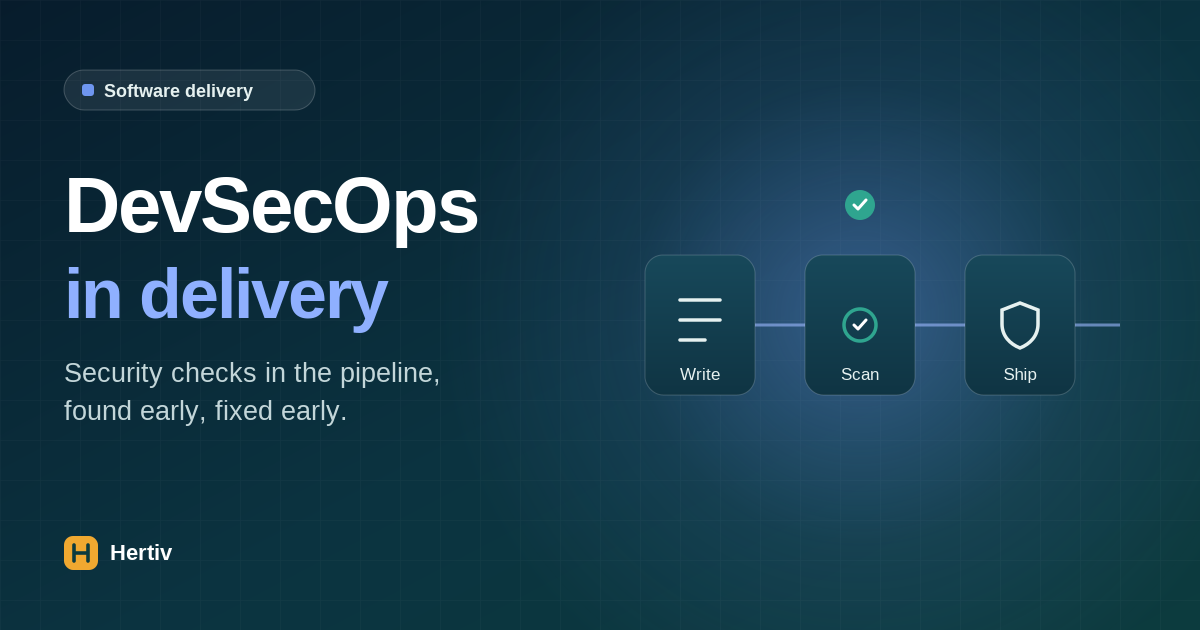
DevSecOps works by adding automated security checks to the delivery pipeline. When a developer commits code, the pipeline builds it, runs tests, and also runs security scans. If a scan finds a serious problem, the pipeline stops and the team fixes it before the code moves on.
The checks cover different kinds of risk. One scan looks for known problems in the libraries the code uses. Another looks for secrets, such as passwords or keys, that were left in the code by mistake. A third tests the running application for common weaknesses, such as inputs that are not checked properly.
Teams also keep a record of what was checked and what was found, so they can show that a release passed the checks. That record matters for audits and for customers who ask how a product is secured. The checks run on every change, not only before a big release, so security stays current as the code changes.
DevSecOps vs DevOps: what changes?
The change from DevOps to DevSecOps is not a new pipeline, but a wider one. DevOps already joins development and operations in one pipeline, with automated builds, tests and releases. DevSecOps adds security checks to that same pipeline, and it makes security part of every role, not only the security team.
| Area | DevOps | DevSecOps |
|---|---|---|
| Security checks | Often at the end | At each pipeline step |
| Who owns security | Security team | Whole delivery team |
| Library scans | Sometimes | On every change |
| Secrets | Checked by hand | Scanned automatically |
| Fixing problems | After release planning | Before code moves on |
| Evidence | Release notes | Record of every check |
That table shows why DevSecOps is often described as shifting security left, meaning earlier in the work. A problem found in a pull request is cheaper to fix than the same problem found in production, because the code is still being worked on and the fix does not need a separate release.
What are the main practices in DevSecOps?
The main practices in DevSecOps are scanning code, scanning libraries, keeping secrets out of code, and testing the running application. Each practice catches a different kind of problem, and together they cover the most common ways a product can be put at risk.
Scanning code means checking the code itself for patterns that are known to be unsafe, such as building a database query from user input without checking it first. Scanning libraries means checking the third-party packages the code uses against lists of known problems, and updating the ones that have a fix.
Keeping secrets out of code means never writing a password, key or token into the code or into a file that is committed. Secrets should live in a vault or in the deployment system, and the pipeline should scan for them in case one slips in. Cybersecurity services teams often start with this practice, because a leaked secret is one of the simplest ways for an attacker to get in.
How do you start with DevSecOps?
Start with DevSecOps by adding one check to the pipeline you already have, not by buying a new set of tools. Pick the check that would catch the most common problem in your code, add it to the pipeline, and let the team get used to it before adding the next one.
- Scan the libraries you already use, and update the ones with known problems.
- Add a scan for secrets in code, so passwords and keys cannot be committed by mistake.
- Add a code scan for the most common unsafe patterns in your language.
- Test the running application for common weaknesses before each release.
- Keep a record of the checks and their results, so the team can see what is improving.
Fix the findings in small steps, starting with the most serious ones. A pipeline that stops on every minor warning will be ignored or turned off, so set the rules so that serious problems stop a release and minor ones are listed for the team to fix over time.
Example (hypothetical): finding a problem early
Example (hypothetical): a team releases once a week. A security problem found after release takes 8 hours to fix, because it needs a fix, a test, a review and a separate release. The same problem found in a pull request takes 1 hour to fix, because the code is already open and the fix goes through the normal pipeline.
Over 10 problems, the late fixes take 10 times 8 hours, which is 80 hours. The early fixes take 10 times 1 hour, which is 10 hours. The difference is 80 minus 10, which is 70 hours saved in this invented example.
The numbers are invented to show the arithmetic, not a real measurement. The point is that the saving comes from finding a problem while the code is still being worked on, and it only holds if the pipeline actually runs the checks on every change.
Common mistakes with DevSecOps
Common mistakes with DevSecOps start with adding too many checks at once. A pipeline that stops for every minor warning will slow the team down and teach it to work around the checks. Start with a small set of checks for serious problems, and add more as the team learns to fix them quickly.
Another mistake is treating DevSecOps as a tool purchase. Tools can scan code and libraries, but they cannot decide which findings matter, or fix the code. The team still needs to read the findings, fix the serious ones, and learn from the patterns that keep appearing.
A third mistake is keeping security knowledge in one person. If only the security specialist understands the checks, the team will wait for that person whenever a check fails. Share the knowledge: write down what each check does, why it matters and how to fix the common findings. DevOps services work often includes this kind of shared runbook, so the whole team can act on a finding.
Key takeaways
- DevSecOps builds security checks into the delivery pipeline at each step.
- Problems found in a pull request are cheaper to fix than problems found in production.
- Scan code, scan libraries, keep secrets out of code, and test the running app.
- Start with one check, fix serious findings first, and add more checks over time.
- Security is a shared duty: the whole team owns the checks and the fixes.
Frequently asked questions
Is DevSecOps a tool?
No, DevSecOps is a practice, not a single tool. Tools can scan code and libraries, but the practice is about when the checks run, who fixes the findings, and how the team learns from them.
How is DevSecOps different from DevOps?
DevOps joins development and operations in one pipeline. DevSecOps adds security checks to that pipeline and makes security a shared duty of the whole team, instead of a review at the end.
Does DevSecOps slow delivery down?
It can slow the first few releases, while the team fixes old problems. After that, it usually speeds delivery up, because problems are found early instead of blocking a release.
What should I scan first?
Start with the libraries your code already uses, and with a scan for secrets in code. Those two checks catch common, serious problems and are simple to add to a pipeline.
Do small teams need DevSecOps?
Yes, in a small form. A small team can add two or three automated checks to its pipeline and fix the serious findings as they appear, without a separate security team.
Who fixes a security finding?
The developer who wrote the code fixes it, with help from the security specialist if the finding is unclear or serious. The specialist builds the checks into the pipeline, while the team owns the fixes and learns from them.


