How to Implement DevOps in Your Team
Implementing DevOps means one team owns building, releasing and running software, with small frequent releases and fast feedback. Here is a practical six-step plan.
On this page
Short answer
Implementing DevOps means moving from separate development and operations work to one team that builds, releases and runs its software, using small frequent releases, automated tests and fast feedback. It is a change in habits and tooling, not a single product, and it works best when introduced one pipeline at a time.
What does implementing DevOps mean?
Implementing DevOps means one team owns a service from the first commit to running it in production, instead of handing work across a wall between developers and operators.
In the old split, developers wrote code and threw it over the wall, and operators deployed it and dealt with failures. That split made releases rare and large, because every handoff added delay and risk. DevOps removes the wall: the people who write the code also release it and watch it run.
Three habits define the change. Releases become small and frequent, so each one is easy to understand and roll back. Feedback becomes fast, so a broken change is found by a test or a monitor within minutes, not by a user days later. And the work is shared, so on-call duty, deployment and incident response belong to the same team that builds the feature.
Tools support these habits but do not create them. A team can buy a CI server and still release once a quarter. The implementation is mostly about how work flows, who owns what, and what happens when something breaks. If the term itself is new, what is DevOps explains the idea first.
What should be in place before you start?
Before you start, you need version control for everything, a way to build and test automatically, and a way to see what is running in production.
Five pieces form the base. Without them, later steps have nothing to stand on.
| Piece | What it does | Why it comes first |
|---|---|---|
| Version control | Every change is tracked and reviewable | No change is invisible or unreversible |
| Automated build | Code turns into a tested artefact the same way every time | Stops "works on my machine" problems |
| Automated tests | Checks run on every change | Catches breakage before users do |
| Infrastructure as code | Servers and settings are defined in files | Environments can be rebuilt exactly |
| Monitoring and logs | Shows what is running and what fails | You cannot run what you cannot see |
Most teams already have some of these. The gap is usually that only part of the system is covered: code is in version control but server settings are not, or tests exist but do not run automatically. Closing those gaps is the first real work.
How do you implement DevOps, step by step?
You implement DevOps in six steps, starting with one service and one pipeline, then expanding only when the first one runs without constant fixes.
- Pick one service. Choose a small, well-understood service with a willing team. Do not start with the biggest or most fragile system.
- Put everything in version control. Code, configuration, infrastructure definitions and deployment scripts all go into the same repository or linked ones.
- Build a CI pipeline. Every commit triggers a build and the test suite. A failed build blocks the merge, so broken code cannot reach production by accident.
- Automate the deploy. Replace manual steps with a deployment script or tool that releases the same artefact to every environment. Start with staging, then production.
- Add monitoring and alerts. Track error rates, latency and key business signals, and alert the team that owns the service when they move.
- Give the team on-call duty. The team that builds the service takes turns watching it. That is what makes quality a shared job instead of someone else's problem.
Each step should work before the next begins. A pipeline that deploys automatically but has no monitoring will ship failures faster, not better. For the wider change, DevOps adoption covers the organisational side of the same move.
What does a first pipeline look like?
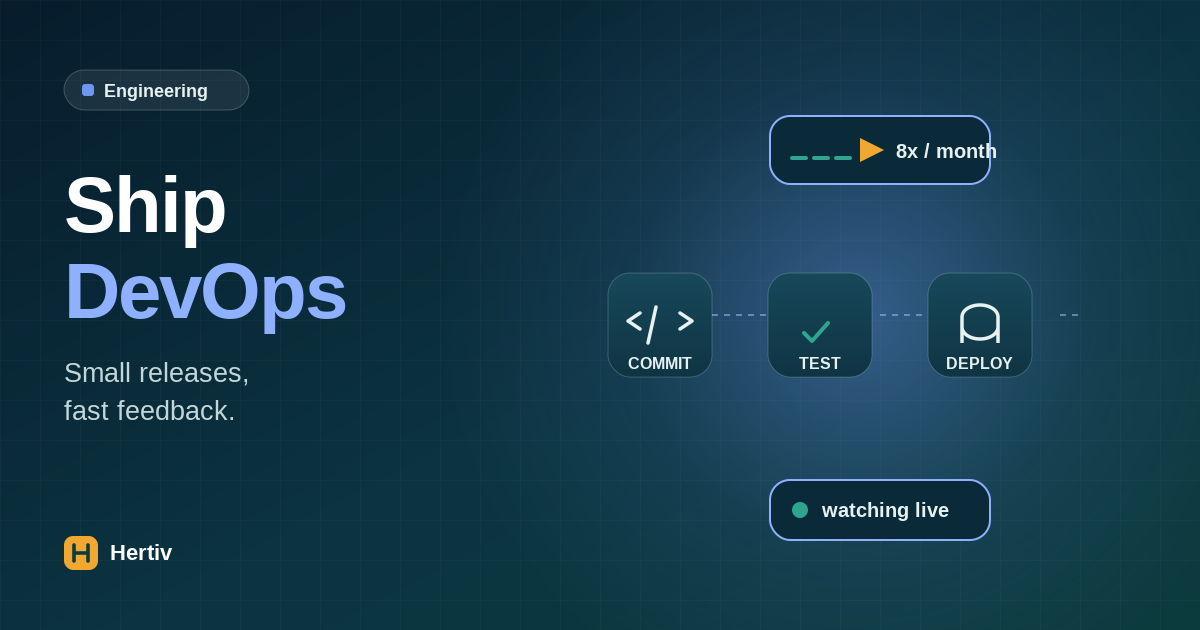
A first pipeline is a short, visible chain: commit, build, test, deploy to staging, check, deploy to production, watch. Each stage either passes or stops the chain.
The commit stage runs on every push. It builds the code and runs the fast unit tests, usually within a few minutes. If it fails, the developer fixes it before anyone else is involved.
The deploy stage takes the built artefact and releases it to staging first. A short smoke test checks that the service starts and answers its health endpoint. If staging looks right, the same artefact goes to production, either automatically or after a one-click approval.
After deployment, monitoring takes over. Dashboards show error rates and latency, and alerts go to the team on call. A rollback is one action: redeploy the previous artefact, which is why the pipeline keeps old versions around.
Keep the first pipeline boring. One branch, one build, one test suite, one deploy path. Extra stages, such as security scans or performance tests, can be added once the basic chain runs reliably for a few weeks. The stages themselves are covered in more depth in DevOps pipelines.
How do you measure whether DevOps is working?
You measure DevOps by how fast changes reach users, how often they fail, and how fast the team recovers. Four numbers cover most of it.
Lead time is how long a change takes from commit to production. A team that ships in days instead of weeks is moving faster, and a sudden rise in lead time usually means a step in the pipeline is stuck.
Deployment frequency is how often the team releases. Small, frequent releases are easier to understand and roll back than rare, large ones. A team that releases several times a week is usually healthier than one that releases once a month.
Change failure rate is the share of releases that cause a problem needing a fix or a rollback. A low rate means tests and reviews are catching issues; a rising rate means the pipeline is letting bad changes through.
Recovery time is how long it takes to fix a broken release. Fast recovery comes from good monitoring, a known rollback path and a team that owns the service. These four numbers are often called DORA metrics, and tracking them monthly is enough to see whether the change is working.
Example (hypothetical): a 12-person team implements DevOps
Example (hypothetical): a 12-person team runs a booking service that releases once a month. Each release takes four hours of manual steps, and about one release in four fails and needs a rollback the next day.
The team picks the booking service as its pilot. It puts the deployment scripts in version control, builds a pipeline that runs tests on every commit, and automates the deploy to staging and production. Monitoring is added for error rates and booking failures, and the team takes turns on call.
After two months the numbers change. Releases happen about eight times a month instead of once, and each deploy takes about 30 minutes of mostly automated work. Eight deploys at 30 minutes is four hours a month, the same total time as before, but the team now ships eight times as often. The failure rate falls from one in four releases to about one in twenty, because tests catch most breakage before it reaches users.
The change that mattered most was not the pipeline tool. It was that the same team now owned the release and the on-call rota, so a broken deploy was their problem to fix, not someone else's ticket.
What are the common mistakes?
The most common DevOps implementation mistakes are buying tools before fixing the workflow, automating a broken process, and skipping the feedback loop.
- Buying tools first. A new CI server does not fix a release process that nobody understands. Map the current steps before automating them.
- Automating a broken process. If the manual deploy is unreliable, automating it just fails faster. Fix the steps, then automate.
- Skipping tests. A fast pipeline without tests ships bugs faster. Tests are the gate that makes speed safe.
- No monitoring. A team that cannot see production cannot run it. Monitoring is part of the implementation, not an afterthought.
- Big-bang rollout. Converting every service at once stalls. One pilot service teaches the team what works.
- On-call without support. Giving a team on-call duty without time to fix what wakes them up burns people out.
Key takeaways
- DevOps means one team builds, releases and runs its software
- Version control, automated builds and tests, infrastructure as code and monitoring form the base
- Start with one service and one pipeline, then expand when it runs cleanly
- Lead time, deployment frequency, failure rate and recovery time show whether it works
- Automate a working process; automating a broken one just fails faster
Frequently asked questions
What is DevOps?
DevOps is a way of working where one team builds, releases and runs its software, using small frequent releases, automated tests and fast feedback instead of handoffs between separate development and operations teams.
How long does it take to implement DevOps?
A first pipeline for one service often takes a few weeks. Changing how a whole organisation releases software takes months, because habits, ownership and on-call rotas change more slowly than tooling.
Do you need Kubernetes to do DevOps?
No. Kubernetes is one way to run services, but DevOps is about workflow and ownership. Many teams implement DevOps on virtual machines or managed platforms before they ever touch a container orchestrator.
What is the difference between DevOps and DevSecOps?
DevSecOps adds security checks into the DevOps pipeline, such as code scanning and dependency checks on every change. It is the same workflow with security built in, rather than a separate review at the end.
What is a CI/CD pipeline?
A CI/CD pipeline is an automated chain that builds code, runs tests and deploys it when a change is committed. CI, or continuous integration, covers the build and test steps; CD, or continuous delivery, covers the deploy steps.
What skills does a DevOps team need?
A DevOps team needs coding, testing, infrastructure and monitoring skills in the same group. The exact mix depends on the stack, but the key skill is ownership: the team must be able to build, release and fix its own service.


