What Is a DevOps Pipeline, and How Does It Work?
A DevOps pipeline automates the path from code commit to a running product: build, test, deploy and monitor. Learn the stages, the tools and how to build one.
On this page
Short answer
A DevOps pipeline is an automated sequence of steps that takes code from a developer's machine through build, test and deployment into production. It makes releases repeatable, catches bad changes before they reach users, and lets small teams ship often without manual release days.
What is a DevOps pipeline?
A DevOps pipeline is an automated sequence of steps that takes code from a developer's machine through build, test and deployment into production, with checks and approvals along the way. It turns a manual release process into a repeatable path that every change follows.
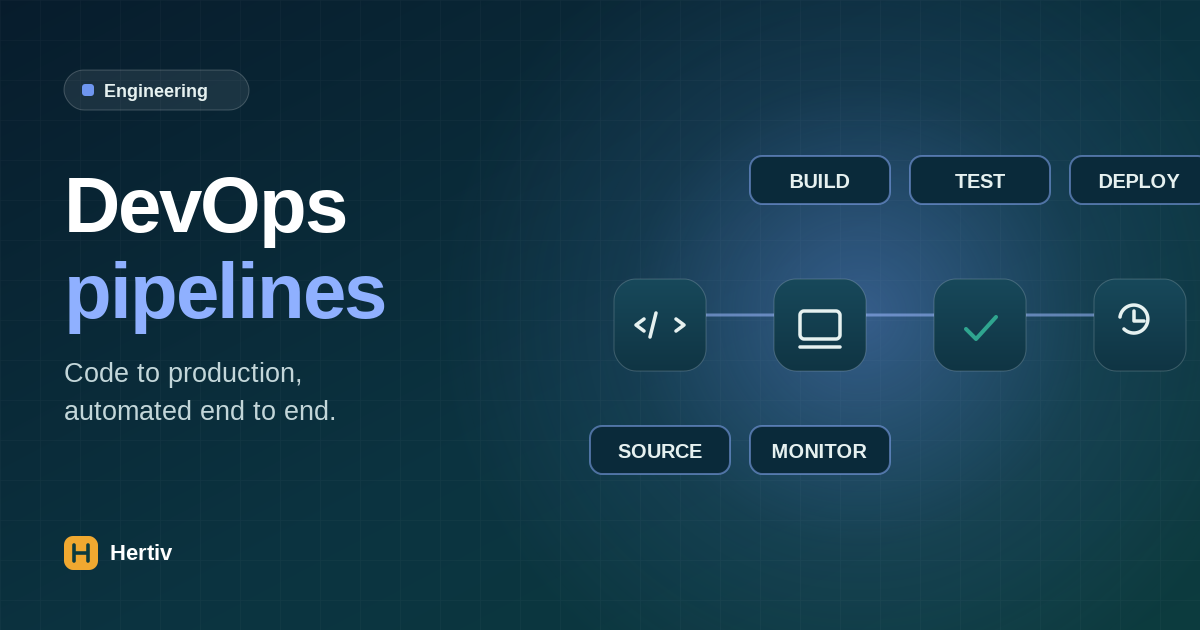
The pipeline sits between writing code and running software. A developer merges a change, the pipeline builds it, runs tests, and, if everything passes, ships it to a staging or production environment. Each stage either passes the change forward or stops it with a clear error.
| Stage | What happens | Typical output |
|---|---|---|
| Source | Code is committed and versioned | A tracked change set |
| Build | Code is compiled and packaged | A deployable artifact |
| Test | Automated checks run against the build | Pass or fail results |
| Deploy | The artifact is released to an environment | A running version |
| Monitor | Logs and metrics are watched | Alerts and dashboards |
The point is not speed alone. A pipeline makes releases boring and predictable, so teams can ship small changes often instead of saving up one large, risky release. If you are setting this up for the first time, DevOps services cover the design and tooling choices involved.
What are the stages of a DevOps pipeline?
The stages of a DevOps pipeline are source control, build, test, deploy and monitor, and each stage has a job that must finish before the next one starts. Keeping the stages separate makes failures easy to find: a failed build points at the code, a failed test points at behaviour, and a failed deploy points at the environment.
The source stage starts when code is committed to a shared repository. Good practice is to commit small changes often, on short-lived branches, so each pipeline run covers a small, reviewable change rather than a week of work at once.
The build stage compiles code, resolves dependencies and produces an artifact, such as a container image. The test stage then runs unit tests, integration tests and static checks against that artifact. Only a build that passes all of these moves on.
Deployment usually happens in steps: first to a staging environment that mirrors production, then to production itself. Some teams add a manual approval before production; others deploy automatically once tests pass. The monitor stage closes the loop by watching logs, errors and performance after release, so a bad deploy is caught quickly. For a sense of what each stage costs to run, see DevOps cost.
How is a DevOps pipeline different from CI/CD?
A DevOps pipeline is the whole automated path from code to a running product, while CI/CD names two practices inside it: continuous integration (CI) and continuous delivery or deployment (CD). CI covers merging and testing code; CD covers releasing it. A DevOps pipeline also includes the planning, monitoring and feedback work around those two.
| Term | Scope | What it answers |
|---|---|---|
| Continuous integration | Merge, build, test | Does this change work? |
| Continuous delivery | Release readiness | Can we ship this now? |
| Continuous deployment | Automatic release | Is this live already? |
| DevOps pipeline | Whole lifecycle | How does code become a product? |
The distinction matters when you buy tools. A CI tool alone does not give you a pipeline: you still need deployment, environment management and monitoring around it. Teams that confuse the two often automate testing and then keep deploying by hand, which leaves the slowest and riskiest step untouched.
A useful test is to ask what happens after a test passes. If the answer involves a person copying files or running a script by hand, you have CI, not a pipeline. The pipeline is finished only when a passing change can reach users without manual steps in between.
What tools make up a DevOps pipeline?
A DevOps pipeline is made of tools for source control, building, testing, artifact storage, deployment and monitoring, and most teams pick one tool per stage rather than one tool for everything. The categories matter more than the brand names, because tools change while the stages stay the same.
| Stage | Tool category | Well-known examples |
|---|---|---|
| Source | Version control | GitHub, GitLab, Bitbucket |
| Build | Build automation | Jenkins, GitHub Actions, GitLab CI |
| Test | Test runners and scanners | JUnit, Playwright, SonarQube |
| Deploy | Orchestration and IaC | Kubernetes, Terraform, Argo CD |
| Monitor | Observability | Prometheus, Grafana, Datadog |
Start with tools your team already knows. A pipeline built on familiar tools that the team maintains beats an impressive setup nobody understands. Add a tool only when a stage is clearly the bottleneck: slow tests, flaky deploys or blind spots after release.
Keep the tool count low at first. Every extra tool is another thing to update, secure and debug when the pipeline breaks at 2 a.m. A shortlist of the options is in DevOps tools.
How do you build a DevOps pipeline?
You build a DevOps pipeline by mapping the current release path, automating one stage at a time, and adding tests and checks before you automate deployment. The order matters: automating a broken manual process just produces broken releases faster.
- Map the current release. Write down every step from commit to production, including the manual ones people forget to mention.
- Put code in version control. One repository, small commits, and a branching rule the whole team follows.
- Automate the build. A single command or job that produces the same artifact every time, from a clean environment.
- Add automated tests. Start with unit tests, then add integration tests for the paths that break most often.
- Automate deployment to staging. Deploy the same artifact that passed the tests, to an environment that matches production.
- Add monitoring and rollback. Watch errors and performance after each release, and make it possible to return to the previous version quickly.
- Automate production last. Only after staging deploys are boring and rollbacks work should production deploys run without a manual step.
Expect the first version to be simple. A pipeline that builds, tests and deploys one service is worth more than a grand design covering every service that never ships. This staged approach is the same journey described in the DevOps journey in software development.
Example (hypothetical): a small team cuts release time
Example (hypothetical): a team of six developers releases twice a month. Each release takes a full working day: one developer builds the code, another runs the test suite by hand, and a third deploys it to production and watches for errors. That is 8 hours of release work per release, or 16 hours a month.
The team builds a pipeline. Commits now trigger an automatic build and test run that takes 12 minutes, and a passing build deploys to staging on its own. Production still needs one approval click, and the deploy itself takes 10 minutes. Release work drops to about 1 hour per release, or 2 hours a month.
The saving is 14 hours a month, or 168 hours a year, which is roughly four working weeks of developer time. The bigger gain is reliability: releases now happen the same way every time, and a failed test stops a bad change before it reaches users instead of after. The team reinvests the saved time in writing the tests that were previously skipped.
What are the common mistakes?
The most common DevOps pipeline mistakes are automating deployment before tests are trustworthy, skipping rollback, and building a pipeline nobody owns. Each one turns a tool that should reduce risk into a new source of it.
- Automating a broken process. If the manual release is flaky, the automated version is flaky too, just faster.
- Tests that nobody trusts. A suite that fails randomly teaches the team to ignore failures, which defeats the point of gating on tests.
- No rollback plan. A pipeline that can deploy but cannot return to the previous version leaves the team stuck during an incident.
- Secrets in the pipeline. Credentials stored in scripts or logs are a common leak; use a secrets store and short-lived tokens.
- One owner, no documentation. If only one person understands the pipeline, every holiday becomes a release freeze.
- Monitoring as an afterthought. Shipping without alerts means a bad release is found by customers, not by the team.
Key takeaways
- A DevOps pipeline automates the path from commit to production: build, test, deploy, monitor
- Each stage gates the next, so a failed test stops a bad change before it reaches users
- CI/CD are practices inside the pipeline, not the pipeline itself
- Pick one tool per stage and keep the tool count low at first
- Automate production last, only after staging deploys and rollbacks work
Frequently asked questions
What is the difference between a DevOps pipeline and CI/CD?
CI/CD names two practices: continuous integration (merging and testing code) and continuous delivery or deployment (releasing it). A DevOps pipeline is the whole automated path, including source control, deployment, monitoring and feedback, so CI/CD sits inside the pipeline rather than replacing it.
How long does it take to build a DevOps pipeline?
A basic pipeline for one service, covering build, test and staging deployment, often takes a few days to a couple of weeks. A full setup with production automation, monitoring and rollback takes longer, and most teams build it in stages rather than all at once.
Do small teams need a DevOps pipeline?
Yes, if they release more than occasionally. Even a team of two benefits from automated builds and tests, because the pipeline removes the manual release steps that cause most deployment mistakes. The pipeline can be simple: one build job, one test job and one deploy job.
What is the first stage to automate?
Start with the build and the tests. A repeatable build that runs the test suite on every commit catches problems early and gives the team confidence. Automate deployment only after the build and tests are reliable, since a fast deploy of a bad build helps nobody.
Can a DevOps pipeline deploy to production automatically?
Yes, and many teams do. Automatic production deployment works when tests are trustworthy, staging matches production, and rollback is one click. Teams that are not there yet keep a manual approval before production and automate everything up to that point.
What happens when a pipeline stage fails?
The pipeline stops and reports which stage failed, so the team knows whether the problem is the code, the tests or the environment. Nothing moves to the next stage until the failure is fixed. This is the main safety benefit: a bad change is blocked by the pipeline, not by a customer report.


