How to Develop and Deploy an Aptos Smart Contract
On Aptos, a smart contract is a Move module published to an account address. This guide covers the tools, the module structure, testing and the testnet deploy steps.
On this page
Short answer
On Aptos, you write a smart contract as a Move module, test it with the Aptos CLI, and publish it to an account address on testnet before moving to mainnet. Move is the programming language, the CLI compiles and publishes the code, and a testnet faucet gives you the tokens to pay for publishing.
What is an Aptos smart contract?
An Aptos smart contract is a Move module: a package of code published to an account address on the Aptos blockchain, where it stores data and runs functions when transactions call it. Aptos does not use the word contract in its tooling, but a published Move module plays the same role a smart contract plays on other chains.
Move is a resource-based language that was designed for safe handling of digital assets. A value in Move cannot be copied or lost by accident, because the type system treats assets as resources that must be moved, stored or destroyed explicitly. That design catches a whole class of bugs at compile time, before the code ever reaches the chain.
Modules live at an account address, and that address becomes part of the module name. Once published, other modules and transactions can call its public functions. Code can be upgraded only if the package sets an upgrade policy that allows it, so the upgrade rules are decided before publishing, not after.
What tools do you need to start?
You need a small set of tools before you write any Move code, and each one has a clear job in the workflow.
| Tool | What it does | When you use it |
|---|---|---|
| Aptos CLI | Creates projects, compiles, tests and publishes Move code | Every step, from setup to deploy |
| Move language | The language your module is written in | Writing and editing the module |
| Wallet | Holds the account that publishes the module | Funding and publishing |
| Testnet faucet | Gives you testnet APT to pay fees | Before publishing to testnet |
| Code editor | Edits Move files, with a Move plugin for syntax help | While writing the module |
| Testnet | A public test network with no real money at stake | Publishing and trying the module |
Install the Aptos CLI first and check it runs with aptos --version. The CLI also starts a local testnet on your own machine, which is useful when you want fast feedback without waiting for a public network. A wallet such as Petra, built by Aptos Labs, holds the account you publish from, and the testnet faucet funds that account with test tokens.
How do you write a Move module?
You write a Move module as a set of structs and functions inside a module block, with data stored as resources under an account address. A module starts by declaring its address and name, then defines the data it holds and the functions that change it.
A typical module has three parts. First, a struct defines the data, for example a ticket counter or a list of owners. Second, an init function creates that resource and stores it under the publisher account. Third, entry functions let users call the module, for example to buy a ticket or check how many remain.
Keep functions small and give each one a single job. A function that both checks a payment and updates a counter is harder to test than two functions that each do one thing. Name functions after what they do, and add short comments where the logic is not obvious from the code alone.
Move also has a standard library, the Aptos Framework, which provides common pieces such as coin handling, account creation and event emission. Use the framework instead of writing your own versions of these pieces, because the framework code is reviewed and tested by the Aptos team. For a comparison with the other Move chain, see Aptos vs Sui.
How do you test a Move module before publishing?
You test a Move module with the built-in test runner, which runs unit tests written in the same package as the module. Tests call the module functions with known inputs and check the results, so a bug shows up on your machine instead of on the chain.
Write a test for each entry function. A test for a ticket sale should check that buying a ticket reduces the remaining count by one, that buying with too little payment fails, and that buying after the tickets run out fails. Tests that cover the failure cases matter as much as tests that cover the happy path.
Run the tests with the CLI, fix what fails, and run them again. Once the unit tests pass, try the module on a local testnet, where you can send real transactions from a wallet and watch the results in an explorer. Local testing catches logic errors, while the testnet run catches problems with accounts, gas and the way your front end calls the module.
How do you deploy a Move module to testnet?
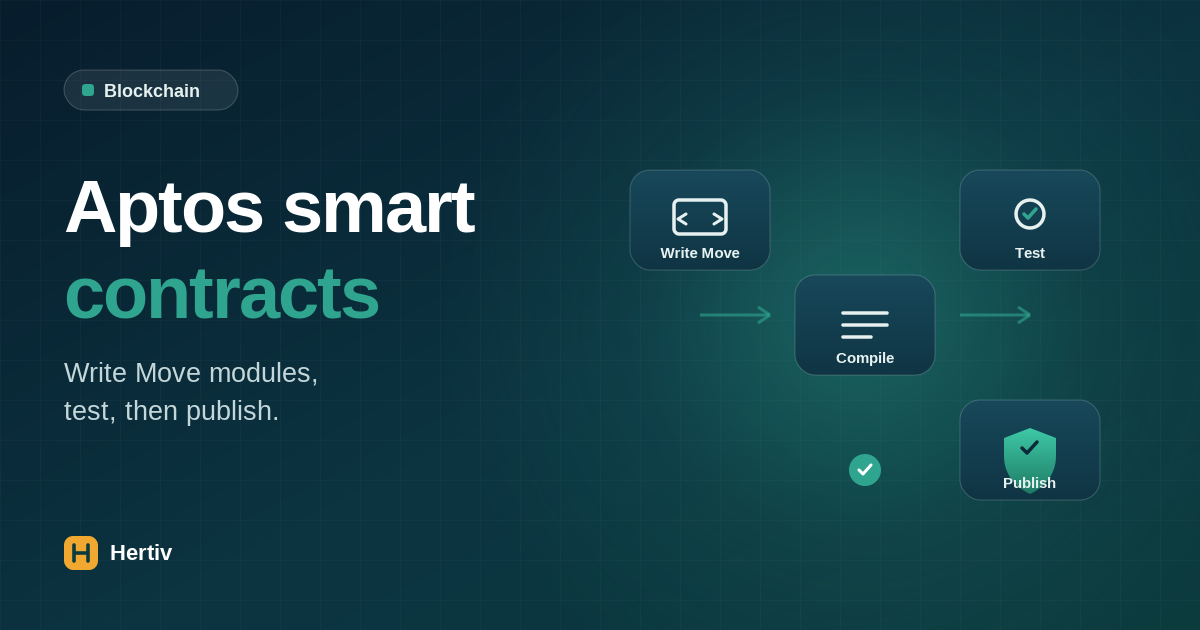
You deploy a Move module to testnet by compiling it, funding your account with test tokens, and publishing the package with the Aptos CLI. The steps below are the usual sequence for a first deploy.
- Create the project. Run the CLI init command in a new folder to create a Move package with a sources directory and a Move.toml file.
- Set the addresses. Edit Move.toml so the package address points to your account address, and add a dev address for local testing.
- Write the module. Add your module file to the sources directory and compile it to catch syntax and type errors early.
- Run the tests. Run the test command and fix every failure before you publish anything.
- Fund the account. Use the testnet faucet to send testnet APT to your account, so it can pay the publishing fee.
- Publish. Run the publish command with the testnet profile. The CLI sends the compiled package to the chain and reports the module address.
- Verify. Open the module in a testnet explorer, check the address and functions, and send one test transaction to confirm it behaves as expected.
Publishing to mainnet follows the same steps, except the tokens are real and the module cannot be taken back. That is why teams publish to testnet first, run the full flow there, and only then publish the same package to mainnet. If you are building a wallet app around the module, read how to develop a DeFi wallet first.
Example (hypothetical): a ticket-sale module
Example (hypothetical): a small events team wants a ticket-sale module on Aptos testnet. The module sells 200 tickets at 0.5 APT each, keeps a count of tickets left, and stops selling when the count reaches zero.
The team writes one module with a ticket store resource, an init function that sets the count to 200, and a buy entry function that checks the payment, reduces the count by one and records the buyer. They write three tests: one for a normal purchase, one for a payment below 0.5 APT, and one for buying when no tickets remain.
The numbers work out like this. Selling all 200 tickets at 0.5 APT brings in 100 APT. The team budgets 2 APT for publishing and test transactions, so the test run costs 2 APT in test tokens from the faucet.
The build takes two developers three weeks at an indicative $8,000 a month each, which is $12,000, and a review of the module by a second developer takes one more week, adding $2,000. The total first version costs about $14,000, and the module is ready for a mainnet review.
What are the common mistakes?
The most common mistakes in Aptos development are skipping tests, publishing with the wrong address, and treating testnet success as mainnet readiness.
- Publishing without tests. A module with no unit tests is a guess. Write tests for the failure cases first, because those are the cases attackers and confused users hit.
- Wrong address in Move.toml. If the package address does not match your account, the publish fails or the module lands somewhere unexpected. Check the address before every publish.
- Forgetting the upgrade policy. A module with no upgrade policy cannot be changed later. Decide the policy before publishing, and document who can upgrade it.
- Testing only the happy path. A module that works when everything goes right can still fail badly on bad input. Test low payments, empty lists and repeated calls.
- Skipping the testnet run. Unit tests do not catch gas, account or front-end problems. Always run the full flow on testnet first.
Key takeaways
- Aptos smart contracts are Move modules published to an account address
- Move resources cannot be copied or lost by accident, which catches asset bugs at compile time
- The Aptos CLI handles init, compile, test and publish in one workflow
- Test on a local testnet first, then on public testnet, and only then on mainnet
- Decide the upgrade policy before publishing, because it cannot be added later
Frequently asked questions
What language are Aptos smart contracts written in?
Move. Aptos smart contracts are Move modules, and the language was designed for safe handling of digital assets. Its resource model means a value cannot be copied or lost by accident, and the compiler checks those rules before the code is published.
Can you upgrade a published Move module?
Yes, but only if the package sets an upgrade policy that allows it. The policy is defined in the Move.toml file before publishing, and it controls whether the code can change later and who can change it. A module published without an upgrade policy cannot be upgraded.
How do I pay for publishing on testnet?
You fund your account with testnet APT from the testnet faucet, which gives out tokens with no real value. Those tokens pay the publishing fee and the fees for test transactions, so you can run the full flow without spending real money.
What is the difference between Aptos and Sui Move?
Both use Move, but Aptos stores data under account addresses while Sui uses an object model. The languages share ideas, yet the code and tooling are not interchangeable, so a module written for one chain needs changes to run on the other.
Do I need a wallet to develop on Aptos?
Yes, for publishing and testing. A wallet holds the account that publishes the module and signs transactions. For local testing you can use a CLI-generated account, but a wallet is the usual way to interact with testnet and mainnet.
How long does a first Aptos module take to build?
A small module with a few entry functions and tests can take a few days for a developer who knows Move, and a few weeks for a team learning it. The review, testnet run and mainnet preparation usually take as long as the first draft, so plan for both.


