How to Cut Kubernetes Costs Without Breaking Production
Kubernetes costs grow when clusters run idle capacity, oversized requests and forgotten workloads. Find where the money goes and cut it in stages.
On this page
Short answer
Kubernetes cost optimisation is the work of matching what a cluster runs to what it actually needs: right-sized requests, autoscaling that follows real demand, and removing workloads nobody uses. Most of the saving comes from a small number of changes, applied in order, with the service watched as each one lands.
What is Kubernetes cost optimisation?
Kubernetes cost optimisation is the practice of reducing what a cluster costs to run without making the service slower or less reliable. It is not about buying cheaper machines. It is about using the machines you already pay for properly: the right number of nodes, the right size of request for each workload, and nothing running that nobody needs.
Costs in Kubernetes come from the nodes you run, the storage you keep, and the traffic you move. The node bill is usually the largest part, and it is set by the total of the CPU and memory requests across all pods, not by what the pods actually use. That gap between requested and used resources is where most waste sits.
Optimisation is a loop, not a project. You measure, change one thing, watch the service, and repeat. Teams that treat it as a one-off clean-up usually see the bill creep back within months, because new workloads arrive with the same oversized defaults. For the basics of the system itself, see what Kubernetes is.
Where does the money go in a Kubernetes cluster?
The money in a Kubernetes cluster goes first to nodes, then to storage, then to network traffic. Nodes are charged by size and time, so a cluster that runs ten large nodes all day costs ten large nodes all day, even if half of them sit idle at night.
The second cost is over-provisioned requests. When a pod asks for 2 CPUs and uses 0.2, the scheduler reserves the full 2 and the cluster cannot place other work there. Multiply that across dozens of services and the cluster needs far more nodes than the real load requires. The third cost is forgotten work: test namespaces, old jobs, unused volumes and services that nobody owns any more.
Storage and traffic are smaller but still worth checking. Old snapshots, unattached volumes and logs kept forever all add up, and traffic between zones or regions is charged where traffic inside one zone is not. A cost review that only looks at nodes will miss these.
Which cost levers save the most?
The cost levers that save the most are the ones that change how much capacity the cluster reserves, not the ones that change the price per node. Right-sizing requests usually comes first, because it is safe and it frees capacity without touching the code.
| Lever | What it changes | Risk | Effort |
|---|---|---|---|
| Right-size requests | Reserved CPU and memory | Low, if done gradually | Low |
| Autoscaling | Node count follows demand | Medium, needs tuning | Medium |
| Spot instances | Price per node | Medium, nodes can go away | Medium |
| Remove unused work | Nodes, storage, traffic | Low, if ownership is clear | Low |
| Storage clean-up | Volume and snapshot costs | Low | Low |
| Pod scheduling | How tightly pods pack | Low to medium | Medium |
Spot instances look attractive on price, but they only fit workloads that can be interrupted, such as batch jobs and stateless services. A database or a stateful service on spot capacity is a reliability risk, not a saving. Start with right-sizing and clean-up, then add autoscaling, and only then consider spot capacity for the workloads that can handle it.
How do you cut Kubernetes costs in 6 steps?
You cut Kubernetes costs by working through six steps in order: measure, right-size, clean up, scale, buy smarter, and keep watching.
- Measure first. Tag every namespace and workload with its owner and cost, so you can see which service spends what. Without that, cuts are guesses.
- Right-size requests. Look at actual CPU and memory use over two weeks, then lower requests toward the real peak plus a margin, one service at a time.
- Remove unused work. Delete test namespaces, old jobs, unattached volumes and services with no owner and no traffic.
- Add autoscaling. Let the cluster add nodes when load rises and remove them when it falls, and let pods scale by the metric that actually drives load.
- Buy capacity smarter. Move interruptible workloads to spot capacity, and commit to reserved capacity only for the baseline you know you will use.
- Keep a weekly review. A short weekly look at cost by namespace stops the bill creeping back.
Each step should be checked against the service, not just the bill. If latency or error rates move, stop and revert before going further. Kubernetes and Docker explains the pieces these steps act on.
Example (hypothetical): cutting a cluster bill in stages
Example (hypothetical): a team runs a cluster of 10 nodes that costs $3,000 a month. The nodes are mostly idle at night, and the pods request twice the CPU they use. The team works through the steps in order.
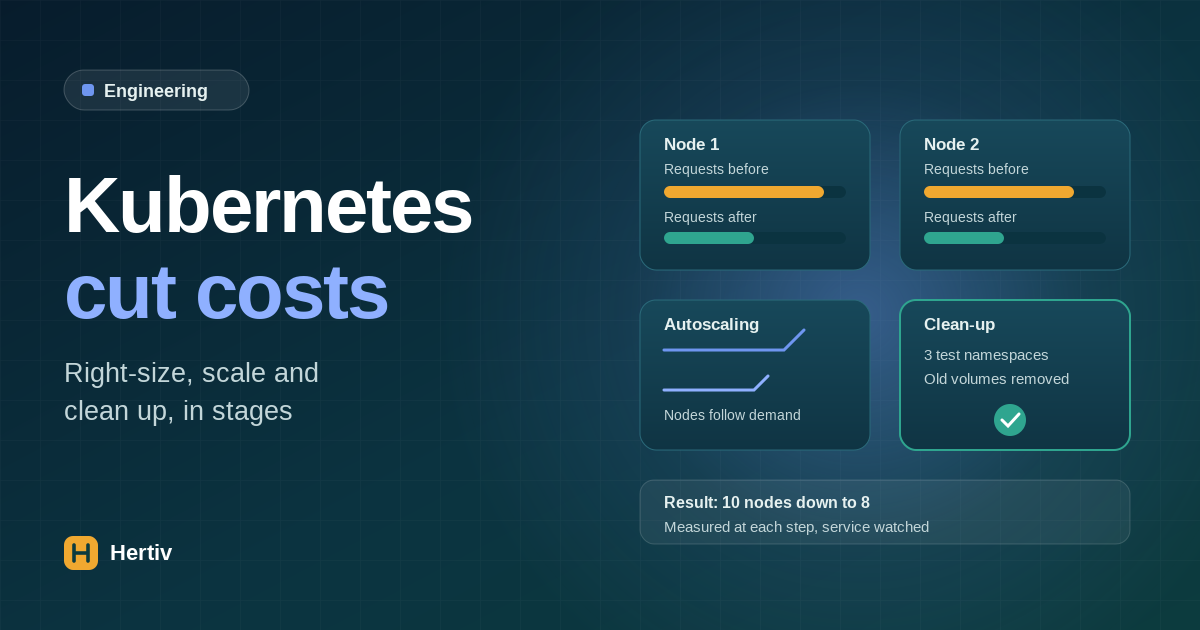
First, right-sizing: the team lowers requests on 12 services toward their real peaks, and the cluster drops from 10 nodes to 8. That is 2 nodes saved, or $600 a month. Next, clean-up: removing three forgotten test namespaces and old volumes saves one more node and $150 of storage, which is $450 a month in total.
Then autoscaling: the cluster now runs 7 nodes at night and 9 at peak, instead of 9 all day. Over a month that averages to about 8 nodes, which is $2,400, against the original $3,000. The total saving is $600 a month, or 20%, with no change to the code. The numbers are invented to show the arithmetic, not a real bill: the point is that each step is measured before the next one starts.
What are the common mistakes?
The most common mistakes in Kubernetes cost optimisation are cutting too fast, cutting the wrong thing, and stopping after the first clean-up.
- Cutting requests too far. A pod with too little memory gets killed and restarted, which costs more in incidents than it saves in nodes.
- Autoscaling on the wrong metric. Scaling on CPU when the real driver is queue depth leaves the service slow while the cluster looks fine.
- Spot capacity for stateful work. A database or a queue on nodes that can disappear is a reliability risk.
- No cost ownership. If nobody owns a namespace, nobody removes it, and the bill grows one forgotten workload at a time.
- One-off clean-up. A single cost review without a weekly check lets the same waste return within months.
These mistakes share one root: the bill was treated as the goal instead of the service. Cost work should always be judged by the service first, and the bill second.
How do you keep Kubernetes costs down?
You keep Kubernetes costs down by making the review routine and the defaults sensible, so new work arrives right-sized instead of oversized.
Set default requests and limits for every namespace, so a workload cannot arrive with no limits at all. Require an owner tag on every namespace, and review untagged or unused namespaces weekly. Add a cost report to the same weekly review as uptime and errors, so cost is a normal operations number, not a quarterly surprise.
Finally, revisit the numbers when the product changes. A new feature that doubles traffic should change the budget and the autoscaling settings at the same time, not after the bill arrives. Teams that need help setting this up often start with DevOps services for the cluster and the cost reporting around it.
Key takeaways
- Most Kubernetes waste is reserved capacity that pods never use
- Right-sizing requests and removing unused work give the fastest safe saving
- Autoscaling should follow the metric that actually drives load
- Spot capacity fits interruptible work only, never stateful services
- A weekly cost review by namespace keeps the bill from creeping back
Frequently asked questions
How much can Kubernetes cost optimisation save?
It depends on how much waste the cluster holds. Teams often find that right-sizing and clean-up remove a fifth or so of the bill, but the exact figure depends on the workloads, the traffic pattern and how the cluster was set up. Measure your own cluster before promising a number.
Is it safe to lower CPU and memory requests?
Yes, if you do it gradually and watch the service. Look at real use over two weeks, lower requests toward the real peak plus a margin, and check latency and restarts after each change. A pod with too little memory gets killed, so never cut to the average; cut to the peak.
Should I use spot instances for everything?
No. Spot capacity suits work that can be interrupted and restarted, such as batch jobs and stateless services. Databases, queues and anything that holds state should stay on stable capacity, because a node that disappears takes the work with it.
What is the difference between requests and limits in Kubernetes?
A request is the amount the scheduler reserves for a pod, and it decides how many pods fit on a node. A limit is the maximum the pod is allowed to use. Setting requests too high wastes nodes; setting limits too low kills pods. Both need to match real use.
How often should I review Kubernetes costs?
Weekly, as part of the normal operations review. A short look at cost by namespace catches forgotten workloads and rising spend early, while the fix is still small. A quarterly review usually finds months of waste that could have been caught sooner.
Does autoscaling save money on its own?
It helps, but only after requests are right-sized. Autoscaling adds and removes nodes as load changes, yet if every pod requests twice what it uses, the scaled cluster is still oversized. Right-size first, then let autoscaling follow real demand.


