What Is Kubernetes, and What Does It Actually Do?
Kubernetes runs containers for you: it places them, restarts failed ones, scales them, and routes traffic. Learn its core parts and when it is worth the effort.
On this page
Short answer
Kubernetes is an open-source system for running containerised applications across a group of machines. It decides where each container runs, restarts containers that fail, scales the number of copies up or down, and connects users and services to the right containers.
What is Kubernetes?
Kubernetes is a system for running applications that are packaged as containers. A container holds an application and the files it needs to run, so it behaves the same way on a laptop, on a test server and in production. Kubernetes takes those containers and runs them across a group of machines, called a cluster.
Without a system like this, someone has to decide which machine runs each container, restart containers that stop, and add more copies when traffic grows. Kubernetes does that work from a description you give it, called a desired state. You say how many copies of an application should run, and Kubernetes works to keep that number running.
Kubernetes was built at Google and is now maintained as an open-source project. It is widely used for production systems, and many cloud providers offer a managed version, so a team does not have to run the control plane itself.
How does Kubernetes work?
Kubernetes works from a desired state that you describe in files. Those files say which container image to run, how many copies to run, how much CPU and memory each copy may use, and how traffic should reach it. Kubernetes reads that description and makes the cluster match it.
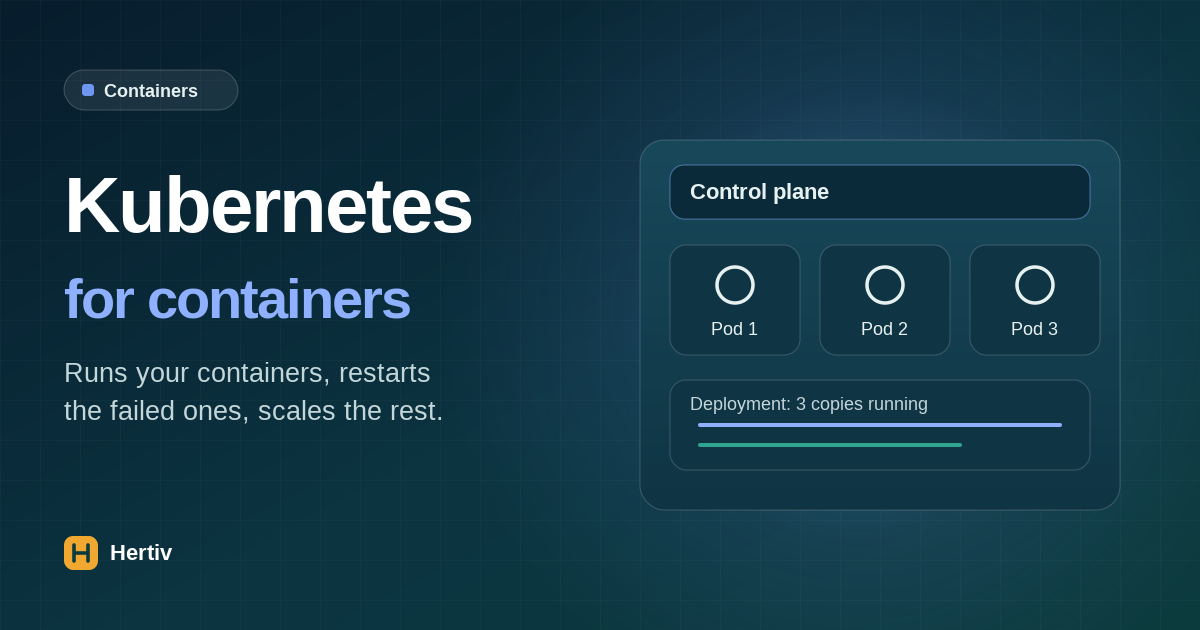
A cluster has two kinds of parts. The control plane decides what should run and where, watches the health of the cluster, and reacts when something changes. The worker nodes are the machines that actually run the containers. Each worker runs an agent that talks to the control plane and starts, stops and checks containers on that machine.
When a container stops, the agent reports it and Kubernetes starts a replacement, usually on a healthy machine. When you ask for more copies, Kubernetes places the new copies on machines with spare capacity. When you update an image, it replaces copies one at a time, so the application stays available during the update.
What are the core parts of Kubernetes?
The core parts of Kubernetes are pods, deployments, services and namespaces. A pod is the smallest unit Kubernetes runs: one or more containers that share a network address and storage, and that are placed together on one machine. Most pods run a single container.
A deployment manages a set of identical pods. It says how many copies should run and which image they use, and it handles updates by replacing pods in small steps. A service gives a stable address to a set of pods, so other parts of the system can reach them even as individual pods come and go. A namespace groups resources, so teams can share a cluster without stepping on each other.
| Part | What it does | Example |
|---|---|---|
| Pod | Runs one or more containers together | One web server container |
| Deployment | Keeps a set number of pods running | Three copies of the web server |
| Service | Gives pods a stable address | Internal address for the web server |
| ConfigMap | Holds settings outside the image | Database host name |
| Secret | Holds sensitive settings | Database password |
| Namespace | Groups resources by team or app | Payments team namespace |
ConfigMaps and secrets keep settings out of the container image, so the same image can run in test and in production with different settings. That separation is one of the practical habits that makes Kubernetes usable day to day.
Why do teams use Kubernetes?
Teams use Kubernetes because it makes running many containers predictable. Once an application is described as a desired state, the same description can be used in test and in production, and the system keeps the application running without manual steps for each container.
It also helps with scaling and with updates. A deployment can be scaled up when traffic grows and scaled down when it falls, and updates can be rolled out one pod at a time, with a rollback if the new version fails its health checks. Those two habits reduce the risk of a release taking the whole application down.
Kubernetes is also portable in a useful sense: the same application description can run on different clouds and on machines in a data centre, because the interface is the same. That does not remove all differences between providers, but it does mean the team is not tied to one provider's way of running containers. Cloud services teams often use this to keep an application movable.
How do you start with Kubernetes?
Start with Kubernetes by running one small application on a managed cluster, not by building your own cluster first. A managed cluster gives you a working control plane, and your team can learn the core parts — pods, deployments and services — on a real application without operating the system itself.
- Package the application as a container image and run it locally first.
- Write a deployment that runs two copies and a service that gives it a stable address.
- Add health checks, so Kubernetes can tell a healthy pod from a broken one.
- Set resource limits, so one application cannot take all the memory on a node.
- Deploy through your existing pipeline, so every change goes through the same checks.
Keep the first application simple and add pieces only when you need them. Many teams add ingress for public traffic, then persistent storage, then autoscaling, in that order. Each piece should solve a problem the team actually has, not a problem it might have one day.
Example (hypothetical): scaling a web service
Example (hypothetical): a web service runs 3 pods, and each pod can handle 40 requests per second. That gives the service a total of 3 times 40, which is 120 requests per second. Traffic rises to 200 requests per second during a busy hour.
The team scales the deployment to 5 pods. Five pods times 40 requests per second is 200 requests per second, which matches the busy-hour traffic. When traffic falls back to 100 requests per second, the team scales back to 3 pods, because 3 times 40 is 120, which covers the lower load with a small margin.
The numbers are invented to show the arithmetic, not a real load test. The point is that scaling in Kubernetes is a matter of changing the number of pods in the deployment, and the system places the new pods and routes traffic to them.
Common mistakes with Kubernetes
Common mistakes with Kubernetes start with treating it as a small tool. It is a large system with many parts, and a team that adopts it for one small application pays the cost of learning and operating it before it gains much benefit. A single container on a simple host is often enough for a small product.
Another mistake is running pods without resource limits or health checks. Without limits, one application can use all the memory on a node and push other pods off it. Without health checks, Kubernetes cannot tell a pod that is stuck from one that is working, so it will keep sending traffic to a pod that cannot answer.
A third mistake is storing state in pods as if they were permanent machines. Pods are replaced often, and any data stored only inside a pod is lost when it is replaced. Data that must survive should live in a database or in persistent storage, not in the pod itself. DevOps services work often begins by fixing exactly these three habits.
Key takeaways
- Kubernetes runs containers across a cluster of machines from a desired state.
- Pods are the smallest unit; deployments keep a set number of pods running.
- Services give pods a stable address, even as pods come and go.
- Health checks and resource limits are what make a cluster reliable in practice.
- Start on a managed cluster with one small application, and add pieces as needed.
Frequently asked questions
Is Kubernetes the same as Docker?
No. Docker is a tool for building and running containers, while Kubernetes is a system for running many containers across many machines. Kubernetes often runs containers built with Docker, but it can run containers built with other tools too.
Do I need Kubernetes for one application?
Usually not. One application with a small team is often simpler to run on a single host or a managed container service. Kubernetes pays off when you run many containers that need scaling, updates and recovery.
What is a pod in Kubernetes?
A pod is the smallest unit Kubernetes runs: one or more containers that share a network address and are placed together on one machine. Most pods run a single container.
What happens if a node fails?
Kubernetes notices that the pods on that node are gone and starts replacements on healthy nodes, as long as the deployment asks for those pods. The application stays up if enough healthy nodes remain.
Is Kubernetes only for cloud?
No. Kubernetes can run on cloud machines, on machines in a data centre, and on a laptop for learning. Managed clusters on a cloud provider are the most common way to run it in production.
How do I update an application on Kubernetes?
You update the deployment to a new container image, and Kubernetes replaces pods one at a time. If the new pods fail their health checks, you can roll back to the previous image.


