How to Build Patient Management Software
Patient management software covers registration, booking, records and billing in one patient record. Learn the features, privacy rules and build steps.
On this page
Short answer
Patient management software is a system that clinics use to register patients, book appointments, keep medical records, manage billing and follow up on care. A good build starts with the clinic workflow, fixes the privacy rules early, and ships registration, booking, records and billing first.
What is patient management software?
Patient management software is a system that clinics and hospitals use to register patients, book appointments, keep medical records, manage billing and follow up on care. It replaces paper files and scattered spreadsheets with one record per patient that staff, doctors and billing teams can all work from.
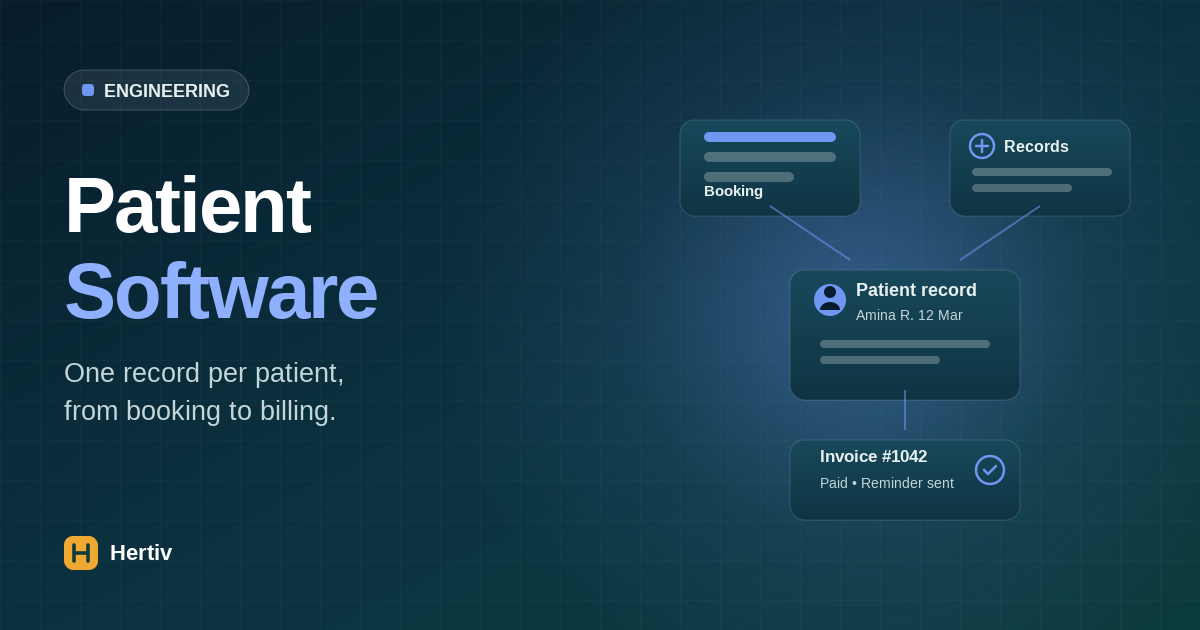
The core job is coordination. A receptionist books a visit, the doctor sees the history and notes, the lab adds results, and billing raises the invoice, all against the same patient record. When the record is complete and current, staff spend less time chasing paper and patients repeat their history less often.
Patient management is often part of a larger clinic system, but it can also stand alone. Small clinics usually start with scheduling, records and billing, then add reminders, telehealth and reporting later. The build decisions below apply to both paths, and the cost picture is covered in our guide to healthcare app development cost.
What features does it need?
The feature list depends on the clinic, but most patient management systems share the same core. The table below lists the features a first version should have, and what can wait.
| Feature | What it does | First version? |
|---|---|---|
| Patient registration | Creates one record per patient | Yes |
| Appointment booking | Books, moves and cancels visits | Yes |
| Medical records | Stores history, notes and results | Yes |
| Billing and invoices | Charges visits and tracks payment | Yes |
| Reminders | Sends visit and follow-up reminders | Yes |
| Telehealth | Runs video visits inside the record | Later |
| Analytics | Reports on visits, no-shows and revenue | Later |
Registration must handle duplicates: the same patient arriving under a slightly different name should match one record, not create a second. Booking must handle recurring visits, double-booking rules and cancellations. Records must keep a clear history, so a note is never overwritten without a trace of what changed.
Reminders deserve attention early, because missed visits cost clinics real money and delay care. A simple text or email reminder a day before, plus a follow-up after a missed visit, is enough for a first version.
How do privacy and compliance shape the build?
Patient data is sensitive, so privacy rules shape the build from the first day. In the United States the HIPAA rules set how health data is stored, shared and audited; in Europe the GDPR rules apply, along with local health data laws. Check the rules for your country with a lawyer before you write code, because the rules decide the architecture.
Three rules follow from almost every framework. First, only the people who need a record should see it: a receptionist does not need lab results, and a billing clerk does not need clinical notes. Second, every access should be logged, so you can show who opened a record and when. Third, data should be encrypted in storage and in transit, and backups should be encrypted too.
Consent is part of the design, not a form bolted on later. Patients should be able to agree to reminders, to sharing with a referred specialist, and to withdraw that agreement. Build the consent flags into the patient record so every feature can check them before acting.
How should the system be put together?
A patient management system is usually built as a web app for staff, with a patient portal or mobile app for booking and records. The web app carries the heavy work: scheduling, records, billing and reports. The portal carries the patient-facing work: booking, forms, messages and visit history.
Keep the data model simple at first. A patient has visits, each visit has notes and results, and each visit links to invoices and payments. If the model grows tangled, every new feature gets slower to build. A clean model also makes reporting easier, because visits, no-shows and revenue all come from the same records.
Integrations decide much of the value. Labs, pharmacies, imaging and insurance each have their own systems, and the patient system should exchange data with them rather than retyping it. Agree the integration list before the build starts, because each one adds weeks. Teams that need video visits can look at our guide to telemedicine apps for the pieces involved.
What are the steps to build it?
Building patient management software follows a clear order. Skipping a step usually means rework later.
- Map the clinic workflow. Watch how a patient moves from booking to billing, and write down every handoff between staff.
- Fix the compliance list. Confirm the privacy rules, consent needs and audit needs with a lawyer, and write them as requirements.
- Define the first version. Pick the features from the table above that the clinic cannot work without, and cut the rest to a later phase.
- Build the record and booking first. These two carry the daily work; billing and reminders follow once they are solid.
- Test with real staff. Run a pilot with one clinic, watch real bookings and real records, and fix what slows staff down.
- Roll out in stages. Move one clinic or one department at a time, and keep the old process running until the new one is proven.
The pilot matters more than the plan. Staff will find the awkward screens, the missing fields and the slow steps in the first week, and fixing them early is cheap. A system that staff avoid will not hold good records, however well it was designed.
Example (hypothetical): a three-doctor clinic
Example (hypothetical): a clinic with three doctors sees 90 patients a day and loses about 12 visits a week to no-shows. They build a first version with registration, booking, records, billing and reminders, and run it for one month alongside the old paper diary.
Reminders cut no-shows from 12 a week to 7 a week, saving 5 visits a week. At 50 minutes per visit, that is 250 minutes, or just over 4 hours, of doctor time recovered each week. Over a four-week month that is about 16 hours, roughly two full clinic days. The arithmetic is simple, 5 times 50 is 250, but the clinic checks the numbers from its own booking log before trusting them.
The pilot also shows a snag: receptionists create duplicate records when a patient gives a nickname. The team adds a duplicate check on phone number and date of birth, and duplicates fall to nearly zero in the second month.
What are the common mistakes?
The most common mistake is building every feature at once. A system with telehealth, analytics and a patient app in the first version takes so long to build that the clinic's needs change before it ships. Start with registration, booking, records and billing, and add the rest once staff use the system daily.
A second mistake is treating privacy as a final check. If access rules and audit logs are added late, they force changes through every screen. A third is ignoring the duplicate-record problem, which corrupts reports and confuses billing.
A fourth is skipping the pilot: a system tested only by its builders will surprise staff on the first real day. For the wider picture, see our guide to healthcare software development companies and what to ask them.
Key takeaways
- Patient management software keeps one record per patient for booking, records and billing.
- Ship registration, booking, records, billing and reminders first; add telehealth and analytics later.
- Privacy rules shape the build: limit access, log every view and encrypt data at rest and in transit.
- Test with real staff in a pilot before rolling out to the whole clinic.
- Duplicate records are a common failure; match on phone number and date of birth.
Frequently asked questions
What is patient management software?
It is software that clinics use to register patients, book appointments, store medical records, manage billing and follow up on care. It replaces paper files and scattered spreadsheets with one record per patient that staff and doctors share.
How much does patient management software cost to build?
The cost depends on features, integrations and compliance needs, so get a scoped quote from a development team. A first version with registration, booking, records and billing costs far less than a full system with telehealth and analytics.
Does patient management software need HIPAA compliance?
In the United States, yes, if it stores protected health information. Other countries have their own rules, such as GDPR in Europe. Check the rules for your country with a lawyer before building, because they shape the architecture.
What is the difference from an electronic health record?
An electronic health record focuses on clinical notes and history, while patient management covers the whole visit: booking, registration, records, billing and follow-up. Many clinics use both, with the patient system holding the schedule and the record system holding the clinical detail.
Can small clinics use patient management software?
Yes. Small clinics usually start with scheduling, records and billing, then add reminders and reporting. A simple first version is often enough, and it avoids the cost and complexity of a hospital-grade system.
How long does it take to build?
A first version with the core features usually takes a few months, depending on the team and the integrations needed. A pilot with one clinic should run before a wider rollout, so staff feedback can shape the next phase.


