How to Build an On-Demand Delivery App That Works
An on-demand delivery app connects customers, couriers and shops in real time. Here is what to build first, how the order flow works, and what a first version costs.
On this page
Short answer
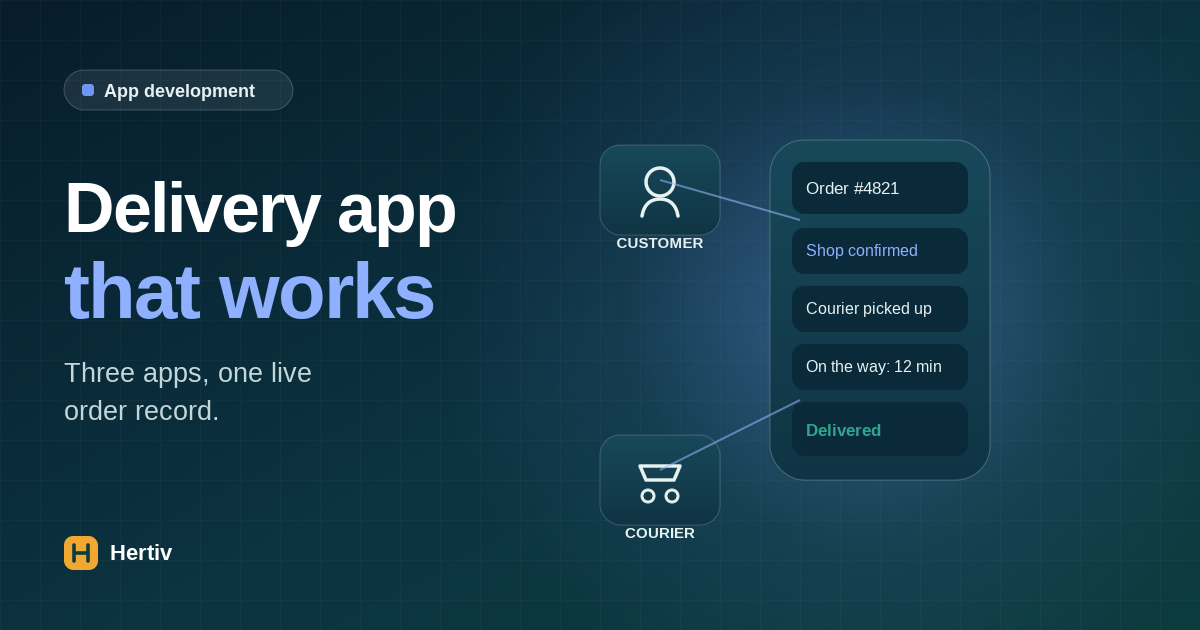
An on-demand delivery app is a mobile app that lets a customer order food, groceries or parcels and have them delivered by a courier within the hour. Building one means building three apps at once: one for customers, one for couriers and one for the shops or restaurants that fulfil orders, all sharing the same order data in real time.
What is an on-demand delivery app?
An on-demand delivery app is a mobile app that matches a customer's order with a nearby courier and a shop or restaurant, tracks the order live, and handles payment. The customer sees the order move from placed to picked up to delivered, and the courier sees the next job the moment it is ready.
The app is really a marketplace with three sides. Customers want fast delivery and honest times. Couriers want steady jobs and fair pay. Shops want orders without chaos in the kitchen or on the shelf. If any side is unhappy, the whole service slows down.
Well-known examples include food delivery and grocery delivery apps, but the same pattern works for pharmacy, parcels and local shops. The hard part is the same in every case: matching supply and demand minute by minute.
What features does an on-demand delivery app need?
An on-demand delivery app needs a small set of features that work together. The customer app takes the order, the courier app moves it, and the shop app confirms it, all from the same live order record.
| Feature | What it does | Needed for launch? |
|---|---|---|
| Customer app | Browse, order, pay, track live | Yes |
| Courier app | Accept jobs, navigate, confirm delivery | Yes |
| Shop dashboard | Accept orders, set prep time, manage menu | Yes |
| Live tracking | Shows courier position and order status | Yes |
| Payments | Charges customers, pays couriers and shops | Yes |
| Dispatch logic | Matches orders to the nearest free courier | Yes |
| Ratings and support | Rates orders, handles problems | Yes |
| Promotions | Discounts, vouchers and loyalty | Later |
Start with the seven rows marked yes. Promotions and loyalty can wait until orders flow reliably. For a first version, a team building a mobile app should treat dispatch and live tracking as the product, not the design.
How does the order flow work?
The order flow works in five stages, and each stage must update the same live record so the customer, the courier and the shop always see the same status.
- Order placed. The customer picks items, pays, and the order appears in the shop dashboard with a promised time.
- Shop confirms. The shop accepts the order and sets a preparation time. If it cannot fulfil the order, it rejects it at once so the customer is not left waiting.
- Courier matched. The dispatch system picks the nearest free courier and sends the job. The courier accepts and heads to the shop.
- Pickup. The courier confirms pickup, and the customer sees the courier moving on the map.
- Delivery. The courier confirms delivery, the customer rates the order, and payments are split between the shop, the courier and the platform.
Every stage needs a fallback. If a shop rejects an order, the customer must be told and refunded at once. If a courier cancels, the job must go to the next nearest courier without the customer having to do anything.
How to build an on-demand delivery app in 6 steps
You build an on-demand delivery app by proving the order loop in one small area, then widening coverage before adding extras.
- Pick one area and one category. Choose one neighbourhood and one type of order, such as food or groceries, so couriers are dense enough for fast delivery.
- Sign up shops first. A delivery app with no shops has nothing to sell. Sign ten shops that already deliver and want more orders.
- Recruit couriers before launch. Couriers need to earn from day one, so have enough signed up to cover the first weeks of orders.
- Build the three apps and dispatch. Customer, courier and shop apps share one order record, with dispatch matching the nearest free courier.
- Test with real orders. Run a pilot with friends and local shops for two weeks. Fix late deliveries, wrong items and payment splits first.
- Launch narrow, then widen. Release in your chosen area, measure delivery time and courier earnings, then add areas one at a time.
Before building, check that the idea has a real audience with a small validation step. See how to validate an app idea for a practical way to test demand before writing code.
Example (hypothetical): a first-version budget
Example (hypothetical): a small team builds a first version for one city area with food delivery only. The team has two developers, one designer and one part-time operations lead, working for 20 weeks.
The build work is 2,400 hours at $70 an hour, which is $168,000. Maps and payment services add $6,000 for the first year, design adds $10,000, and testing devices and store fees add $4,000. The total is $188,000. A 10% reserve of $18,800 brings the planning figure to $206,800.
Running costs after launch are real and ongoing: hosting and maps at about $400 a month, courier support at about $2,000 a month, and shop onboarding time. The app is the smaller cost; keeping couriers busy and shops happy is the ongoing work. If orders are thin, couriers leave, and delivery times rise.
What are the common mistakes?
The most common mistakes are launching too wide, ignoring courier earnings, and treating dispatch as a simple feature.
- Launching in too many areas. Thin coverage means long waits and unhappy customers. One dense area beats five thin ones.
- Ignoring courier earnings. If couriers cannot earn enough, they stop working and delivery times rise.
- Weak dispatch. Matching the wrong courier, or matching too late, causes cold food and missed times.
- No plan for failed orders. Rejected orders, cancelled couriers and wrong items need a clear process and fast refunds.
- Adding features before reliability. Promotions and loyalty do not help if orders arrive late.
How to make the app succeed after launch
An on-demand delivery app succeeds after launch by keeping delivery times honest and couriers earning, because those two numbers drive everything else.
Track three numbers every week: average time from order to delivery, the share of orders delivered on time, and average courier earnings per hour. If delivery times rise, add couriers or shrink the area. If courier earnings fall, add shops or orders before recruiting more couriers.
Talk to shops and couriers every week in the first months. Shops will tell you which menu items cause delays; couriers will tell you which areas and times are unprofitable. Fix those first. For the cost side, see on-demand delivery app cost for a planning figure.
Key takeaways
- An on-demand delivery app is three apps sharing one live order record
- Launch in one dense area with one category, not in a whole city
- Couriers must earn from day one, or delivery times will rise
- Dispatch and live tracking are the product; design is secondary
- Track delivery time and courier earnings weekly, and fix those first
Frequently asked questions
How much does it cost to build an on-demand delivery app?
A first version for one area and one category typically needs a small team for four to five months, plus ongoing costs for maps, payments and support. The build cost is mostly developer time; the running cost is mostly keeping couriers busy and shops happy. See the worked example in this article for a planning figure with the arithmetic shown.
Do I need three separate apps?
Yes, in practice. Customers, couriers and shops need different screens and different actions, even though they share one order record. You can build them as three apps or as one app with three modes, but the three roles must stay separate and clear.
How do delivery apps make money?
Common models are a commission on each order paid by the shop, a delivery fee paid by the customer, and a service fee. The split between shop, courier and platform must leave each side earning enough to stay, or the service breaks down.
What is the hardest part of a delivery app?
Dispatch is usually the hardest part: matching the right courier to the right order at the right time, minute by minute, as orders and couriers change. A simple nearest-courier rule works at small scale, but busy periods need smarter batching and timing.
How do I get the first couriers and shops?
Sign shops first, then recruit couriers with a clear earnings promise for the launch weeks. Shops bring the orders, and couriers bring the delivery. Launching with neither is the most common reason a delivery app stalls.
Can one team build the whole app?
A small team can build the first version, but it needs backend skills for dispatch and payments, mobile skills for the three apps, and an operations lead for shops and couriers. The operations work is as important as the code.


