How to Build a Multi-Agent System That Works
A multi-agent system is several AI agents working together on one job. Give each agent one clear role, a handoff form, and a test set that checks the team.
On this page
Short answer
A multi-agent system is a set of AI agents that split one job between them, where each agent handles one part and passes its result to the next. One agent might read a customer message, another might check the order history, and a third might draft the reply. The system works when the agents share the same goal, the same facts, and a clear rule for who does what next.
What is a multi-agent system?
A multi-agent system is a group of AI agents that work together on a task too big or too varied for one agent alone. Each agent has one job, such as reading documents, checking a database, or drafting a message, and the agents pass work between them until the task is done. A single agent does everything in one long chain of steps, while a multi-agent system spreads the steps across specialists.
The difference matters when a task has several kinds of work. A support ticket may need a message read, an order looked up, a policy checked and a reply written. One agent can do all four, but it has to switch between very different instructions, and a mistake in one step can spoil the rest. Splitting the work lets each agent use short, focused instructions, which are easier to write, test and fix.
For examples of what these teams are used for, see multi-agent system use cases. The rest of this article is about how to build one: the roles to create, the way agents hand work over, and the tests that show whether the team actually works.
When should you use more than one agent?
Use more than one agent when a task has at least two clearly different kinds of work, such as reading, checking and writing, and when a single agent keeps making mistakes because its instructions are too long. If the task is one kind of work, such as drafting replies from a fixed set of facts, one agent is simpler and cheaper.
A second sign is that different parts of the task need different tools. One agent may need a search tool, another a database, and a third a payment system. Giving one agent all three tools makes its instructions long and its choices harder to check. Splitting the tools across agents keeps each agent's job small and its behaviour easy to predict.
A third sign is that the work has a natural handoff. A research task, for example, moves from finding sources to checking them to writing a summary. Each stage has its own checks, so it is natural to give each stage its own agent. If there is no clear handoff, splitting the task will only add places where work can get lost.
What roles do the agents need?
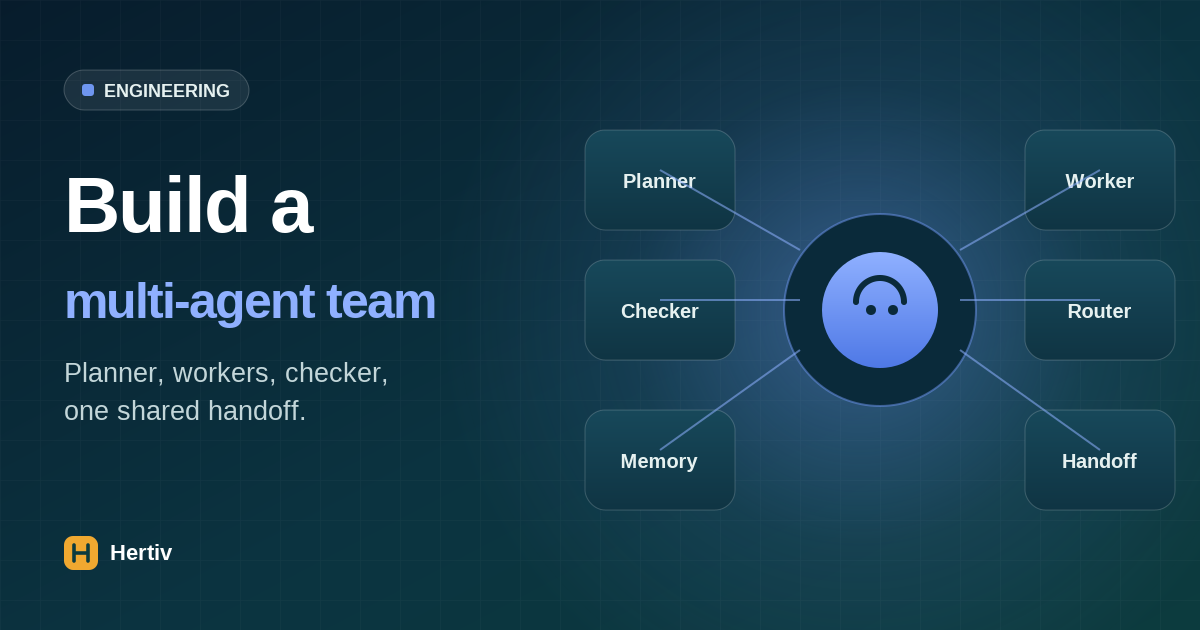
A multi-agent system needs a small set of roles, and each role should map to one kind of work. Most teams start with four: a planner that breaks the task into steps, workers that do the steps, a checker that reviews the results, and a router that decides which worker gets the next step.
| Role | Job | What it needs |
|---|---|---|
| Planner | Breaks the task into steps | The goal and the rules for splitting work |
| Worker | Does one step well | Short instructions and one or two tools |
| Checker | Reviews results before they go out | The rules for what counts as correct |
| Router | Sends each step to the right worker | The list of workers and their skills |
| Memory keeper | Keeps shared facts for the team | A short, written record of what is known |
Do not add a role until a real task needs it. A team of two workers and a checker is enough for most first versions. The memory keeper matters when the agents must agree on facts, such as a customer's order number, and cannot be trusted to remember it from a long conversation.
How do agents pass work to each other?
Agents pass work through a shared, written record, not through long chat messages. Each step writes its result into a short form with named fields, such as the customer's name, the order number and the decision made. The next agent reads that form instead of re-reading the whole conversation, which keeps its instructions short and its input clean.
The handoff should also carry the reason for the result. A worker that flags an order as urgent should say why: the delivery date is tomorrow and the item is out of stock. Without the reason, the next agent cannot check the decision, and a wrong flag will travel through the whole system unchecked.
There are two common patterns. In a pipeline, each agent does its step and hands the result to the next one in a fixed order. In a loop, a planner sends work out and the workers return results until the planner decides the job is done.
A pipeline is easier to test, so start with it. Add a loop only when the number of steps cannot be known in advance. For the basic ideas behind each agent, see what a multi-agent system is.
Example (hypothetical): a support team splits triage across four agents
Example (hypothetical): a support team for an online shop handles 200 messages a day. One agent used to do the whole job: read the message, find the order, decide the answer and draft it. It took 8 minutes per message, or 200 x 8 = 1,600 minutes, about 27 hours a day of work, and one in ten drafts had the wrong order number.
The team split the job across four agents. A reader agent pulls out the order number and the problem. A lookup agent fetches the order and the delivery status. A checker agent compares the reader's order number with the lookup result and flags a mismatch. A writer agent drafts the reply from the checked facts.
Each agent now takes 2 minutes, so a message takes 4 x 2 = 8 minutes of agent time, but the agents run in parallel across messages, and the team handles the same 200 messages in about 11 hours a day, because the checker catches the wrong order numbers before the draft is written.
The saving comes from the checker, not from speed. Wrong order numbers fell from 20 a day to 2 a day, and the team stopped paying agents to fix drafts that had already been sent. The lesson is to spend the design effort on the handoff between agents, not on making each agent faster.
How do you build it, step by step?
Build a multi-agent system in five steps, and test after each one.
- Write the job down in one sentence. State what the team must produce, such as a checked reply to a support message, and what counts as done.
- Split the job into steps with clear handoffs. Each step should produce a short written result that the next step can use without asking questions.
- Give each agent one role and one tool set. Keep each agent's instructions under a page, and name the exact tools it may call.
- Add a checker before anything goes out. The checker compares the result with the rules and sends bad work back, not out.
- Run 100 real cases and fix the worst failures first. A test set of real cases shows which handoff breaks, and that is where the next fix goes.
Start with the simplest version that can run end to end, even if it only handles one kind of message. A team that handles one message type well is worth more than a team that tries to handle ten and fails on all of them.
For a small first version, the four-week proof of concept pattern in how to build an AI proof of concept works well: pick one job, build the smallest team that can do it, and measure it.
What are the common mistakes?
The most common multi-agent mistakes are too many agents, handoffs with no written record, and testing each agent alone instead of the whole team.
- Too many agents. Every extra agent adds a handoff, and every handoff is a place where work can get lost. Start with two or three.
- No written handoff. If agents pass work in free-form chat, the next agent has to guess what matters. Use a short form with named fields.
- Testing agents alone. An agent that passes its own test can still fail when its input comes from another agent. Test the whole team on real cases.
- No checker. Without a checker, a mistake in the first step reaches the customer. Check before anything goes out.
- Shared memory that grows forever. A record that keeps every message will slow the agents down and confuse them. Keep only the facts the next step needs.
Key takeaways
- A multi-agent system splits one job across specialist agents with clear handoffs
- Each agent needs one role, short instructions and one or two tools
- Agents should pass work in a short written form with named fields, not free chat
- A checker that reviews results before they go out is what makes the team reliable
- Test the whole team on 100 real cases, and fix the handoff that breaks most
Frequently asked questions
How many agents should a first system have?
Two or three is enough: one or two workers and a checker. Each extra agent adds a handoff, and each handoff is a place where work can get lost. Add a planner only when the number of steps varies, and a memory keeper only when agents must agree on shared facts.
Do agents need to talk to each other directly?
No. It is simpler and easier to test when agents pass work through a shared written record. Each step writes its result into a short form with named fields, and the next agent reads that form. Direct chat between agents makes the flow hard to follow and hard to test, because the history grows with every exchange.
What is the hardest part of building a multi-agent system?
The handoffs. Each agent is easy to write on its own, but the points where work moves from one agent to the next are where mistakes happen. A handoff form with named fields, plus a checker that reviews the result before it goes out, fixes most of the failures teams see in practice.
Can one agent do the job of several?
Yes, when the task is one kind of work, such as drafting replies from a fixed set of facts. A single agent is simpler, cheaper and easier to test. Use several agents only when the task mixes different kinds of work, needs different tools, or has a natural handoff between stages.
How do you know if the system is working?
Run a test set of real cases and count how many finish correctly end to end, and how many errors the checker catches first. If the pass rate rises and the checker catches the rest, the system is working. If the pass rate is flat, the problem is usually a handoff, not an agent.
Do multi-agent systems cost more than one agent?
They usually cost more per task, because each step calls a model. The saving comes from fewer mistakes and less rework, not from cheaper calls. Teams that save money do so because the checker catches errors early, not because the agents are fast. Measure the cost of fixing mistakes, not just the cost of the calls.


