What Is a Multi-Agent System, and How Does It Work?
A multi-agent system is a group of AI agents that split one job between them. Each agent has one role, and they pass work and results to each other.
On this page
Short answer
A multi-agent system is a software setup where several AI agents work together on one job instead of one agent doing everything. Each agent has a clear role, such as planning, searching, drafting or checking, and the agents pass tasks and results to each other until the job is done. Teams use this setup when a task is too large or too varied for a single agent to handle alone.
What is a multi-agent system?
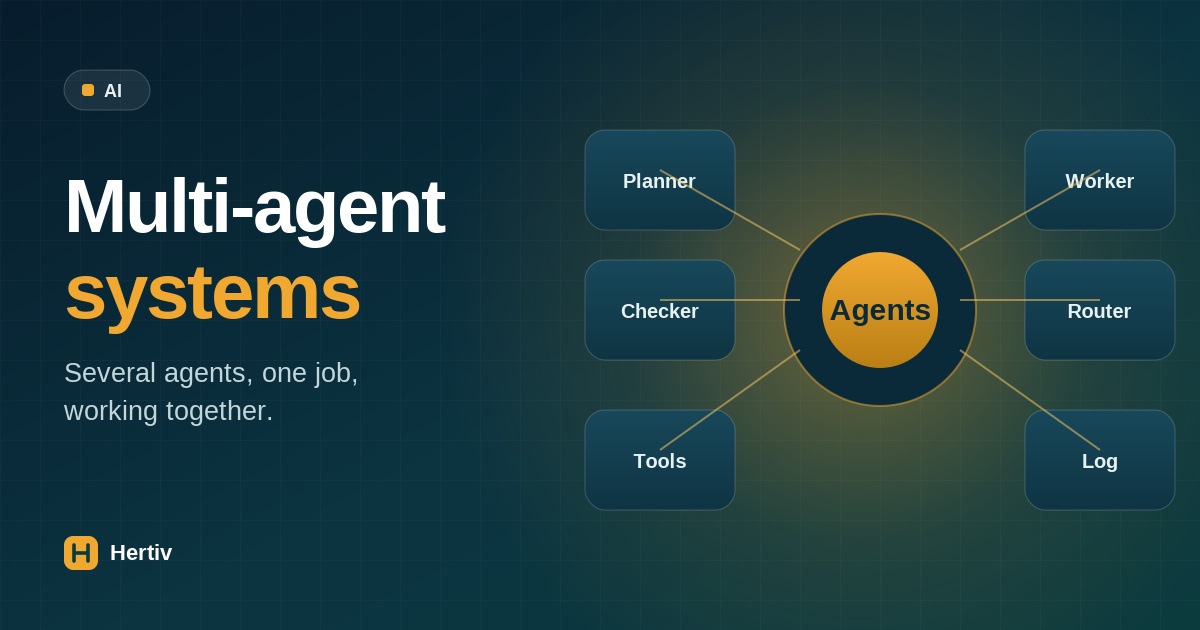
A multi-agent system is a group of AI agents that share one job and coordinate with each other to finish it. Each agent is a separate program that can read instructions, use tools, and produce output, but none of them owns the whole task. A planner agent breaks the job into steps, worker agents carry out the steps, and a checker agent reviews the result before it goes to a person.
The idea is older than large language models. Software agents have cooperated in simulations, logistics and games for years. What changed is that language models let agents handle open-ended work, such as reading documents, writing drafts and making judgement calls, so the same pattern now fits office work as well as engineering tasks.
| Agent role | What it does | Example |
|---|---|---|
| Planner | Breaks the job into steps | Splits a report into research, draft and check |
| Worker | Carries out one step | Reads three documents and summarises each |
| Checker | Reviews output against rules | Checks figures and sources before delivery |
| Router | Sends work to the right agent | Passes a billing question to the finance agent |
| Tool agent | Calls an outside system | Fetches order status from the shop system |
One agent can play more than one role, and a small system may need only two or three agents. The point is not the number of agents but the split: each part of the job has an owner, and the handoffs between them are written down.
How do agents work together?
Agents in a system work together by passing messages. One agent finishes its step and hands the result to the next agent, together with the original goal and any limits. The next agent reads that message, does its part, and passes its own result on. A shared log keeps every step visible so a person can see what happened and where it went wrong.
Coordination needs rules. Agents agree on who decides when two of them disagree, what counts as finished, and when to stop and ask a person. Without those rules, agents can loop: one asks the other for more detail, the other asks back, and the job never ends. A step limit and a clear stop condition prevent that.
Most teams use one of three patterns. A chain passes work from one agent to the next in a fixed order. A hub sends every task through one coordinator that picks the next agent. A group lets agents discuss a task and vote or agree before acting. Chains are simplest to test, hubs are easiest to control, and groups suit open-ended research.
Where are multi-agent systems used?
Multi-agent systems are used where a job has several different parts that need different skills. Support triage is a common case: one agent reads the message and sorts it, a second fetches the order or account details, a third drafts the reply, and a fourth checks the draft against the policy before a person sends it.
Research is another. One agent gathers sources, another checks them against the question, and a third writes the summary with citations. Document review works the same way: agents split a long contract into sections, flag the risky clauses, and a checker agent collects the flags into one report for a lawyer.
Finance teams use agent systems for reconciliation: one agent pulls records from two systems, another matches them, and a third lists the mismatches with reasons. For a closer look at real deployments, see multi-agent system use cases. Each of these jobs would be slow and error-prone for one agent, because the agent would have to hold too much context at once.
How do you build a multi-agent system?
Teams build a multi-agent system by starting with one agent and splitting it only when the single agent starts to fail. The first step is to write down the job, the inputs, the outputs and the quality bar. Then the team builds the simplest version that can do the job end to end, even if it is slow.
- Define the job and the roles. List the steps, who owns each one, and what good output looks like for each step.
- Build one agent first. Give it the tools and the instructions for the whole job, and test it on real examples.
- Split where it struggles. When the single agent mixes up steps or loses track, move that step to its own agent.
- Write the handoffs. Define exactly what each agent passes on, in what format, and what happens when a step fails.
- Add a checker. Put a review agent at the end that checks the result against the rules before a person sees it.
- Test with a labelled set. Run the system on examples with known right answers and fix the steps that fail most.
Testing matters more than the number of agents. A system with three agents and a good test set beats a system with ten agents and no way to measure it. For how to run that first test, see how to build an AI proof of concept.
Example (hypothetical): a support-triage team of agents
Example (hypothetical): a shop receives 200 support messages a day. One agent reading and answering all of them takes about 5 minutes per message, which is 200 x 5 = 1,000 minutes, or about 17 hours of work a day. That is more than two full-time people.
The team splits the work between four agents. A sorter reads each message and files it in 30 seconds. A fetcher pulls the order details in 20 seconds. A drafter writes a reply in 2 minutes. A checker reviews the draft in 30 seconds.
Together that is 30 + 20 + 120 + 30 = 200 seconds, or about 3 minutes and 20 seconds per message, so 200 messages take 200 x 200 seconds = 40,000 seconds, or about 11 hours.
The agents save about 6 hours a day, but the real gain is accuracy: the checker catches wrong order numbers before the customer sees them. The team still has a person review the 20 hardest messages a day, which takes about 1 hour. The total is about 12 hours of work, of which 11 are automatic.
What are the common mistakes?
The most common mistake is adding agents before the single-agent version works. If one agent cannot do the job badly, five agents will do it badly in five places at once, and the handoffs will hide the cause. Start with one agent, measure it, and split only the step that fails.
Another mistake is letting agents talk to each other without a written format. When one agent passes free-form text to the next, small changes in wording break the next step. Agree on the fields each handoff carries, such as the task, the result and the confidence, and keep them the same across the system.
Teams also forget to set limits. Agents that can call tools without a budget can run up costs or loop forever, so set a maximum number of steps and a maximum cost per job.
Finally, do not skip the checker: without a review step, errors from an early agent travel through the whole system and reach the customer. Retrieval quality matters here too, since agents that read the wrong documents give wrong answers; see what retrieval augmented generation is for how that layer works.
Key takeaways
- A multi-agent system splits one job between agents with clear roles.
- Start with one agent and split only the step that fails.
- Write down every handoff: task, result and what happens on failure.
- Add a checker agent before output reaches a person.
- Set step and cost limits so agents cannot loop forever.
Frequently asked questions
What is the difference between a multi-agent system and a single agent?
A single agent does the whole job alone, while a multi-agent system splits the job between agents with different roles. The split helps when the job has several parts that need different tools or knowledge, or when one agent would have to hold too much context at once.
How many agents does a system need?
Most working systems use three to five agents: a planner, one or two workers, and a checker. More agents add coordination cost and make failures harder to trace. Start small, measure each step, and add an agent only when a step keeps failing.
Do agents need to talk to each other in natural language?
No, and for most systems they should not. Agents pass structured messages with fixed fields, such as the task, the result and the next step. Free-form chat between agents is harder to test and easier to break when wording changes.
What happens when one agent fails?
The system should catch the failure at the handoff and either retry the step, send it to a different agent, or stop and ask a person. A step limit stops endless retries. Logging every handoff makes it possible to find the failing step.
Are multi-agent systems safe for customer-facing work?
They can be, if a checker agent reviews output and a person handles the hardest cases. The risks are the same as with any AI system: wrong facts, leaked data and runaway costs. Limits, logging and a review step keep those risks under control.
When should a team not use a multi-agent system?
When the job is simple, well-defined and done by one person today, a single agent or a fixed workflow is cheaper and easier to maintain. Multi-agent systems pay off when the job has several distinct parts that change often.


