How to Build an AI Model: From Data to Deployment
Building an AI model means choosing the model type, preparing data, training, testing on data it has not seen and watching it in production. Here is the process.
On this page
Short answer
Building an AI model means taking a task, such as sorting support tickets or spotting defects, and turning it into software that learns from examples. The process runs from data collection through training and testing to deployment, and the model only earns trust when it is tested on data it has never seen before.
What does it mean to build an AI model?
An AI model is a piece of software that learns patterns from examples and uses them to make predictions on new data. Building one means choosing the task, gathering labelled examples, training the model, testing it, and putting it into production where it can be watched.
The model itself is only part of the work. Around it sits the data pipeline that feeds it, the tests that prove it works, and the monitoring that catches it when the world changes. Teams that skip those parts end up with a model that works in a notebook and fails in production.
This guide covers the model itself: the data, the training, the testing and the deployment. For the wider team and product questions, how to build AI covers the practical guide for teams.
Which type of model fits your task?
The type of model follows the task. Classification sorts things into groups, regression predicts a number, generation creates text or images, and detection finds objects in pictures or video. Picking the wrong type wastes weeks.
| Task | Model type | Example | Data needed |
|---|---|---|---|
| Sort tickets by topic | Classification | Text classifier | Labelled tickets |
| Predict delivery time | Regression | Gradient boosting | Past deliveries |
| Draft replies | Generation | Large language model | Documents, examples |
| Spot defects in photos | Detection | Vision model | Labelled images |
| Forecast demand | Time series | Forecasting model | Sales history |
Before training anything, check whether an existing model already does the job. A ready-made model with a prompt, or a small fine-tune, is often cheaper than training from scratch. Training from scratch is the last resort, not the first step.
How to build an AI model in 7 steps
Building an AI model follows seven steps, from defining the task to watching the model in production. Skipping a step usually means redoing it later, at higher cost.
- Define the task and the pass mark. State what the model must do and how good is good enough, in numbers.
- Collect and label the data. Gather real examples and label them correctly; this is usually the longest step.
- Split the data. Keep a training set, a validation set and a test set the model never sees during training.
- Train a first version. Start simple, with a small model or a ready-made one, and get a baseline score.
- Evaluate on the test set. Measure accuracy, errors and the cases where it fails, not just the average score.
- Fix the errors. Add data for the cases it gets wrong, fix labels, or change the approach.
- Deploy and monitor. Ship behind a fallback, log predictions, and watch for drift as the data changes.
Most of the time goes to steps two and six: data and fixing errors. The training itself is often the quickest part. For the proof-of-concept stage, how to build an AI proof of concept covers the shorter path to a first result.
What data do you need, and how do you prepare it?
You need labelled examples of the task: inputs paired with the correct output. A ticket classifier needs tickets labelled by topic; a defect detector needs photos labelled with the defect type and location.
Data preparation is where most projects succeed or fail:
- Clean the data. Remove duplicates, fix wrong labels and drop examples that are ambiguous.
- Balance the classes. If 95 percent of examples are one class, the model will learn to always predict it.
- Split before training. The test set must be set aside first, or the scores will be meaningless.
- Check for leaks. Any information in the training data that would not exist in production makes the scores look better than they are.
A good rule is to spend half the project on data. Teams that rush this step spend the second half debugging a model that learned the wrong thing.
How do you train and evaluate the model?
Training means showing the model the training set many times, adjusting it each time so its predictions get closer to the labels. Evaluation means testing it on the held-out test set and reading the errors, not just the headline score.
Start with a simple baseline, such as a small model or even a rule-based approach, and record its score. Every later version must beat that baseline on the same test set, or it is not an improvement.
Look at the errors in detail. Which cases does the model get wrong, and why? Common patterns include rare classes with too few examples, labels that disagree, and inputs that look different from the training data. Fixing those beats trying a bigger model.
For a full evaluation method, how to test AI models covers the test sets and metrics to use.
Machine learning development covers the engineering around training at scale.
How do you deploy and monitor a model?
Deploying a model means putting it behind an API or inside an application, with a fallback for when it fails or is unsure. Monitoring means watching its predictions and its inputs over time, because the world changes and the model does not.
A safe deployment pattern:
- Shadow mode first. Run the model alongside the old process and compare, without letting it act.
- Fallback path. When confidence is low or the model errors, route to a human or a simple rule.
- Log everything. Keep the inputs, the predictions and the outcomes, so errors can be traced.
- Watch for drift. If the inputs start looking different from training data, the model needs retraining.
- Retrain on a schedule. Decide in advance when and how the model is refreshed.
Monitoring is not optional. A model that is not watched will quietly get worse as the data changes, and nobody will notice until a customer complains.
Example (hypothetical): a ticket classifier for a small shop
Example (hypothetical): a small online shop receives 1,000 support tickets a week and wants a model to sort them into billing, delivery and product topics, so each team sees its own queue.
The team labels 2,000 past tickets: 800 delivery, 700 billing and 500 product. It splits them into 1,400 for training, 300 for validation and 300 for testing. A simple text classifier trained on the 1,400 scores 85 percent on the test set, or 255 of 300 correct.
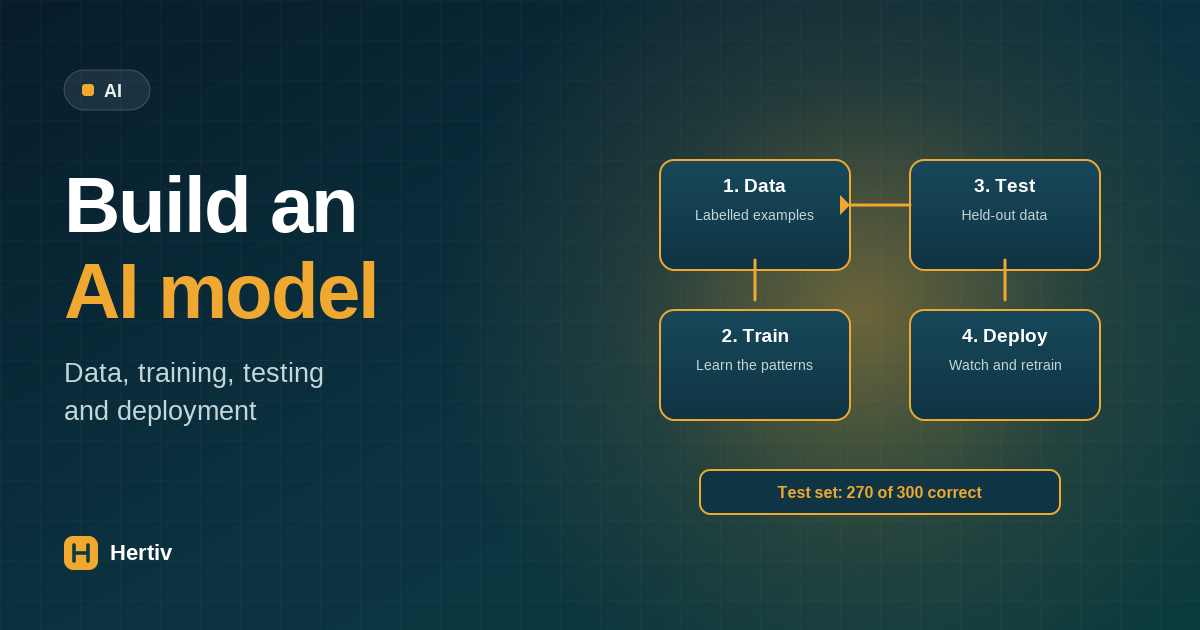
Reading the errors shows the problem: billing tickets about refunds are confused with delivery tickets about late refunds. The team adds 200 more labelled refund tickets and retrains. The score rises to 90 percent, or 270 of 300 correct, and the refund confusion mostly disappears.
The arithmetic adds up: 255 of 300 is 85 percent, and 270 of 300 is 90 percent, a gain of 15 tickets. The numbers are invented to show the process, not a real result.
What are the common mistakes?
The most common mistakes in building an AI model are testing on training data, skipping the baseline, and shipping without monitoring.
- Testing on training data. Scores on data the model has seen mean nothing; always test on held-out data.
- No baseline. Without a simple first version to beat, you cannot tell whether a bigger model helped.
- Dirty labels. A model trained on wrong labels learns the wrong task, however good the algorithm is.
- Ignoring the errors. The average score hides the cases that matter; read the failures.
- No fallback. A model without a fallback will eventually produce a bad answer in front of a customer.
- No monitoring. Data changes over time, and an unwatched model decays quietly.
A short pilot on one task with a few hundred labelled examples reveals most of these problems cheaply. If the pilot cannot beat a simple baseline on held-out data, the project should stop there.
Key takeaways
- A model learns patterns from labelled examples; the task defines the model type.
- Spend half the project on data: clean, balance and split it before training.
- Always test on data the model has never seen, and read the errors.
- Start with a simple baseline and only add complexity that beats it.
- Ship with a fallback and monitoring, because data changes over time.
Frequently asked questions
How long does it take to build an AI model?
A first version for a narrow task can take a few weeks when labelled data is ready. Data collection and labelling usually take longer than training, and production deployment adds integration and monitoring work on top.
Do I need a lot of data to build an AI model?
It depends on the task. A classifier can work with a few hundred labelled examples per class, while a vision model needs many labelled images. In both cases, clean and correctly labelled data matters more than sheer volume.
Should I train a model from scratch?
Usually not. A ready-made model, a prompt-based approach or a small fine-tune is cheaper and faster for most tasks. Training from scratch makes sense only when no existing model fits the task or the data is highly specialised.
How do I know if my model is good enough?
Compare it against the pass mark you set before training, on a held-out test set. The score matters less than the errors: check the cases it gets wrong and whether those errors are acceptable in production.
What is the difference between training and fine-tuning?
Training builds a model from examples, often from scratch or from a base model. Fine-tuning takes a ready-made model and adjusts it on your own data for a specific task. Fine-tuning is usually faster and needs far less data.
How often should a model be retrained?
Retrain when monitoring shows the inputs or the results have drifted, or on a fixed schedule such as monthly or quarterly. The right cadence depends on how fast your data changes; set it in advance rather than waiting for failures.


