Generative AI Automation: What It Automates and Where It Fits
Generative AI automation uses language models to draft, summarise and decide inside workflows. Learn what it automates well, where it fails, and how to build it.
On this page
Short answer
Generative AI automation is the use of language models to carry out steps inside a business workflow, such as drafting a reply, extracting fields from a document, summarising a case file or routing a request. It works best where the input is text, the output is checked, and a wrong answer is caught before it reaches a customer.
What is generative AI automation?
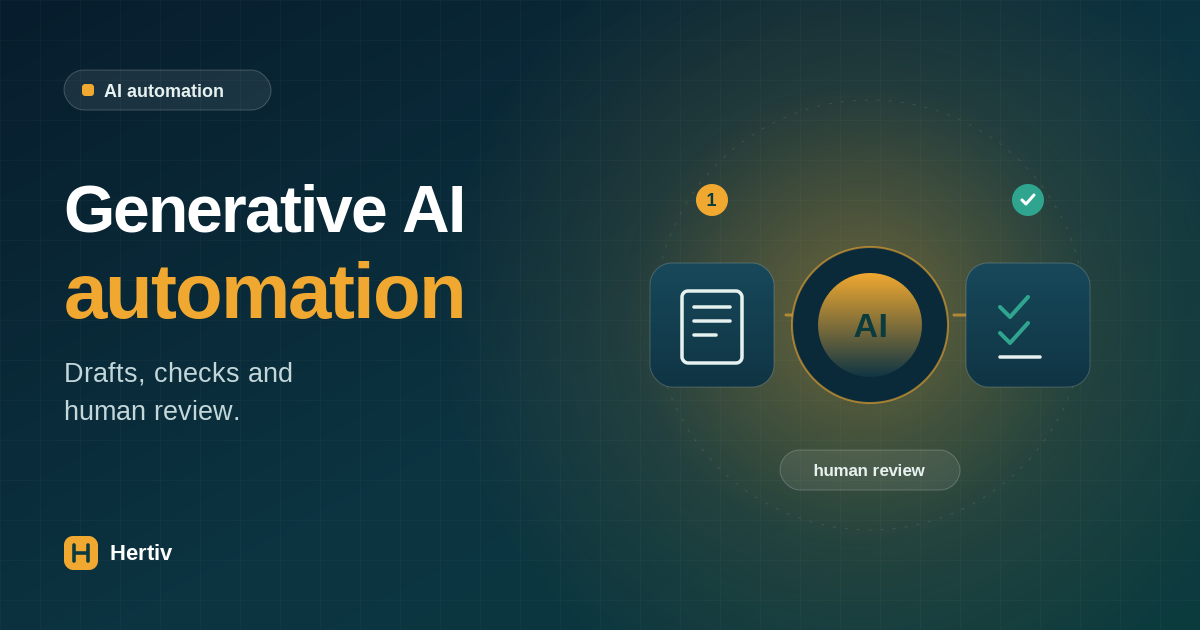
Generative AI automation is the use of language models to carry out steps inside a business workflow, such as drafting a reply, extracting fields from a document, summarising a case file or routing a request to the right team. The model reads the input, produces the output a person would have typed, and hands it on to the next step or to a human reviewer.
It differs from a chatbot because it runs inside a process rather than waiting for a question. A support ticket arrives, the model drafts the reply from the help centre, and the draft waits in a queue until an agent approves it. The same pattern works for invoices, contracts, applications and internal requests.
The key point is that the model is one step in a workflow, not the workflow itself. Deterministic rules still handle validation, totals, permissions and audit logs. The model handles the parts that need language: reading, drafting and summarising. Generative AI is the engine; the workflow around it is what makes the result reliable.
How is it different from RPA and workflow automation?
RPA and workflow tools follow fixed rules, while generative AI automation handles inputs that vary in wording. That difference decides which tool fits a task, and many teams end up using both side by side.
| Approach | Handles | Breaks when |
|---|---|---|
| RPA | Fixed screens and fields | Layout or wording changes |
| Workflow rules | If-this-then-that routing | Judgement is needed |
| Generative AI automation | Reading, drafting, summarising | Output is not checked |
| Combined | Draft, then validate with rules | No owner reviews failures |
A useful test is to ask whether the task needs language. If the input is a form with fixed fields, rules are cheaper and more accurate. If the input is free text that varies every time, a model earns its place. Most real workflows mix the two: the model drafts, and rules check the draft before it moves on.
Cost also differs. Rules are cheap to run and easy to test. Model calls cost more per step and need an evaluation set, so teams usually start with the highest-volume text task and measure time saved before adding more steps.
Where does generative AI automation work best?
Generative AI automation works best where the input is text, the volume is high, and a wrong answer is caught before it costs money. Support replies, document extraction, internal search and first-draft content all fit that shape.
- Support ticket drafting and triage. Draft replies from the help centre and route tickets by topic.
- Invoice and contract field extraction. Pull structured fields from documents that vary in layout.
- Meeting notes and follow-up actions. Turn transcripts into summaries with named owners.
- Internal search over policies and wikis. Answer staff questions with a cited source.
- First drafts of reports, emails and listings. Produce a draft a human edits and owns.
It works worst where the answer must be exact every time, such as pricing, legal commitments or payments. In those cases the model can draft the text, but a person or a rule must confirm the numbers. Business process automation guides make the same point: automate the reading and drafting, and keep the decision with a human or a check.
Volume matters too. A task done ten times a month rarely justifies the setup. A task done hundreds of times a week usually does, because even a few minutes saved per case adds up across a team.
How do you build a generative AI workflow?
Building a workflow takes more design than prompt writing. The steps below are the order most teams follow, and skipping the evaluation step is the mistake that causes most failures.
- Pick one workflow with a clear input and a clear output.
- Gather 20 to 30 real examples with known good outputs.
- Draft the prompt and test it on those examples.
- Add validation rules for totals, dates and required fields.
- Put a human review step in front of anything external.
- Log every input, output and decision, then review the logs weekly.
The evaluation set is the part teams skip most often. Without it, every change to the prompt is a guess, and nobody can say whether the workflow is getting better. Twenty real cases with known good answers are enough to start.
Start small on purpose. One workflow with an owner and a measured result is worth more than five half-built ones, because it proves the pattern before the team invests further.
What guardrails keep it safe?
Guardrails are the controls that keep a model from acting on its own. The most important one is a human approval gate for anything that leaves the company or changes a record. No draft should reach a customer or a system without that gate.
- Scoped permissions. The model reads only what the step needs.
- Output checks. Totals, dates and required fields validated by rules.
- Logging. Every prompt, output and decision stored for review.
- Kill switch. One action to pause the workflow when something looks wrong.
Permissions deserve special care. A model that can read the CRM but cannot write to it is useful and safe. One that can write needs an audit trail and an undo path. AI automation tools vary widely in how much control they offer, so check permissions before choosing one.
Review the logs on a schedule, not only when something breaks. A weekly look at rejected drafts and failed checks shows where the prompt or the rules need work.
Example: an operations team automates supplier emails
Example (hypothetical): an operations team receives 300 supplier emails a week asking about order status. Reading and replying by hand takes about 8 minutes per email, which is 300 x 8 = 2,400 minutes, or 40 hours a week across the team.
The team builds a workflow that reads each email, pulls the order status from the system, and drafts a reply. An agent reviews each draft, which takes about 2 minutes per email, or 300 x 2 = 600 minutes, or 10 hours a week. The team saves about 30 hours a week, and the review step catches the drafts that need a human touch.
The saving only holds because the review step exists. Without it, a wrong order status would reach a supplier, and the time saved would be spent fixing the mistake. Automation that skips review is usually slower in the end.
What are the common mistakes?
The most common mistakes are starting too broad, skipping evaluation, and removing the human review step too early.
- Automating five workflows at once instead of one with an owner.
- No evaluation set, so quality debates are anecdotal.
- Letting drafts reach customers without review.
- Giving the model write access before permissions and logs exist.
- Measuring usage instead of time saved or error rate.
- Trusting vendor benchmarks instead of testing on your own data.
If the first workflow works, the second one is easier, because the evaluation set, the review step and the logging already exist. That is the real return on doing the first one properly.
Key takeaways
- Generative AI automation puts a language model inside a workflow, not in place of it
- It fits text-heavy, high-volume tasks where a wrong answer is caught before it costs money
- RPA and rules still beat models on fixed fields and exact numbers
- An evaluation set of real cases is the part teams skip most and need most
- A human approval gate and scoped permissions are the guardrails that matter
Frequently asked questions
What is the difference between generative AI automation and RPA?
RPA follows fixed rules on fixed screens and fields, while generative AI automation handles free text that varies every time. RPA is cheaper and more accurate for structured input; a model fits reading, drafting and summarising. Most real workflows use both, with the model drafting and rules checking the result.
Do I need fine-tuning to automate a workflow?
Usually not at first. A clear prompt plus retrieval over your own documents handles most drafting, extraction and summarising tasks. Fine-tuning helps when you need a consistent format or tone at scale, and it is easier to justify once you have an evaluation set.
How do you measure whether the automation is working?
Pick one outcome per workflow, such as time per case, error rate against a labelled sample, or the share of drafts approved without edits. Track it on a fixed evaluation set so changes are comparable, and review the logs weekly.
Can generative AI automation handle payments or legal documents?
It can draft the text, but it should not decide the numbers or the commitment. A person or a deterministic rule must confirm prices, totals and legal wording before anything is sent or signed. Keep the model on drafting and the decision with a human or a check.
How long does it take to build a first workflow?
A narrow workflow with clean inputs can reach a pilot in a few weeks. Production takes longer, because it adds validation rules, a review step, logging and change management. The model work is rarely the slow part.
What data do I need before starting?
You need a sample of real inputs and known good outputs, plus access to the source documents the workflow depends on. If the source content is outdated or duplicated, clean it first, because the quality of the output follows the quality of the input.


