What Is Gemini Nano and What Can It Do?
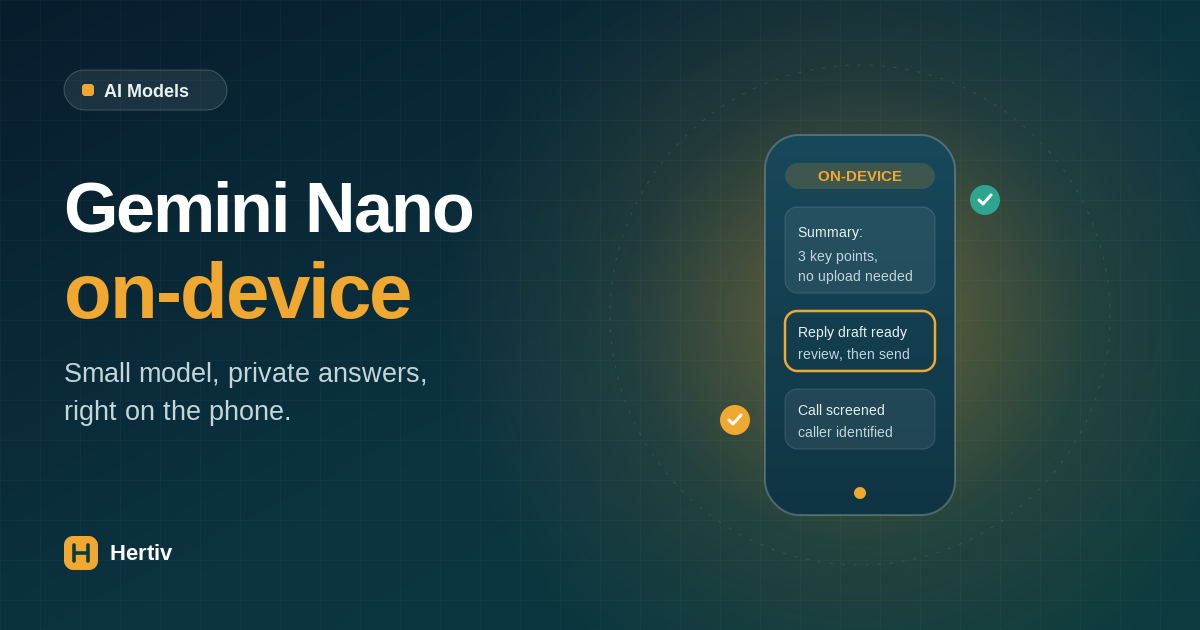
Gemini Nano is Google's smallest Gemini model, built to run on a phone instead of in the cloud. It powers on-device summaries, smart replies and call screening.
On this page
Short answer
Gemini Nano is Google's smallest Gemini AI model, designed to run directly on a device such as a Pixel phone instead of sending data to a server. It handles on-device tasks like summarising text, drafting replies and screening calls, which keeps personal data on the phone and works without a connection.
What is Gemini Nano?
Gemini Nano is the smallest model in Google's Gemini family, built to run on a device rather than in a data centre. While larger Gemini models run on servers and handle long documents or complex reasoning, Nano is sized to fit on a phone, where it answers short, everyday requests.
The point of an on-device model is that the work happens where the data already lives. A summary of a voice recording or a suggested reply to a message can be produced on the phone itself, without sending the text to a server. That keeps private content private and removes the wait for a network round trip.
Gemini Nano is not a separate app you open. It is a model that other features call on: the phone's recorder summarises a meeting, the keyboard suggests a reply, and the phone app screens a call. Google Gemini covers the full family, while Nano is the member that lives on the device.
How does Gemini Nano work on a device?
Gemini Nano works through a system service on the phone that loads the model into memory and hands it small tasks. Apps send text to the service, the model produces an answer, and the result returns to the app. The model stays on the device, so the task runs even when the phone has no signal.
Running a model on a phone means working within tight limits: a few gigabytes of memory, a battery that must last the day, and a processor shared with everything else the phone does. Nano is therefore a small model, trained to do a narrow set of tasks well rather than to answer anything.
The phone decides which tasks go to Nano and which go to a larger cloud model. Short, private and time-sensitive tasks stay on the device; long documents and hard questions go to the cloud, where a bigger model can take its time.
What can Gemini Nano do?
Gemini Nano can summarise, draft, rewrite and classify short pieces of text, and it can understand spoken calls well enough to screen them. Its work is always close to something the user is already doing on the phone.
| Task | What Nano does | Where you see it |
|---|---|---|
| Summarise recordings | Turns a voice recording into short notes | Recorder app |
| Draft replies | Suggests a reply in the user's tone | Keyboard and messages |
| Rewrite text | Shortens or rephrases a draft | Keyboard suggestions |
| Screen calls | Asks the caller why they are calling | Phone app |
| Prioritise messages | Sorts urgent messages from the rest | Messages and mail |
| Transcribe speech | Turns spoken words into text | Recorder and calls |
The common thread is short input and short output. Nano handles a message, a note or a call, not a report or a book. Asking it to do long-form work is the wrong job for the model, and it will show in the quality of the answer.
Where can you use Gemini Nano?
You can use Gemini Nano on phones that ship with it, starting with Google's Pixel phones, where it powers features in the recorder, keyboard, messages and phone apps. Availability depends on the phone model and the region, because the model needs enough memory and a supported system service.
Developers can also reach Nano through the phone's AI system service, which lets an app ask the model to summarise or rewrite text without sending that text anywhere. This is useful for apps that handle health notes, private messages or field reports, where sending data to a server would raise privacy questions.
Not every phone can run it. Older or cheaper phones lack the memory the model needs, so the same features fall back to a cloud model or do not appear at all. Integrating Gemini Pro into mobile apps is the cloud route when the device cannot run Nano.
How do you start building with Gemini Nano?
You start building with Gemini Nano by picking one on-device task, checking the phone can run the model, and testing with real user text before you ship.
- Pick a narrow task. Choose one job, such as summarising a note or drafting a reply, and define what a good answer looks like.
- Check device support. Confirm the target phones have the memory and system service the model needs, and plan a fallback for the rest.
- Call the system service. Send the text to the on-device service and take the result back into your app, keeping the data on the phone.
- Test with real text. Try short messages, long notes, typos and other languages your users write in, and record where the model struggles.
- Keep a human in the loop. Show the draft or summary for review before it is sent, saved or acted on.
- Measure on-device. Track latency, battery use and memory, because a model that drains the phone will be switched off by users.
For larger models and server-side work, a partner for LLM development can help you decide which tasks stay on the device and which belong in the cloud.
Example (hypothetical): a field team that answers messages offline
Example (hypothetical): a field service team of 12 technicians answers customer messages from vans, often with no signal. Each technician handles about 200 messages a day, and drafting a reply by hand takes about 4 minutes, which adds up to 800 minutes, or about 13 hours, across the team each day.
With Gemini Nano on their phones, the keyboard drafts each reply from the message thread, and the technician reviews it in about 1 minute before sending. That is 200 minutes, or about 3 hours and 20 minutes, across the team, saving roughly 10 hours a day.
The saving only holds if the drafts are good enough to send after a short review. The team checks the first week of drafts, fixes the prompts for the cases that fail, and keeps the review step in place, because a wrong reply sent without a check costs more than the minutes it saves.
What are the common mistakes?
The most common Gemini Nano mistakes are asking the small model to do a big model's job, skipping the review step, and assuming every phone can run it.
- Long documents. Nano is built for short text; feeding it a long report produces a weak summary.
- Sending drafts without review. On-device drafts still need a human check before they go to a customer.
- No fallback for unsupported phones. If the model is missing, the feature must degrade gracefully, not crash.
- Treating on-device as free. The model uses battery and memory, so measure both before you ship.
- Ignoring privacy rules. Keeping data on the device helps, but it does not remove the need for consent and retention rules.
Key takeaways
- Gemini Nano is Google's smallest Gemini model, built to run on a phone instead of in the cloud
- It handles short, private tasks such as summaries, reply drafts and call screening
- On-device processing keeps personal data on the phone and works without a signal
- Short input and short output are its limits; long documents belong on a larger model
- Always show Nano's drafts for review and plan a fallback for phones that cannot run it
Frequently asked questions
Is Gemini Nano the same as Google Gemini?
No. Gemini is the whole family of models, most of which run in the cloud. Gemini Nano is the smallest member, built to run on a device such as a Pixel phone, and it handles a narrower set of short tasks.
Which phones can run Gemini Nano?
It runs on phones that ship with the model and the system service it needs, starting with Google's Pixel phones. Availability depends on the model and region, because the phone needs enough memory to load it.
Does Gemini Nano work without the internet?
Yes, for the tasks it handles on the device. Summaries, reply drafts and call screening run locally, so they work without a signal. Tasks that need a larger model still need a connection.
Is data sent to Google when Nano runs on-device?
No, the work happens on the phone, so the text does not travel to a server for that task. That helps privacy, but apps still need consent and retention rules for the data they handle.
Can developers build apps with Gemini Nano?
Yes, through the phone's AI system service, which lets an app ask the model to summarise or rewrite text on the device. Developers should test with real user text and keep a human review step in the app.
What can Gemini Nano not do?
It cannot handle long documents, complex reasoning or tasks that need up-to-date information from the web. Those jobs belong on larger cloud models, and anything touching money or safety needs a human check.


