What Is E-Procurement Software and How Does It Work?
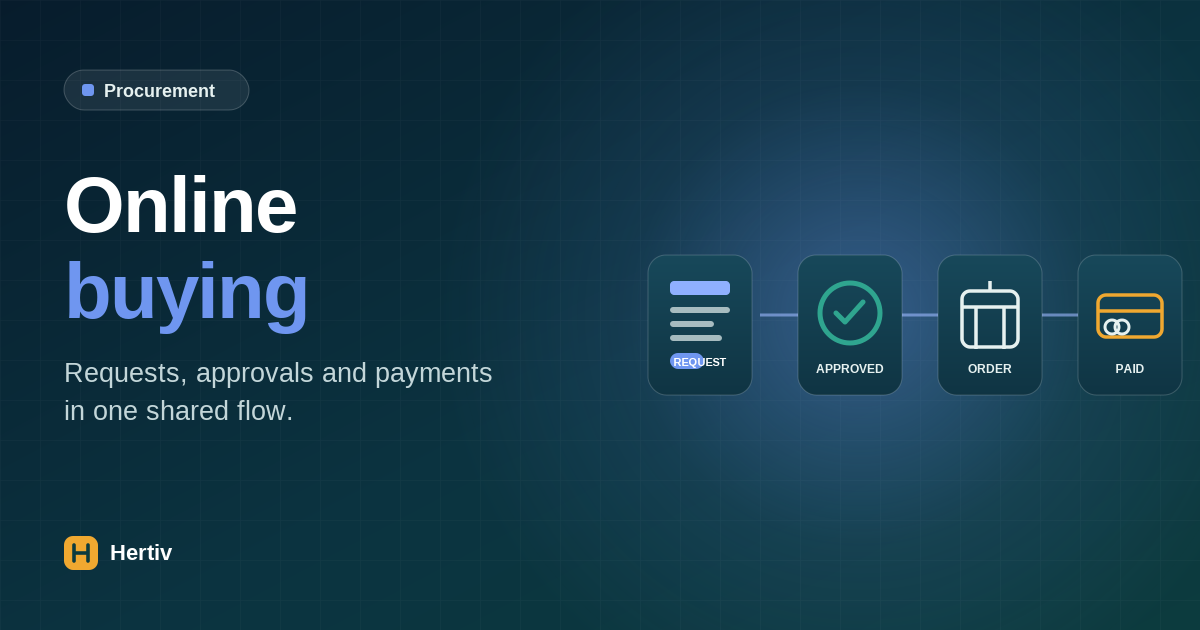
E-procurement software moves buying online: staff request goods, managers approve, and orders, invoices and payments flow through one system.
On this page
Short answer
E-procurement software is a system that moves an organisation's buying online, from the first request through approval, purchase orders, delivery, invoicing and payment. It replaces email and paper approvals with one shared workflow, so every purchase has a record, an approver and an audit trail.
What is e-procurement software?
E-procurement software is a system that moves an organisation's buying online, from the first request for goods or services through approval, purchase orders, delivery, invoicing and payment. It replaces email chains, paper forms and spreadsheets with one shared workflow that every buyer, approver and supplier can see.
The core idea is simple: nothing is bought without a record. A member of staff raises a request, the system routes it to the right approver, an approved order goes to the supplier, and the invoice is matched against the order before payment is released. Each step leaves an audit trail.
Typical modules in an e-procurement system include:
| Module | What it does | Who uses it |
|---|---|---|
| Requisitions | Staff request goods or services from a catalogue | All staff |
| Approvals | Routes requests by amount, budget and department | Managers, finance |
| Purchase orders | Creates and sends orders to suppliers | Buyers, finance |
| Catalogues | Agreed items and prices from approved suppliers | Buyers, suppliers |
| Invoicing | Matches invoices to orders and receipts | Finance |
| Supplier records | Contracts, performance and compliance documents | Procurement team |
Small teams often start with requisitions and approvals only. Larger organisations add catalogues, contract records and spend reporting as buying volumes grow.
How does e-procurement work step by step?
E-procurement works as a chain of small approvals and records, so a purchase moves forward only when the previous step is complete. The flow is the same whether the order is for office supplies or a six-figure service contract.
A standard flow looks like this:
- Request. A member of staff picks items from a catalogue or describes what is needed, with a cost centre and a delivery date.
- Approval. The request goes to the budget owner, and larger amounts go to a second approver. Rejected requests go back with a reason.
- Order. The approved request becomes a purchase order, which the system sends to the supplier with terms and delivery details.
- Receipt. Goods are checked in against the order, or a service is confirmed as delivered, and the receipt is recorded.
- Invoice match. The supplier invoice is compared with the order and the receipt. Matching invoices go to payment; mismatches go to a queue for review.
- Payment and reporting. Finance pays on the agreed terms, and spend is visible by supplier, department and category.
Because each step is logged, finance can answer where money went without chasing emails. That audit trail is one of the main reasons regulated organisations adopt e-procurement. Teams looking at automation across buying can also read about AI in procure-to-pay use cases for the next step up.
What modules does e-procurement software include?
The modules in e-procurement software cover the full buying cycle, and most products let you switch modules on as the organisation grows. Buying the whole suite on day one is rarely the right move.
Catalogues and punchout. Staff buy from agreed supplier catalogues at negotiated prices, or jump to a supplier site through punchout and bring the basket back into the system. This keeps spending inside approved channels.
Sourcing and tenders. Larger purchases run through requests for quotation or tenders, with supplier responses compared side by side. The system records who was invited, who bid and why a supplier won.
Contracts. Signed agreements, renewal dates and price lists sit next to the orders they govern, so buyers cannot order off an expired contract by accident.
Spend analysis. Every order and invoice feeds dashboards that show spend by supplier, category and department. Procurement teams use this to find duplicate suppliers and renegotiate the largest contracts.
Supplier management. Onboarding, compliance documents, insurance certificates and performance scores are kept in one place, so risky or expired suppliers are flagged before an order is placed.
What are the benefits of e-procurement?
The benefits of e-procurement come from control and visibility rather than from the software itself. Buying becomes faster, but the bigger gain is knowing what was bought, from whom, and at what price.
- Less maverick spend. Staff buy from approved catalogues at agreed prices instead of ordering on personal cards or direct with suppliers.
- Faster approvals. Requests route automatically to the right approver, with reminders, instead of sitting in an inbox.
- Fewer invoice errors. Three-way matching between order, receipt and invoice catches price and quantity errors before payment.
- Better prices. Consolidated spend data shows where volume is split across suppliers, which strengthens the next negotiation.
- Audit readiness. Every approval and change is logged, which matters for internal audit and for regulated industries.
- Supplier visibility. Performance and compliance data sit next to orders, so problem suppliers are visible early.
These benefits depend on adoption. If staff keep buying outside the system, the data is incomplete and the savings never appear. Rollout plans should treat training and catalogue quality as part of the project, not an afterthought.
Cloud or on-premise: which deployment fits?
Most e-procurement software today is sold as a cloud service, and most new buyers choose that option. On-premise deployment still exists, usually in organisations with strict data rules or deep integration with legacy finance systems.
Cloud deployment means the vendor hosts the system, handles updates and backs up data. Setup is faster, the buying team can start with a small scope, and remote staff and suppliers reach the same system from anywhere. The trade-off is a subscription cost and less control over where data sits.
On-premise deployment means the system runs on the organisation's own servers. That fits teams with strict data residency rules or heavy customisation of approval logic. The trade-off is longer setup, internal maintenance and upgrade projects.
Integration matters more than deployment. The system must connect to finance and accounting software so approved orders and invoices flow without retyping, and to inventory or ERP systems where goods are received. Before choosing, check the integration list for your finance system and ask for a reference customer using the same combination. Buyers comparing cloud options can start with the best cloud procurement software for their size.
Example (hypothetical): a mid-size company moves buying online
Example (hypothetical): a 180-person services company spends on software, travel, office supplies and contractors, and all of it runs through email approvals and a shared spreadsheet. Finance spends two days a month chasing missing receipts and unapproved orders.
The company starts with requisitions, approvals and purchase orders only. It loads its ten largest suppliers into catalogues with agreed prices, sets approval limits by role, and connects the system to its accounting software. Staff get a short training session and a one-page guide.
In the first quarter, 140 of 200 orders go through catalogues, 55 go through free-text requests, and 5 are still bought outside the system. Approval time falls from an average of 4 days to 1 day, because requests route automatically and approvers get reminders.
Finance then adds invoice matching. Of 190 invoices, 162 match the order and receipt automatically, 21 need a small correction, and 7 are held for a price mismatch. The arithmetic is simple: roughly 85% of invoices now need no manual touch, and the two days a month of chasing drops to half a day. The project is not finished, but buying is now visible and the next step is spend analysis.
What are the common mistakes?
The most common e-procurement mistakes are buying too much software, loading poor catalogues, and skipping the change work that gets staff to use the system.
- Buying every module on day one. A big-bang rollout stalls. Start with requisitions, approvals and orders, then add sourcing and spend analysis.
- Stale catalogues. If prices or items are out of date, staff stop trusting the catalogue and buy outside the system.
- Approval chains that are too long. Every extra approver adds a day. Set limits by amount and let small orders flow.
- No supplier onboarding. Suppliers need to know how orders and invoices arrive, or they keep emailing PDFs that nobody matches.
- Skipping integration. If orders and invoices must be retyped into finance software, the team keeps the old spreadsheet as well.
- No owner. Without someone responsible for catalogues, suppliers and adoption, usage drifts within months.
Cost is the other planning question. Ranges vary widely by scope, so check enterprise procurement software cost before budgeting, and ask vendors for a price tied to your user count and modules.
Key takeaways
- E-procurement software moves buying online, from request and approval to order, receipt and payment in one system
- Catalogues and approval rules keep spend inside agreed suppliers and prices
- Three-way matching between order, receipt and invoice catches errors before payment
- Start with requisitions, approvals and orders, then add sourcing and spend analysis
- Integration with finance software matters more than the deployment model
- Catalogue quality and staff adoption decide whether the savings appear at all
Frequently asked questions
What is the difference between e-procurement and procurement software?
E-procurement is the online process of buying, from request to payment, while procurement software is the tool that runs it. Some products cover only requisitions and orders, while others add sourcing, contracts and spend analysis. The right scope depends on how much of the buying cycle you want in one system.
Do small companies need e-procurement software?
Small companies can manage with a simple requisition and approval tool, especially once email approvals start to slow things down. The trigger is usually volume: when finance spends a day or more each month chasing approvals and receipts, a small system pays for itself in time saved.
How long does e-procurement implementation take?
A small scope with requisitions, approvals and purchase orders often goes live in a few weeks when catalogues and approvers are ready. Adding sourcing, contracts and finance integration takes longer, so most teams roll out in stages rather than all at once.
Can e-procurement software work with our accounting system?
Most products integrate with common accounting and ERP systems so approved orders and matched invoices flow without retyping. Check the integration list for your finance system before buying, and confirm whether the integration is included in the price or sold separately.
What is three-way matching in e-procurement?
Three-way matching compares the purchase order, the goods receipt and the supplier invoice. When all three agree on quantity and price, the invoice is approved for payment automatically. When they disagree, the invoice goes to a review queue instead of being paid.
Is e-procurement software secure?
Reputable systems use role-based access, so staff only see their own requests and approvers only see their queue, plus encryption and audit logs. Ask vendors about data residency, access controls and how they handle supplier credentials before signing.


