Document AI in Travel: What It Does and Where It Helps
Document AI reads passports, visas, bookings and claims for travel firms, pulling out the fields staff need. It helps most where documents arrive in volume.
On this page
Short answer
Document AI in travel is software that reads passports, visa forms, booking confirmations, receipts and claims, and pulls out the fields staff need without retyping. It helps most where the same documents arrive in high volume and in many formats, because that is where manual entry is slowest and most error-prone.
What is document AI in travel?
Document AI in travel is software that reads travel documents and turns them into structured data a booking, finance or operations system can use. Instead of a person retyping a passport number or a hotel invoice, the model reads the document and returns the fields.
Travel is a good fit because the industry runs on documents: passports, visas, tickets, hotel confirmations, receipts, insurance claims and supplier contracts. They arrive as scans, photos, emails and PDFs, in many languages and layouts.
The point is not to remove people. It is to remove the retyping, so staff spend their time on the cases that need judgement: a mismatch, a missing page or an unusual claim.
Where does document AI help in travel?
Document AI helps in travel wherever the same document types arrive again and again, and where a wrong field costs money or time. The table below covers the most common tasks.
| Travel task | What document AI reads | What it returns |
|---|---|---|
| Passport and ID checks | Passport and ID pages | Name, dates, document number |
| Visa applications | Forms and supporting papers | Filled fields, missing items |
| Booking confirmations | Emails and PDFs | Dates, guests, prices |
| Expense claims | Receipts and invoices | Amounts, dates, vendors |
| Insurance claims | Reports and medical notes | Claim details, dates, costs |
| Supplier contracts | Contracts and rate sheets | Key terms, dates, rates |
Passport and visa checks are the highest-value case for many travel firms, because a wrong name or date can block a trip. Expense and invoice processing is the highest-volume case, because every trip generates receipts that finance must enter.
Claims are the hardest case. Insurance and disruption claims arrive in free-form text with missing pages, so they need the most human review. Start with bookings and invoices, which are more structured, before tackling claims.
Language coverage matters too. A travel firm serving European and Asian travellers may receive documents in ten or more languages. Check that the tool handles the languages your customers actually use, and include those languages in the test set.
How does document AI read a travel document?
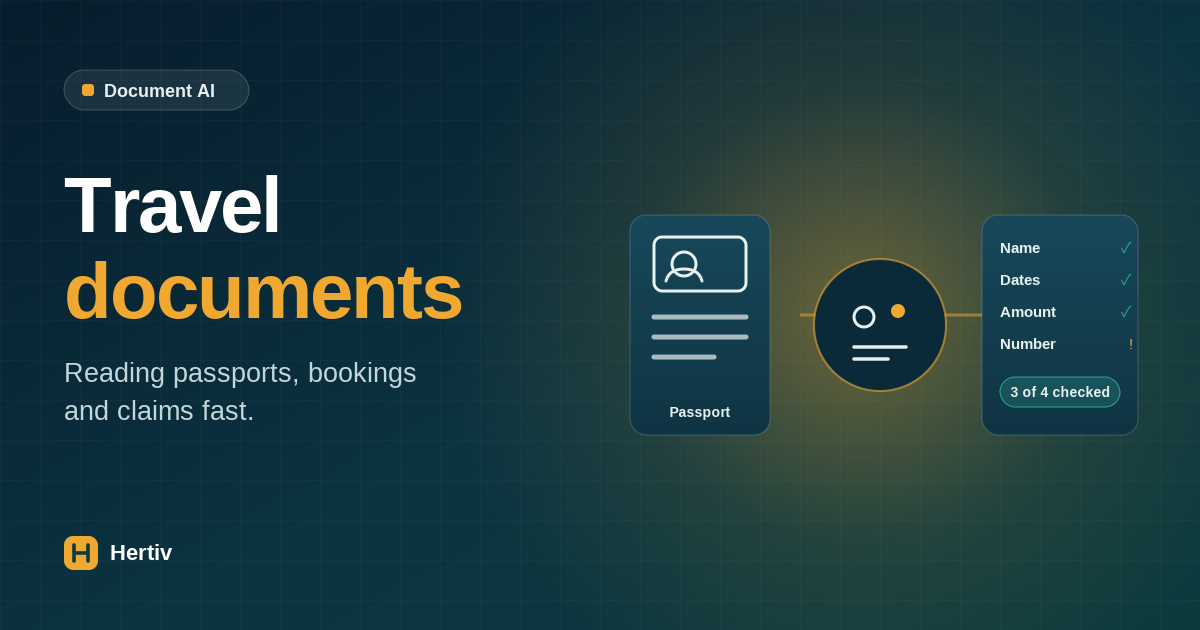
Document AI reads a travel document in four steps: it finds the document type, reads the text, maps the text to fields, and checks the result against rules before passing it on.
- Classify. The system identifies whether the file is a passport, an invoice, a receipt or a claim form.
- Read. Optical character recognition and layout analysis pull out the text and its position on the page.
- Extract. A model maps the text to fields such as name, date, amount and document number.
- Validate. Rules check totals, dates and required fields, and anything that fails goes to a human queue.
Validation is where the system earns trust. A model that returns a wrong total without flagging it is worse than no automation. See document AI use cases for the same pattern applied across industries.
How accurate is it, and where does a human still check?
Document AI is most accurate on structured documents such as invoices and booking confirmations, where fields sit in predictable places. It is less accurate on handwritten notes, poor photos and unusual layouts.
A sensible rule is to automate the clear cases and route the rest to people. If a passport scan is sharp and the fields pass validation, it can flow through. If the photo is blurred or a date looks wrong, a person should check it before the booking proceeds.
Accuracy should be measured on your own documents, not on a vendor demo. Build a test set of real passports, invoices and claims, with known correct answers, and score each vendor on the same set. The guide to how to test AI models explains how to build that test set.
Keep a log of every document the system flags. The log shows which document types fail most often and whether quality is improving or slipping. Without it, you only find out about problems when a customer complains.
Example (hypothetical): a tour operator processing booking forms
Example (hypothetical): a tour operator receives 400 booking forms a month, each taking a staff member about 12 minutes to enter by hand. That is 80 hours a month of data entry, or roughly half a full-time role.
With document AI, 70% of forms pass validation and flow straight into the booking system, while 30% go to a human queue that takes 6 minutes each. The math is: 280 forms at 0 minutes plus 120 forms at 6 minutes is 12 hours a month, down from 80.
The saving is 68 hours a month, but only if the validation rules are strict. If bad data slips through, the cost of fixing bookings later wipes out the saving. The operator keeps a weekly check on error rates before expanding to visas and claims.
What are the common mistakes?
The most common mistakes in travel document AI are skipping the test set, automating the hardest documents first, and trusting the model without validation.
- No test set. Without real documents and known answers, you cannot compare vendors or spot decline in quality.
- Starting with claims. Claims are the messiest documents. Start with invoices and bookings, which are more structured.
- No validation rules. A model without checks will pass wrong dates and totals into your systems.
- Ignoring privacy. Passports and medical notes are sensitive. Check where documents are stored and who can see them.
- Forgetting languages. Travel documents arrive in many languages, and accuracy varies by language.
Privacy deserves special attention. Travel firms handle identity documents daily, so the storage and retention rules matter as much as the extraction quality. A look at stablecoins in travel shows the same pattern: travel technology must fit the industry's rules, not just its workflows.
How to run a small pilot
You run a small document AI pilot in travel by picking one document type, building a test set, and measuring error rates before expanding.
- Pick one document type. Start with booking confirmations or supplier invoices, not all documents at once.
- Build a test set. Gather 100 real examples with known correct answers.
- Set the bar. Agree the error rate you will accept before testing any vendor.
- Run two vendors. Score both on the same test set and compare on accuracy, not on demos.
- Go live with checks. Route failures to a human queue and review error rates weekly for the first month.
If the pilot cuts entry time without raising error rates, expand to the next document type. If error rates rise, tighten the validation rules before adding volume.
Key takeaways
- Document AI turns travel paperwork into structured data staff can use
- It helps most on high-volume, structured documents such as bookings and invoices
- Validation rules and a human queue are what make the system trustworthy
- Measure accuracy on your own documents, not on a vendor demo
- Start with one document type and expand only after error rates hold
Frequently asked questions
What documents can document AI read in travel?
It can read passports, visa forms, booking confirmations, hotel invoices, receipts, insurance claims and supplier contracts. Accuracy is highest on structured documents such as invoices and lowest on handwritten notes or poor-quality photos.
Does document AI replace travel staff?
No. It removes retyping, not judgement. Staff still handle mismatches, missing pages, unusual claims and anything the validation rules flag. The goal is to move people from data entry to the cases that need a decision.
How do I check if a document AI tool is accurate?
Build a test set of about 100 real documents with known correct answers, then score the tool on that set. Measure how often fields are wrong and how often the tool flags its own mistakes, and compare vendors on the same set.
Is passport data safe with document AI?
It depends on the vendor. Passports are sensitive identity documents, so check where files are stored, how long they are kept, who can access them and whether the vendor trains models on your data. Get these answers in writing before a pilot.
Can document AI handle documents in other languages?
Most tools handle common languages, but accuracy varies. If your travellers submit documents in many languages, include those languages in your test set and check the results per language before signing.
How long does a document AI pilot take?
A narrow pilot on one document type usually takes a few weeks when the documents are ready. The slow part is usually gathering a good test set and agreeing the validation rules, not the model itself.


