Document AI in Telecom: How Carriers Cut Paperwork
Document AI in telecom reads contracts, bills, claims and field forms, then turns them into data a carrier's systems can use. Here is where it helps.
On this page
Short answer
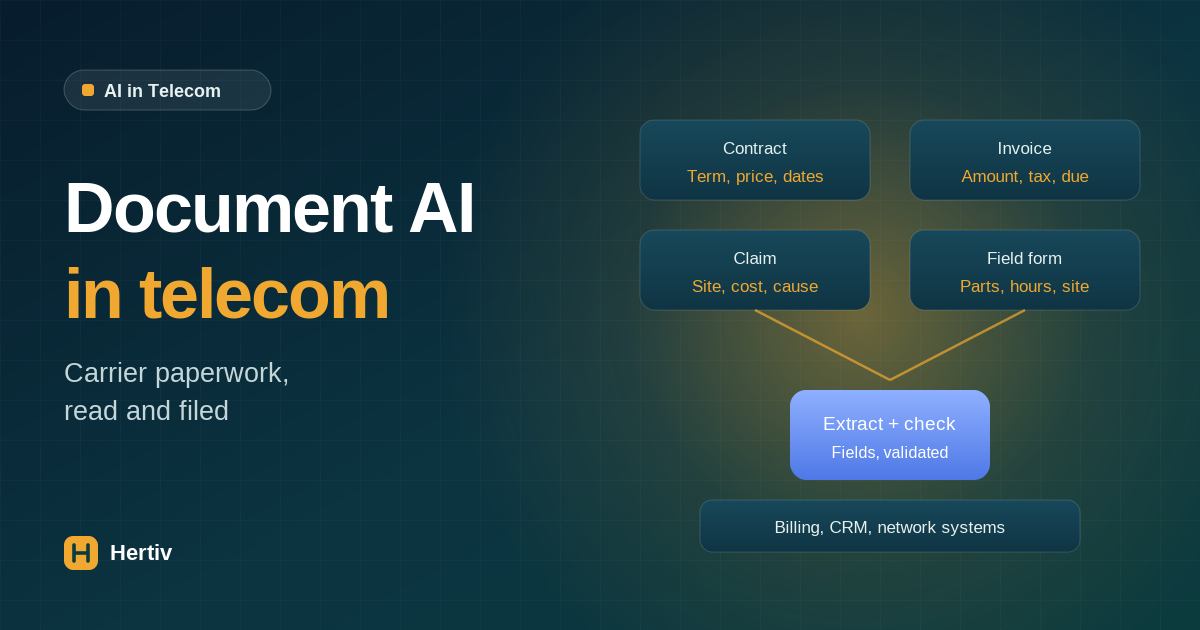
Document AI in telecom is software that reads carrier documents such as contracts, invoices, claims and field forms, extracts the fields that matter, and sends structured data into billing, CRM and network systems. It replaces manual retyping with extraction plus a human check on the cases that need one.
What is document AI in telecom?
Document AI in telecom is software that reads a carrier's documents and turns them into structured data that billing, CRM and network systems can use. A contract, an invoice, a damage claim or a field-work form arrives as a PDF, a scan or a photo, and the software extracts the names, dates, amounts and clauses that matter.
Carriers handle an unusual mix of documents. Customer contracts and order forms sit next to supplier invoices, roaming settlement files, tower lease agreements, insurance claims for damaged equipment and handwritten field reports. Most of these arrive in different formats, and the same field can appear in different places on different pages.
Document AI combines text recognition with a language model that understands what a field means, so it can find a contract end date whether it is labelled "term end", "expiry" or buried in a paragraph. The output is a set of fields with a confidence score, and anything below a threshold goes to a person. For the wider picture of the technology, see document AI and how it works across industries.
What documents do telecom operators process?
Telecom operators process documents across sales, billing, network operations and procurement, and each type carries different fields and different risks if a value is wrong.
| Document type | Fields extracted | Where the data goes |
|---|---|---|
| Customer contracts | Parties, term, price, renewal date | CRM and billing |
| Supplier invoices | Vendor, amount, tax, due date | Accounts payable |
| Damage claims | Site, equipment, cause, cost | Claims and insurance |
| Field-work forms | Site, task, parts used, hours | Work order system |
| Roaming settlements | Partner, traffic, rate, period | Interconnect billing |
| Tower leases | Site, rent, escalation, term | Property and finance |
Contracts and leases matter most, because a missed renewal date or a wrong escalation clause costs money for years. Invoices matter for volume: a large carrier can receive thousands a month, and manual entry is where most billing errors start.
How document AI works in a telecom workflow
Document AI works in a telecom workflow as a pipeline: capture, classify, extract, validate and hand off, with a human in the loop wherever a wrong value would cost money or break a contract.
- Capture. Documents arrive by email, portal upload, scan or photo, and are converted to text with optical character recognition.
- Classify. The system identifies the document type, so a lease is routed to the property workflow and an invoice to accounts payable.
- Extract. The model pulls the fields defined for that type, such as the contract end date or the invoice total.
- Validate. Deterministic rules check the result: totals must add up, dates must be valid, and amounts must match the purchase order.
- Hand off. Clean results flow into the target system; anything that fails validation or falls below a confidence threshold goes to a review queue.
The review queue is the part teams underestimate. A system that extracts 90% of fields correctly still leaves hundreds of documents a month for review at carrier volumes, so the queue needs owners, turnaround targets and a way to feed corrections back into the model.
Where does document AI save the most time?
Document AI saves the most time in telecom where document volume is high and the fields are repeated: supplier invoices, field-work forms and roaming settlements.
Invoices are the clearest case. An accounts payable team that keys in invoice headers and line items by hand spends most of its time on data entry and chasing mismatches. Extraction plus three-way matching against the purchase order and the goods receipt removes the entry work and leaves the team with exceptions only.
Field-work forms are the second case. Technicians fill in site visits, parts used and hours worked, often on paper or in a mobile app with free text. Extraction turns those forms into work-order records without a back-office clerk retyping them, and it surfaces missing fields while the technician is still on site.
Similar patterns apply in other document-heavy sectors, as shown by document AI in travel, where bookings and receipts follow the same capture-and-validate shape.
What accuracy should you expect, and how do you check it?
Accuracy in document AI is measured per field, not per document, and the number that matters is the share of fields that reach the target system without a human fix.
A realistic target for printed, well-scanned documents is high field accuracy on standard fields such as dates and totals, with lower accuracy on handwritten notes, stamps and low-quality scans. Tables with merged cells and multi-page contracts are the hardest cases, because a value can be correct but attached to the wrong row.
Check accuracy on your own documents, not on a vendor demo. Build a labelled sample of 200 to 500 real documents across your types and qualities, run the system on it, and count the fields that need correction.
Re-run the same sample after any model change, so you can see whether accuracy moved up or down. Set a separate threshold for high-risk fields such as contract end dates and payment amounts, and route those to a human even when the model is confident.
Example (hypothetical): a carrier automates supplier invoices
Example (hypothetical): a mid-size carrier receives 4,000 supplier invoices a month. Today, two clerks key in the header and line items, and each invoice takes about 8 minutes, which is 4,000 x 8 = 32,000 minutes, or about 533 hours, a month.
The carrier adds document AI with three-way matching. The system extracts the fields and matches them against the purchase order and the goods receipt. About 70% of invoices match cleanly and post without a touch, which is 2,800 invoices. The other 1,200 go to a review queue, and each takes a clerk about 4 minutes to check, which is 1,200 x 4 = 4,800 minutes, or 80 hours.
The team saves 533 - 80 = 453 hours a month, and the review queue now holds the cases that actually need judgement: price changes, missing receipts and duplicate invoices. The lesson is that the saving comes from the match rate, not from the extraction rate alone, so the carrier tracks the share of invoices that post without a touch as its main metric.
What are the common mistakes?
The most common mistakes in telecom document AI are skipping the validation rules, ignoring document quality, and treating the review queue as an afterthought.
- No validation rules. Extraction without checks lets a wrong total or date flow into billing, where it is far more expensive to fix.
- Ignoring scan quality. Faxes and phone photos of paper forms produce the worst extraction, and no model fixes a document it cannot read.
- No review queue owner. Exceptions pile up when nobody owns the queue, and the backlog quietly grows back to manual work.
- One model for every document. Contracts, invoices and field forms need different field sets and different thresholds.
- No feedback loop. Corrections that are never fed back into the model mean the same errors repeat every month.
- Storing personal data without a rule. Contracts and claims contain personal data, so retention and access need a clear policy before the first document is processed.
How to start document AI in a telecom team
You start document AI in a telecom team with one document type, one system to feed, and a labelled sample that proves the accuracy before you scale.
- Pick one document type. Supplier invoices are the usual first choice: high volume, repeated fields, and a clear downstream system.
- Collect a labelled sample. Gather 200 to 500 real documents, including the messy ones, and record the correct field values.
- Define validation rules. Write the checks that must pass before a document posts, such as totals adding up and dates falling inside the contract term.
- Build the review queue. Name an owner, set a turnaround target, and make corrections feed back into the model.
- Measure the touchless rate. Track the share of documents that post without a human fix, and expand to the next document type only when the rate holds for a month.
If you are scoping the first use case and want a realistic view of effort and accuracy, document AI companies for startups shows how vendors are compared, and the same checklist applies to a carrier team.
Key takeaways
- Document AI turns carrier paperwork into structured data for billing, CRM and network systems
- Contracts and leases carry the highest risk, because a missed date or clause costs money for years
- Extraction plus validation and a staffed review queue is the pattern that works; extraction alone is not enough
- Measure field accuracy on your own documents, and track the share that posts without a human touch
- Start with one document type, usually supplier invoices, and expand only when the touchless rate holds
Frequently asked questions
What is document AI in telecom?
Document AI in telecom is software that reads carrier documents such as contracts, invoices, claims and field forms, extracts the fields that matter, and sends structured data into billing, CRM and network systems. It replaces manual retyping with extraction plus a human check on the cases that need one.
Which telecom documents benefit most from document AI?
Supplier invoices, field-work forms and roaming settlements benefit most, because they arrive in high volume with repeated fields. Contracts and tower leases matter for risk rather than volume, since a missed renewal date or escalation clause can cost money for years.
How accurate is document AI on telecom documents?
Accuracy is measured per field, and it is highest on printed, well-scanned documents with standard fields such as dates and totals. Handwritten notes, stamps and multi-page tables are harder. Test on a labelled sample of your own documents rather than trusting a vendor demo.
Does document AI replace the accounts payable team?
No. It removes the data-entry work and leaves the team with exceptions, such as price changes, missing receipts and duplicate invoices. Someone still has to own the review queue, define validation rules and feed corrections back into the model.
What data privacy issues apply to document AI in telecom?
Contracts and claims contain personal data, so you need a retention policy, access controls and a clear answer to where documents are processed and stored. Check this before the first document is processed, not after.
How long does a first document AI project take?
A narrow first project, such as supplier invoices into one system, usually takes a few weeks to a few months, depending on how clean the documents are and how much integration the target system needs. The labelled sample and validation rules take most of the time, not the model.


