Document AI in Hospitality: What Hotels Can Read Faster
Document AI reads hotel paperwork, from bookings to invoices, and turns it into data staff can act on. Here is what it reads and where it saves time.
On this page
Short answer
Document AI in hospitality is software that reads hotel documents, such as booking confirmations, identity papers, invoices, contracts and guest feedback, and pulls out the structured facts staff need, such as dates, amounts and names. It does not replace front-desk judgement; it removes the retyping, so staff spend their time on guests instead of paperwork.
What is document AI in hospitality?
Document AI in hospitality is software that reads hotel paperwork and turns it into structured data that hotel systems can use. A booking email becomes a reservation with dates, room type and price. A scanned invoice becomes a set of line items with amounts and tax. A signed contract becomes a list of agreed terms with dates.
The software works in three steps: it reads the text and layout of a document, it finds the fields that matter, and it checks them against rules, such as whether the dates match the booking or the total matches the sum of the lines. Anything it cannot read with confidence goes to a person.
Hotels are a good fit because the paperwork is repetitive and high volume, yet the documents arrive in many formats: emails, PDFs, scans, photos and paper forms. Document AI handles that variety, while staff handle the guests. For the wider picture, document AI use cases covers how the same approach works in other industries.
What documents does document AI read?
Document AI in a hotel reads the papers that arrive every day at the front desk and in the back office. The list is short, because most hotel paperwork falls into a few types, and each type has the same fields to find.
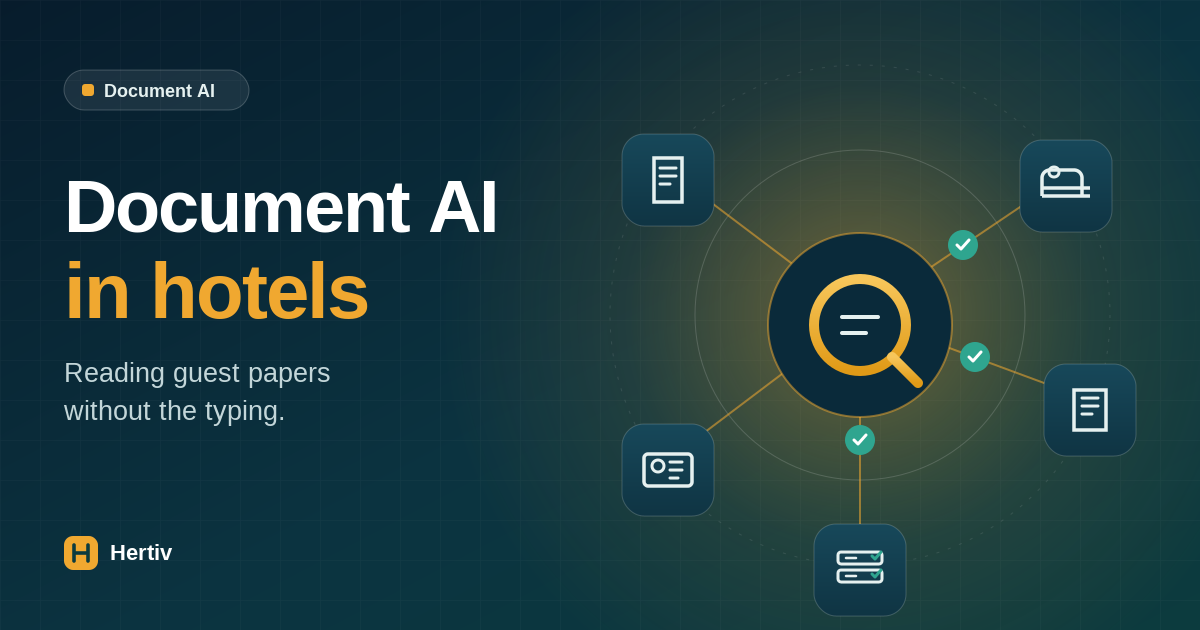
| Document | What it pulls out | Where it goes |
|---|---|---|
| Booking confirmations | Guest name, dates, room type, price | Reservation system |
| Identity documents | Name, document number, expiry date | Guest record |
| Invoices and receipts | Supplier, amounts, tax, due date | Accounts system |
| Contracts | Rates, dates, cancellation terms | Sales and events file |
| Guest feedback forms | Topics, sentiment, follow-up flags | Guest experience queue |
| Staff forms | Hours, leave dates, signatures | HR and payroll |
Identity documents need extra care. The software can read the fields, but a person should check the document itself, because a photo or a scan cannot prove who is standing at the desk. Treat document AI as a reader, not as a decision maker, for anything that affects a guest's stay or a payment.
How does it change the front desk?
Document AI changes the front desk by removing the typing between a guest and the system. When a booking arrives by email, the reservation is already in the system before the guest calls to confirm. When a guest hands over an ID, the check-in form is filled in and only needs a quick check.
The gain is measured in minutes per guest, and those minutes add up across a day. A front-desk team that stops retyping booking emails can answer the phone faster and spend more time with guests who are standing in front of them. That is the point of the tool: it frees attention for the work only people can do.
It also cuts the small errors that come from typing under pressure: a wrong date, a missed middle name, a room type copied from the wrong line. The software reads the same field the same way every time, and it flags the cases where two fields disagree, such as a check-out date before the check-in date.
What does it do behind the scenes?
Behind the scenes, document AI handles the paperwork guests never see. Supplier invoices are read and matched against purchase orders, so accounts staff only look at the ones that do not match. Group booking contracts are read for rates and cancellation dates, so sales staff get a reminder before a deadline passes.
It also helps with the records a hotel must keep. Registration forms, tax documents and supplier contracts are stored as searchable data, not as piles of paper. When an auditor or a manager asks for a record, the team can find it by guest name or date instead of searching a filing cabinet.
The same approach works for guest feedback. Comment cards and survey answers are read for topics and tone, so the hotel can see which issues come up most often. That is a different job from reading invoices, and it uses the same pattern: read the text, pull out the facts, and send the result to the right queue. See document AI in insurance for how the same reading step works in a regulated industry.
Example: a 120-room hotel reads 300 documents a day
Example (hypothetical): a 120-room hotel receives 300 documents a day, from booking emails and ID scans to supplier invoices. Reading and typing each one takes about 4 minutes, which is 1,200 minutes, or 20 hours of staff time every day.
Document AI reads 240 of them cleanly, and the remaining 60 go to a human queue. Checking those 60 takes 60 times 4 minutes, or 240 minutes, about 4 hours. The hotel saves about 16 hours a day, and every document still gets a human check where the software is unsure.
The saving only holds if the hotel keeps the human queue small. If staff stop checking the flagged documents, or if new suppliers send invoices in formats the software has not seen, the queue grows back. A weekly review of the flagged cases shows which new formats need training data.
What are the limits and risks?
Document AI has limits that matter in a hotel. Handwriting is still hard to read, poor scans produce wrong fields, and a document in a language the model has not been trained on will fail. The software is only as good as the images it receives, so a clear scan matters more than a clever model.
Privacy is the bigger risk. Identity documents and payment details are sensitive, so the hotel must know where the documents are stored, who can see them, and when they are deleted. Guest data should stay inside systems the hotel controls, and staff should only see the fields they need for their job.
There is also the risk of trusting a wrong reading. If the software reads a rate of 120 as 12, and nobody checks, the guest is charged the wrong amount. That is why every document AI setup needs a confidence threshold and a human queue, and why the flagged cases should be reviewed the same day, not at the end of the week.
What are the common mistakes?
The most common document AI mistakes in hospitality are starting with every document type at once, skipping the human queue, and ignoring scan quality. Each one is easy to make and each one shows up fast in the error log.
- Starting too wide. Reading six document types at once is harder than reading one well. Start with bookings, then add invoices.
- No human queue. Acting on every reading, even the unsure ones, lets wrong dates and amounts into the system.
- Ignoring scan quality. A blurry photo of an invoice will be read wrongly, and no model fixes a bad image.
- Forgetting privacy. Storing guest identity documents without a deletion rule creates a risk the hotel does not need.
- No weekly review. New document formats appear all the time, and without review the model slowly falls behind.
Start with one document type, a clear confidence threshold and a human queue, then add types only when the first one runs clean. A system that reads bookings well is worth more than one that guesses at everything. ChatGPT for hospitality covers a different kind of hotel AI, the guest-facing chat side.
Key takeaways
- Document AI turns hotel paperwork into structured data, so staff stop retyping.
- It reads bookings, IDs, invoices, contracts and feedback, and flags what it cannot read.
- The gain is measured in minutes per guest, and it adds up across a day.
- Identity and payment documents need a human check and strict privacy rules.
- Start with one document type and a human queue, then add types only when it runs clean.
Frequently asked questions
What is document AI in hospitality?
It is software that reads hotel documents, such as booking confirmations, identity papers, invoices and contracts, and pulls out the structured facts staff need. It turns paperwork into data the hotel systems can use, instead of leaving it as text someone must retype.
Which hotel documents can document AI read?
The common ones are booking confirmations, identity documents, supplier invoices, group contracts, guest feedback forms and staff forms. Each type has the same fields to find, so the software can be trained on a small set of examples per type.
Does document AI replace front-desk staff?
No. It removes the typing between a guest and the system, so staff spend more time with guests. Judgement, such as handling a complaint or an unusual request, stays with people, and identity checks should always be done by a person.
How accurate is document AI on hotel paperwork?
Accuracy depends on the document and the scan: clean, typed documents are read well, while handwriting and poor photos are not. Every setup should have a confidence threshold, so unsure readings go to a human queue instead of entering the system unchecked.
What about guest privacy?
Identity documents and payment details are sensitive, so the hotel must know where documents are stored, who can see them and when they are deleted. Staff should only see the fields they need, and guest data should stay inside systems the hotel controls.
Where should a hotel start with document AI?
Start with one high-volume document type, usually booking confirmations, and a clear human queue for flagged cases. Once that type runs clean for a few weeks, add invoices, then contracts. Starting wide is the most common mistake.


