Document AI in Energy: What Utilities Extract and Why
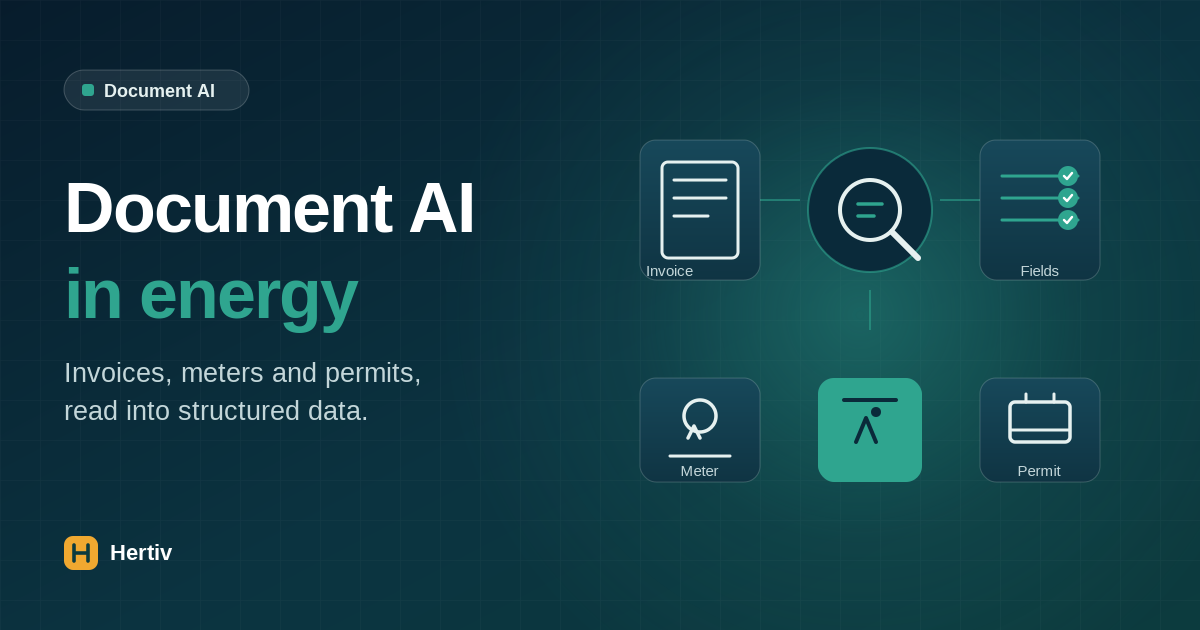
Document AI reads the invoices, permits, meter readings and inspection reports energy teams handle by hand, and turns them into structured data systems can use.
On this page
Short answer
Document AI in energy is software that reads invoices, permits, meter readings, contracts and inspection reports and turns them into structured data. It helps utilities and energy teams cut manual data entry, catch errors before they reach billing or compliance, and keep a searchable record of every document that crosses the desk.
What is document AI in energy?
Document AI in energy is software that reads energy paperwork and turns it into structured data that other systems can use. Instead of a person retyping figures from a scanned invoice or a handwritten meter sheet, the software finds the fields, reads the values and files them in the right place.
Energy teams handle a wide mix of documents every day, from supplier invoices and grid connection permits to inspection photos with handwritten notes. Most of these arrive as PDFs, scans or photos, which means the data inside them is locked away until someone types it out.
The documents it reads most often are:
| Document | What it extracts | Where it goes |
|---|---|---|
| Supplier invoices | Supplier, amounts, dates, tax lines | Finance and billing systems |
| Meter readings | Meter ID, reading, date, unit | Metering and billing records |
| Permits and licences | Permit number, scope, expiry date | Compliance register |
| Contracts | Parties, tariffs, dates, clauses | Contract management |
| Inspection reports | Asset ID, condition, defects found | Maintenance planning |
| Compliance filings | Reported figures, deadlines, sign-offs | Regulatory submissions |
The point is not to replace the people who understand these documents. It is to remove the retyping so those people spend their time checking exceptions and acting on what the documents say. For teams already using document AI elsewhere, document AI in finance shows the same pattern applied to invoices and statements.
How document AI turns a scan into structured data
Document AI turns a scan into structured data in a short chain of steps, and each step has a clear job. If one step is weak, the whole result suffers, so teams usually check the output at the point where errors are cheapest to fix.
The chain usually runs like this:
- Capture. The document is scanned or photographed, and the image is cleaned up: straightened, sharpened and split into pages.
- Classify. The software works out what kind of document it is, so it knows which fields to look for.
- Extract. It reads the text and pulls out the named fields, such as amounts, dates and meter IDs.
- Validate. Rules check the result: do the line items add up to the total, is the date in range, does the meter ID exist?
- Route. Clean documents go straight into the target system; anything that fails validation goes to a human queue.
Validation is where most of the value sits. A system that extracts figures without checking them just moves errors faster. The strongest setups pair extraction with checks drawn from the team's own data, such as tariff tables and asset registers, so a wrong reading is caught before it reaches a bill.
Teams that already run AI agents in energy often feed document AI output into those agents, so an extracted inspection defect can trigger a work order without anyone retyping it.
Which energy documents benefit most?
The documents that benefit most are the ones that arrive in volume, follow a recognisable shape and carry figures that feed another system. Invoices and meter readings top the list, because they are numerous, structured and time-sensitive.
Supplier invoices are the classic case. An energy company may receive thousands a month from contractors, fuel suppliers and equipment vendors. Each one needs the supplier, the amount, the tax lines and the purchase order matched before it can be paid. Document AI handles the routine matches and leaves the mismatches to finance staff.
Meter readings are similar but messier. Handwritten sheets, photos of dials and emailed spreadsheets all carry the same four facts: which meter, what reading, when, and in what unit. Getting those four facts right matters, because a wrong reading becomes a wrong bill and an unhappy customer.
Permits and inspection reports benefit differently. The gain is less about volume and more about finding things later: an expiry date that is searchable, a defect note tied to an asset ID, a permit that can be pulled up during an audit instead of dug out of a filing cabinet.
Where utilities and energy teams use it first
Utilities and energy teams usually start document AI in one of four places, and each one has a different reason for going first. Billing goes first when invoice volume is the pain; compliance goes first when audit season is the pain.
In billing, the win is speed and accuracy: invoices matched and posted without retyping, meter readings validated against past consumption before they reach the bill. In compliance, the win is traceability: every permit, filing and sign-off searchable by date, asset or obligation.
Maintenance teams use it for inspection reports. A technician photographs a handwritten defect note, and the asset ID, condition and recommended action land in the maintenance system the same day instead of at the end of the week. Procurement teams use it for contracts, pulling out tariff terms and renewal dates so nothing rolls over unnoticed.
The pattern across all four is the same: pick the document type with the highest volume or the highest cost of error, prove the validation rules there, and only then expand. Predictive analytics in energy depends on the same clean inputs, which is another reason to fix document capture before building forecasts on top of it.
Example (hypothetical): a utility clearing its invoice backlog
Example (hypothetical): a regional utility receives 500 supplier invoices a month. A clerk takes 12 minutes to read, check and post each one, which is 500 times 12 minutes, or 6,000 minutes, about 100 hours a month of pure data entry.
The utility adds document AI with validation against its purchase orders and tariff tables. Nine in ten invoices pass validation and post automatically. The remaining 50 go to a clerk, who still takes 12 minutes on each, which is 50 times 12 minutes, or 600 minutes, about 10 hours a month.
The saving is roughly 90 hours a month, but the more useful change is timing: invoices that used to wait in a pile are now posted the day they arrive, so the finance team sees what it owes while there is still time to query a wrong charge. The clerk's job shifts from typing to resolving the 50 exceptions, which is the part that actually needs judgement.
None of this works without the validation step. If the system posted invoices unchecked, the same 90 hours would be spent fixing wrong payments instead of entering correct ones.
What document AI still gets wrong in energy
Document AI still gets things wrong in energy, and the failures cluster around the documents that look least like a clean form. Handwritten notes, stamped approvals, faded faxes and photos taken at an angle are the usual suspects.
Handwriting is the biggest gap. Printed text is read reliably, but a technician's scrawl on an inspection sheet may be misread, especially for numbers where a 7 looks like a 1. Tables that span pages, merged cells and units written in shorthand (kWh vs MWh) also cause errors that look plausible until they reach a bill.
Another limit is context. The software can read that a permit expires on a date, but it cannot judge whether the work described still matches the permit's scope. That judgement stays with a person, which is why the human queue for exceptions matters more than the extraction accuracy figure on a vendor's page.
Teams should also expect a settling-in period. Accuracy improves as the system sees more of the team's own documents, but the first month usually needs more human review than the brochure suggests.
Common mistakes with document AI in energy
The most common mistakes with document AI in energy come from treating it as a scanner upgrade rather than a data quality project. The software is only as good as the validation rules and the documents it is fed.
- Skipping validation. Posting extracted figures without checks moves errors into billing and compliance faster.
- Starting with the hardest documents. Handwritten field notes are the worst first test; start with printed invoices.
- No exception queue. If nobody owns the documents that fail validation, they sit unread and the backlog returns.
- Ignoring units. A reading in MWh filed as kWh is a thousand-fold error that looks like a normal number.
- Measuring accuracy, not outcomes. A high extraction score means little if invoices still post late or bills still go wrong.
- Forgetting the audit trail. Keep the original image with the extracted data, or an auditor cannot check the source.
Key takeaways
- Document AI turns invoices, permits, meter readings and inspection reports into structured data.
- Validation rules matter more than extraction accuracy: they catch wrong figures before billing or compliance.
- Start with high-volume printed documents such as invoices, not handwritten field notes.
- The saving is time and timing: documents post the day they arrive, and staff work on exceptions.
- Keep the original image with the extracted data so every figure can be audited.
Frequently asked questions
What is document AI in energy?
Document AI in energy is software that reads invoices, permits, meter readings, contracts and inspection reports and converts them into structured data. It finds the fields, reads the values, checks them against rules and files them in the system that needs them, with exceptions routed to a person.
Which documents should an energy team automate first?
Start with supplier invoices and meter readings, because they arrive in volume, follow a recognisable shape and carry figures that feed billing. Permits and inspection reports come next, mainly for searchability and audit traceability rather than volume.
How accurate is document AI on energy paperwork?
Printed, well-scanned documents are read reliably, while handwriting, faded copies and photos taken at an angle are much less reliable. Accuracy also depends on validation rules built from the team's own data, such as tariff tables and asset registers.
Does document AI replace data entry staff?
No. It removes the retyping and shifts staff to the exceptions that need judgement, such as mismatched invoices and ambiguous readings. Teams usually need the same people, doing higher-value checking instead of copying figures.
What does document AI cost an energy company?
Costs vary with document volume, the number of document types and how much validation is built in. See vendor site for pricing, and budget for the setup work: defining fields, writing validation rules and training staff on the exception queue.
Can document AI read handwritten meter sheets?
It can attempt them, but handwriting is the least reliable input, especially for numbers. Many teams keep handwritten sheets in the human queue and automate printed and photographed dial readings first, where accuracy is higher.


