How to Handle Digital Transformation Without Downtime
Digital transformation without downtime means replacing systems while services keep running. Learn the cutover strategies and the step-by-step plan behind it.
On this page
Short answer
Digital transformation without downtime means replacing systems, databases and integrations while services keep running, using phased cutovers, continuous data sync and a rehearsed rollback instead of a single big-bang switch. The plan, not the tooling, decides whether the move succeeds.
What does digital transformation without downtime mean?
Digital transformation without downtime means replacing or upgrading your systems while your services keep running, so customers never see an outage. Instead of switching everything off, migrating, and switching back on, the team moves one piece at a time and keeps the old and new systems running side by side until the new one is proven.
The idea applies to the whole stack: applications, databases, integrations and infrastructure. A shop can move its checkout to a new platform, a bank can replace its core ledger, or a hospital can change its records system, all while the current service keeps answering requests.
The key shift is from a single cutover event to a controlled sequence. Each step is small, reversible and tested, so a failure affects a small slice of traffic rather than the whole service. That is what makes zero-downtime migration a planning discipline first and a technical one second: the tools exist, but the plan decides whether they work.
Why do migrations cause downtime?
Migrations cause downtime when the old system stops before the new one is ready, when data is out of sync, or when a failed step has no way back. The classic pattern is a weekend cutover: the team stops the service, copies the data, starts the new system, and hopes nothing breaks. When it does break, the outage stretches while the team fixes it under pressure.
Four causes show up most often:
- Big-bang cutovers. Moving everything at once means one fault can take down the whole service, and there is no partial fallback.
- Data drift. The new database is copied once, then the old system keeps changing, so the copy is stale by the time it goes live.
- Untested rollbacks. The team plans the move but never rehearses going back, so a failure becomes a long outage instead of a quick revert.
- Hidden dependencies. An old integration, a scheduled job or a third-party callback points at the old system and breaks silently after the move.
Each of these is avoidable, but only if the plan treats them as risks to design around rather than surprises to handle on the night. A phased plan with a rehearsed rollback turns a risky event into a series of routine steps.
Which cutover strategy fits your system?
Which cutover strategy fits depends on how much risk you can take, how your data flows, and how quickly you need to roll back. There is no single best option; the right one matches the shape of your system.
| Strategy | How it works | Best when | Rollback |
|---|---|---|---|
| Blue-green | Two identical environments; traffic switches from old to new | Stateless services, fast deploys | Switch traffic back |
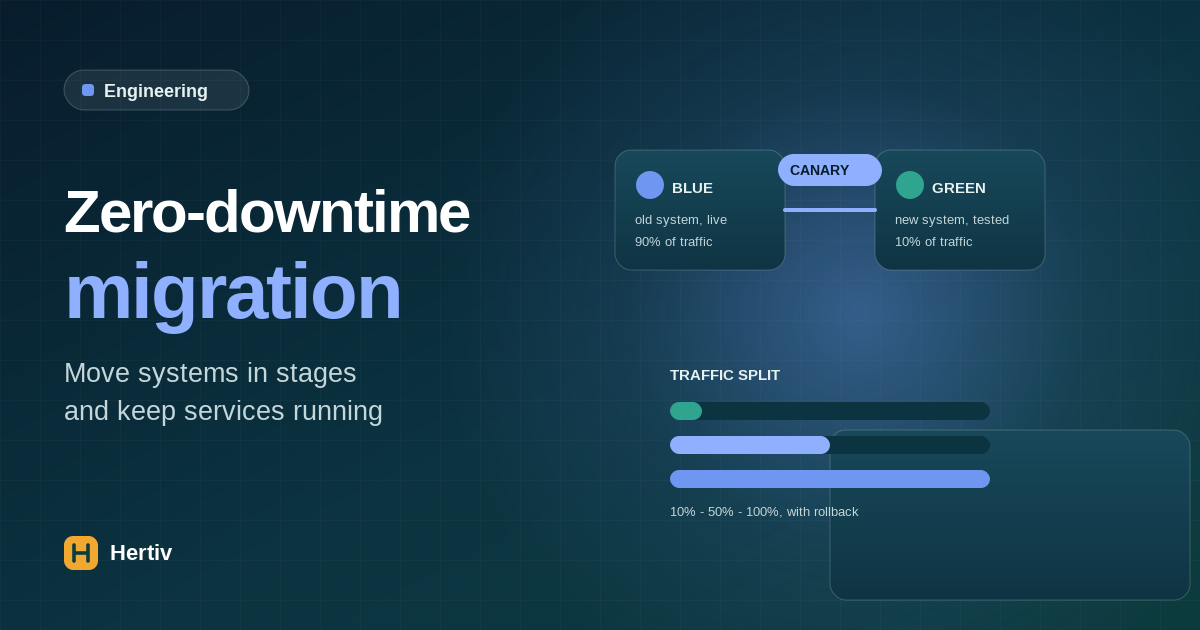
| Canary | New version serves a small share of traffic first | High-traffic services, risky changes | Stop the canary |
| Strangler fig | Old system is replaced piece by piece behind one front door | Large monoliths, long programmes | Route back per piece |
| Parallel run | Old and new run together and results are compared | Regulated systems, data checks | Keep using the old |
| Feature flags | New behaviour is switched on per user or group | Gradual rollouts, A/B tests | Turn the flag off |
Blue-green and canary releases suit services that can be duplicated cheaply, such as web applications behind a load balancer. The strangler fig pattern suits large systems that cannot be replaced in one go, because each piece moves on its own schedule. Parallel runs suit regulated work where the new system must prove it matches the old one before anyone trusts it. Most real programmes combine two or three of these rather than picking one.
How do you migrate without downtime?
You migrate without downtime by keeping the old system live, syncing data continuously, and moving traffic in small steps with a tested way back. The sequence matters more than any single tool.
- Map the system. List every service, database, integration, scheduled job and third-party callback. Hidden dependencies cause most migration outages.
- Set up continuous data sync. Replicate data from old to new in real time, so the new system is always current and the cutover is a switch, not a copy.
- Run both systems in parallel. Send a small share of read traffic to the new system and compare results with the old one.
- Use dual writes for changes. Write new data to both systems during the transition, so neither side falls behind.
- Move traffic in stages. Shift 10 percent, then 50 percent, then all traffic, watching error rates and latency at each step.
- Rehearse the rollback. Practice switching back before you need it, and make sure the rollback is a single command, not a manual procedure.
- Decommission last. Keep the old system running for a few weeks after the move, then retire it once the new system has proven itself.
Continuous sync is the step that makes the rest possible. Without it, every cutover is a race against data drift, and the team ends up choosing between downtime and stale data. With it, the switch is a routing change that can be reversed in minutes. Teams planning a move should read the guide to cloud migration for the same sequence applied to infrastructure.
Example (hypothetical): a retailer moves its checkout
Example (hypothetical): an online retailer takes 12,000 orders a day, which is about 500 orders an hour during the day. Its checkout runs on an old platform, and the team wants to move it to a new one without losing sales.
A two-hour outage during the day would block roughly 1,000 orders. Instead of a weekend cutover, the team runs both checkouts in parallel. It syncs orders and stock in real time, then sends 10 percent of traffic, about 50 orders an hour, to the new checkout for a week while comparing results with the old one.
When the numbers match, the team moves to 50 percent, about 250 orders an hour, for three days, then to 100 percent. At each stage it watches payment failures and page errors, ready to route traffic back in minutes if anything looks wrong. The old checkout stays running for a month as a fallback. The move takes six weeks instead of one weekend, but the shop never closes, and no order is lost to downtime.
How do you test before you switch?
You test before you switch by proving the new system under real load, with real data, and with a rehearsed failure. Testing in a staging environment is not enough, because staging rarely matches production traffic, data volume or third-party behaviour.
Four checks cover most of the risk. Load testing shows whether the new system handles peak traffic, including the traffic that arrives when a promotion or a news story hits. Shadow traffic, where real requests are copied to the new system without affecting users, shows whether it returns the same answers as the old one.
A rollback drill proves the team can switch back quickly when something goes wrong. And a data comparison run proves the new database matches the old one record for record. The same discipline applies to everyday releases, as the guide to DevOps practices explains.
Monitoring is part of the test. Before the first traffic moves, the team should have dashboards for error rates, latency and payment success on both systems, plus alerts that fire the moment the new system behaves differently. Automated checks that run on every deploy, as described in the guide to CI/CD, catch regressions before they reach production.
What are the common mistakes?
The most common zero-downtime migration mistakes are skipping the data sync, never rehearsing the rollback, and moving too much traffic at once.
- One-off data copies. A single copy goes stale the moment the old system keeps changing. Sync continuously instead.
- No rehearsed rollback. A rollback that has never been practiced is not a plan; it is a hope. Practice it before the first traffic moves.
- Moving 100 percent at once. A full cutover turns a small bug into a full outage. Move in stages and watch the numbers.
- Forgetting scheduled jobs. Nightly reports, invoices and cleanup jobs often point at the old system and break quietly after the move.
- Retiring the old system too early. Keep it running for a few weeks. If a late bug appears, the fallback is still there.
- No owner for the cutover. Someone must own the decision to move traffic and the decision to roll back, or both decisions get delayed.
Key takeaways
- Zero-downtime migration replaces systems in small, reversible steps
- Continuous data sync turns cutover into a routing change, not a copy
- Blue-green, canary and strangler fig suit different system shapes
- Rehearse the rollback before moving the first slice of traffic
- Keep the old system running for weeks after the move
Frequently asked questions
What is the safest way to migrate a live system?
A phased migration is usually safest: sync data continuously, run both systems in parallel, move traffic in stages from 10 percent to 100 percent, and keep a rehearsed rollback ready. The old system stays live as a fallback until the new one has proven itself.
How long does a zero-downtime migration take?
It depends on the size of the system. A single service can move in days, while a large platform often takes weeks or months because each piece moves on its own schedule. The extra time is the price of keeping the service running throughout.
What is a blue-green deployment?
Blue-green deployment runs two identical environments, one live and one new. Traffic switches from the old environment to the new one when it is ready, and switching back is just as fast. It works best for stateless services that can be duplicated cheaply.
What is the strangler fig pattern?
The strangler fig pattern replaces a large system piece by piece behind a single front door. Each part moves to the new system on its own schedule, and traffic is routed back per piece if anything fails. It suits monoliths that cannot be replaced in one go.
Do I need to keep the old system after migration?
Yes, for a few weeks at least. Keeping the old system running gives you a fast fallback if a late bug appears, and it lets you compare results between the two systems. Retire it only after the new system has run cleanly for a sustained period.
What causes most migration outages?
The most common causes are big-bang cutovers, stale data copies, untested rollbacks and hidden dependencies such as scheduled jobs or third-party callbacks. Mapping the full system and syncing data continuously removes most of that risk.


