What Does Digital Asset Management Software Cost to Build?
Digital asset management software costs as much as its library size, search, rights and integrations demand. Here is what drives the budget and how to plan it.
On this page
Short answer
Digital asset management software has no single price, because the budget depends on how many assets it stores, how people search for them, and which systems it must connect to. A small library tool costs far less than a company-wide platform with rights management and approvals. The reliable way to budget is to price the work in parts and keep a reserve for change.
What does digital asset management software cost to build?
Digital asset management software, usually called DAM software, is a system that stores, organises, finds and shares a company's images, videos, documents and brand files, and its cost is the total budget for design, build, testing, storage and launch. There is no single price, because a simple library for one team and a company-wide platform with rights rules, approvals and integrations are different projects with different amounts of work.
The budget is best understood as a sum of parts. Each part, design, build, testing, storage and launch, can be priced on its own, and the total is the sum of the parts plus a reserve for change. The table below shows what each part covers and what makes it more or less expensive.
| Part | What it covers | What changes the cost |
|---|---|---|
| Design | Screens, search flows and approval screens for staff | Number of screens and user roles |
| Build | The library, search, tags, versions and sharing | Number of features and file types |
| Testing | Checks that uploads, search and permissions work | Size of the library and number of user roles |
| Storage and delivery | Where files live and how fast they load | Total file size and number of downloads |
| Launch and support | Hosting, training and fixing problems after launch | Hours of support and hosting location |
Teams often start by comparing their project with a similar build they already know. A guide to software development costs in Dubai shows how the same kind of scoping works for custom software, and the same logic applies to a DAM build.
What drives the cost up or down?
Library size is the first driver. A system holding a few thousand images needs simple storage and search, while one holding hundreds of thousands of videos needs storage planning, previews, transcoding and a search index that stays fast. The larger the library, the more the storage and search work costs.
Rights and permissions are the second driver. A library where everyone sees everything is simple to build. A library where each department, partner and freelancer sees only the files they may use needs role rules, expiry dates, licence tracking and audit logs, and each rule needs design and testing time.
Integrations are the third driver. A DAM that must talk to a content system, a design tool, a website and a social scheduler needs work on each connection, plus testing when any of those systems change. A standalone library avoids that cost, but staff then copy files by hand between tools.
What does a DAM build usually include?
Most DAM builds include a small set of core features. Upload and storage sit at the centre, with search, tags and sharing around them. Versions, approvals and rights rules are common additions, and reports on how files are used usually follow.
- Upload and storage. Files go in once, in any format the team uses.
- Search and filters. Staff find files by name, tag, date or type.
- Tags and metadata. Labels that describe what each file shows and who may use it.
- Versions and history. Older copies stay available when a file changes.
- Sharing and download links. Controlled links for partners and freelancers.
- Rights and expiry rules. Licences, expiry dates and who may use each file.
A breakdown of logistics app costs shows how feature lists change a budget, and the same pattern holds here: each feature adds build time, testing time and support work.
The features that cost the most are the ones that touch money or legal risk. Rights management and expiry rules need exact logic and audit trails, and video handling needs previews and format conversion. Teams usually build those features after the core library and search work.
How to plan the budget in five steps
A clear budget starts with a clear scope. Write down the users, the file types and the systems the DAM must talk to, then price each part separately so a change in one part does not hide inside a single big number.
- Count the files and their sizes, and list the file types the system must handle.
- List the users and what each role may see, download and approve.
- List the systems the DAM must connect to, and what each connection must do.
- Price design, build, testing, storage and launch as separate lines.
- Add a reserve of about ten percent for changes found during testing.
Ask the vendor for the price of storage and delivery as a separate line. Storage grows every month as teams add files, so a quote that hides it will surprise the team later. A breakdown of telemedicine app costs shows the same habit of pricing parts separately, and it works just as well for a DAM build.
Example (hypothetical): a media team's DAM budget
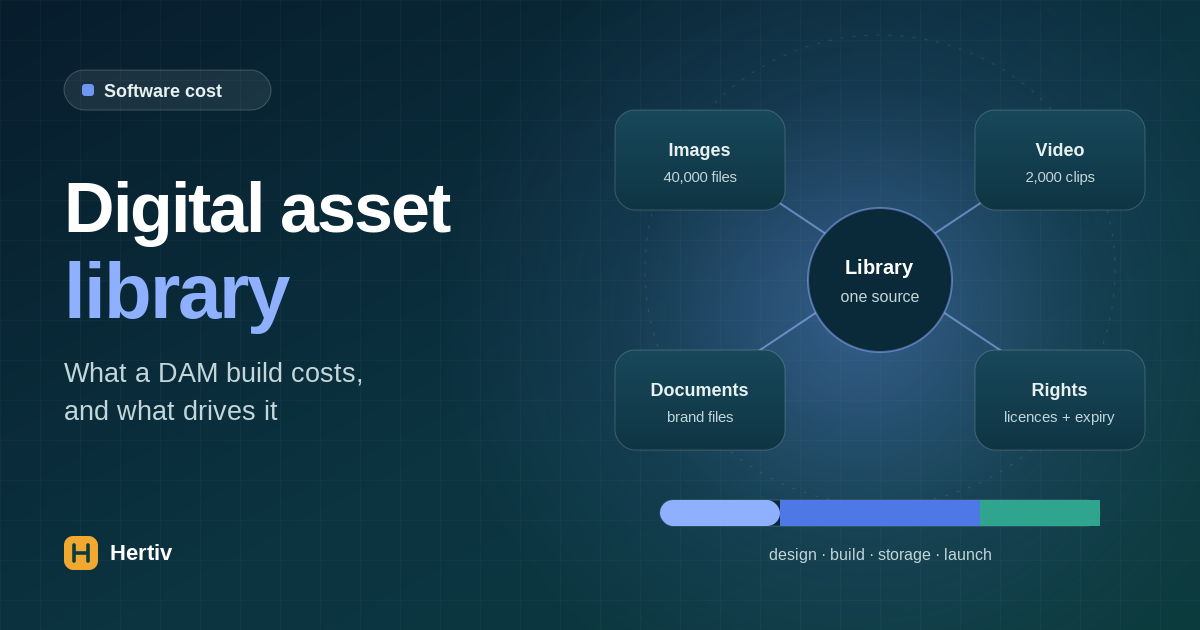
Example (hypothetical): a media team with 40,000 images and 2,000 videos wants a DAM for 25 staff and 10 freelancers. The build is priced at 600 hours at $60 an hour, which is $36,000. Storage, video previews and two integrations add $4,000, and launch and training add $2,000, giving $42,000 before the reserve.
A reserve of ten percent adds $4,200, so the full budget is $46,200. The team also plans a monthly storage cost that grows with the library, and they review it every quarter so the bill never surprises them.
The example shows why pricing in parts helps. If the team drops one integration, the budget falls by a clear amount. If they add a rights module, the cost of that module is visible on its own line instead of hiding inside a single figure.
Where teams waste money on a DAM build
The most common waste is building search nobody uses. Teams ask for face recognition, auto-tagging and smart suggestions before anyone has tagged the existing library by hand. Simple keyword search and a clear folder structure serve most teams, and the advanced features can wait until the library is organised.
The second waste is migrating every old file. Old campaigns, duplicate images and files nobody has opened in years cost storage and migration time. Teams that archive the old files and migrate only what is used in the last two years usually cut the migration work by half or more.
The third waste is buying storage for the peak month. Storage needs grow slowly, so a plan that charges for what is stored each month beats a large fixed plan. Review the storage bill every quarter and delete the files the team agrees are no longer needed.
Common mistakes
The first mistake is starting with the tool instead of the library. Teams pick a DAM, then discover their files have no tags, no names and no owner. Cleaning the library first, even for a few weeks, makes the build cheaper and the search better from day one.
The second mistake is giving everyone full access. When every user can see and download everything, rights rules have no meaning and licensed files leak to the wrong people. Set roles before launch, and test them with real accounts.
The third mistake is skipping the approval flow. Without approvals, unapproved images reach the website and social channels, and the team finds out from a customer. A simple approve step, one person per department, stops most of these errors.
Key takeaways
- A DAM budget is the sum of its parts, plus a reserve for change.
- Library size, rights rules and integrations drive the cost most.
- Core features are upload, search, tags, versions, sharing and rights.
- Price design, build, testing, storage and launch as separate lines.
- Clean the library and set user roles before launch, not after.
Frequently asked questions
How long does it take to build DAM software?
A small library tool can take a few months, while a company-wide platform with rights rules, approvals and integrations takes longer. The time depends on the number of features, the size of the library to migrate and the number of systems to connect.
Should we buy a DAM or build one?
Buying a ready DAM is faster and cheaper for a standard library, while building fits a team with unusual file types, strict rights rules or deep integrations. Most teams buy first and build only the parts that no ready tool covers.
What file types should a DAM support?
It should support every format the team already uses, including images, video, documents and design files. Ask each department for its formats before the build starts, because adding a format later means new previews and new storage rules.
How do rights rules work in a DAM?
Each file carries a licence, an expiry date and a list of roles that may use it. The system blocks downloads when a licence has expired and keeps a log of who downloaded what, so the team can check use at any time.
How much storage will a DAM need?
It depends on the number of files and their sizes, and it grows every month as teams add files. Count the current library, add a year of growth at the team's normal pace, and review the bill every quarter.
Who should own the DAM after launch?
One person should own the library, the tags and the rights rules, with one approver per department. Without an owner, tags drift, old files pile up and the search slowly stops working.


