How to Create Your Own Generative AI Solution
Your own generative AI solution starts with one job, your own documents and a small pilot. This guide covers the parts, the build steps and the checks.
On this page
Short answer
A generative AI solution is a system you build around a large language model so it can draft, summarise or answer using your own documents and rules. It is not the model alone: it needs a way to find the right facts, a way to check the output, and a way for people to use it safely.
What is a generative AI solution?
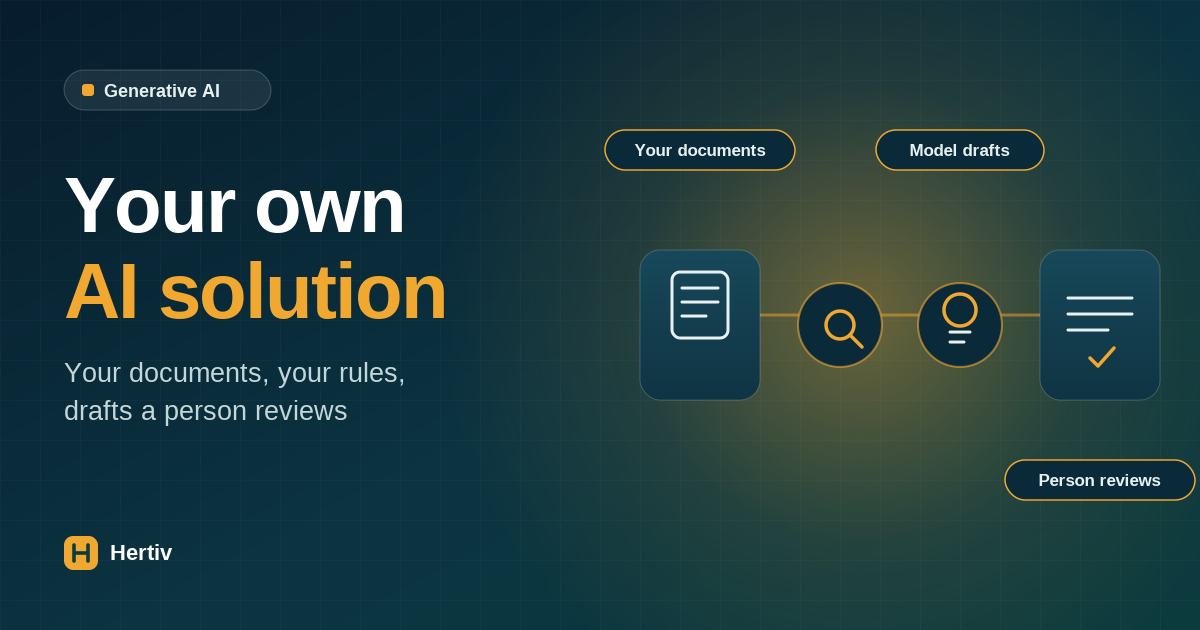
A generative AI solution is a system built around a large language model that creates text, summaries or answers for a specific job in your business. The model is only one part. The solution also needs your documents, a search step that finds the right facts, rules about what it may and may not say, and a way for people to check the result.
That is the difference between using a chatbot and owning a solution. A chatbot answers from general training data. Your solution answers from your price lists, policies, product notes and past cases, and it can be told to say "I do not know" when the facts are missing instead of inventing an answer.
| Part | What it does | Example |
|---|---|---|
| Model | Writes the draft or answer | A hosted language model |
| Documents | Supply the facts it may use | Guides, price lists, FAQs |
| Search | Finds the relevant passages | Retrieval over your files |
| Rules | Set tone, limits and refusals | Never quote a price it cannot find |
| Review | Lets a person check and fix | Approve before sending |
Build the solution around one job first, such as drafting support replies or summarising reports. For the shape of a first test, see how to build an AI proof of concept.
What should your solution do first?
Your solution should do one job well before it tries to do five. A narrow first job makes the data, the checks and the success measure simple, and it gives the team something real to learn from.
Good first jobs share three traits:
- Repeated and written down. The task happens often and the source facts already exist in documents, such as support replies, product guides or meeting notes.
- Low risk if it is wrong. A draft a person reviews is safer than an answer sent straight to a customer or a decision made without a check.
- Easy to measure. You can count time saved, drafts accepted without edits, or questions answered correctly.
Jobs that fit include drafting replies from a knowledge base, summarising long documents, turning meeting notes into action lists, and answering staff questions from policy documents. Jobs that do not fit a first build include anything that signs contracts, sets prices or gives regulated advice without a human in the loop.
What data does your solution need?
Your solution needs the documents that already hold the answers: the guides, price lists, policies, product notes and past cases your team actually uses. The quality of those documents decides the quality of the answers, so data work is most of the build.
Start by gathering the sources and asking three questions about each one:
- Is it current? Old prices, retired products and out-of-date policies are the most common source of wrong answers. Remove or fix them before the build.
- Is it complete? If the answer to a common question is only in someone's head, the model cannot find it. Write it down first.
- Is it allowed? Check that the documents contain no customer secrets, passwords or personal data that the model should never see.
Keep the set small at first: twenty to fifty good documents beat five hundred stale ones. Organise them by topic, give each a clear title, and keep a list of who owns each source so updates have a home. For how the search step uses them, read what retrieval-augmented generation is.
How do you build your generative AI solution?
You build a generative AI solution in six steps, and each step has a check before you move on. Rushing to a launch without the checks is how teams end up with a tool nobody trusts.
- Define the job and the measure. Write one sentence for the job and one number for success, such as drafts accepted without edits.
- Gather and clean the documents. Collect the sources, remove the stale ones, and fix the gaps that matter most.
- Choose the model and the host. Pick a hosted model or a model you run yourself, based on data rules, cost and language needs. See vendor site for current pricing.
- Connect the search step. Split the documents into passages, index them, and return only the passages that match each question.
- Write the rules. Tell the model its role, its tone, what it must cite, and when to refuse or pass to a person.
- Add the review step. Show the draft, the sources used and a way to edit or reject it. Log every decision.
Build in that order. Teams that start with the model and add the documents later usually rebuild the search and rules from scratch.
How do you check that it works?
You check a generative AI solution by testing it on real questions with known good answers, and by watching what it does in use. A demo on easy questions proves nothing; a test set of real cases proves a lot.
Build a test set of twenty to fifty real questions with the correct answers written by a person who knows the subject. Run the solution on them and record three things for each one: whether the answer was right, whether it used the right source, and whether it refused when the facts were missing. A solution that guesses instead of refusing will cause more trouble than one that is cautious.
After launch, keep checking. Log every question, answer and source used, and review a sample each week. Track the share of drafts accepted without edits, the share of answers that needed a fix, and the questions that come up most. For the testing method in detail, see how to test AI models.
Example: a support drafting assistant
Example (hypothetical): a software company gets 300 support tickets a week. Agents spend much of their time looking up the same facts in guides and writing similar replies. The team builds a generative AI solution that drafts replies from the company's own guides, and an agent reviews each draft before sending.
The build is small. The team gathers 40 guides and FAQs, removes 12 that are out of date, and writes the missing answers for the ten most common questions. The solution searches those documents, drafts a reply, and shows the sources it used beside the draft. The agent can accept, edit or reject it.
The arithmetic is easy to follow. Before the solution, 300 tickets at 8 minutes each take 2,400 minutes, which is 40 hours a week.
After the solution, 200 tickets need only 2 minutes of review each, which is 400 minutes, and 100 tickets still need the full 8 minutes, which is 800 minutes. The total is 1,200 minutes, or 20 hours a week, a saving of about 20 hours a week before the time spent keeping the documents current.
The team also measures quality: drafts accepted without edits, drafts that needed a fix, and answers that cited the wrong source. Those three numbers decide whether to widen the pilot.
What are the common mistakes?
The most common mistakes when building a generative AI solution are skipping the data work, letting the model guess, and launching without a review step.
- Feeding it stale documents. Out-of-date prices and retired products produce wrong answers that look confident.
- No refusal rule. A model that invents an answer when the facts are missing is worse than one that says it does not know.
- No human review. Drafts sent straight to customers turn small errors into public ones.
- Too many jobs at once. A solution that tries to answer everything answers nothing well.
- No test set. Without fixed questions and known answers, nobody can tell whether a change helped or hurt.
Key takeaways
- A generative AI solution is a model plus your documents, search, rules and review
- Start with one low-risk, repeated job that is easy to measure
- Clean, current documents matter more than the choice of model
- Test on real questions with known answers, and keep the test set fixed
- Let the model refuse when the facts are missing, and keep a person in the loop
Frequently asked questions
Do I need to train my own model?
No. Most teams start with a hosted model and connect it to their own documents. Training a model from scratch is only worth it when you have a very large set of examples and a reason a hosted model cannot meet. Start with retrieval and rules, and only consider fine-tuning once the simple version works.
How much does it cost to build a generative AI solution?
Cost depends on the model, the volume of questions and the size of the document set. A small pilot with a hosted model and a few dozen documents is far cheaper than a company-wide system. Ask vendors for current pricing, or see vendor site for the latest plans.
What documents should I include first?
Include the documents your team already uses to answer the job: guides, FAQs, price lists and policy notes. Remove anything out of date, and leave out customer secrets and personal data. Twenty to fifty good documents are a better start than hundreds of stale ones.
How do I stop it from inventing answers?
Give it only your documents to draw on, tell it to refuse when the facts are missing, and show the sources it used beside every draft. Test it on questions with no answer in the documents and check that it refuses instead of guessing.
Can a small team build this without a data team?
Yes, for a small pilot. One developer and one subject expert can gather the documents, connect the search step and write the rules. You need a data team only when the document set grows large or the checks become complex.
How long does a first version take?
A small pilot usually takes a few weeks: a week to gather and clean documents, a week to connect the model and search, and a week to test on real questions. The review step and the document upkeep take longer than the build itself, so plan for both.


