How Much Does an AI Chatbot App Like Ask AI Cost to Build?
An AI chatbot app like Ask AI combines several language models with web search, document chat and image tools. Here is what each part costs.
On this page
Short answer
Building an AI chatbot app like Ask AI costs roughly $80,000 to $250,000 for a first version and $250,000 to $600,000 for a full product, with the model API bill as the main running cost. The real query behind the keyword is the cost of a multi-model chatbot app with web search, document chat and image generation, and the bands below are indicative ranges, not quotes.
What is an app like Ask AI?
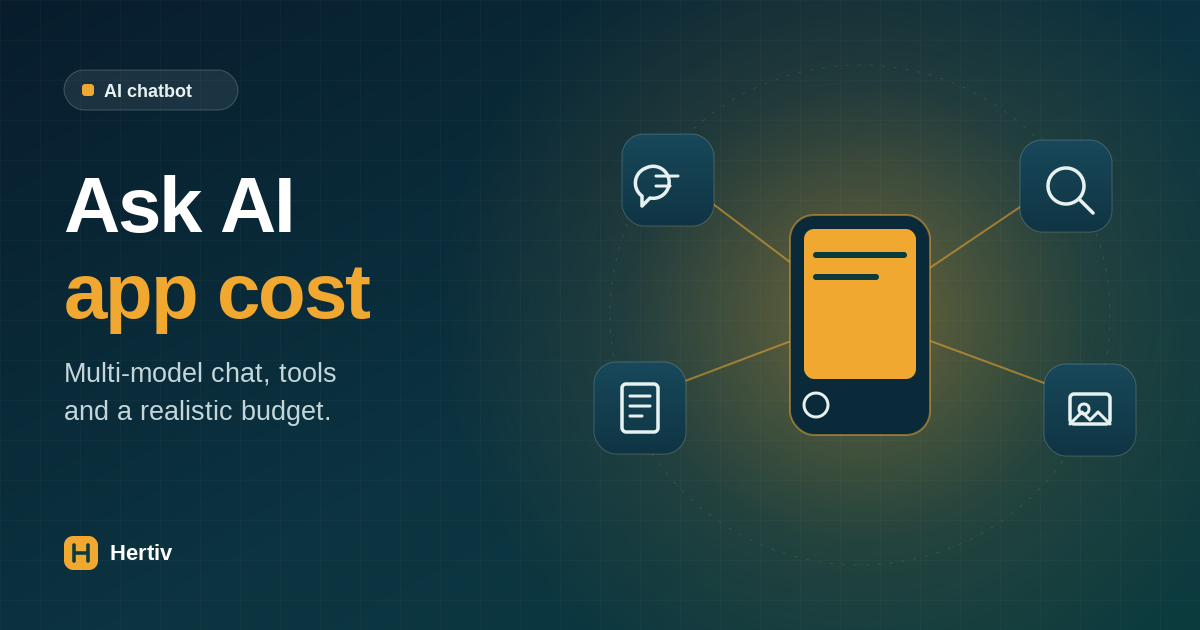
Ask AI is a chatbot app from Codeway that puts several language models, including GPT, Claude, Gemini, DeepSeek, Grok and Perplexity, behind one interface. Instead of running its own model, the app passes each question to the model the user picks, and adds tools around the chat: web search with reference links, chat with uploaded PDF, Word and Excel files, a YouTube video summariser, an article summariser, image generation and a prompt library.
That shape is what the cost question is really about. You are not building one model; you are building an app that routes questions to several models, keeps the conversation history, and wraps the answers in tools users can reach without leaving the app. The app also offers a freemium model, with a free tier and a paid subscription for unlimited use.
Think of it as three layers: the chat interface, the model routing and billing layer, and the tool layer that handles documents, links, video and images. Each layer has its own cost, and the model bill is the one that keeps growing after launch. For the chatbot side of the build, see AI chatbot development.
What does an Ask AI-style app cost to build?
The cost depends on how many models you support, how many tools you include, and whether you build for one platform or both. The bands below are indicative ranges for a team that builds the app from scratch with a hired development team.
| Version | What is included | Indicative cost |
|---|---|---|
| First version | One model, chat, history, basic web search, one platform | $80,000–$250,000 |
| Full product | Several models, document chat, video summaries, image generation, both platforms | $250,000–$600,000 |
| Large scale | Custom routing, voice mode, teams, admin console, high availability | $600,000+ |
These are build costs only. The model API bill, image generation and hosting are running costs on top, and they scale with usage. Ask the vendor for a current quote before you budget, because model prices change often. For a rough project estimate, see how much AI agent development costs.
What drives the cost up or down?
Four choices move the number most. The first is the number of models: each model needs its own API integration, its own error handling and its own billing, and the app has to route each question to the right one. Supporting two models costs less than supporting six.
The second is the tool layer. Web search needs a search provider and a way to show sources. Document chat needs file upload, text extraction and a way to answer from the file. Image generation needs a separate image model. Each tool is a small product on its own.
| Cost driver | Low end | High end |
|---|---|---|
| Models supported | One model | Six or more models |
| Tools included | Chat only | Search, documents, video, images |
| Platforms | One mobile platform | iOS, Android and web |
| Accounts and billing | Simple sign-in | Subscriptions, teams, usage limits |
The third is the platform count, and the fourth is accounts and billing. A subscription system with free and paid tiers, usage limits and restore-on-new-device handling is a real piece of work, and it is where many first versions run over budget.
How to build it, step by step
Build the chat first, then add one tool at a time. A working chat with one model teaches you more about the product than a half-finished set of five tools.
- Define the core loop. Pick the first user job: ask a question, get an answer, keep the history. Everything else is a later step.
- Pick the first model. Start with one model and one provider, and design the routing so a second model can be added later.
- Build the chat and accounts. Sign-in, conversation history, and a usage counter that enforces the free tier.
- Add web search. Search the web, return answers with reference links, and show the sources so users can check them.
- Add document chat. File upload, text extraction, and answers grounded in the uploaded file.
- Add the remaining tools. Video summaries, image generation and the prompt library, one at a time, each behind a flag.
- Add subscriptions and launch. Paid tiers, usage limits, app store review, and monitoring of model spend per user.
Keep the model routing behind one interface from the start. When the routing is a single layer, adding a model is a small change; when each screen calls a model directly, adding a model means touching every screen. For the mobile side, see mobile app development.
Example (hypothetical): a first version budget
Example (hypothetical): a team builds a first version with one model, chat, history, web search and a free tier, on one mobile platform. The build is priced at $120,000, which sits inside the first-version band.
The running costs are separate. Suppose the app reaches 10,000 monthly users, and 2,000 of them are paying subscribers at $7 a month. That is 2,000 x $7 = $14,000 a month in subscription revenue. If the model API bill is $6,000 a month and hosting, search and image tools add $2,000, the running cost is $8,000 a month, leaving $14,000 - $8,000 = $6,000 a month before other costs.
At that rate the build pays back in $120,000 / $6,000 = 20 months. The lesson is that the model bill decides the payback, not the build price, so measure cost per active user before you scale marketing.
What are the common mistakes?
The most common mistakes with chatbot apps like Ask AI are adding models before the chat works well, and ignoring the model bill until it is larger than the subscription revenue.
- Too many models on day one. Each model adds integration, testing and support work. Start with one, add the second when users ask for it.
- No usage limits on the free tier. A free tier without a daily cap lets a small number of users run up most of the model bill.
- No cost tracking per user. If you cannot see model spend per user, you cannot tell which tier loses money.
- Tools without a job. A video summariser or image generator that nobody opens is build cost with no return. Add tools after users ask for them.
- Answers without sources. Web search answers that hide their sources are hard to trust, and users will check them against a search engine anyway.
- Skipping app store rules. Subscriptions, in-app purchases and AI content rules differ by store, and a rejection late in the build is expensive.
How to keep running costs under control
Running costs are where chatbot apps win or lose money, so design for them from the start rather than treating them as a hosting line.
- Route by question type. Send quick factual questions to a fast, cheap model and save the stronger model for hard reasoning.
- Cache common answers. Repeated questions, help text and onboarding answers do not need a fresh model call each time.
- Cap the free tier. A daily question limit on the free tier keeps the model bill predictable.
- Set spend alerts. Alert on daily model spend per user segment, not just the total, so one bad pattern is caught early.
- Review the model mix monthly. Model prices and quality change, so the cheapest good route this month may not be the cheapest next month.
Most teams find that routing and caching cut the model bill more than any single pricing negotiation. Build the tracking first, then tune the routing with real numbers. For scoping the build, see how to scope an MVP you can ship in 10 weeks.
Key takeaways
- A first version runs $80,000–$250,000; a full product $250,000–$600,000
- You are building model routing plus tools, not one model
- The model API bill decides payback, not the build price
- Start with one model and add tools one at a time
- Cap the free tier and track spend per user
Frequently asked questions
What is Ask AI?
Ask AI is a chatbot app from Codeway that puts several language models, including GPT, Claude, Gemini, DeepSeek, Grok and Perplexity, behind one interface. It adds web search with reference links, chat with uploaded documents, YouTube summaries, image generation and a prompt library.
How much does an app like Ask AI cost to build?
A first version with one model, chat, history and basic web search costs roughly $80,000 to $250,000. A full product with several models, document chat, video summaries and image generation costs roughly $250,000 to $600,000. These are indicative ranges; ask the vendor for a current quote.
What are the running costs of a chatbot app?
The main running cost is the model API bill, which scales with the number of questions and the model used. Search, image generation, hosting and app store fees add to it. Track spend per user and route simple questions to cheaper models to keep the bill under control.
Do I need to build my own AI model?
No. Apps like Ask AI call existing models through their APIs rather than training a model. You build the interface, the routing, the tools and the billing, and the model providers handle the models. That is why the build cost is far lower than training a model.
Which features should come first?
Chat with one model, conversation history, accounts and a free-tier limit come first. Add web search next, then document chat, then video summaries and image generation. Each tool is a small product on its own, so adding them one at a time keeps the build on schedule.
How do chatbot apps make money?
Most use a freemium model: a free tier with a daily question limit, and a paid subscription for unlimited use. The subscription price has to cover the model API cost of the average paying user, which is why routing and usage limits matter more than the headline price.


