Continuous Development in DevOps: How the Loop Works
Continuous development moves software from idea to production in small, tested steps. Here is how the build, test, release and observe loop works in practice.
On this page
Short answer
Continuous development in DevOps is a way of working where small changes move from code to production in a steady loop of building, testing, releasing and observing. It replaces large, rare releases with frequent small ones that are easier to test and roll back. The loop depends on automation, fast feedback and a team that treats every release as routine.
What is continuous development in DevOps?
Continuous development in DevOps is a way of working where small changes move from code to production in a steady loop of building, testing, releasing and observing. It replaces large, rare releases with frequent small ones that are easier to test and roll back.
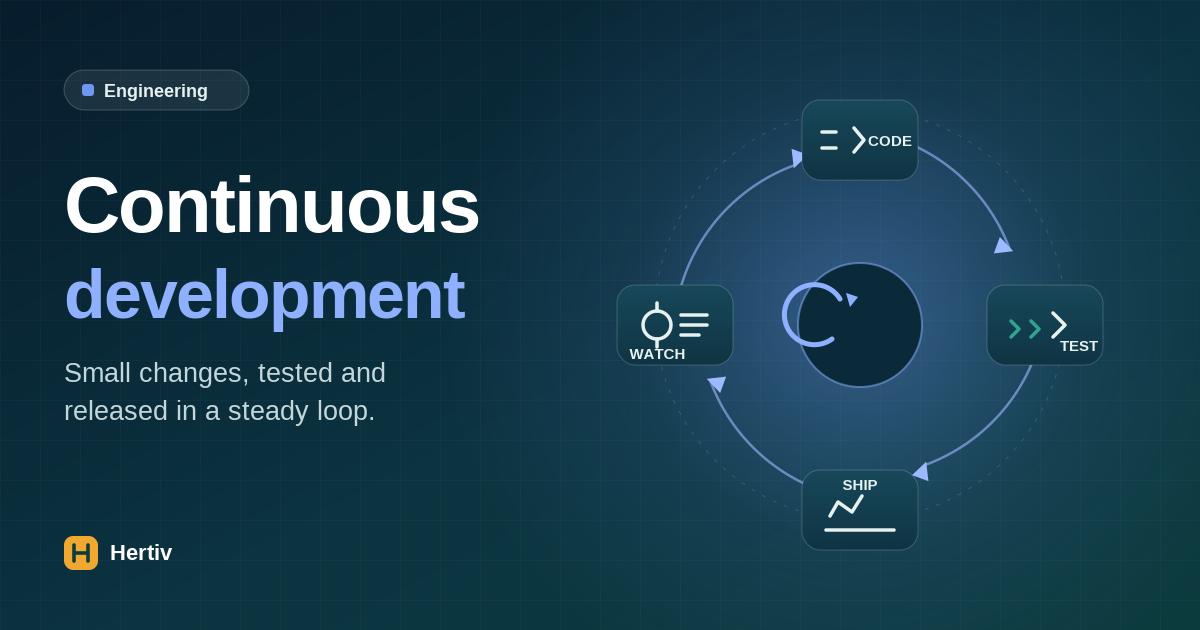
The loop has four parts. Code is integrated and built automatically, tests run on every change, releases go out in small batches, and monitoring feeds what happens back to the team. Each part runs often, so problems surface within hours instead of months.
Continuous development is a practice, not a tool. A team can buy the tools and still release twice a year if approvals, handoffs and manual checks slow every change down.
How is it different from continuous integration?
Continuous integration is one part of continuous development: merging code often and testing it automatically. Continuous development covers the whole loop, from the first commit through testing, release, monitoring and the next change.
| Practice | Covers | Main question |
|---|---|---|
| Continuous integration | Merge and build | Does the code fit together? |
| Continuous testing | Automated checks | Does it behave correctly? |
| Continuous delivery | Release readiness | Can we ship at any time? |
| Continuous deployment | Automatic release | Is it live yet? |
| Continuous development | The whole loop | What did we learn? |
The difference matters because a team can have good integration and still ship slowly. If testing is manual, releases need a committee, or nobody watches production, the loop breaks after the build step.
Think of integration as the front door and continuous development as the whole house. For the testing piece on its own, see continuous testing.
What are the stages of the loop?
The loop runs in five stages: commit, build and test, release, observe, and learn. Each stage has an owner, an automated check and a clear signal for when to stop.
- Commit. Small changes merged often, each with tests.
- Build and test. Automated builds and test suites run on every change.
- Release. Small batches go to production behind flags or staged rollouts.
- Observe. Logs, metrics and alerts show how the release behaves.
- Learn. The team reviews what happened and feeds it into the next change.
The stages overlap in practice. Monitoring from the last release shapes the next commit, and a failed test can send a change back before it reaches production. The loop only works when each stage is fast enough that waiting never becomes the bottleneck.
Feedback is the stage that makes the loop continuous rather than just fast. A release that nobody observes teaches the team nothing, so the loop needs dashboards, alerts and a habit of reading them. Teams that review production data every week spot patterns, such as a feature nobody uses or an error that grows slowly, that a monthly review would miss.
How do teams keep quality high at speed?
Teams keep quality high at speed by testing early, releasing in small batches and making every release reversible. Speed comes from small changes, not from skipping checks.
Three practices do most of the work. Automated tests run on every change, so regressions are caught before release. Feature flags let a team turn a new feature on for a few users first. Rollback plans mean a bad release can be reversed in minutes instead of hours.
Quality gates help too: a release only moves forward when tests pass, security scans are clean and performance stays within limits. A gate that blocks everything is as bad as no gate, so teams tune them to catch real problems without stopping routine work.
A team that ships weekly also needs support to know what changed, so short release notes go out with every batch. Without them, support staff learn about new behaviour from confused customers instead of from the team that built it.
Metrics keep the loop honest. Lead time, the hours from commit to production, shows whether the loop is actually fast. Change failure rate shows whether speed is costing quality. Teams that already run DevOps practices find the move easier; see how to implement DevOps for the setup that supports this way of working.
What tools and practices hold the loop together?
The loop is held together by version control, automated pipelines, observability and a shared definition of done. Tools matter less than the agreements around them.
Version control keeps every change traceable. Pipelines automate build, test and release so no step depends on one person's memory. Observability, logs, metrics and traces, shows what production actually does. A shared definition of done stops arguments about whether a change is ready.
The human practices are just as important: small pull requests, code review, on-call ownership and blameless reviews after incidents. For the pipeline setup, see how to set up CI/CD.
Example: a team moves to weekly releases
Example (hypothetical): a 12-person product team releases once a quarter, and each release takes 3 weeks of testing and fixes. Over a year that is 4 releases and 12 weeks spent on release work.
The team moves to weekly releases. Each release is smaller, testing runs automatically, and the average release takes half a day of work. Over a year that is 52 releases and 26 half-days, or 13 working days, spent on release work.
The team saves about 12 weeks minus 13 days, roughly 9 working weeks a year, and finds bugs within days instead of months. The first month is slower while the pipeline is built, but the saving appears from the second quarter onward.
The change also alters how the team plans. With weekly releases, a feature can ship in parts, and the team can stop work on a part that customers ignore. Before the change, a feature had to be finished in full to make the quarterly release, so half-built work sat waiting for months.
What are the common mistakes?
The most common continuous development mistakes are automating a broken process, releasing faster than the team can support, and treating deployment as the finish line.
- Automating manual steps without fixing them first, which only makes bad releases faster.
- Shipping daily while support and operations still work on a quarterly rhythm.
- Stopping at deployment and never watching how the release behaves in production.
- Letting test suites grow slow until developers stop running them.
- Measuring release count instead of lead time and failure rate.
Key takeaways
- Continuous development is a loop of build, test, release, observe and learn, run in small frequent steps
- Continuous integration is one part of it; the full loop covers testing, release and feedback too
- Small batches, feature flags and fast rollback are what make frequent releases safe
- Quality gates should catch real problems without stopping routine work
- Measure lead time and failure rate, not how many releases you ship
Frequently asked questions
What is the difference between continuous development and continuous delivery?
Continuous delivery means every change is ready to release at any time, with a human approving the final step. Continuous development is the wider loop that includes delivery plus observation and learning after the release.
Does continuous development mean releasing every day?
Not necessarily. It means releases are small, routine and reversible, so the team can release when ready. Some teams release daily, others weekly; the point is that releasing is no longer a special event.
How long does it take to adopt continuous development?
A team with automated tests can start within weeks. A team with manual testing and approval chains usually needs a few months to automate the pipeline, add observability and change how releases are approved.
Is continuous development only for large teams?
No. Small teams often benefit most, because a small change is easy to review, test and roll back. The practices scale down well; the pipeline can be simpler than a large team's.
What breaks first when teams move too fast?
Testing and support usually break first. Slow test suites get skipped, and support teams hear about changes after customers do. Fix test speed and release communication before increasing release frequency.
How do you know continuous development is working?
Lead time from commit to production falls, failed releases become rare and quick to reverse, and the team can describe what changed in production this week. If releases still need meetings, the loop is not yet continuous.


