Continuous Delivery Tools in DevOps: What to Use
Continuous delivery tools move tested code to production on a schedule you control. Compare the main tools and learn how to pick one for your team.
On this page
Short answer
Continuous delivery tools automate the path from a merged change to a production-ready release: Jenkins, GitLab CI/CD and GitHub Actions cover the full pipeline, while Argo CD and Spinnaker specialise in deployment. Pick the tool that fits your stack and your deployment pattern, and keep a human approval step for production until the pipeline proves itself.
What are continuous delivery tools?
Continuous delivery tools are software that automates the steps between a code change and a release that is ready for production: building, testing, packaging and deploying. A change that passes every check is ready to ship, and the team decides when to press the button.
The difference from continuous deployment is the human step. In continuous delivery, the pipeline prepares the release and waits for approval; in continuous deployment, it ships automatically. Most teams start with delivery and move to deployment later, if at all.
These tools sit at the end of the DevOps pipeline. Code is built and tested first, then the delivery tool takes the tested artefact and moves it through staging to production, with checks and rollback options at each step.
They matter because manual releases are slow and error-prone. A team that releases by hand once a month will ship less often and fear each release more than a team whose pipeline releases weekly with the same checks every time. See how to set up CI/CD for the pipeline these tools complete.
Which continuous delivery tools do teams use?
The tools teams use fall into two groups: full pipelines that also build and test, and deployment tools that focus on getting a tested artefact into production. Most teams use one of each, or one full pipeline tool alone.
| Tool | Type | Strength | Best for |
|---|---|---|---|
| Jenkins | Full pipeline | Huge plugin library | Teams with custom needs |
| GitLab CI/CD | Full pipeline | Built into GitLab | Teams already on GitLab |
| GitHub Actions | Full pipeline | Built into GitHub | Teams already on GitHub |
| CircleCI | Full pipeline | Fast cloud runners | Cloud-first teams |
| Argo CD | Deployment | Git-based sync for Kubernetes | Kubernetes teams |
| Spinnaker | Deployment | Multi-cloud releases | Large multi-cloud teams |
| Harness | Deployment | Automated rollback and checks | Teams that want guardrails |
| AWS CodeDeploy | Deployment | Native AWS integration | Teams running on AWS |
Pick from the row that matches your stack. A GitHub team will move faster with GitHub Actions than by adding a separate tool, and a Kubernetes team will get more from Argo CD than from a generic deploy script.
How does a continuous delivery pipeline work?
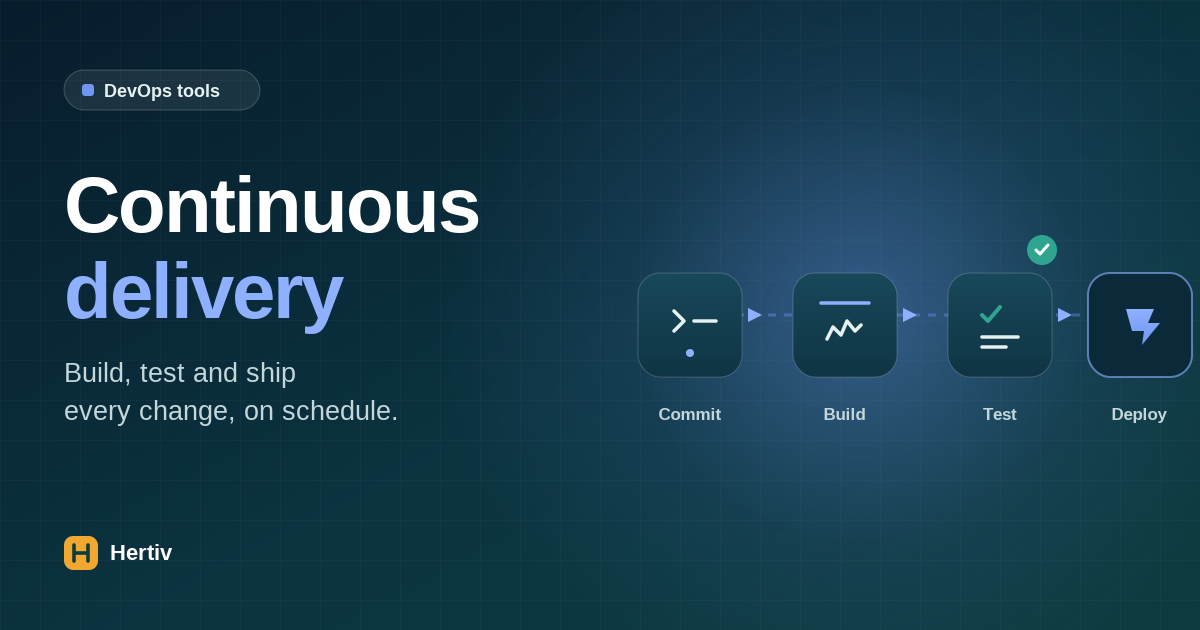
A continuous delivery pipeline works by running the same steps in the same order for every change, so a release is a routine event rather than a special project. Each step either passes or stops the pipeline.
- Build. The pipeline compiles the code and packages it into an artefact, such as a container image, with a version number.
- Test. Unit, integration and security tests run against the artefact. A failure stops the pipeline and notifies the author.
- Stage. The artefact deploys to a staging environment that mirrors production, where smoke tests and manual checks run.
- Approve. A person or a rule approves the release for production. This is the step that separates delivery from deployment.
- Deploy. The tool rolls the artefact out, often in stages: a small share of traffic first, then the rest once health checks pass.
- Verify and roll back. The pipeline watches error rates and latency after the release, and can roll back to the previous version if they rise.
The whole flow should be visible in one place: which version is where, which step failed, and who approved the release. If the team has to ask in chat, the pipeline is not doing its job.
What is the difference between continuous delivery and continuous deployment?
Continuous delivery and continuous deployment differ by one decision: who presses the button. In delivery, the pipeline prepares the release and a person approves it; in deployment, the pipeline ships it as soon as the tests pass.
Delivery suits teams with compliance rules, manual sign-off, or releases that need timing with marketing and support. Deployment suits teams with strong tests, fast rollback and a product where shipping often matters more than controlling the exact moment.
Most teams land in the middle: automatic deployment to staging, manual approval for production, and automatic rollout once approved. That mix gives speed without giving up control over what customers see.
Moving from delivery to deployment is a test problem, not a tool problem. If the tests catch real failures and rollback works, the human step adds little; if they do not, removing the human step just ships failures faster. Continuous testing covers the test side of that decision.
How do you pick the right tool?
Pick the tool by your stack, your deployment target and the size of the team that will run it. A tool that fits your existing platform will be live in weeks; a tool that fights it will still be a project in months.
- Start with where the code lives. GitHub teams get the most from GitHub Actions, GitLab teams from GitLab CI/CD, and AWS-heavy teams from CodeDeploy and related services.
- Match the deployment target. Kubernetes teams need a tool that understands clusters, such as Argo CD; server or virtual machine teams need one that handles their hosts.
- Check the rollback story. A tool that cannot roll back cleanly is not a delivery tool. Ask how a bad release is undone, and try it in staging.
- Count the maintenance cost. Self-hosted tools such as Jenkins need someone to patch and run them; hosted tools cost more per month but need less care.
- Test with one service. Run one real service through the tool for a month before moving the rest. Measure release time and failure rate against the old way.
For the wider DevOps setup around the pipeline, how to implement DevOps covers the team and process side.
If the team wants outside help with the setup, DevOps services covers what a partner typically takes on.
Example (hypothetical): a team moves to continuous delivery
Example (hypothetical): a team of 8 engineers releases a web app by hand once a month. Each release takes a full day: 4 hours to build and test, 2 hours to deploy, and 2 hours fixing the problems the release causes.
The team sets up a pipeline with GitHub Actions for build and test and a staged deploy with approval. In the first month they release 4 times instead of once. Each release takes about 1 hour of human time: 15 minutes to review the checks and approve, and 45 minutes watching the rollout.
The arithmetic: the old way cost 8 hours a month of release work plus 2 hours of fixes, or 10 hours. The new way costs 4 releases x 1 hour = 4 hours a month, and fixes fall to about 30 minutes because smaller releases break less. That saves about 5.5 hours a month, and the team ships four times as often.
The gain is not only hours. Smaller releases are easier to review, easier to roll back, and easier to explain to support when something goes wrong. The team keeps the approval step for production until three months of clean releases prove the pipeline.
What are the common mistakes?
The most common mistakes are automating a broken process, skipping rollback testing, and removing the human step before the tests earn it.
- Automating a manual mess. A pipeline that copies a broken manual process just fails faster. Fix the build and test steps first.
- Never testing rollback. Teams test the deploy and forget the rollback, then discover it does not work during a real incident.
- Too many manual gates. Five approval steps turn a pipeline into a queue. Keep one approval for production and automate the rest.
- No visibility. If nobody can see which version is live and which step failed, the pipeline is a black box and the team will route around it.
- Skipping staging. Deploying straight to production from the pipeline saves minutes and costs hours when a bad change reaches customers.
Key takeaways
- Continuous delivery prepares every release the same way and waits for approval before production
- GitHub Actions and GitLab CI/CD suit teams already on those platforms; Argo CD suits Kubernetes
- A pipeline needs build, test, stage, approve, deploy and verify steps in the same order
- Delivery differs from deployment by one decision: who approves the production release
- Test rollback in staging first, and keep one human approval until the pipeline proves itself
Frequently asked questions
What is a continuous delivery tool?
It is software that automates the steps from a tested code change to a production-ready release: building, testing, packaging, staging and deploying. The release waits for approval, which is what separates delivery from deployment.
Which continuous delivery tool should a small team use?
Use the tool built into the platform you already use, such as GitHub Actions or GitLab CI/CD. It needs no extra server, the team already knows the interface, and it is enough until the deployment pattern gets complex.
Do we need Kubernetes to use Argo CD?
Yes, Argo CD is built for Kubernetes. It watches a Git repository and keeps the cluster in sync with it. Teams without Kubernetes should use a full pipeline tool or a deployment tool that matches their own hosts.
How is continuous delivery different from CI/CD?
CI/CD is the whole flow: continuous integration builds and tests the code, and continuous delivery takes the tested result to production. Delivery is the second half of CI/CD, focused on release and deployment.
How often should we release with continuous delivery?
As often as the team has tested changes ready, which for many teams means weekly or several times a week. The point is that releasing is routine, so the team stops batching changes into large risky releases.
What should we automate first?
Automate the build and test steps first, then staging, then the deploy with an approval gate. A pipeline with solid tests and a working rollback is worth more than a fast deploy with neither.


