Codex vs Claude: Which Coding Assistant Fits Your Team?
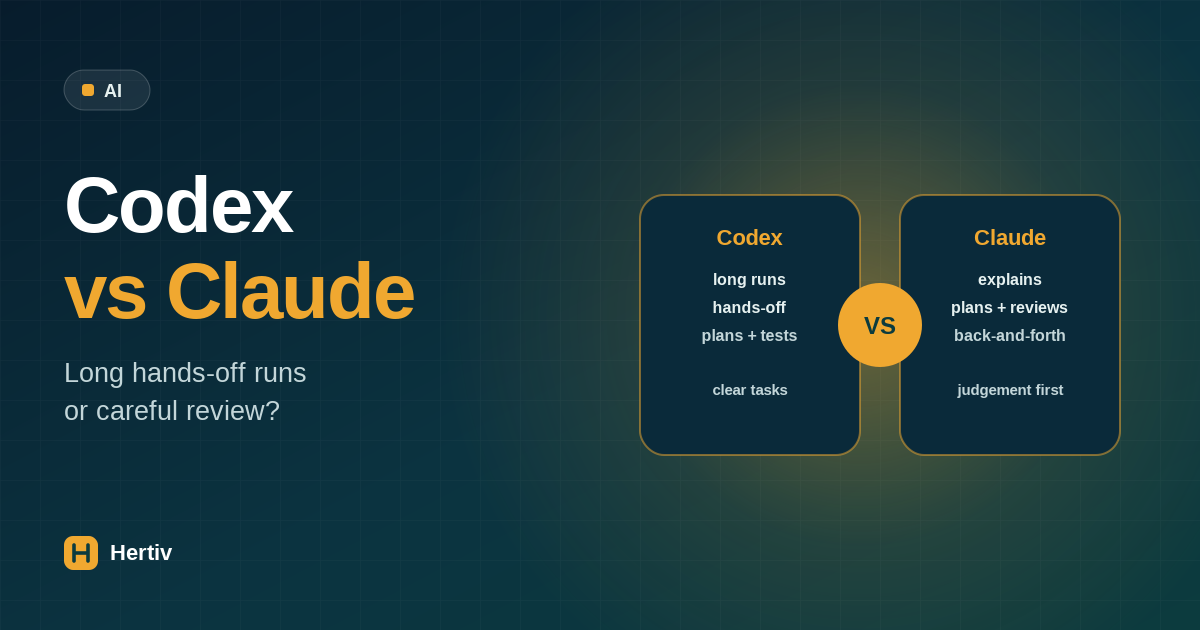
Codex is built for long, hands-off coding runs inside a repo, while Claude is the stronger all-round coding partner for explaining, planning and reviewing code.
On this page
Short answer
Codex and Claude are both AI coding assistants, but they are built for different habits. Codex works as an agent inside your repository: you give it a task and it plans, edits files and runs tests, often for a long stretch. Claude is a strong coding partner that explains code, plans changes and reviews work. The choice depends on how much you want to hand over at once.
What is the difference between Codex and Claude?
Codex is an AI coding agent from OpenAI that works inside a repository, taking a task, planning the change, editing files and running tests with little input from the developer. Claude is an AI assistant from Anthropic whose coding tools do similar work, but Claude is best known for clear explanations, careful planning and code review in a conversation.
The practical difference is how much you hand over. Codex is designed for long, hands-off runs where the agent works through a task list on its own. Claude is designed for a back-and-forth workflow where the developer stays in the loop, asks questions and checks each step. Both can write and edit code, but they suit different ways of working.
| Area | Codex | Claude |
|---|---|---|
| Main strength | Long, hands-off coding runs | Explaining, planning and reviewing |
| Works in your repo | Yes, as an agent | Yes, with its coding tools |
| Runs tests | Yes, on its own | Yes, when asked |
| Best for | Clear, well-scoped tasks | Exploring and deciding first |
| Developer input | Little, once started | Frequent checks |
What does Codex do best?
Codex does best on tasks that are clear, well scoped and testable. Give it a bug report with a failing test, a small feature with an agreed design, or a set of chores such as updating dependencies, and it will work through them in the repo, running the tests as it goes. That is why teams use it for backlogs of small jobs that would otherwise wait weeks.
It is weaker when the task is vague. If the goal is unclear, a hands-off agent can build the wrong thing quickly, and the team only finds out at review time. Codex works best when a human writes the task well first, with the expected result and the tests that prove it. See how to build an AI proof of concept for how to scope a task before handing it to an agent.
Good Codex tasks share three traits: a clear starting point, a clear end point, and a way to check the result. Refactoring a module, adding a missing test suite, or migrating a small library all fit that shape. A task that needs a product decision, such as how a feature should behave for users, does not fit it, because the agent cannot ask the customer what they want.
What does Claude do best?
Claude does best when the work starts with understanding. It explains unfamiliar code in plain language, compares design options, spots risks in a plan and reviews a change before it ships. Developers often start with Claude when they are new to a code base or when a fix touches parts of the system they do not know well.
Claude's coding tools can also edit files and run tests, so it is not only a chat window. The difference is the rhythm: with Claude, the developer usually asks, reads, then decides, while Codex is happier working alone for longer. Teams that value careful review often keep Claude in the loop even when an agent does the typing.
Claude also shines on the jobs around coding. It can draft a plan for a large change, compare two libraries, or explain why a test fails, all in plain language that a junior developer can follow. That makes it useful for onboarding: a new joiner can ask Claude about the code base and get answers grounded in the actual files, instead of guessing from memory.
Which one should your team choose?
Choose Codex when you have a list of clear, testable tasks and you want them done with little supervision. Choose Claude when the work needs judgement first: understanding a messy code base, choosing between two designs, or reviewing a change that affects users. Many teams end up using both, with one for doing and one for checking.
- Write down the three coding jobs your team does most.
- Mark which ones are clear and testable, and which need judgement.
- Try Codex on one clear task and Claude on one judgement task.
- Check the results the same way: tests, review time and rework.
- Keep the one that saves time on your real work, not on a demo.
Price is a separate question, and both vendors change their plans often, so check the vendor site before you compare costs. The tool that fits your workflow matters more than a small price gap.
One more check is how each tool handles your code. Both tools send code to their vendor's servers, so teams with strict data rules should read the data policy before they connect a private repository. If the policy does not fit, a self-hosted coding model may be the safer option, even if it is less capable.
Example (hypothetical): a 12-person team trial
A 12-person team trials both tools for two weeks. With Codex, each developer hands over 5 small tasks a week, and the agent finishes 4 of them without help, so the team clears about 48 small jobs in two weeks. With Claude, the same developers spend more time in conversation, but they catch 3 design mistakes before coding starts, saving a rewrite that would have cost a week.
The team keeps both: Codex clears the backlog of small, clear tasks, and Claude handles the planning and review for anything risky. The lesson is that the two tools do different jobs, and the trial should measure the work your team actually does, not a generic benchmark.
The trial also changed how the team writes tasks. After two weeks, the developers wrote clearer tickets with expected results and test names, because Codex worked better with them. That habit helped Claude too, since clearer tasks make for clearer conversations and faster reviews.
Common mistakes
The most common mistake is handing a vague task to a hands-off agent and expecting a good result, then blaming the tool when it builds the wrong thing. Another is skipping review: agent-written code still needs a human to check it, because tests pass while the design is wrong. A third mistake is judging a tool on a demo instead of on your own code base.
A fourth mistake is ignoring cost controls. Agents can run many steps, and a long run can use far more than a short chat, so set limits and check usage weekly. See how to test AI models for a routine that works for agent output too.
Key takeaways
- Codex is built for long, hands-off coding runs inside a repo.
- Claude is the stronger partner for explaining, planning and reviewing code.
- Codex suits clear, testable tasks; Claude suits work that needs judgement first.
- Many teams use both: one for doing, one for checking.
- Trial both on your own code base and measure tests, review time and rework.
Frequently asked questions
Is Codex better than Claude for coding?
Neither is better in general. Codex suits long, hands-off runs on clear tasks, while Claude suits explaining, planning and reviewing. The right pick depends on the jobs your team does most, so trial both on your own code.
Can Claude write code in my repository?
Yes. Claude's coding tools can read your repository, edit files and run tests, much like Codex. The difference is the working style: Claude is usually used in a back-and-forth conversation, while Codex is built for longer runs with less input.
Do I still need to review agent-written code?
Yes. Agents can write code that passes tests while the design is wrong, and they can miss business rules that are not written down. A short human review catches those problems before they reach users.
Which one is cheaper?
Prices change often and depend on how much you use each tool, so check the vendor site for current plans. A long agent run can cost more than a short chat, so set usage limits and check the bill weekly.
Can I use both Codex and Claude?
Yes, and many teams do. A common split is Codex for clear backlog tasks and Claude for planning, explaining and review. Keep the split simple so developers know which tool to reach for.
What is an AI coding agent?
An AI coding agent is a tool that takes a task, plans the change, edits files and runs tests in your repository with little input. It differs from a chat assistant, which usually answers one question at a time and waits for the next instruction.


