Cloud Computing in Banking: How Banks Use the Cloud
Cloud computing in banking means running bank products on rented cloud services instead of the bank's own machines. Learn why banks move and how to do it safely.
On this page
Short answer
Cloud computing in banking is the use of rented computing, storage and software services, run by a cloud provider, to power a bank's products and operations, instead of running everything on the bank's own machines. Banks use it to launch products faster, scale for busy periods and recover from outages, while keeping customer data under strict rules.
What is cloud computing in banking?
Cloud computing in banking is the use of rented computing, storage and software services, run by a cloud provider, to power a bank's products and operations, instead of running everything on the bank's own machines. The bank pays for what it uses and lets the provider run the hardware.
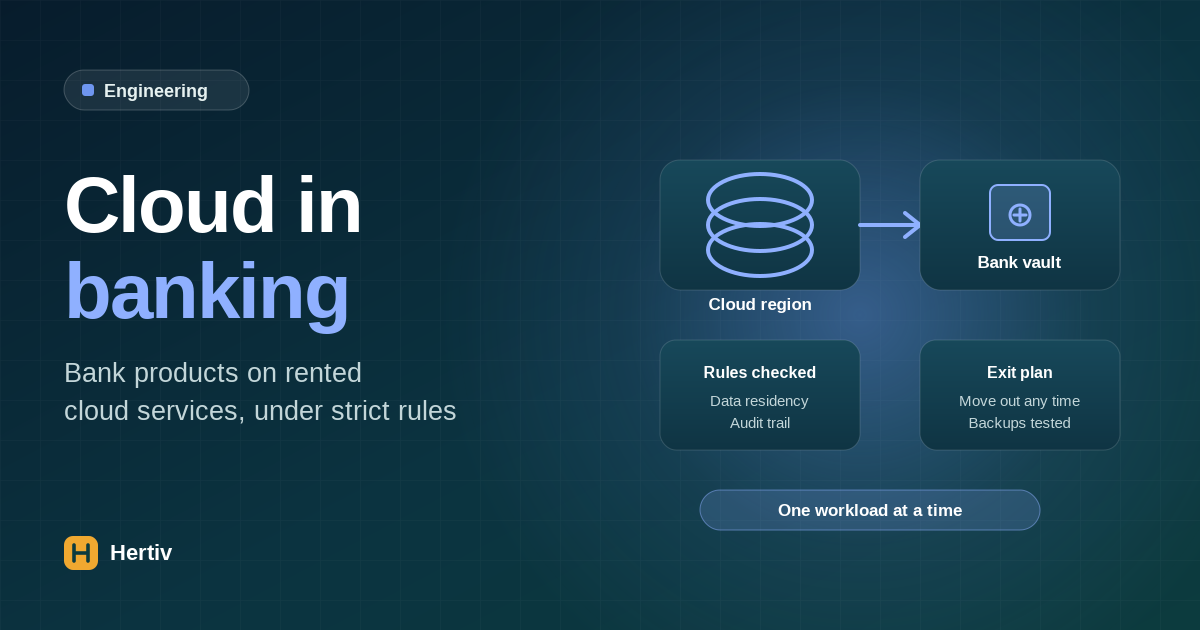
In practice, a bank rarely moves everything at once. It usually starts with one workload, such as a mobile app, a website or a data analytics job, and keeps the core ledger on systems it controls directly. Over time, more workloads move as the team learns what works.
The cloud in banking is not the same as the cloud for a startup. Banks answer to regulators, hold sensitive customer data, and must prove where that data lives and who can reach it. Those rules shape every cloud decision a bank makes.
For a bank planning the move, cloud services usually start with a review of the rules that apply, before any workload is chosen.
Why do banks move to the cloud?
Banks move to the cloud because it changes how fast they can work. Launching a product on the bank's own hardware can take months of procurement and setup, while the same product on the cloud can start in days, with capacity added as demand grows.
Scale is the second reason. A bank's busiest days, such as salary days and holiday shopping, need far more capacity than an ordinary Tuesday. The cloud lets a bank rent that extra capacity for a few days instead of buying hardware that sits idle most of the year.
| Bank need | What the cloud answers |
|---|---|
| Launch products faster | Services ready in days, not months |
| Handle busy days | Capacity that grows and shrinks |
| Cut data-centre cost | Pay for use, not for idle hardware |
| Recover from outages | Backup regions and managed failover |
| Test new ideas | Cheap sandboxes that can be deleted |
Recovery is often the reason that convinces a cautious bank. A second region that can take over in minutes is hard to build in the bank's own data centres, and it is a standard feature of a cloud setup. The cost argument matters too, but it is rarely the first reason.
What holds banks back?
Regulation is the biggest brake on cloud adoption in banking. Regulators require banks to know where customer data lives, who can access it, and how it is protected. A cloud service that stores data in the wrong country, or gives the provider too much access, can fail those rules.
Legacy systems are the second brake. A bank's core ledger may be decades old, written for hardware that no longer exists, and moving it is a project in itself. Most banks leave the core where it is and move the newer systems around it.
Security worries come third. Banks worry about shared infrastructure, about the provider's staff, and about what happens if the provider has an outage or a breach. Those worries are real, but they are manageable with the right controls, and the bank's own data centres have their own risks.
Finally, there is the fear of lock-in. A bank that builds everything on one provider's services may find it hard to leave, and regulators in some countries ask banks to show an exit plan before they approve a move.
How do banks adopt the cloud safely?
Banks adopt the cloud safely by moving in stages, with the rules checked at each step. The order matters more than the speed: a bank that moves carefully learns what works, while one that rushes discovers the problems after launch.
- Classify the data. Decide what is public, internal and restricted, and where each class is allowed to live.
- Check the rules. Confirm data residency, audit and reporting duties with the regulator before choosing a provider or a region.
- Start with one workload. Pick a low-risk system, such as a website or an analytics job, and move it first.
- Set the controls. Identity, encryption, logging and cost alerts go in before the workload moves, not after.
- Prove the exit. Show how the workload could move to another provider or back in-house, and test the backup and restore.
Each step has a check before the next begins. The data classification step in particular should not be skipped: a workload that is safe in one region can break the rules in another. Cloud computing basics explain the service models banks choose between.
Example (hypothetical): moving one workload
Example (hypothetical): a bank runs a loan portal on 40 servers in its own data centre. The team spends 10 hours a month on each server for patching, monitoring and fixes, which is 40 times 10, or 400 hours a month.
Moving the portal to a managed cloud service cuts that work to 100 hours a month, because the provider handles the hardware, the operating system and the patching. That saves 300 hours a month, which is more than a full working week for a team of two.
The bank keeps the core ledger where it is, and the loan portal talks to it through a controlled connection. The numbers are invented to show the arithmetic, not a real migration. The point is that the saving comes from work the provider takes over, not from the cloud being free.
The bank also budgets for the new costs: the cloud bill, the monitoring, and the time to train the team. A move that only counts the savings and not the new costs will disappoint.
What are the common mistakes?
The most common mistakes in banking cloud moves start with moving everything at once. A whole-system migration is hard to test, hard to roll back, and hides problems until they affect customers.
- Ignoring data rules. A workload that stores customer data in a region the regulator has not approved can stop a project after months of work.
- No exit plan. A bank that cannot show how it would leave a provider may fail a regulatory review, even if the service works well.
- Treating cloud as cheaper by default. The cloud can cost more than owned hardware for steady workloads, so the bill needs watching from day one.
- Skipping the controls. Identity, encryption and logging must be in place before the workload moves, not added after an incident.
These are the same habits that make a DevOps approach in banking work: small steps, clear ownership and checks before each move, rather than one big leap.
What should a bank check first?
A bank should check three things before it moves anything to the cloud: the rules, the data and the exit. The rules say where data may live and what must be reported. The data classification says which workloads are safe to move. The exit plan says how the bank would leave.
Start with a short review that answers those three questions for one workload. If the answers are clear, move that workload and learn from it. If they are not, fix the answers before spending on the move.
Also check who owns the work. A cloud move needs someone who owns the architecture, someone who owns the security controls, and someone who owns the bill. Without those owners, the move drifts, and the costs and risks grow quietly.
Finally, talk to the regulator early. A bank that shows its plan and asks for feedback gets a faster answer than one that presents a finished migration and asks for approval.
Key takeaways
- Banks move one workload at a time, not everything at once
- Regulation, data residency and the exit plan shape every cloud decision
- The cloud saves time on hardware and patching, not on the rules
- Controls go in before the workload moves, not after
- Check the rules, the data and the exit before spending on the move
Frequently asked questions
Which cloud workloads do banks move first?
Banks usually move low-risk workloads first, such as websites, mobile apps and data analytics jobs. The core ledger and payment systems move last, if at all, because they carry the strictest rules and the highest risk.
Is the cloud safe for bank customer data?
It can be, if the bank controls where the data lives, who can reach it and how it is encrypted. The bank must also check the provider's own security and audit reports, and keep its own logs, so nothing is taken on trust.
Does the cloud cost banks less than owning hardware?
Not always. The cloud is cheaper for workloads that grow and shrink, and for testing new ideas, but steady workloads can cost more in the cloud than on owned hardware. Banks should compare the full cost, including staff time, before deciding.
What is data residency, and why does it matter to banks?
Data residency is the rule about which country customer data may be stored in. Regulators in many countries require bank data to stay inside their borders, so a bank must choose cloud regions that meet those rules.
Can a bank leave a cloud provider?
Yes, if it plans for it. An exit plan covers how data and workloads move to another provider or back in-house, and it should be tested before the bank depends on the provider. Regulators often ask to see that plan.
What is the biggest risk in a banking cloud move?
The biggest risk is moving without the rules checked: data in the wrong region, controls added late, or no exit plan. Those failures stop projects and draw regulatory attention, while a careful staged move avoids most of them.


