Cloud Computing Examples: 8 Everyday Uses Explained
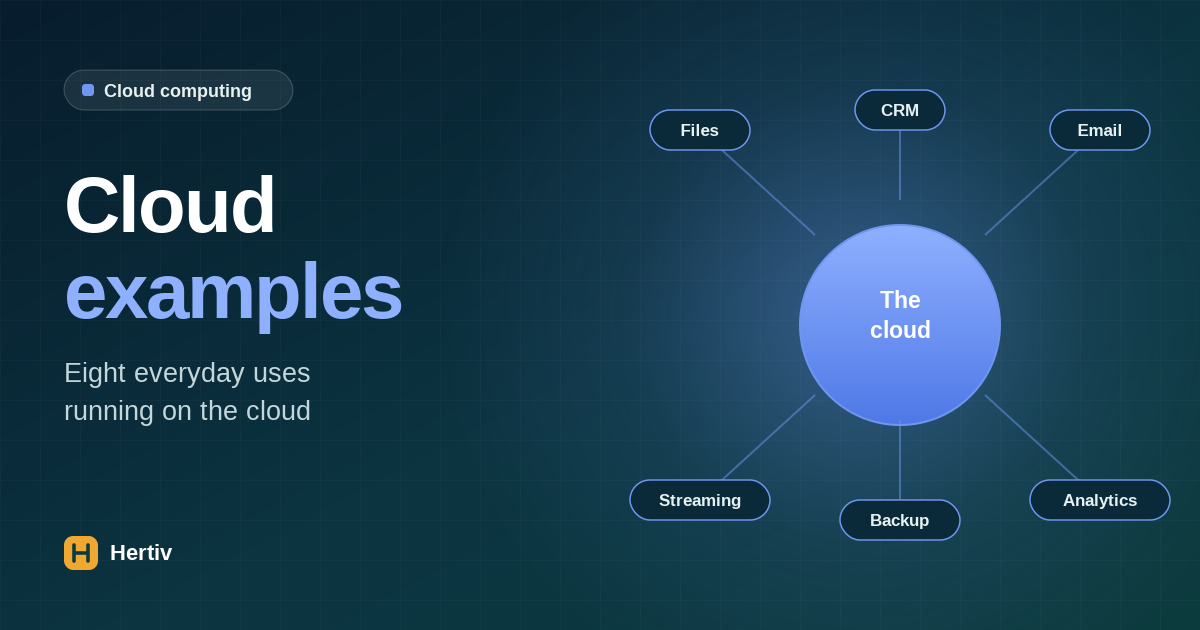
Cloud computing shows up in file storage, email, streaming, customer tools, testing, analytics and backups, and each use fits a different cloud model.
On this page
Short answer
Cloud computing examples are the everyday services that run on someone else's servers instead of your own computer: file storage, email, streaming, customer tools, test environments, analytics, backups and connected devices. Each example fits a different cloud model, and the table below shows which one and why.
What are the main examples of cloud computing?
Cloud computing is easy to miss because it hides behind ordinary apps. When you open a document in a browser, watch a film, or check a customer record, the work is usually done on servers in a data centre, not on your device. The examples below are grouped by what they do, so you can see the pattern instead of a list of brand names.
The key idea is simple: the cloud rents you computing the way a utility rents you power. You pay for what you use, you can grow or shrink quickly, and someone else keeps the hardware running. The table compares eight common examples and the cloud model each one uses.
| Example | What runs in the cloud | Cloud model | Why the cloud fits |
|---|---|---|---|
| File storage and sync | Files, sharing, versions | Software as a service | Files follow you everywhere |
| Email and office apps | Mail, documents, calendars | Software as a service | No install, always up to date |
| Video and music streaming | Encoding, delivery, playback | Software as a service | Huge, uneven demand |
| Customer tools (CRM) | Contacts, deals, support | Software as a service | One shared record for the team |
| Test and dev environments | Servers, databases, builds | Infrastructure as a service | Created and deleted in minutes |
| Data analytics | Storage, queries, dashboards | Platform as a service | Scales with the data size |
| Backup and recovery | Copies, restores, archives | Infrastructure as a service | Cheap storage, fast restore |
| Connected devices (IoT) | Messages, rules, alerts | Platform as a service | Thousands of small messages |
<h3>1. File storage and sync: best example of files that follow you</h3> <h3>2. Email and office apps: best example of software you never install</h3>
1. File storage and sync: best example of files that follow you. Storage services keep your files on cloud servers and copy them to every device you sign in on. Change a file on your laptop and the new version appears on your phone. Sharing is a link, not an email attachment, and old versions can be restored when someone overwrites the wrong file.
This works because storage is cheap in bulk and the sync logic is hard to build well. A small business gets enterprise-grade backup and sharing for a monthly fee, without buying a server or hiring someone to look after it. The trade-off is that your files sit on someone else's servers, so check the provider's security and export options before you move important work there.
Pros:
- Files everywhere. The same files on every device, kept in sync.
- Easy sharing. A link replaces email attachments.
Cons:
- Needs internet. Offline access is limited to files you marked.
- Your data, their servers. Check security and export options.
2. Email and office apps: best example of software you never install. Web mail and online office suites run entirely in the browser. There is nothing to install, updates happen on the provider's side, and several people can edit the same document at once. This is the oldest and most widely used cloud example, and most people use it daily without thinking of it as "the cloud".
The model fits because email and documents are shared by nature: a team needs one inbox, one calendar and one copy of a document. Running that on a single office server used to mean maintenance, backups and downtime. The cloud version trades control for convenience, and for most teams that trade is worth it.
Pros:
- Nothing to install. Open a browser and start working.
- Live collaboration. Several people edit one document.
Cons:
- Less control. Features and limits change on the provider's schedule.
- Subscription cost. The fee never stops, even for light use.
<h3>3. Video and music streaming: best example of uneven demand</h3> <h3>4. Customer tools (CRM): best example of one shared record</h3>
3. Video and music streaming: best example of uneven demand. Streaming services encode each film or song once, store copies near viewers around the world, and deliver them on demand. Demand spikes in the evening and on release days, then falls away. The cloud handles that shape well: capacity grows for the spike and shrinks after it, so the service pays for peak capacity only while it is needed.
Building this on your own servers would mean buying hardware for the busiest hour and leaving it idle the rest of the day. Streaming also shows the cloud's global side: copies stored in many regions keep playback smooth for viewers far from the original studio. The cost is complexity, and small teams usually buy a streaming service rather than building one.
Pros:
- Handles spikes. Capacity grows and shrinks with demand.
- Global reach. Copies near viewers keep playback smooth.
Cons:
- Complex to build. Encoding and delivery take real engineering.
- Bandwidth costs. Delivery is the largest ongoing bill.
4. Customer tools (CRM): best example of one shared record. A customer tool keeps every contact, deal and support ticket in one place that the whole team can see. Sales, support and marketing all read the same record, so a customer does not have to repeat their story to three people. The cloud fits because the record must be shared, backed up and available from anywhere.
Before cloud tools, a small business kept customer details in spreadsheets and inboxes, and the record was only as good as the last person who updated it. A shared cloud tool fixes that by making one record the source of truth. The risk is lock-in: moving years of customer history to another tool takes planning, so pick a tool with a real export option.
Pros:
- One shared record. Sales, support and marketing see the same data.
- Available anywhere. Works from the office, home or the road.
Cons:
- Lock-in risk. Moving years of history takes planning.
- Needs discipline. The record is only good if the team updates it.
<h3>5. Test and dev environments: best example of servers on demand</h3> <h3>6. Data analytics: best example of scaling with data size</h3>
5. Test and dev environments: best example of servers on demand. Developers rent cloud servers for minutes or hours to test code, then delete them. A test that needs five servers can have five servers, and a bug fix can be tested on a fresh copy of the system without touching the live one. This is the clearest example of infrastructure as a service: raw computing, rented by the hour.
The value is speed and isolation. A developer no longer waits for a shared test server to free up, and a broken test cannot take down the live system. Costs stay low because the servers exist only while the test runs. The habit to build is deleting what you create: forgotten test servers are one of the most common sources of surprise cloud bills.
Pros:
- Fast to start. A fresh environment in minutes.
- Safe to break. Tests run apart from the live system.
Cons:
- Forgotten servers cost money. Delete what you create.
- Needs automation. Manual setup wastes the speed advantage.
6. Data analytics: best example of scaling with data size. Analytics platforms store large datasets in the cloud and answer questions about them with dashboards and reports. A shop can ask which products sell together, a clinic can track waiting times, and a factory can spot the machines that stop most often. The cloud fits because the data is large, the questions change, and the computing needed varies by the hour.
Running this on your own hardware means guessing the size you will need and buying it in advance. The cloud lets you start small, load the data you have, and grow the storage and computing as the questions get harder. The work that matters is not the platform: it is clean data and a clear question. A dashboard built on messy data gives confident, wrong answers.
Pros:
- Start small, grow later. Storage and computing scale with need.
- Shared dashboards. The whole team reads the same numbers.
Cons:
- Messy data, wrong answers. Cleaning data is most of the work.
- Costs grow with use. Heavy queries can get expensive.
<h3>7. Backup and recovery: best example of cheap insurance</h3> <h3>8. Connected devices (IoT): best example of many small messages</h3>
7. Backup and recovery: best example of cheap insurance. Cloud backup copies your files and systems to a data centre far from your office, on a schedule, and restores them when hardware fails or files are lost. The storage is cheap because it is rarely read, and the restore is fast because the copy is already online. This is the cloud example most businesses should have before any other.
The mistake is assuming a backup exists because a service is in the cloud. A cloud app is not a backup of itself: if you delete a file or a mailbox, the provider may delete it too. A real backup is a separate copy, tested by restoring it. Test the restore at least twice a year, or the backup is only a hope.
Pros:
- Cheap storage. Copies sit idle until they are needed.
- Fast restore. The copy is already online when disaster hits.
Cons:
- Not automatic. A cloud app is not a backup of itself.
- Needs testing. A restore you never test may not work.
8. Connected devices (IoT): best example of many small messages. Connected devices such as sensors, meters and trackers send small messages to the cloud: a temperature reading, a door opening, a delivery van's location. The cloud collects millions of these messages, applies rules, and sends alerts when something is wrong. No single message matters much, but together they show the state of a whole operation.
This fits the cloud because the message volume is huge and uneven, and the work is mostly sorting and routing rather than heavy computing. A cold-storage warehouse, for example, can watch hundreds of sensors from one dashboard and get an alert the moment one goes warm. The risk is security: every connected device is a door into the network, so each one needs its own credentials and updates.
Pros:
- Handles huge volume. Millions of small messages, sorted and routed.
- Real-time alerts. Problems surface the moment they happen.
Cons:
- Every device is a door. Each one needs credentials and updates.
- Data grows fast. Old readings need a retention plan.
How to choose the right cloud example for your business
Most businesses do not need to choose a cloud model in the abstract. They need to fix one problem, and the example that fixes it points to the model. Start from the problem, then pick the smallest cloud service that solves it.
- Name the job. Sharing files, serving customers, testing code or watching sensors are different jobs.
- Check who needs access. A tool for one person and a tool for a whole team have different needs.
- Ask what happens if it stops. Email down for an hour is painful; a backup you cannot restore is a disaster.
- Test the exit. Check that you can export your data before you move it in.
- Start with one service. Move one job, run it for a month, then decide what moves next.
For a fuller picture of the models behind these examples, cloud computing basics explains the three service models and when each one fits.
Company stories show a different angle: real-world cloud moves by six companies covers what changed when Netflix, Airbnb and others moved.
What are the common mistakes?
The most common mistake is moving everything to the cloud at once. A big move is hard to undo, and the team learns the new tools while the business still has to run. Move one job, learn from it, and then move the next. The second job always goes faster than the first.
Another mistake is forgetting that cloud costs follow use. A test server left running, a backup that copies too often, or a dashboard that queries a huge dataset every minute all add up. Check the bill monthly, set alerts, and delete what you no longer use.
A third mistake is treating the cloud as a backup. A file stored in a cloud app is not backed up unless a separate copy exists somewhere else. Keep a real backup with a tested restore, and keep the most important data in a form you can export and read without the original provider.
Key takeaways
- Cloud computing is rented computing: you pay for what you use and someone else runs the hardware.
- File storage, email, streaming and customer tools are software as a service; test servers are infrastructure.
- Analytics and connected devices fit platform services that scale with data and message volume.
- A cloud app is not a backup of itself: keep a separate, tested copy of what matters.
- Move one job at a time, check the bill monthly, and test that you can export your data.
Frequently asked questions
What is the simplest cloud computing example?
File storage and email are the simplest examples: files and messages live on the provider's servers and you reach them from any device. Most people use both daily without thinking of them as cloud services, which is why they are the best place to start.
Is the cloud just someone else's computer?
That phrase is mostly true: your files and apps run on servers owned by a provider, in a data centre. The difference from a plain rented server is that cloud services scale up and down in minutes and you pay for what you use.
What is the difference between SaaS, PaaS and IaaS?
SaaS is finished software you use, such as email or a customer tool. PaaS is a platform you build on, such as an analytics or device service. IaaS is raw computing you rent, such as servers and storage for testing.
Is cloud computing safe for business data?
It can be, when the provider is chosen well and the basics are done: strong passwords, two-factor sign-in, access limits and a backup you have tested. The biggest risks are usually weak access control and no backup, not the cloud itself.
Why do cloud bills surprise people?
Because costs follow use: a server left running, a backup copying too often, or a heavy query run every minute all add up quietly. Checking the bill monthly and setting spend alerts catches most surprises early.
Do I need the cloud for a small business?
Not for everything, but most small businesses already use it for email, files and customer tools. Start with the job that hurts most, move that one thing, and keep the rest as it is until there is a clear reason to change.


