How Much Does CI/CD Cost? A Plain Breakdown
CI/CD cost is compute minutes, runner time, storage and the hours your team spends fixing pipelines. What each part costs, and how to estimate your bill.
On this page
Short answer
CI/CD cost is the total amount a team spends to build, test and deploy software automatically, covering compute minutes, runners, storage, tool subscriptions and the engineer hours spent keeping pipelines green. For most teams the largest cost is not the tool bill but the time lost to slow or broken pipelines.
What is CI/CD cost?
CI/CD cost is the total amount a team spends to build, test and deploy software automatically. It covers the compute that runs each pipeline, the runners that host the jobs, the storage for artefacts and caches, the subscription for the CI/CD tool, and the engineer hours spent writing and fixing pipeline code.
Continuous integration means every code change is built and tested automatically when it is pushed. Continuous delivery means a tested change can be released to production at any time, usually with one click. Together they replace manual builds, manual testing and manual deploys.
The bill has two parts. The visible part is the invoice from the CI/CD provider: minutes used, runners rented, storage consumed. The hidden part is engineer time: writing pipeline files, debugging failures, waiting for slow builds and fixing flaky tests. A team that only looks at the invoice will miss most of its real cost.
For background on the practice itself, see what CI/CD is.
The setup steps are in how to set up CI/CD. This article focuses on what it costs and how to keep that cost under control.
What do CI/CD tools charge?
CI/CD tools charge in three ways: per minute of compute, per runner, or a flat subscription. Which model fits depends on how much your team builds and whether you run your own machines.
| Tool | Model | Best fit |
|---|---|---|
| GitHub Actions | Per minute, with a free allowance | Teams already on GitHub |
| GitLab CI | Per minute or flat plan | Teams using GitLab for code and issues |
| CircleCI | Per minute, with credits | Teams wanting hosted runners only |
| Jenkins | Free software, you pay for servers | Teams with strict hosting rules |
| Buildkite | Per user, you run the agents | Teams with their own compute |
Hosted tools such as GitHub Actions, GitLab CI and CircleCI include a free allowance of minutes each month, then charge per minute beyond it. Prices per minute vary by machine size and operating system, so check the vendor's pricing page for the current rates; this article does not quote them because they change. If a tool's price is not on its own page, the safe answer is "see vendor site".
Self-hosted tools such as Jenkins cost nothing in licence fees, but you pay for the servers, the storage and the person who keeps them running. That trade suits teams that must keep builds inside their own network, but it is rarely the cheapest option once maintenance time is counted.
A third model is bring-your-own-compute, used by Buildkite and by the self-hosted runners of GitHub Actions and GitLab. You pay the tool a flat fee and run the jobs on your own machines or cloud instances, which can be cheaper at high volume if you already manage infrastructure.
How much compute does a typical pipeline use?
A typical pipeline uses between 5 and 30 minutes of compute per run, and the number of runs per day is what decides the monthly bill. A small team pushing a few times a day uses far less than a large team with a busy monorepo.
| Team size | Runs per day | Minutes per run | Minutes per month |
|---|---|---|---|
| 3 developers | 10 | 5 | About 1,100 |
| 12 developers | 40 | 8 | About 7,000 |
| 40 developers | 150 | 12 | About 40,000 |
The table assumes 22 working days a month. A 3-developer team at 10 runs a day and 5 minutes a run uses 50 minutes a day, or about 1,100 minutes a month, which usually fits inside a free allowance. A 12-developer team at 40 runs a day and 8 minutes a run uses 320 minutes a day, or about 7,000 a month, which is where paid minutes start to matter.
What drives minutes per run is the test suite. A project with fast unit tests and a cached dependency install finishes in minutes. A project that rebuilds a container image, runs browser tests and deploys to a staging environment on every push can take half an hour. The biggest lever on cost is therefore not the price per minute but the shape of the pipeline.
Storage adds a smaller but steady charge. Build artefacts, container images, test reports and caches accumulate, and most providers charge for storage beyond a free allowance. A cache that is never cleaned can cost more than the minutes it was meant to save.
Where do the hidden costs sit?
The hidden costs of CI/CD sit in waiting time, flaky tests and pipeline maintenance. None of these appear on the provider invoice, and together they usually exceed it.
Waiting time is the most expensive. If 12 developers each wait 15 minutes a day for builds to finish, that is 3 hours a day of paid time spent waiting, or about 66 hours a month. At a loaded cost of $80 an hour, that is $5,280 a month of engineer time lost to waiting, which dwarfs a typical CI/CD invoice of a few hundred dollars.
Flaky tests are the second hidden cost. A test that fails one time in ten forces someone to re-run the pipeline, investigate a failure that is not real, and eventually learn to ignore failures. The cost is not the re-run minutes but the trust that is lost: once developers stop believing the pipeline, they merge without waiting for it, and the pipeline stops doing its job.
Pipeline maintenance is the third. Pipeline files need updating when dependencies change, when a tool version moves, and when a new service is added. A team with no owner for the pipeline pays for it in small interruptions spread across everyone, which is why many teams give one engineer explicit ownership of the pipeline.
How to estimate your monthly CI/CD bill
You estimate your monthly CI/CD bill by counting runs, minutes per run and storage, then adding the tool subscription. The estimate takes an hour and is worth doing before you commit to a provider.
- Count runs per day. Look at the last month of pipeline history and count how many runs happened on a working day, including pull request runs and retries.
- Measure minutes per run. Take the average duration of a successful run, not the fastest one, and include the setup and teardown steps.
- Multiply by working days. Runs per day times minutes per run times 22 gives the monthly minute total. Compare it with the free allowance of each provider.
- Add storage. Check how much artefact and cache storage you hold, and what the provider charges beyond its free allowance.
- Add the subscription. Some plans charge per user or per month regardless of minutes. Add that flat cost to the per-minute estimate.
- Add a buffer for growth. Teams grow and test suites get longer. Budget for 20% more minutes than last month's figure.
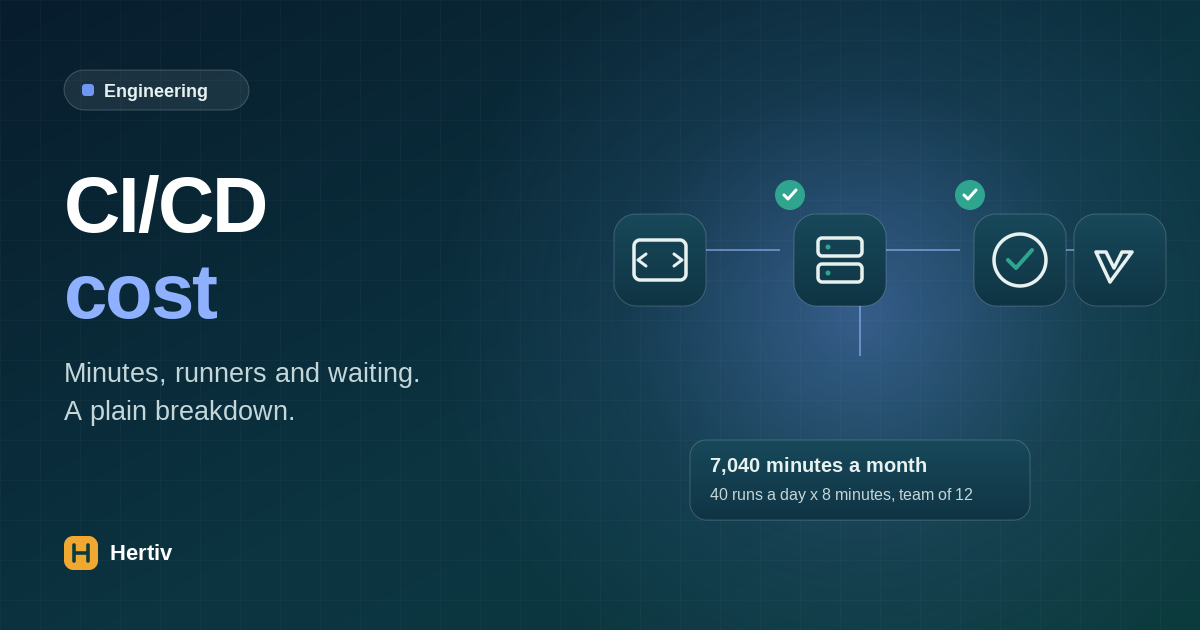
Example (hypothetical): a team of 12 developers runs 40 pipelines a day, each taking 8 minutes, for 22 working days. That is 40 x 8 x 22, or 7,040 minutes a month. If the provider charges $0.008 per minute beyond a free allowance of 2,000 minutes, the paid minutes are 5,040 and the bill is $40.32 a month. The tool bill is small; the waiting time is where the money goes.
How to cut CI/CD costs without slowing releases
You cut CI/CD costs by running less work per change, not by running worse tests. The goal is to keep the same confidence with fewer minutes.
- Cache dependencies. Downloading and installing the same packages on every run wastes minutes. A cache keyed on the lock file usually cuts install time to seconds.
- Run tests in parallel. Splitting a test suite across four runners costs the same total minutes but finishes four times faster, which cuts waiting time even though the minute count is unchanged.
- Skip work that does not apply. A change to documentation does not need a full test run. Path filters let the pipeline skip jobs when the changed files cannot affect them.
- Fail fast. Put the quick checks first, such as linting and the fastest unit tests, so a broken change fails in a minute instead of after a 20-minute build.
- Use smaller runners for small jobs. A lint job does not need the largest machine. Matching runner size to the job cuts the per-minute rate.
- Clean up artefacts and caches. Set expiry rules so old artefacts and caches are deleted automatically instead of accumulating storage charges.
- Fix flaky tests. Each flaky test costs re-runs and trust. Quarantine a flaky test, fix it, and only then bring it back into the main suite.
Measure before and after each change. A change that saves minutes but adds waiting time is a bad trade, and the only way to know is to track both numbers for a week.
What are the common mistakes with CI/CD cost?
The most common mistakes with CI/CD cost are choosing a provider on price alone, ignoring waiting time, and letting the pipeline grow without an owner.
- Comparing only the per-minute price. A cheap per-minute rate on a slow runner can cost more in total than a pricier fast runner, because waiting time is the real cost.
- Running everything on every push. A full build, full test suite and full deploy for a documentation change wastes minutes and teaches developers to avoid pushing.
- No cache strategy. Installing dependencies from scratch on every run is the easiest waste to fix and the most commonly ignored.
- Ignoring flaky tests. A test that fails randomly costs re-runs, investigation time and trust in the pipeline.
- No pipeline owner. When nobody owns the pipeline, it grows by accretion and nobody removes the jobs that no longer matter.
- Forgetting storage. Artefacts and caches accumulate silently until the storage charge shows up, months after anyone looked.
For the broader cost picture, DevOps cost covers the full range of tooling and staffing spend.
DevOps services covers pipeline design for teams that want help setting it up.
Key takeaways
- CI/CD cost is compute minutes, storage, subscriptions and engineer waiting time, and waiting time is usually the largest part
- Hosted tools charge per minute beyond a free allowance; self-hosted tools are free software but you pay for servers and upkeep
- A 12-developer team running 40 eight-minute pipelines a day uses about 7,000 minutes a month
- Cache dependencies, fail fast and skip jobs that do not apply to the change
- Flaky tests cost more in lost trust than in re-run minutes, so quarantine and fix them
Frequently asked questions
How much does CI/CD cost for a small team?
A team of 3 developers usually fits inside the free allowance of a hosted provider and pays little or nothing for compute. The real cost is the time spent setting up the pipeline and fixing it when it breaks, which is why small teams should keep pipelines short and simple.
Is Jenkins cheaper than GitHub Actions?
Jenkins has no licence fee, but you pay for the servers, storage and maintenance time. GitHub Actions charges per minute beyond a free allowance. For small teams, the hosted option is usually cheaper once maintenance time is counted; for large teams with their own infrastructure, self-hosted can win.
What is the most expensive part of CI/CD?
Waiting time. Developers waiting for builds to finish cost far more than the compute minutes on the invoice. A team of 12 waiting 15 minutes a day loses about 66 hours a month, which at a loaded cost of $80 an hour is over $5,000 a month.
How can I reduce CI/CD minutes?
Cache dependencies, skip jobs that do not apply to the changed files, put fast checks first so broken changes fail early, and use smaller runners for small jobs. Fixing flaky tests also cuts the re-runs that inflate minute counts.
Do I need to pay for CI/CD storage?
Most providers include a free storage allowance and charge beyond it. Artefacts, container images and caches accumulate, so set expiry rules that delete old items automatically. A cache that is never cleaned can cost more than the minutes it saves.
Should every push run the full test suite?
No. Run the fast checks on every push and the full suite on pull requests and on the main branch. Path filters let you skip jobs when the changed files cannot affect them, such as documentation changes, which saves minutes without losing confidence.


