ChatGPT Prompts: 10 Useful Types to Try
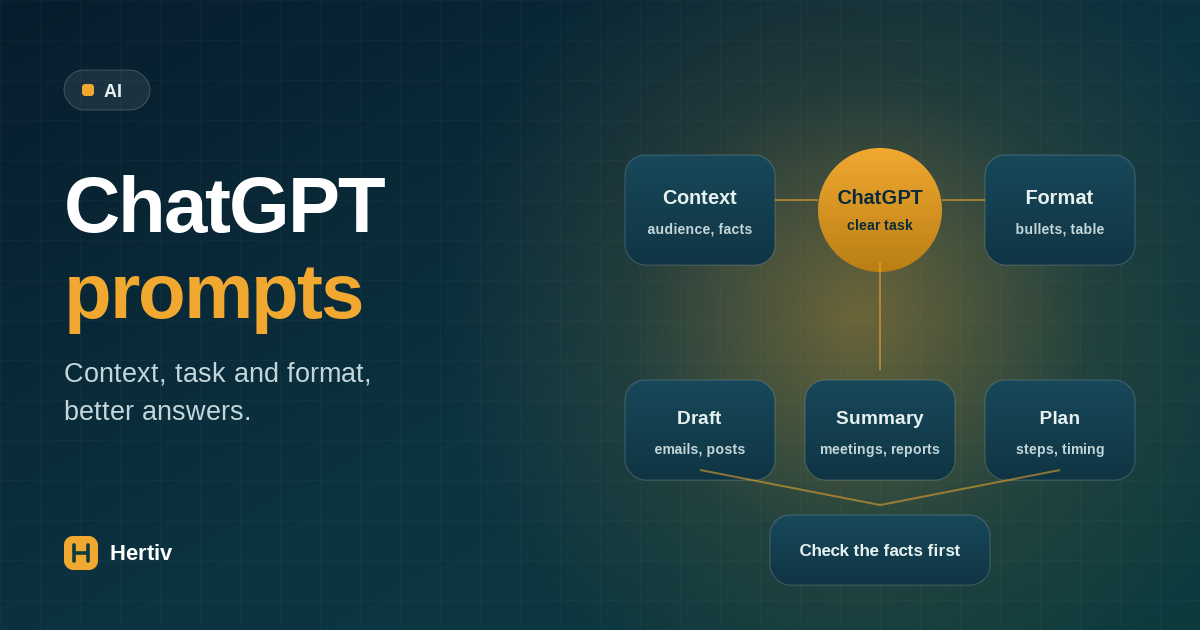
Good ChatGPT prompts give context, a clear task and a format, so the answer comes back useful instead of vague. Here are ten prompt types that work across jobs.
On this page
Short answer
ChatGPT prompts are the instructions you write to get useful answers from ChatGPT. A good prompt gives the model context, a clear task and a format for the answer. The ten types below cover the everyday jobs people use ChatGPT for, from drafting and summarising to planning and learning.
Which ChatGPT prompts are worth keeping?
Start with prompts that match a job you do often, not with a long list you will never open. A prompt earns its place when it saves time or gives a better first draft than starting from a blank page.
| Prompt type | What it does | Best for |
|---|---|---|
| Summarise | Shortens long text | Meetings and reports |
| Draft | Writes a first version | Emails and posts |
| Rewrite | Changes tone or length | Editing and clarity |
| Explain | Teaches a topic simply | Learning new ideas |
| Compare | Weighs two options | Decisions |
| Plan | Breaks a goal into steps | Projects and study |
| Questions | Writes interview questions | Hiring and research |
| Ideas | Lists fresh angles | Content and campaigns |
| Check | Reviews text for errors | Proofreading |
| Translate | Renders text in another language | Multilingual teams |
The ten types below each come with a pattern you can copy and fill in with your own details. For the craft behind them, what prompt engineering is explains how prompts shape answers.
Summarise and draft: best for everyday writing
1. Summarise: best for meetings and reports
A summarise prompt turns long text into a short version with the key points kept. Give the text, the length you want and what to keep, such as decisions and action items, and the model will cut the rest.
Ask for a fixed format, such as three bullet points plus a list of actions with owners. That keeps the summary usable instead of a vague paragraph you still have to read twice.
Pros:
- Turns long notes into a quick read
- Keeps decisions and actions visible
- Works on notes, transcripts and reports
Cons:
- Can drop detail that matters
- Needs a human check for numbers
- Long inputs may need splitting
2. Draft: best for emails and posts
A draft prompt writes a first version of an email, post or message. Give the audience, the purpose and the tone, and the model will produce a draft you can edit instead of starting from a blank page.
The draft is a starting point, not a finished message. Read it, fix the facts, and adjust the tone to your own voice before sending. A draft prompt saves the most time when the message is routine.
Pros:
- Beats the blank page for routine writing
- Adapts to audience and tone
- Fast for short messages
Cons:
- Drafts can sound generic
- Facts must be checked by hand
- Tone needs a human edit
Rewrite and explain: best for editing and learning
3. Rewrite: best for editing and clarity
A rewrite prompt takes text you already have and changes its tone, length or reading level. Ask for a shorter version, a simpler version or a more formal one, and say what must stay unchanged.
Rewrite prompts are useful when the facts are right but the wording is not. Paste the text, name the change, and check that the new version still says what you meant.
Pros:
- Fixes tone without rewriting by hand
- Shortens long text quickly
- Simplifies hard wording
Cons:
- Can change meaning if vague
- Needs a check of key facts
- Repeated rewrites lose the original voice
4. Explain: best for learning new ideas
An explain prompt asks the model to teach a topic in plain words, often with an example. Ask for a short explanation aimed at a beginner, and the model will break the idea into parts you can follow.
Ask follow-up questions when something is unclear, and ask for an example from your own field. Learning works best when the explanation connects to something you already know.
Pros:
- Breaks hard topics into simple parts
- Examples make ideas concrete
- Follow-ups deepen understanding
Cons:
- Explanations can contain errors
- Simple versions may miss detail
- Needs checking against a trusted source
Compare and plan: best for decisions and goals
5. Compare: best for decisions
A compare prompt asks the model to weigh two or more options against the same criteria, such as cost, effort and risk. Give the options and the criteria, and ask for a table so the trade-offs are visible.
The table is a starting point for your decision, not the decision itself. Check the facts in it, because the model may state prices or features that have changed.
Pros:
- Makes trade-offs visible in a table
- Applies the same criteria to each option
- Fast for early shortlisting
Cons:
- Facts in the table need checking
- Criteria may miss what matters to you
- Cannot replace your own judgement
6. Plan: best for projects and study
A plan prompt breaks a goal into steps with a rough order and timing. Give the goal, the deadline and the resources you have, and the model will lay out a sequence you can adjust.
Plans work best when you treat them as a draft. Move steps around, cut what does not fit your time, and add the constraints only you know, such as holidays or budgets.
Pros:
- Turns a big goal into small steps
- Gives a starting order and timing
- Easy to adjust to your constraints
Cons:
- Steps may be too generic
- Timing estimates are guesses
- Needs your own constraints added
Questions and ideas: best for hiring and creating
7. Questions: best for hiring and research
A questions prompt writes interview or research questions for a topic. Give the role or subject, the level of the person being asked, and what good answers look like, and the model will draft a set you can pick from.
Pick the best questions and drop the rest. A good interview uses a few strong questions, not a long list of average ones, so edit the set before you use it.
Pros:
- Fast way to draft question sets
- Covers angles you may miss
- Adapts to role and level
Cons:
- Some questions will be weak
- Needs editing before use
- Cannot judge answers for you
8. Ideas: best for content and campaigns
An ideas prompt lists fresh angles for content, campaigns or products. Give the audience and the topic, and ask for a set of distinct ideas with a one-line description each.
Ideas from a model are raw material. Pick one or two, add your own knowledge of the audience, and develop them yourself. The prompt saves time on the blank page, not on the thinking.
Pros:
- Breaks a creative block quickly
- Offers angles you had not considered
- Easy to filter and combine
Cons:
- Many ideas will be generic
- Needs your own audience knowledge
- Cannot test what will work
Check and translate: best for accuracy and language
9. Check: best for proofreading
A check prompt reviews text for errors in grammar, spelling and clarity. Paste the text and ask for corrections with a short note on each change, so you can accept or reject them one by one.
Use it as a second pair of eyes, not as a final editor. It catches many small errors, but it can also suggest changes that weaken your meaning, so read every suggestion before accepting it.
Pros:
- Catches grammar and spelling errors
- Explains each suggested change
- Fast for short documents
Cons:
- Can suggest wrong changes
- May miss errors in long text
- Cannot check facts for you
10. Translate: best for multilingual teams
A translate prompt renders text into another language, keeping the meaning and tone. Give the source text, the target language and the audience, and ask for a natural version rather than a word-for-word one.
Machine translation is good for drafts and internal messages, but important public text still needs a human translator. Check names, dates and numbers after translation, since those are the parts most likely to slip.
Pros:
- Fast drafts in many languages
- Keeps tone when asked for it
- Useful for internal messages
Cons:
- Nuance and idioms can be lost
- Names and numbers need checking
- Public text still needs a human translator
How to choose the right prompt for the job
You choose a prompt type by naming the job first, then picking the type that matches it. Summarising fits long text, drafting fits routine writing, and comparing fits decisions. A prompt that matches the job gives a useful answer on the first try.
- Name the job. Write down what you need: a summary, a draft, a plan or a decision.
- Pick the matching type. Use the table above to find the type that fits that job.
- Add context. Give the audience, the purpose and the facts the model needs.
- Ask for a format. Request bullets, a table or a fixed length so the answer is easy to use.
- Check the output. Read the answer, fix the facts, and ask a follow-up when it misses the mark.
Keep a small set of prompts you use often, and refine them as you learn what works. For prompts tuned to search work, ChatGPT prompts for SEO covers ten types for search tasks.
For putting prompts into products, AI copilot development covers assistants built around your own data.
For wider use in real workflows, generative AI development covers the next steps.
What are the common mistakes?
The most common ChatGPT prompt mistakes are giving too little context, accepting the first answer without checking, and using one prompt for every job.
- No context. A prompt with no audience, purpose or facts gives a generic answer that fits nobody.
- No format asked. Without a format, the answer may be long, vague or hard to use.
- Trusting the first answer. The model can state facts that are wrong or out of date. Check numbers, names and prices.
- One prompt for everything. A prompt that drafts well may summarise poorly. Match the type to the job.
- Sharing sensitive data. Do not paste passwords, private customer data or confidential documents into a prompt.
Key takeaways
- Name the job first, then pick the prompt type that matches it
- Good prompts give context, a clear task and a format for the answer
- Check facts in every answer, especially numbers, names and prices
- Keep a small set of prompts you use often and refine them over time
- Never paste passwords or private customer data into a prompt
Frequently asked questions
How do I write a good ChatGPT prompt?
Give the model context, a clear task and a format for the answer. Say who the answer is for, what it should do, and how long or structured it should be. A prompt with those three parts gives a useful answer far more often than a one-line question.
Can ChatGPT prompts be in Spanish?
Yes. ChatGPT answers in the language you write in, so you can write prompts in Spanish and get answers in Spanish. The same rules apply: give context, a clear task and a format, and check the facts in the answer.
Why does ChatGPT give vague answers sometimes?
Vague answers usually come from vague prompts. If the prompt has no audience, purpose or format, the model has to guess what you want. Add those details and ask a follow-up question when the answer misses the mark.
Should I check ChatGPT answers?
Yes, always check facts, numbers, names and prices in the answer, because the model can state things that are wrong or out of date. Treat the answer as a draft, and verify anything you will publish or act on.
Can I use ChatGPT prompts for work documents?
Yes, for drafts, summaries and ideas, but do not paste confidential or customer data into a prompt unless your company allows it. Check the output before sharing it, and keep sensitive information out of the conversation.
How many prompts should I keep in my kit?
Keep a small set of ten or so that cover the jobs you do most often, such as summarising, drafting, explaining and planning. Refine them as you learn what works, and add a new one only when a job repeats.


