ChatGPT Integration in the Enterprise: A Practical Guide
ChatGPT can draft, summarise and search across enterprise tools, but only if it is connected to your data with clear rules. Here is how teams integrate it safely.
On this page
Short answer
ChatGPT integration in the enterprise means connecting ChatGPT to company tools, documents and data so staff can use it inside their daily work, with access rules and logging in place. It usually starts with one team and one job, such as drafting support replies from the help centre, and grows once the team can show the answers are accurate and the data stays inside approved systems.
What is ChatGPT integration in the enterprise?
ChatGPT integration in the enterprise means connecting ChatGPT to company tools, documents and data so staff can use it inside their daily work, with access rules and logging in place. Instead of opening a separate chat window, staff ask questions and draft replies inside the systems they already use.
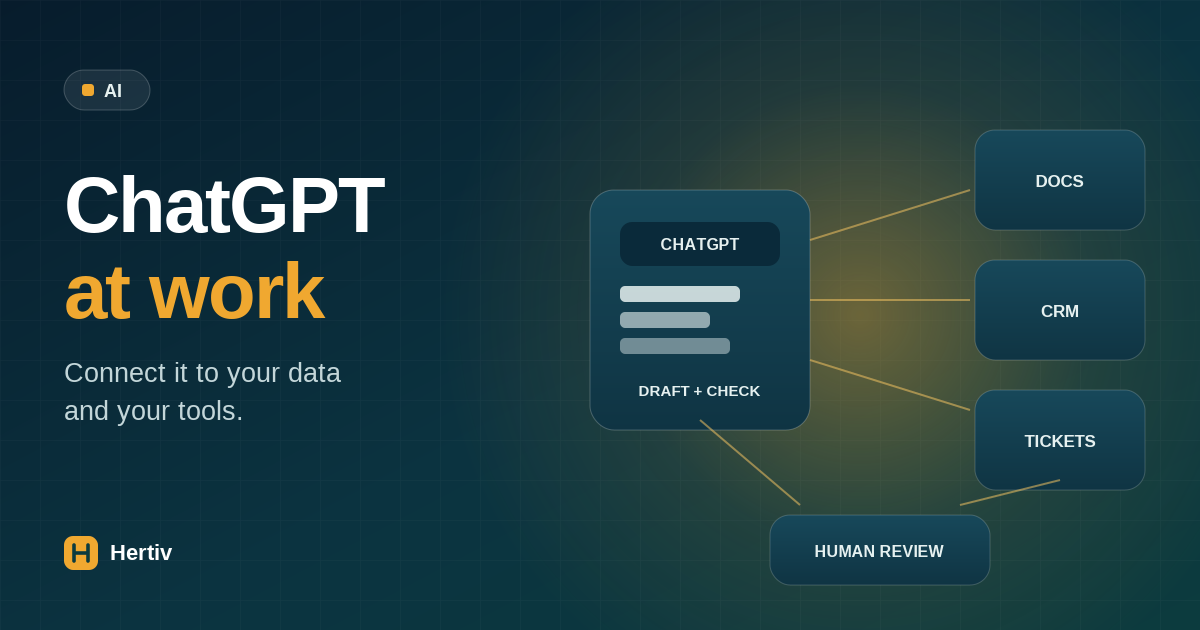
The connection can be simple, such as a chatbot that answers from the help centre, or deep, such as an assistant that reads a ticket, checks the order system and drafts a reply for an agent to send. In both cases the model works with company data, not just what it learned in training.
The enterprise part is the control around it: who can use it, which documents it may read, what it may not do, and a log of what it did. For the wider picture, see generative AI integration.
Where do enterprises use ChatGPT?
Enterprises use ChatGPT where staff spend time reading, writing and searching. The first uses are usually the ones with clear documents to ground the answers and a human who checks the result before it goes out.
| Use case | What ChatGPT does | First team |
|---|---|---|
| Support replies | Drafts answers from the help centre | Support |
| Sales follow-up | Drafts emails from CRM notes | Sales |
| Contract review | Summarises terms and flags risks | Legal |
| HR questions | Answers policy questions from handbooks | HR |
| Code help | Explains code and drafts tests | Engineering |
| Finance reports | Summarises monthly figures for review | Finance |
The common thread is a human in the loop. ChatGPT drafts and summarises, and a person checks, edits and sends. Teams that remove the human too early are the ones that ship wrong answers to customers.
How does integration work?
Integration connects ChatGPT to company data through an API, with a retrieval step that finds the right documents before the model writes. The model never sees the whole database; it sees the passages the search returned for that question.
- Pick one job. Choose a task with clear documents and a human who checks the result, such as support replies.
- Connect the documents. Index the help centre, policies or manuals the model may use, and leave out the rest.
- Set the access rules. Decide who can use it, which systems it may call and what it may never do, such as issuing refunds.
- Add the human check. Route every draft to a person for review before it reaches a customer.
- Log and measure. Record each question, the passages used and the final answer, and review a sample weekly.
Most teams start with a small pilot and a single data source, then add more sources once the answers are reliable. For how the model is tested, see how to test AI models.
What about data and security?
Data and security decide whether an integration is allowed at all. The model should only read the documents a user is already allowed to see, and nothing it reads should leave the approved systems. If a support agent cannot see salary data, the assistant must not show it either.
Three checks matter most. First, access: the integration respects the same permissions as the user asking. Second, retention: prompts and answers are stored only where the company allows, for as long as the policy says. Third, logging: every action is recorded so the team can see what the model did and why.
Teams in regulated industries add one more step: a review of what the vendor does with the data. Some vendors train on user data by default, and some do not, so the contract terms matter as much as the code. For the security side, see AI security.
Example (hypothetical): a support team plugs ChatGPT in
Example (hypothetical): a support team handles 500 tickets a day. Each ticket takes an agent about 4 minutes to read and answer, which is 500 x 4 = 2,000 minutes, or about 33 hours of work a day. The team connects ChatGPT to the help centre and lets it draft replies for agents to review.
After the change, each ticket takes about 2 minutes of agent time, which is 500 x 2 = 1,000 minutes, or about 17 hours a day. The team saves about 16 hours a day, and agents spend the saved time on the tickets the model cannot handle, such as angry customers and edge cases.
The team also checks quality: each week it reviews 60 drafts and counts how many needed a fix. In the first month, 48 of 60 drafts were fine to send, and the 12 that needed fixes were mostly tickets about a product change the help centre had not covered yet. The team fixed the documents, and the share of good drafts rose.
What are the common mistakes?
The most common ChatGPT integration mistakes are connecting too much data at once, removing the human check too early, and never measuring whether the answers are right.
- Connecting everything at once. An assistant that can read every document will quote the wrong one. Start with one source and add more when the answers are reliable.
- No human check. A draft sent straight to a customer is a promise the team has not read. Keep a person in the loop until the error rate is low and stable.
- No access rules. If the assistant can read documents the user cannot see, it will leak them in its answers. Match the assistant's access to the user's access.
- Measuring speed, not accuracy. Faster wrong answers are worse than slow right ones. Track how many answers needed a fix, not just how fast they were written.
- Forgetting the documents. Answers go stale when the help centre changes and the index does not. Update the index when the documents change.
How should a team start?
A team should start with one job, one data source and one group of users, then grow only when the answers are accurate and the controls hold.
- Pick the job. Choose a task with clear documents, a human checker and a way to measure success.
- Connect one source. Index the help centre or the policy set, and leave the rest out for now.
- Set the rules. Write down who can use it, what it may read and what it may never do.
- Run a four-week pilot. Review a sample of answers weekly and fix the documents behind the bad ones.
- Grow slowly. Add the next team or data source only when the pilot's error rate is low and stable.
For a related comparison, see OpenAI vs Claude vs Gemini.
For the business case, see OpenAI use cases for business.
Key takeaways
- ChatGPT integration connects the model to company tools and data, with access rules and logging
- Start with one job, one data source and a human who checks every draft
- The assistant should only read what the asking user is already allowed to see
- Measure accuracy, not speed: track how many answers needed a fix
- Grow slowly, adding teams and sources only when the pilot's error rate is low
Frequently asked questions
Does ChatGPT training use our company data?
It depends on the plan and the contract. Some plans keep your data out of training, and some do not, so read the terms before connecting anything sensitive. Many teams choose a business plan that promises no training on their data, and they still limit which documents the model may read.
Can ChatGPT replace our support team?
No, and teams that try usually regret it. ChatGPT drafts replies and summarises tickets, but it cannot handle angry customers, edge cases or decisions that need judgement. The teams that save the most time use it to draft, and keep people for the work that needs a human.
How long does an integration take?
A small pilot takes a few weeks: connect one data source, set the access rules and train the checkers. A wider rollout takes months, because each new team and data source needs its own rules and review. Teams that rush the rollout usually spend longer fixing the mistakes.
What data should the model never see?
Anything the asking user is not allowed to see, plus anything the company must keep private by law or contract, such as salaries, health records and unreleased financial figures. The simplest rule is to match the assistant's access to the user's access, and to leave sensitive sources out entirely.
How do we know the answers are good?
Review a sample every week. Count how many drafts were fine to send, how many needed a fix and how many quoted the wrong document. If the wrong-document share grows, the problem is usually the document set or the search, not the model. Fix the documents first.
Should we build or buy the integration?
Buy the pieces that are standard, such as the model API and the search index, and build only the parts that are specific to your company, such as the access rules and the review flow. Building everything from scratch is slower, and buying everything leaves you with rules you cannot change.


