How to Build an IoT Wearable: From Sensor to App
An IoT wearable combines sensors, a small processor, wireless connectivity and a phone app. Here is how to pick the parts, build the firmware and ship it.
On this page
Short answer
To build an IoT wearable, pick one job the device must do well, choose sensors and a low-power processor that fit it, connect it over Bluetooth to a phone app, send the data to a cloud service for storage and analysis, and test battery life, comfort and data accuracy on real users before you ship. Start with one sensor and one metric.
What is an IoT wearable?
An IoT wearable is a device worn on the body that measures something, processes the reading on the device and sends it somewhere useful: a phone app, a dashboard or a cloud service. A fitness band counts steps, a health patch tracks heart rate, and a safety tag reports a worker's location. The internet part is the connection that turns a measurement into a service.
Building one means joining four pieces: sensors that measure, a processor that reads them, a radio that sends the data, and software that turns the data into something a person can act on. Each piece has its own limits, and the limits interact: a better sensor uses more power, and more power means a bigger battery or a shorter life.
The job comes first. A device that counts steps needs a different sensor and a different battery from a device that records heart rate all day. Pick one job, one metric and one user, and let that decide the parts. For the health angle, see wearable technology in healthcare.
The parts of an IoT wearable
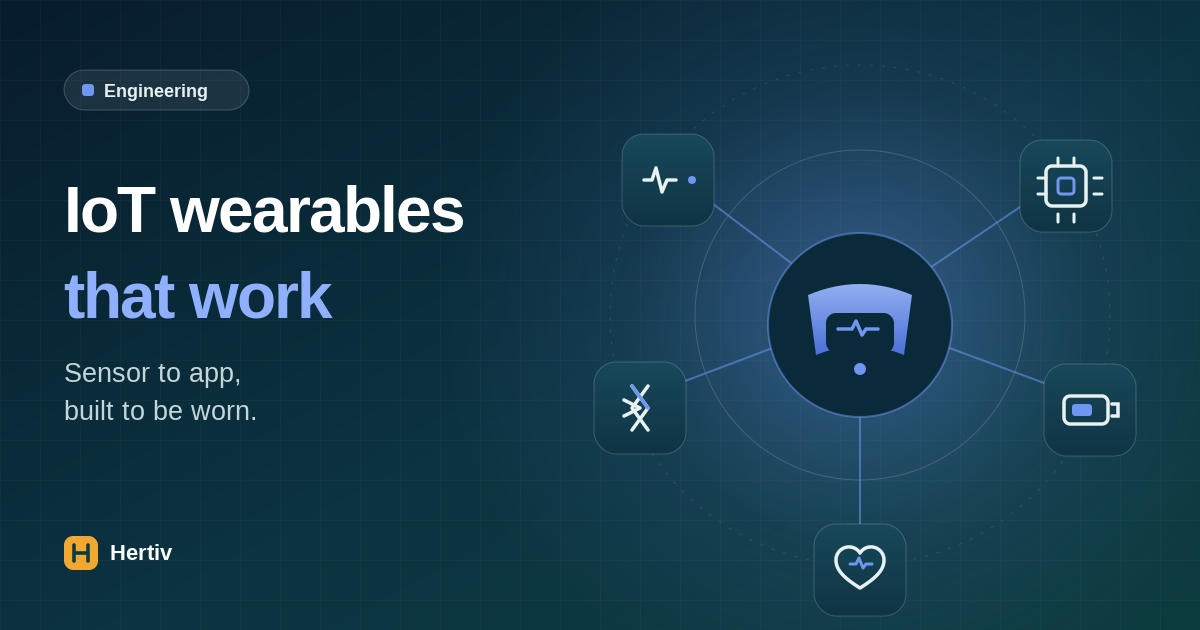
Every wearable has the same five parts, and each one is a trade-off between size, power and cost. The sensor measures the world: motion, heart rate, temperature, location or air quality. The processor reads the sensor, filters the noise and decides what to send.
The radio, usually Bluetooth Low Energy, sends the data to a phone. The battery sets how long the device lasts. The enclosure holds it all together and decides whether anyone will wear it.
| Part | Typical choice | Main trade-off |
|---|---|---|
| Sensor | Accelerometer, heart-rate sensor | Accuracy vs power use |
| Processor | Low-power microcontroller | Speed vs battery life |
| Radio | Bluetooth Low Energy | Range vs power use |
| Battery | Small lithium cell | Size vs days of use |
| Enclosure | Sealed plastic or silicone | Comfort vs protection |
Comfort decides whether the device gets worn, and a device that is not worn measures nothing. Test the enclosure on real people early, before you finalise the electronics, because a strap that irritates skin will kill the product faster than a weak sensor.
How to build an IoT wearable in 6 steps
Work through these steps in order, and do not skip the early ones. Each step answers a question the later steps depend on.
- Define one job and one metric. Write down exactly what the device measures and who acts on it, for example steps per day for a fitness user or heart rate for a clinic. If you cannot name the metric, the device has no job.
- Pick the sensor and the processor. Choose a sensor with a known accuracy figure and a processor with enough memory to filter the signal. Buy a development board first, not a custom board.
- Build the firmware. Write code that reads the sensor, filters noise, sleeps between readings and sends a small packet over Bluetooth. Test the firmware on the bench before it goes on a body.
- Build the phone app. The app pairs with the device, shows the metric, stores the history and syncs it to the cloud. Keep the app simple: one screen for today, one for history.
- Build the cloud side. Store the readings, run the analysis and expose the results through an API. Keep personal health data encrypted and access-controlled from the start.
- Test on real users. Give prototypes to ten people for two weeks and measure battery life, comfort and accuracy. Fix what they report before you order parts at scale.
The cycle for a first device usually takes a few months, mostly spent on firmware, battery tuning and user testing. See IoT in healthcare for how connected devices fit into care.
Battery life, connectivity and data accuracy
Battery life is the number users notice first, and it is set by how often the device wakes up. A sensor that reads once a second and a radio that sends every minute will drain a small battery in a day. Reading less often, filtering on the device and sending in batches can stretch the same battery to a week or more, at the cost of less detail.
Bluetooth Low Energy is the usual choice because phones already support it and it uses little power, but its range is short and the phone must be nearby. If the device must work without a phone, add Wi-Fi or a cellular module, which costs more power and more money. Choose the radio after you know where the device will be used.
Accuracy is a test, not a claim. Compare the wearable's readings against a trusted device on the same person at the same time, and record the difference across ten people and several days. If the gap is larger than the job allows, change the sensor or the placement before you change the marketing.
Example (hypothetical): a step-counting band for a walking programme
Example (hypothetical): a clinic runs a walking programme for 200 patients and wants a band that counts steps. The team picks an accelerometer and a low-power processor, and the firmware wakes every second, counts steps and sends a total to the phone every 10 minutes. The battery is a 100 mAh cell, and bench tests show the band lasts 7 days on one charge.
In the user test, 10 patients wear the band for two weeks. The band counts steps within 5% of a trusted pedometer on 9 of the 10, and the tenth wears it loose, so the count drops. The team adds a snug-fit guide and a warning in the app when the band is loose.
The cost per band at a small run is a planning figure only: parts, assembly and testing vary by supplier, so check the vendor's pricing page, or write "see vendor site" in any quote.
The arithmetic is simple; the hard part is the fit. A wearable that is not worn measures nothing, so comfort and battery life matter as much as the sensor. For cost planning, see wearable app development cost.
Privacy, safety and certification
A wearable collects data about a body, and that data is personal. Encrypt readings on the device and in transit, store them with access controls, and collect only the metric the job needs. If the device is used in health, check the local rules on health data before you ship, and get a privacy review early rather than after launch.
Safety and certification depend on where the device is sold and what it claims. A fitness band and a medical device follow different rules, and claiming a medical benefit without the right approval is a fast way to get a product pulled. Decide early whether the device is a wellness product or a medical one, and design to the stricter standard if you are unsure.
Common mistakes
Most failures come from adding too much, too early, rather than from the hardware itself.
- Adding five sensors before one metric works well
- Ignoring battery life until the first user test
- Designing the enclosure last, so nobody wants to wear it
- Claiming accuracy without testing against a trusted device
- Collecting more personal data than the job needs
- Skipping certification checks until after launch
Key takeaways
- Pick one job, one metric and one user before choosing parts.
- Battery life is set by how often the device wakes up, not by the battery alone.
- Bluetooth Low Energy fits phone-paired wearables; add Wi-Fi or cellular only if the job needs it.
- Test accuracy against a trusted device on real people.
- A device that is not worn measures nothing, so comfort comes early.
- Decide early whether the device is wellness or medical, and design to the stricter standard.
Frequently asked questions
What parts do you need to build an IoT wearable?
A sensor, a low-power processor, a radio such as Bluetooth Low Energy, a battery and an enclosure, plus a phone app and a cloud service. Each part is a trade-off between size, power and cost.
How long should an IoT wearable battery last?
It depends on the job. A step band that syncs every few minutes can last a week on a small cell, while a device that streams heart rate all day may last a day. Measure it on real users, not on the bench alone.
Which wireless connection is best for a wearable?
Bluetooth Low Energy is the usual choice for phone-paired wearables because it uses little power and every phone supports it. Use Wi-Fi or cellular only when the device must work without a phone nearby.
How do you test a wearable's accuracy?
Compare its readings against a trusted device on the same person at the same time, across ten people and several days. Record the difference, and change the sensor or the placement if the gap is larger than the job allows.
Do IoT wearables need certification?
It depends on where the device is sold and what it claims. A wellness product and a medical device follow different rules, and a medical claim needs medical evidence and approval. Check the rules before launch.
What is the hardest part of building an IoT wearable?
Usually battery life and comfort, not the sensor. A device that dies in a day or irritates the skin will not be worn, and a device that is not worn measures nothing.


