How to Build a Video Streaming App Like Netflix
Building a video streaming app like Netflix means combining video encoding, a catalogue and adaptive playback. Start narrow, with one audience and a small library.
On this page
Short answer
A video streaming app like Netflix is an application that lets people browse a catalogue of films and shows, play video on demand, and pay a subscription for access. Building one means combining video processing, a content library, smooth playback and a way to charge viewers.
What is a video streaming app like Netflix?
A video streaming app like Netflix is a subscription video-on-demand service: viewers open an app, browse a catalogue, and watch films or shows streamed over the internet instead of downloading them. The app handles accounts, payments, recommendations and playback across phones, TVs and browsers.
The hard part is not the player. It is the pipeline behind it: videos must be encoded into several qualities, stored, delivered quickly to viewers in different regions, and protected so that only paying subscribers can watch.
A sensible first version covers:
| Feature | First version | Later |
|---|---|---|
| Catalogue | Browse, search, categories | Personalised rows, ratings |
| Playback | Adaptive quality, resume watching | Offline downloads, 4K |
| Accounts | Sign up, profiles, watchlist | Multiple profiles, parental controls |
| Payments | One subscription plan | Multiple plans, regional pricing |
| Admin | Upload and publish videos | Analytics, recommendations engine |
Start with one audience and a small library. A cooking-video service for home cooks needs far less than a general entertainment platform, and it can prove the model before the catalogue grows.
How does video streaming work behind the scenes?
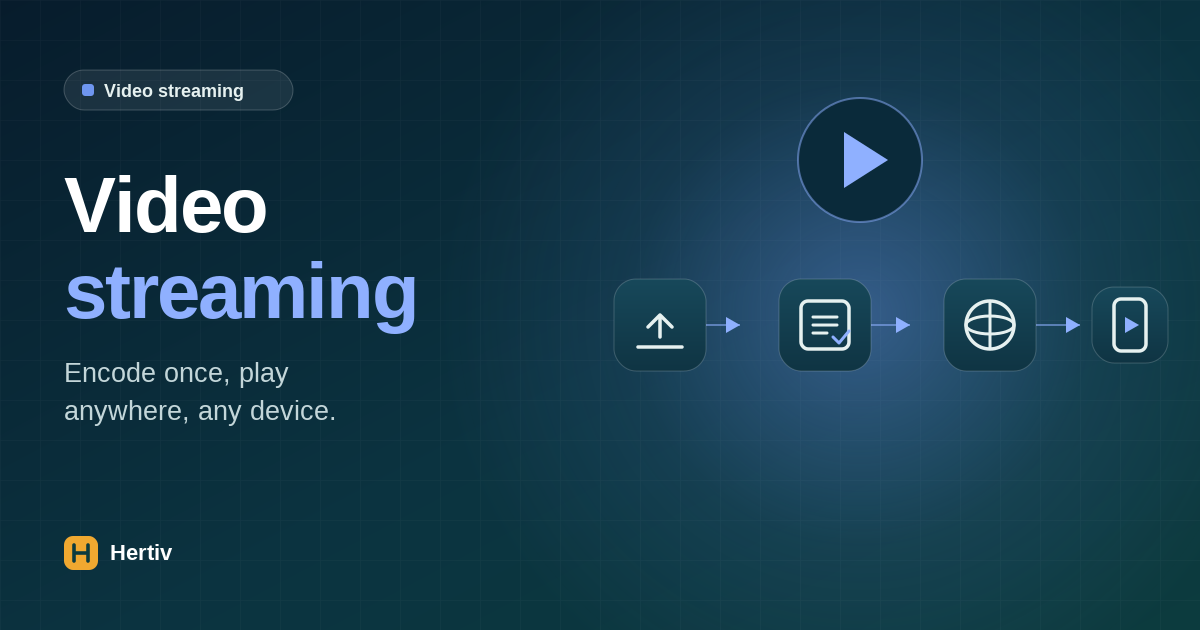
Video streaming works by encoding each video into several quality levels, splitting it into short segments, and sending the segments to the viewer through a content delivery network. The player switches quality up or down as the connection changes.
When a video is uploaded, an encoding service creates versions at several resolutions, such as 480p, 720p and 1080p, and several bitrates. Each version is cut into segments of a few seconds, and a manifest file tells the player where each segment lives.
A content delivery network copies those segments to servers close to viewers, so a viewer in another city does not wait on a single origin server. This is what keeps playback smooth when thousands of people press play at once.
Adaptive bitrate is the key trick. The player measures the connection every few seconds and picks the best quality that will not stall. A viewer on a fast home connection gets 1080p, while the same viewer on a train drops to 480p without the video stopping.
Digital rights management protects the content. The video segments are encrypted, and the player requests a licence key only after the app confirms the viewer has an active subscription.
What features belong in the first version?
The first version of a streaming app should cover watching, finding and paying, and little else. Every extra feature delays launch and adds cost.
Watching means a reliable player with adaptive quality, resume from where you stopped, and subtitles. Finding means search, categories and a watchlist, so viewers can return to something they saved. Paying means a subscription with a free trial and a clear cancel flow.
Profiles matter when more than one person shares an account. Even a simple version, with two or three named profiles and separate watchlists, makes the app feel finished.
Leave out the rest for now: offline downloads, live channels, social features and a recommendations engine are all valuable, but they are also the features that take the most time to build well. A minimum viable product mindset keeps the first version shippable.
The admin side needs one solid tool: a way to upload a video, add a title, description and thumbnail, and publish it to a category. If the team cannot publish without a developer, the catalogue will stall.
What does the tech stack look like?
The tech stack for a streaming app has four layers: the apps, the API and catalogue, the video pipeline, and the delivery network. Each layer can be bought or built, and buying is usually cheaper at the start.
The apps are the viewer-facing part: web, iOS and Android players, plus a TV app if the audience watches on a big screen. A single codebase with a cross-platform framework can cover the first two, while the TV app often waits for the second release.
The API and catalogue sit behind the apps. They store titles, descriptions, categories and watch history, and they check the subscription before the player is given a playback link. This layer is a normal backend service, and it is the easiest part to build.
The video pipeline is the specialist part. Encoding, storage and delivery are usually bought from a cloud video service rather than built from scratch, because building an encoder that handles every device is a project on its own. For a first version, a managed video service plus a content delivery network is the pragmatic choice.
Payments run through a subscription billing provider, which handles cards, renewals and failed payments. Do not build billing yourself; the edge cases around renewals and refunds will consume the team.
How do you build a streaming app, step by step?
You build a streaming app in steps, starting with the catalogue and the player, then adding payments and polish. Each step should be testable before the next one starts.
- Define the audience and catalogue. Pick one audience, one content type and a launch library of 20 to 50 titles. Decide what makes it different from the big platforms.
- Set up the video pipeline. Choose an encoding and delivery service, upload a few test videos, and confirm playback works on a phone and a laptop.
- Build the catalogue and player. Create the browse, search and watch screens, with resume and subtitles. Test on slow connections, not only on office wifi.
- Add accounts and payments. Sign up, sign in, profiles and one subscription plan, with a trial and a cancel flow that actually works.
- Build the admin tool. Upload, title, thumbnail and publish, so the content team can run the catalogue without developers.
- Test, launch small, then grow. Invite a small group, fix the playback issues they find, then open up. Watch the delivery bill closely in the first month.
Keep a checklist through the build so nothing is missed at launch. A mobile app development checklist covers the store, testing and release steps that teams usually forget.
Example: a cooking-video startup plans its budget
Example (hypothetical): a cooking-video startup plans a first version with 40 videos, a web and mobile app, and one subscription plan. The team is four people working for four months at $65 an hour.
The build cost is 4 people × 160 hours × $65 × 4 months = $166,400. Design adds $10,000 and testing adds $8,000, which brings the total to $184,400.
The team adds a 15% reserve for fixes and changes, which is $184,400 × 0.15 = $27,660. The full planning budget is therefore $184,400 + $27,660 = $212,060.
Running costs are separate: video storage and delivery depend on how much people watch, so the team budgets for delivery as a monthly cost that grows with viewers, and reviews it every month against subscriber numbers.
What are the common mistakes?
The most common streaming app mistakes are building too much before launch, ignoring slow connections and underestimating delivery costs.
- Too many features. Recommendations, offline mode and live channels can all wait. Launch with watching, finding and paying.
- Testing only on fast wifi. Most viewers watch on mobile networks. Test playback at low speeds and on older phones.
- No delivery budget. Video delivery is the largest running cost. Model it per viewer hour before launch, and set alerts when it spikes.
- Weak content pipeline. A beautiful app with ten videos will not retain anyone. Secure the launch library before building the player.
- Ignoring rights. Every video needs a clear licence. Sort the rights before encoding, not after the catalogue is live.
Key takeaways
- A streaming app is a catalogue, a video pipeline, a player and a subscription
- Adaptive bitrate and a delivery network are what keep playback smooth
- The first version should cover watching, finding and paying, and little else
- Buy the video pipeline and billing; build the catalogue and apps
- Model delivery cost per viewer hour before launch
Frequently asked questions
Do I need to build my own video encoder?
No. For a first version, use a managed video service that encodes, stores and delivers video. Building an encoder that handles every device and connection is a specialist project, and a managed service is cheaper until you have real scale.
How much content do I need to launch?
A launch library of 20 to 50 titles in one niche is a good target. It gives viewers enough to browse without overwhelming the team, and it leaves room to add new titles every week, which is what keeps subscribers around.
What is adaptive bitrate streaming?
It is a technique where the player switches between quality levels as the connection changes. The video is encoded at several resolutions and cut into short segments, so the player can drop to a lower quality instead of stopping when the connection slows.
Can a small team build a streaming app?
Yes, if the scope is narrow. A team of three or four can ship a first version in four to six months by buying the video pipeline and billing, and focusing on the apps, the catalogue and the content. The content library, not the code, is usually the harder part.
How do streaming apps make money?
Most charge a monthly subscription, sometimes with a free trial. Some add advertising or pay-per-view for special content. A subscription fits a catalogue that grows regularly, while pay-per-view fits one-off events or premium titles.
What is the biggest running cost of a streaming app?
Video delivery, which is the bandwidth used to send video to viewers. It grows with viewing hours, so model it per viewer hour and watch it monthly. Storage is usually a smaller cost unless the catalogue is very large.


