How to Build an Agentic Coding System That Ships Code
An agentic coding system splits a coding task across planner, coder, reviewer and tester agents. Here is how to build one that produces code your team can trust.
On this page
Short answer
An agentic coding system is a set of AI agents that plan, write, review and test code together, passing work between them with shared memory. Start with one small task, give the coder a sandbox it cannot leave, cap retries at three per step, and keep a human reading every diff before it merges.
What is an agentic coding system?
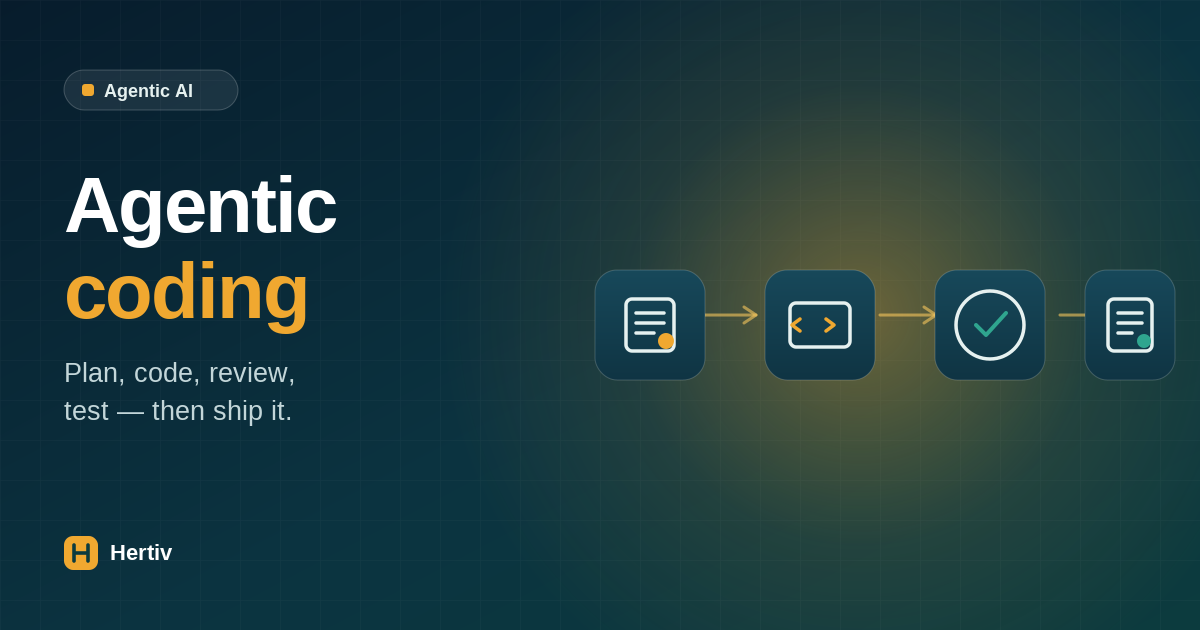
An agentic coding system is a set of AI agents that plan, write, review and test code together, instead of one assistant answering one prompt at a time. A planner breaks the task into steps, a coder writes the code, a reviewer checks it, and a tester runs it. The system passes work between agents until the code is ready for a human to review.
The difference from a single coding assistant is memory and handoffs. Each agent keeps the plan, the code so far and the test results, so the next agent starts from the state of the work, not from a fresh prompt. The human stays in charge: the system proposes changes, and a person approves them before they reach the main branch.
If you are choosing between styles, agentic coding vs vibe coding explains when each workflow fits.
What parts does an agentic coding system need?
The system needs five parts, and each agent needs a clear job. If two agents both think they own the plan, the system will argue with itself instead of shipping code.
| Agent | Job | What it hands over |
|---|---|---|
| Planner | Breaks the task into small steps with a check for each | A step list with acceptance checks |
| Coder | Writes code for one step at a time in the sandbox | A code change per step |
| Reviewer | Reads the change for bugs, style and security gaps | A review note with fixes |
| Tester | Runs the tests and reports what passed and failed | A test report per change |
| Tools and memory | Gives agents the repo, docs and past results | Shared state for every agent |
The tools matter as much as the agents. The coder needs a sandbox where it can run code safely, and the tester needs the real test suite. Without these, the agents will describe code instead of proving it works.
How do the agents work together?
The agents work in a loop, and the loop has a clear exit. The planner writes the steps, the coder takes the first step, the reviewer checks the change, and the tester runs the tests. If a test fails, the work goes back to the coder with the failure message. If it passes, the system moves to the next step.
The loop stops in three ways: all steps pass their checks, the coder fails the same step three times, or a human stops it. The second stop matters most. A system that retries forever will burn time and produce worse code with each try. When the loop stops early, it hands the human a short note: what is done, what failed, and what it tried.
How to build an agentic coding system in 6 steps
Build the system in six steps, starting with one agent and one task. A system that tries to do everything on day one will be hard to debug and harder to trust. Multi-agent systems follow the same pattern at larger scale, with more agents and shared state.
- Pick one small task. Choose a task with a clear result, such as adding a form field or fixing a known bug, and write down what done looks like.
- Build the planner first. Give it the repo map and the task, and ask it to produce steps with a check for each. Review the plan by hand before any code is written.
- Add the coder with a sandbox. The coder writes code in an isolated copy of the repo and can run commands, but it cannot push or deploy.
- Add the reviewer. The reviewer reads each change for bugs and security gaps, and sends problems back to the coder with a clear note.
- Add the tester. Connect the real test suite, and make the tester report pass and fail counts for every change.
- Add memory and limits. Store the plan, the changes and the test results where every agent can read them, and cap retries, time and tool calls per task.
Example (hypothetical): adding a login endpoint
Example (hypothetical): a team asks the system to add a login endpoint to a small web service. The planner breaks the work into six steps: route, validation, password check, session token, error handling and tests. The coder writes the route and validation first, the reviewer asks for a rate limit, and the tester writes 12 checks.
Eleven of the 12 checks pass. The one failure is a missing error message for a wrong password, which the coder fixes in one more pass. The whole job takes about 2 hours, including 45 minutes of human review. Doing it by hand would have taken about 6 hours, so the system saves roughly 4 hours — but only because the human checked the plan and the final diff.
The team ships the endpoint the same day. The win is not speed alone: the review note, the test report and the plan are all stored, so the next person to touch the endpoint can see why it was built that way.
What are the common mistakes?
The most common mistakes are giving the system too much freedom, skipping the sandbox, and trusting output nobody reviewed.
- No sandbox. Code that runs on a real machine can delete data or change production.
- Vague tasks. A task without a clear result produces code that looks done but is not.
- No retry cap. A system that retries forever burns time and makes the code worse.
- Skipping the reviewer. Code without review reaches the main branch with bugs nobody saw.
- One agent doing everything. A single agent that plans, codes and tests will cut corners.
- No shared memory. Agents that cannot see past results repeat the same mistakes.
Most of these come from treating the system as a programmer instead of a junior assistant. It is fast and tireless, but it still needs a plan, a sandbox and a human who reads the diff.
How do you test and trust the output?
Trust the output by checking it the same way you check a colleague's code. Read the diff, run the tests, and ask the system to explain any change you do not follow. If it cannot explain a change, do not merge it.
Keep an evaluation set of small tasks with known good results, and run the system against it after every change to the prompts or tools. If the pass rate drops, the change was a step back. For teams setting up the wider workflow, AI agent development covers the evaluation and guardrail patterns that keep agents useful.
Cost is part of the decision too: what an AI coding agent costs to develop breaks down the build and running costs.
Key takeaways
- An agentic coding system splits work across planner, coder, reviewer and tester agents with shared memory
- Start with one small task and one agent, then add the rest
- The coder works in a sandbox and cannot push or deploy on its own
- Cap retries at three per step; after that the problem needs a human
- An evaluation set of small tasks shows whether the system is improving
Frequently asked questions
What is the difference between an agentic coding system and a coding assistant?
A coding assistant answers one prompt at a time. An agentic system splits a task across agents that plan, write, review and test, passing work between them with shared memory. The system handles multi-step work; the assistant handles single questions.
Do we still need developers if we build one?
Yes. The system writes drafts and runs tests, but a developer plans the work, reviews the diff and owns the result. Teams that remove the human review step ship bugs faster, not better code.
How long does it take to build?
A small system for one task can take a few weeks: a planner, a coder in a sandbox, a reviewer and a tester. Connecting it to a large codebase, adding memory and building an evaluation set take longer, so start narrow and expand.
What does the sandbox protect against?
It keeps the agent's code away from real systems. The agent can run commands and tests in an isolated copy of the repo, but it cannot reach production, delete data or push code. Anything it produces is reviewed before it leaves the sandbox.
How do we know if the system is getting better?
Keep an evaluation set of small tasks with known good results and run the system against it after every change. If the pass rate rises and the review notes get shorter, the system is improving. If it drops, the last change was a step back.
Can it work on any programming language?
It works best on languages with good test tooling and clear project structure, since the tester needs to run checks automatically. The pattern is the same across languages, but the tools, prompts and review rules need to fit each one.


