8 Sales Force Automation Tools Compared for Growing Teams
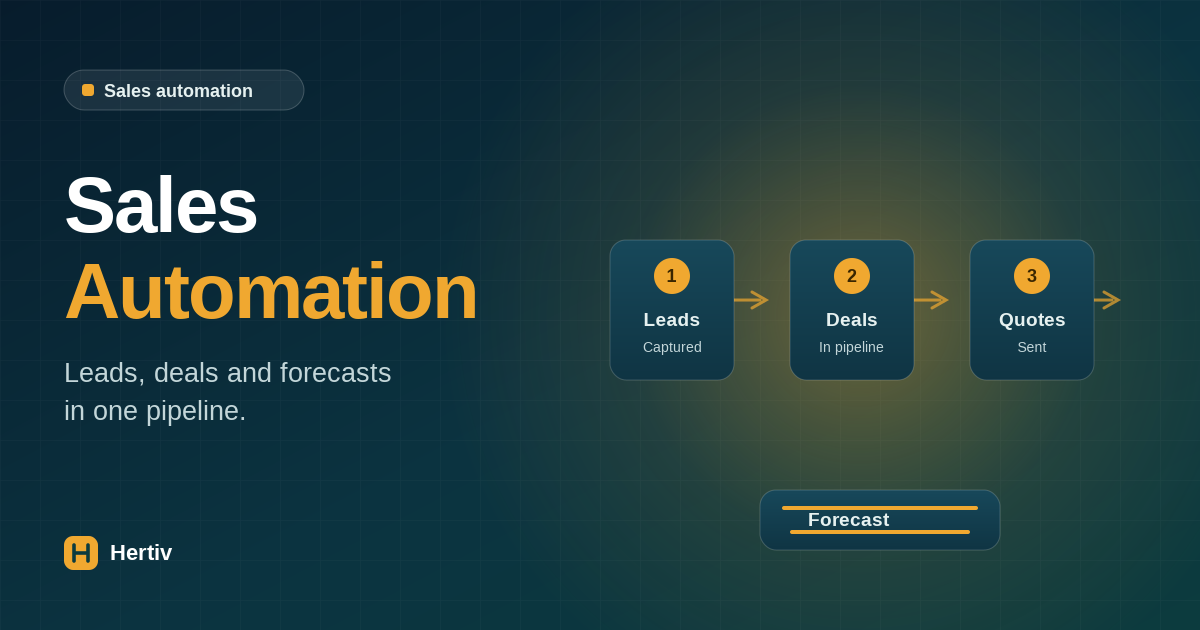
Sales force automation software runs the sales process: leads, deals, follow-ups, quotes and forecasts. Here are eight tools compared for growing teams.
On this page
Short answer
The best sales force automation software for a growing team is the CRM that your reps will actually use: Salesforce Sales Cloud and HubSpot Sales Hub lead on depth and ease, Pipedrive and Close suit small teams that live in the pipeline, and Zoho CRM, Freshsales, Copper and Insightly cover the middle ground. Pick the one whose workflow matches how your team sells.
Which sales force automation tools should growing teams compare?
Growing teams should compare sales force automation tools on the sales workflow, not on the feature count. The tool has to run the process your team follows: lead capture, deal stages, follow-up reminders, quotes and forecasting. A tool that fights that process will be abandoned, however long its feature list is.
Use this table to shortlist. Pricing is vendor-quoted for most of these tools, so check the vendor site for current plans.
| Tool | Core strength | Best for | Pricing |
|---|---|---|---|
| Salesforce Sales Cloud | Depth, customisation, ecosystem | Large or complex sales teams | See vendor site |
| HubSpot Sales Hub | Ease of use, marketing link | Teams that want fast adoption | See vendor site |
| Pipedrive | Visual pipeline, simplicity | Small teams living in the pipeline | See vendor site |
| Zoho CRM | Value, wide feature set | Cost-conscious growing teams | See vendor site |
| Freshsales | Built-in phone and email | Teams that call and email daily | See vendor site |
| Close | Calling and email in one place | Outbound-heavy small teams | See vendor site |
| Copper | Google Workspace integration | Teams living in Gmail and Drive | See vendor site |
| Insightly | CRM plus project delivery | Teams that sell and deliver | See vendor site |
Start with two or three tools, not eight. Run a trial with real deals and real reps for two weeks, and keep the one your reps update without being chased. For the AI side of sales automation, best AI tools for sales automation covers the AI add-ons that sit on top of these CRMs.
Salesforce Sales Cloud and HubSpot Sales Hub: best for depth and adoption
1. Salesforce Sales Cloud: best for large or complex sales teams
Salesforce Sales Cloud is the most capable sales force automation platform, and the most customisable. It covers leads, opportunities, quotes, forecasting, territory management and partner sales, and its AppExchange marketplace adds almost any integration a team could want. It is the right pick when your sales process has many stages, many teams, or strict reporting needs.
The trade-off is complexity and cost. Salesforce needs configuration and usually an administrator, and its pricing is quote-based for larger plans. A small team that does not need that depth will find it heavier than it needs.
- Pros: deepest feature set and customisation; huge integration ecosystem; strong forecasting and reporting
- Cons: needs configuration and admin time; pricing is quote-based for larger teams
2. HubSpot Sales Hub: best for teams that want fast adoption
HubSpot Sales Hub is the easiest of the full-featured CRMs to adopt. It covers the same ground as Salesforce — deals, pipelines, email tracking, meeting booking, quotes and forecasting — but with a simpler interface and a free tier that small teams can start on. Its link to HubSpot's marketing tools is a real advantage when sales and marketing share leads.
HubSpot gets expensive as you add seats and premium features, and its reporting is less flexible than Salesforce at the top end. For a growing team that values adoption over depth, it is usually the safer pick.
- Pros: fast adoption and a free tier; strong marketing integration; clean interface reps actually use
- Cons: costs rise with seats and premium features; reporting is less flexible than Salesforce
Pipedrive and Zoho CRM: best for pipeline focus and value
3. Pipedrive: best for small teams living in the pipeline
Pipedrive is built around the visual pipeline: deals move across stages by dragging, and the tool keeps the focus on the next action for each deal. It covers leads, activities, email and basic automation without the weight of a full enterprise CRM. It suits small teams that sell by moving deals through clear stages.
Pipedrive is deliberately simple, so teams that need complex reporting, territory management or partner sales will outgrow it. For a team of a handful of reps, that simplicity is the point.
- Pros: clear visual pipeline; fast to set up; reps update it without being chased
- Cons: limited depth on reporting and complex sales processes; fewer native integrations
4. Zoho CRM: best for cost-conscious growing teams
Zoho CRM covers the full sales process — leads, deals, quotes, forecasting, workflow automation — at a lower price than Salesforce or HubSpot. It is part of the wider Zoho suite, so teams that already use Zoho for email, finance or support get a connected stack. It suits growing teams that want depth without the enterprise price.
The interface is busier than HubSpot's, and the ecosystem is smaller than Salesforce's. Teams that value polish over price may prefer HubSpot; teams that value price over polish will find Zoho hard to beat.
- Pros: wide feature set for the price; workflow automation included; connected Zoho suite
- Cons: busier interface than HubSpot; smaller integration ecosystem than Salesforce
Freshsales and Close: best for teams that call and email daily
5. Freshsales: best for teams that call and email daily
Freshsales, from Freshworks, builds phone and email into the CRM, so reps can call, log and follow up without switching tools. It covers leads, deals, campaigns and basic AI scoring, and it suits teams whose day is mostly calls and emails rather than complex deal management.
Freshsales is less deep on forecasting and enterprise reporting than Salesforce or HubSpot. For a team that lives on the phone, the built-in calling is worth more than that depth.
- Pros: phone and email built in; good value for calling teams; simple to learn
- Cons: less depth on forecasting; smaller ecosystem than the big two
6. Close: best for outbound-heavy small teams
Close is built for outbound sales: calling, email and SMS live inside the CRM, with power dialling and sequences that keep reps on the phone. It is the most focused tool on this list, and it suits small teams whose pipeline comes from outbound prospecting rather than inbound leads.
Close is narrow by design. Teams that need marketing integration, complex quotes or partner management will need other tools alongside it. For an outbound team, that narrowness is a strength.
- Pros: calling, email and SMS in one place; built for outbound volume; very fast for reps
- Cons: narrow scope; needs other tools for marketing and complex quoting
Copper and Insightly: best for Google teams and sell-and-deliver teams
7. Copper: best for teams living in Google Workspace
Copper is a CRM built inside Google Workspace: it reads Gmail, Calendar and Drive, and it keeps the sales record where the team already works. It covers leads, deals, tasks and basic automation, and it suits small teams that live in Gmail and do not want a separate CRM window open all day.
Copper is simpler than Salesforce or HubSpot, and its reporting is basic. For a Google-first team, the integration is worth more than the missing depth; for anyone else, it is the wrong pick.
- Pros: deep Google Workspace integration; minimal data entry; quick to adopt
- Cons: simpler reporting; only a good fit for Google-first teams
8. Insightly: best for teams that sell and deliver
Insightly combines CRM with project management: after a deal closes, the same record becomes a project with tasks, milestones and delivery tracking. It suits agencies, services firms and any team where the people who sell also deliver the work.
Insightly is less deep on pure sales automation than Salesforce or HubSpot, and its sales reporting is simpler. For a sell-and-deliver team, the handover from deal to project is the feature that matters most.
- Pros: CRM plus project delivery in one record; smooth deal-to-project handover; good for services firms
- Cons: less depth on sales reporting; smaller ecosystem than the big CRMs
How to choose sales force automation software
Choose sales force automation software by matching it to how your team actually sells, not to the longest feature list. The best tool is the one your reps update without being chased.
- Map your sales process first. Write down your stages, from first contact to signed deal, and the actions at each stage.
- Shortlist by workflow fit. Pick the tools whose pipeline, calling and quoting match that process, not the ones with the most features.
- Trial with real deals. Run two weeks with real reps and real deals; watch whether the pipeline stays current.
- Check the total cost. Add seats, premium features and integrations, and compare the full price, not the headline plan.
- Plan the migration. Budget time to move contacts, deals and history, and to train the team on the new workflow.
Sales automation connects to the wider sales stack. AI agents for sales covers the agent layer that sits on top of the CRM, from research to follow-up drafting.
What are the common mistakes?
The most common sales force automation mistakes are buying for features instead of workflow fit, and underestimating the migration.
- Buying for features. A tool with fifty features your team never uses is worse than a simple one they use daily.
- Skipping the trial. A demo does not show whether reps will keep the pipeline current.
- No migration plan. Contacts, deals and history take time to move, and a bad migration kills trust in the new tool.
- Too many fields. A deal form with twenty required fields is a form reps will avoid filling in.
- No owner. Without someone owning the CRM, the pipeline drifts and the forecast stops meaning anything.
- Ignoring the total cost. Seats, premium features and integrations add up; the headline plan is rarely the real price.
Key takeaways
- Pick the CRM whose workflow matches how your team sells, not the longest feature list
- Salesforce leads on depth; HubSpot leads on adoption and marketing integration
- Pipedrive and Close suit small teams that live in the pipeline or on the phone
- Zoho CRM gives the widest feature set for the price; Freshsales builds calling in
- Copper fits Google-first teams; Insightly fits teams that sell and deliver
- Trial with real deals for two weeks and watch whether the pipeline stays current
Frequently asked questions
What is sales force automation software?
Sales force automation software runs the sales process: lead capture, deal stages, follow-up reminders, quotes and forecasting. It is usually the CRM, and it replaces spreadsheets and memory with a shared pipeline the whole team can see.
Which sales force automation tool is best for a small team?
Pipedrive and Close suit small teams that live in the pipeline or on the phone, while HubSpot Sales Hub suits teams that want a free tier and fast adoption. The right pick depends on whether your team sells inbound, outbound, or both.
Is Salesforce too complex for a growing team?
It can be. Salesforce is the most capable platform, but it needs configuration and usually an administrator. A growing team that does not need that depth will move faster with HubSpot or Zoho CRM, and can move to Salesforce later.
How much does sales force automation software cost?
Most tools are quote-priced or tiered by seats and features, so check the vendor site for current plans. Compare the total cost, including premium features and integrations, not just the headline plan.
Do I need a CRM if I already use spreadsheets?
Yes, once the team grows past a handful of reps. Spreadsheets cannot track follow-ups, forecast reliably, or show the whole pipeline at a glance. A CRM keeps the sales record in one place that everyone can trust.
What is the difference between SFA and AI sales tools?
Sales force automation is the CRM that runs the process: deals, stages, quotes and forecasts. AI sales tools sit on top of it, drafting follow-ups, scoring leads and researching accounts. You need the CRM first.


