What Is the Best AI Tool for Sales Automation?
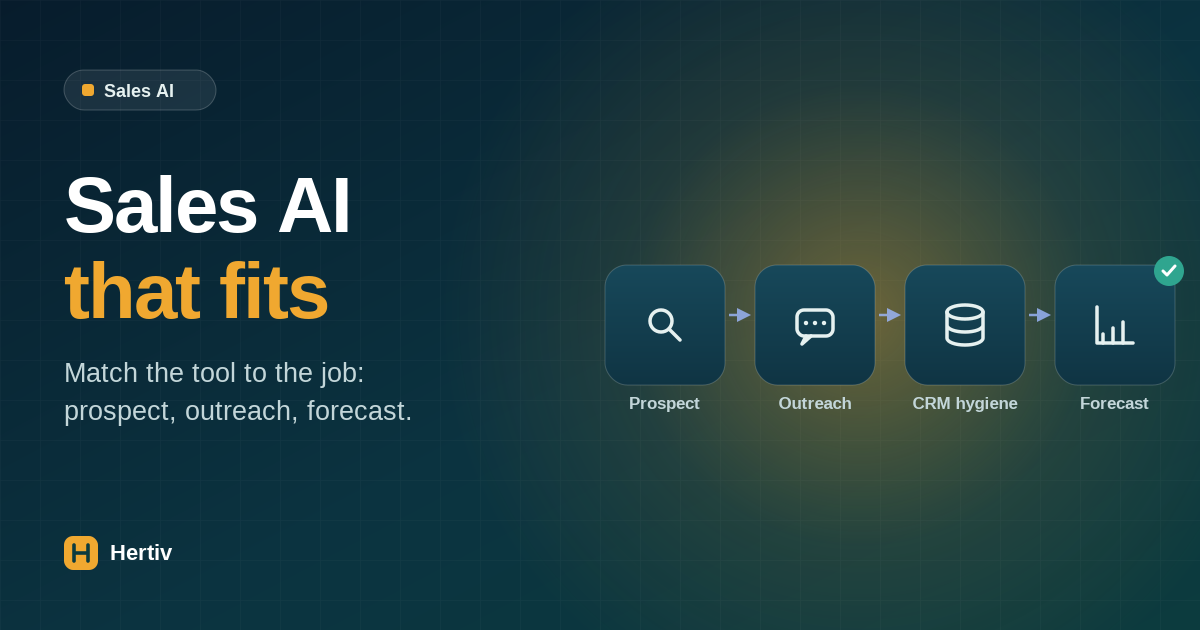
There is no single best AI sales tool. Match the tool to the job: prospecting, outreach, CRM hygiene, call intelligence or forecasting. Here is how to choose.
On this page
Short answer
There is no single best AI tool for sales automation. The right choice depends on which sales task you are automating: prospecting, outreach sequencing, CRM data hygiene, call intelligence, forecasting or deal support. Most teams need two or three tools that connect to the CRM, not one platform that claims to do everything.
Which sales tasks can AI tools actually automate today?
Sales automation in practice means a handful of distinct jobs, and each has different tooling. The most common are: finding and enriching prospect data, running outreach sequences, keeping CRM records clean, transcribing and analysing calls, scoring and prioritising leads, and forecasting pipeline.
The table below maps the job to what the tool does, the data it needs and the effort to adopt it. Effort assumes an existing CRM with reasonable data.
| Use case | What the tool does | Typical data needed | Effort |
|---|---|---|---|
| Prospecting | Finds and enriches contacts and accounts | ICP definition, firmographics | Low |
| Outreach sequencing | Sends and manages multi-step email and LinkedIn cadences | Contact list, email domain setup | Low to medium |
| CRM hygiene | Deduplicates records, fills missing fields, logs activity | CRM access and field rules | Medium |
| Call intelligence | Transcribes calls, extracts objections, scores conversations | Call recordings, consent basis | Medium |
| Lead scoring | Ranks inbound and outbound leads by fit and intent | Historical won/lost data | Medium |
| Forecasting | Predicts pipeline outcomes from activity and stage data | Full CRM history | High |
| Deal support | Drafts follow-ups, summaries and proposals | CRM notes, call transcripts, templates | Low |
Most teams get the fastest return from outreach and deal support, because those tools need little historical data. Forecasting and lead scoring need enough closed deals to learn from, so they come later.
Prospecting and data enrichment tools
These tools build the list before anyone writes an email. They search databases, enrich records with firmographic and contact data, and verify email addresses so outreach does not bounce.
1. Apollo: best for all-in-one prospecting and outreach
Apollo combines a contact database with sequencing and CRM sync. Teams use it when they want one tool for finding contacts and starting outreach.
Pros - Large database plus built-in sequences - Free tier to test data quality
Cons - Data accuracy varies by region and industry - Deliverability depends on your domains, not the tool
2. ZoomInfo: best for enterprise account data
ZoomInfo is widely used for account and contact intelligence in larger sales organisations. It suits teams with defined territories and named-account strategies.
Pros - Deep firmographic and technographic data - Integrates with most major CRMs
Cons - Expensive relative to startup-focused tools - Data can lag in fast-moving sectors
3. Clay: best for custom enrichment workflows
Clay lets teams combine multiple data sources and AI steps into enrichment workflows. It suits operations-minded teams who want control over how records are built.
Pros - Flexible multi-source enrichment - AI steps for research and personalisation
Cons - Requires setup and maintenance - Cost grows with volume of lookups
Outreach and CRM automation tools
Outreach tools send and manage sequences; CRM automation tools keep records accurate so the rest of the stack works. They solve different problems and should be judged differently.
4. Outreach: best for structured sales sequences
Outreach manages multi-channel cadences, tasks and rep activity. It fits teams with a defined sales process that needs enforcement.
Pros - Strong sequencing and activity tracking - Reporting on rep and sequence performance
Cons - Setup and admin overhead - Deliverability risk rises with volume
5. Salesloft: best for coaching alongside cadences
Salesloft pairs sequencing with conversation and coaching features. It suits managers who want cadence execution and rep development in one place.
Pros - Cadences plus call review - Good integration with major CRMs
Cons - Overlap with call intelligence tools - Configuration takes time
6. HubSpot: best for teams already on the CRM
HubSpot's AI features sit inside its CRM and marketing tools. Teams already using HubSpot get automation without adding another system.
Pros - Automation, email and CRM in one place - Easier data consistency
Cons - Less depth than specialist tools in some areas - Best value only if you use the wider platform
Call intelligence and forecasting tools
These tools learn from conversations and pipeline history. They need access to recordings or a complete CRM history, so they deliver less on partial data.
7. Gong: best for conversation intelligence
Gong records and analyses sales calls, extracting topics, objections and next steps. It suits teams that want coaching insight from real conversations.
Pros - Detailed call analytics - Widely integrated with CRMs and meeting tools
Cons - Requires clear consent and recording policy - Cost scales with seats
8. Clari: best for pipeline and forecast accuracy
Clari analyses pipeline data to flag at-risk deals and improve forecasts. It fits revenue teams with enough CRM history to model on.
Pros - Forecast and pipeline visibility - Surfaces stalled deals
Cons - Value depends on CRM data quality - Implementation takes effort
9. Salesforce Einstein: best for teams on Salesforce
Einstein brings predictions and generative features into Salesforce. It suits organisations already standardised on the platform.
Pros - Native to the CRM of record - No separate data pipeline
Cons - Feature availability varies by edition - Requires clean CRM data to be useful
When you need a custom sales agent instead of a tool
Off-the-shelf tools cover standard jobs well. A custom agent makes sense when your process crosses systems, follows company-specific rules, or must act rather than suggest.
Example (hypothetical): a distributor has 40 account managers. Each spends about five hours a week compiling order history, past emails and support tickets before a renewal call. An agent that gathers those records and drafts a briefing could save a few hours per rep per week, but only if the CRM, ERP and support desk are connected and permissions are handled.
The arithmetic matters less than the dependency: without connected data, the agent produces confident but wrong briefings.
Custom agent work is worth it when: - The workflow spans three or more systems. - Rules are specific to your pricing, approvals or compliance. - You need the agent to take actions, not just summarise.
Build these with proper logging and human approval steps. See AI agents for sales teams for the patterns that hold up in production, and agentic AI development for how workflows are designed safely.
How to choose a sales automation tool
Choose by task first, then by fit with your CRM and data. The order below avoids buying a platform before you know what it must do.
- Pick the one task that costs the most time. Interview reps and managers, then rank tasks by hours lost per week.
- Check your CRM data quality. If records are incomplete or duplicated, fix that first; every AI tool depends on it.
- Shortlist two or three tools for that task. Confirm CRM integration, permission model and data processing terms.
- Run a measured pilot with one team for a quarter. Define the success metric before you start, such as hours saved or forecast error.
- Review deliverability, consent and data residency before scaling. Outreach volume and call recording carry legal and reputational risk.
Budget depends on seats, volume and integration work; typical ranges vary widely by scope. The AI project cost calculator helps frame a first estimate.
Common mistakes when buying sales AI
Most failed purchases come from process and data problems, not from the tool itself. These are the patterns worth avoiding.
- Buying a platform before defining the task. A broad suite rarely fixes an undefined workflow.
- Ignoring CRM hygiene. Duplicate accounts and missing fields make scoring and forecasting unreliable.
- Scaling outreach volume too fast. Deliverability and brand damage follow quickly and recover slowly.
- Recording calls without a clear policy. Consent and retention rules differ by market.
- Skipping the pilot metric. Without a baseline, you cannot tell whether the tool helped.
- Letting agents act without approval. For pricing, discounts and commitments, keep a human in the loop.
If the gap is your data foundation rather than the tool, an AI readiness assessment is a faster starting point than another licence.
Key takeaways
- Sales automation is a set of jobs, not one job; pick tools per task and connect them to your CRM of record.
- Data quality in the CRM limits what any AI tool can do; fix record hygiene before adding automation.
- Outreach tools are mature but carry deliverability and compliance risk; review them before scaling volume.
- Call intelligence and forecasting tools deliver value only when they see your full pipeline data.
- Start with one task where you can measure time saved or pipeline accuracy within a quarter.
Frequently asked questions
Is there one AI tool that does all sales automation?
No single tool covers prospecting, outreach, call intelligence and forecasting equally well. Most teams run a CRM plus two or three specialist tools. Choose the combination that matches your sales process and integrates cleanly with your CRM of record.
How long does it take to see results from sales AI tools?
Outreach and deal-support tools can show time savings within weeks if your contact data is clean. Lead scoring and forecasting need enough closed deals to learn from, so allow a quarter or more before judging accuracy.
What data do I need before buying a sales AI tool?
At minimum, a CRM with consistent account and contact records, a defined sales process with clear stages, and a consent basis for call recording and email outreach. Weak CRM data undermines every AI feature built on top of it.
Are AI outreach tools risky for email deliverability?
Yes. Automated volume sent from a shared or poorly configured domain can damage sender reputation. Use separate sending domains, warm them up gradually, verify addresses before sending, and keep volume aligned with what a human would reasonably send.
When should we build a custom sales agent instead of buying?
Build when the workflow spans several systems, follows company-specific rules, or must take actions like updating records or drafting proposals. Buy when the task is standard, such as sequencing, enrichment or call transcription.
How do we measure whether a sales AI tool is worth keeping?
Set a baseline before the pilot: hours spent per task, reply and meeting rates, forecast error or data completeness. Review against that baseline after one quarter. If the metric has not moved, the tool or the process around it needs changing.


