What Are the Benefits of Angular for Business?
Angular gives business teams a complete framework with TypeScript, built-in tooling and long-term support. Here are the benefits that matter when you choose it.
On this page
Short answer
Angular is a full web framework from Google that ships with TypeScript, a component model, routing, forms and testing tools in one package. For a business, the benefit is predictability: one way to build, one toolchain, and long-term support that keeps large apps maintainable for years.
What is Angular and why do businesses use it?
Angular is a web framework from Google for building single-page applications. It is a complete framework rather than a library: it ships with routing, forms, HTTP, dependency injection and testing tools, so a team does not need to assemble those pieces from separate packages.
Businesses use Angular for products that must last. Admin dashboards, internal tools, banking portals and enterprise software all share the same need: a large codebase worked on by many developers over several years. Angular's opinionated structure means a new developer can read the codebase and know where things live, because the framework decides the layout.
Angular is written in TypeScript, which adds types to JavaScript. Types catch a class of errors before the code runs, and they make refactoring safer, which matters most in a codebase that will be changed by many people over time. The framework also has a clear release schedule with long-term support versions, so teams can plan upgrades instead of reacting to them.
It is not the right choice for every product. A small marketing site or a simple landing page does not need a full framework. Angular earns its place when the product is large, long-lived and worked on by a team. The best frontend frameworks guide compares the main options side by side.
How does TypeScript help a business team?
TypeScript is Angular's biggest day-to-day benefit, because it turns a large share of runtime errors into compile-time errors. A developer who renames a field or changes a function signature gets a clear error in the editor, instead of a bug that a customer finds in production.
For a business, that shows up in three places. First, onboarding is faster: types act as documentation, so a new developer can see what data each part of the app expects without reading every file. Second, refactoring is safer: renaming or restructuring a module produces a list of every place that needs updating. Third, the codebase stays readable as it grows, because the types describe the shape of the data at every boundary.
TypeScript also helps with hiring. Developers who know TypeScript can move between Angular projects with little ramp-up, and the type system makes code review faster because the reviewer can see the intended data shapes. None of this is visible to the end user, but it is visible in the team's speed after the first year.
The trade-off is a small amount of extra writing. Types add lines to the code, and strict settings can feel slow at first. Most teams find the cost pays for itself once the codebase passes a few thousand lines.
What does a complete framework buy you?
A complete framework buys you fewer decisions. With a library, the team must choose a router, a form library, a state solution and a testing setup, then keep those choices working together through upgrades. With Angular, those pieces ship together and are tested together.
| Need | With Angular | With a bare library |
|---|---|---|
| Routing | Built in, with lazy loading | Choose and wire a router |
| Forms | Built in, template and reactive | Choose a form library |
| HTTP and data | Built in, with interceptors | Choose a client and patterns |
| Testing | Built in, with the CLI | Choose a runner and setup |
| State | Services, plus NgRx if needed | Choose a state library |
| Upgrades | Guided update tool | Each library upgrades alone |
Fewer decisions means less time spent on plumbing and more time on the product. It also means the codebase looks the same across teams, which matters when a company runs several Angular apps and developers move between them.
The cost is flexibility. If the team wants an unusual architecture, Angular's opinions can get in the way. For most business products, though, the standard architecture is the right one, and the framework's opinions save more time than they cost.
How do Angular's tools speed up delivery?
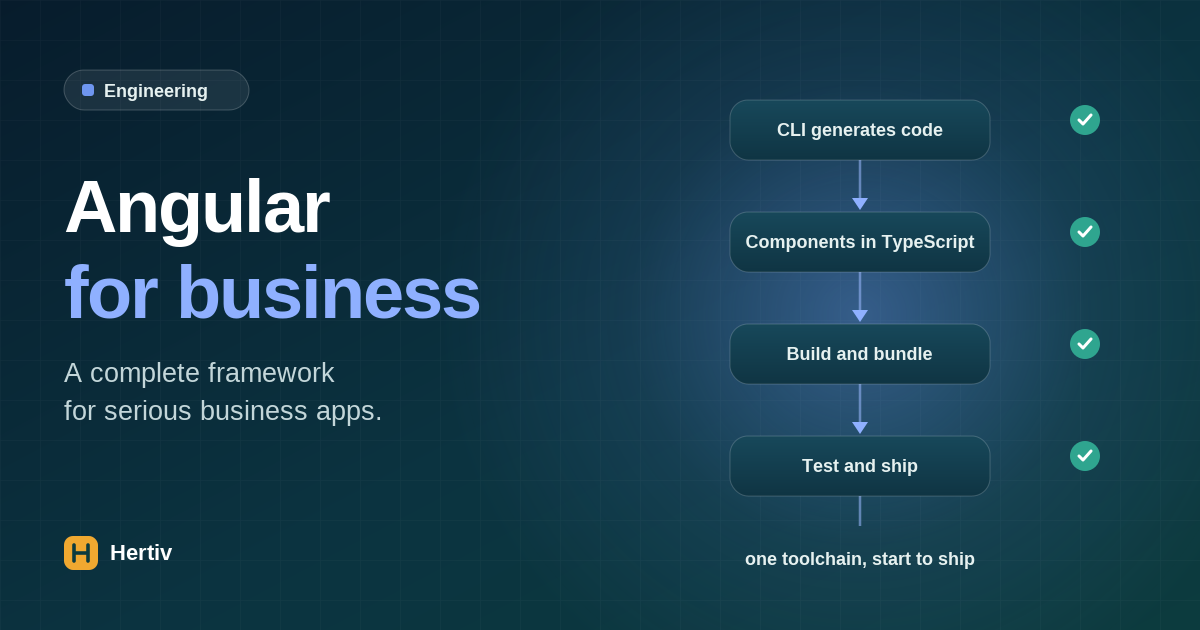
Angular's command-line tool, the CLI, generates code, runs tests and builds the app with one set of commands. That sounds small, but it removes a whole class of setup work that otherwise eats the first weeks of a project.
The CLI generates components, services, modules and guards in the standard layout, so every part of the app is created the same way. It runs the development server, the test runner and the production build, and it handles optimisation such as bundling and tree-shaking without extra configuration. When a new version of Angular ships, the update tool migrates the code and the dependencies together.
Testing is part of the same setup. Angular ships with a test runner and a testing library, and the framework is designed so that components can be tested in isolation. A team that tests from the start catches regressions before they reach users, and the CLI makes running those tests a one-command job.
The practical effect is that a new project reaches a working state quickly, and a large project keeps building and testing the same way from the first month to the fifth year. That consistency is hard to buy with a hand-assembled toolchain.
Why does long-term support matter for business software?
Long-term support matters because business software lives for years. An internal tool built today will still be in use in five years, and the framework behind it must still receive security fixes and a supported upgrade path.
Angular releases a major version every six months, and selected versions receive long-term support, with security fixes for an extended period. Google uses Angular for its own products, which gives the schedule a reason to hold. A team can plan upgrades around the support window instead of discovering that a dependency has been abandoned.
That stability also helps with compliance and procurement. Enterprise buyers often ask which frameworks a product uses and how long they are supported. An answer that names a Google-backed framework with a published support schedule is easier to defend than an answer that names a collection of small libraries.
The comparison with React is the one teams ask about most. The React vs Angular guide covers the differences in detail, but the short version is that React is a library with a large ecosystem, while Angular is a framework with a built-in answer for most needs. Teams that value a single supported stack tend to pick Angular.
Example (hypothetical): rebuilding an admin dashboard in Angular
Example (hypothetical): a logistics company runs an admin dashboard built over four years with a mix of libraries. New developers take weeks to find their way around, and a simple change in one module breaks another. The team decides to rebuild the dashboard in Angular, module by module, over one quarter.
The rebuild takes four developers three months. At $8,000 a month per developer, the cost is 4 x 3 x 8,000 = $96,000. That is the whole rebuild budget, including testing and the staged rollout.
The payoff shows up in the next quarter. The old dashboard needed about 10 hours a week of unplanned fixes; the rebuilt one needs about 4 hours, because the type system catches the errors that used to reach production and the standard layout makes each fix easy to find.
Saving 6 hours a week at $60 an hour is $360 a week, or about $18,700 a year, and the bigger gain is that new features ship faster because developers are no longer afraid to touch the code.
The rebuild also gives the company a codebase it can hand to a new team. Every module follows the same pattern, every service is typed, and the CLI builds and tests the app the same way every time. That is the benefit that does not show up in a feature list, but shows up in every hiring conversation afterwards.
What are the common mistakes?
The most common Angular mistakes are using it for a tiny product, ignoring the upgrade schedule, and letting the codebase drift away from the framework's standard structure.
- Using Angular for a small site. A landing page or a simple brochure site does not need a full framework. The setup cost outweighs the benefit.
- Skipping upgrades. Falling several major versions behind turns a routine upgrade into a rewrite. Upgrade on the support schedule, not when forced.
- Ignoring the style guide. Angular's style guide exists so that every codebase reads the same way. Teams that ignore it lose the onboarding benefit.
- Overusing NgRx. State libraries add power and complexity. Start with services, and add NgRx only when the state genuinely needs it.
- One giant module. A single module for the whole app defeats lazy loading and slows the build. Split by feature from the start.
If the product needs a full web application, a partner for web app development can help set up the Angular project, the testing pipeline and the upgrade plan from the start.
Key takeaways
- Angular is a complete framework from Google, with TypeScript and built-in tooling
- TypeScript catches errors early and makes large codebases safer to change
- The CLI and the standard layout cut setup work and speed up onboarding
- Long-term support and a published release schedule suit software that must last years
- Use Angular for large, long-lived products, not for small short-lived sites
Frequently asked questions
Is Angular better than React for business apps?
Neither is better in general. Angular suits teams that want a complete, opinionated stack with TypeScript, routing, forms and testing built in. React suits teams that want a smaller core and the freedom to choose each piece. The deciding factor is usually the team's taste: one supported stack, or a hand-picked set of libraries.
Is Angular still used in 2026?
Yes. Angular is actively developed by Google, with a major release every six months and long-term support versions. It is widely used for enterprise dashboards, internal tools, banking portals and other large applications, and Google uses it for its own products.
Does Angular work for small projects?
It works, but it is usually more than a small project needs. The framework's value shows in large, long-lived codebases with several developers. For a small site or a simple prototype, a lighter framework or a static site is faster to build and cheaper to run.
How hard is it to learn Angular?
Angular has a steeper learning curve than a small library, because it includes its own concepts: modules, dependency injection, RxJS and the CLI. Developers who know TypeScript pick it up faster. The payoff is that the same knowledge applies to any Angular project, since the structure is standard.
What is Angular's long-term support policy?
Angular ships a major version every six months. Selected versions receive long-term support, with security fixes for an extended period after the standard support ends. Teams plan upgrades around that window, so the app stays on a supported version without emergency rewrites.
Can Angular apps be fast?
Yes, when built well. Angular supports lazy loading, so the browser downloads only the code for the page the user opens, and the production build removes unused code. Performance problems in Angular apps usually come from loading too much data or rendering large lists without virtual scrolling, not from the framework itself.


