What Is Alpha Testing, and How Does It Work?
Alpha testing is in-house testing by the team that built the software, before any outside user sees it. It finds crashes and broken flows, when fixes are cheap.
On this page
Short answer
Alpha testing is in-house testing of software by the people who built it, or by colleagues in the same company, before any outside user sees it. It checks that the main features work, finds crashes and broken flows, and decides whether the software is ready for beta testing with real users.
What is alpha testing?
Alpha testing is in-house testing of software by the team that built it, or by people inside the same company, before any outside user sees it. The software is usually incomplete: some features are missing, the design is rough, and the team expects to find faults.
The point is to catch the worst problems early, when fixes are still cheap. A crash in the main booking flow, a login that fails on one phone model, or a form that loses data are all problems an alpha test should find before a single customer is invited in.
Alpha testing sits between other test stages:
| Stage | Who tests | What it checks |
|---|---|---|
| Unit testing | Developers | Single functions |
| System testing | Test team | The whole product |
| Alpha testing | Internal staff | Real use, in-house |
| Beta testing | Outside users | Real use, in the wild |
Alpha testing is not the same as a code review or a demo. Testers use the software the way a customer would, on real devices and with real data, and they record every fault with the steps to repeat it. How it fits with the other stages is covered in software testing methodologies.
Who runs alpha testing?
Alpha testing is run by the development and quality teams, with help from colleagues in product, support and sales who were not involved in building the feature they test.
Developers test features written by other developers, because a person who wrote the code already knows how it is supposed to work and will miss the ways a new user breaks it. Quality engineers plan the test cases and track the faults. Product managers check that the software does what the brief asked for.
Colleagues from other teams are useful because they behave like customers. A support agent will try the help flow first. A salesperson will try the demo path. They find the confusing screens that the build team stopped noticing weeks ago.
One rule matters: testers must be free to report bad news. If a team hides faults to keep a date, the faults reach customers instead, where they cost far more to fix.
What does an alpha test cover?
An alpha test covers the main flows first, then the edges: the things a customer does every day, and the things that happen when something goes wrong.
The main flows are the reason the software exists: sign up, log in, complete the core task, pay, and get help. If any of these fails, the build is not ready. The team then checks installation and updates, since a customer who cannot install the app never reaches the main flows.
Edge cases come next. What happens with no network, with a full battery warning, with a very long name, or with two people editing the same record? What happens when a payment fails halfway through? Alpha testing is where these cases get found, because testers can try them on purpose instead of waiting for a customer to hit them by accident.
It also covers data handling: does the app save what it should, delete what it should, and keep private data private? A fault here is worse than a crash, because the customer may not notice it until much later.
How does an alpha test run?
An alpha test runs in a short, repeated cycle: freeze a build, test it against a written plan, log the faults, fix them, and test again.
- Freeze a build. Pick one version and test only that version, so a fault can be traced to a known build.
- Write test cases. List the flows to try, the data to use and the result to expect, so two testers get the same answer.
- Run the cases on real devices. Use the phones, browsers and networks customers actually use, not only the newest hardware.
- Log every fault with steps. Record what was done, what happened, what was expected, and the device and build number.
- Fix and retest. Developers fix the faults, and testers check the fixes instead of assuming they work.
A build usually goes through several cycles. Each cycle should find fewer faults than the last. When new faults stop appearing in the main flows, the team can consider beta testing.
Example (hypothetical): alpha testing a booking app
Example (hypothetical): a small team is alpha testing a booking app before its first beta. Eight testers take part, and each tester runs 5 test cases, which is 8 times 5, or 40 test cases in total.
Each case takes about 15 minutes to run properly, including setup and notes. That is 40 cases times 15 minutes, or 600 minutes, which is 10 hours of testing across the team.
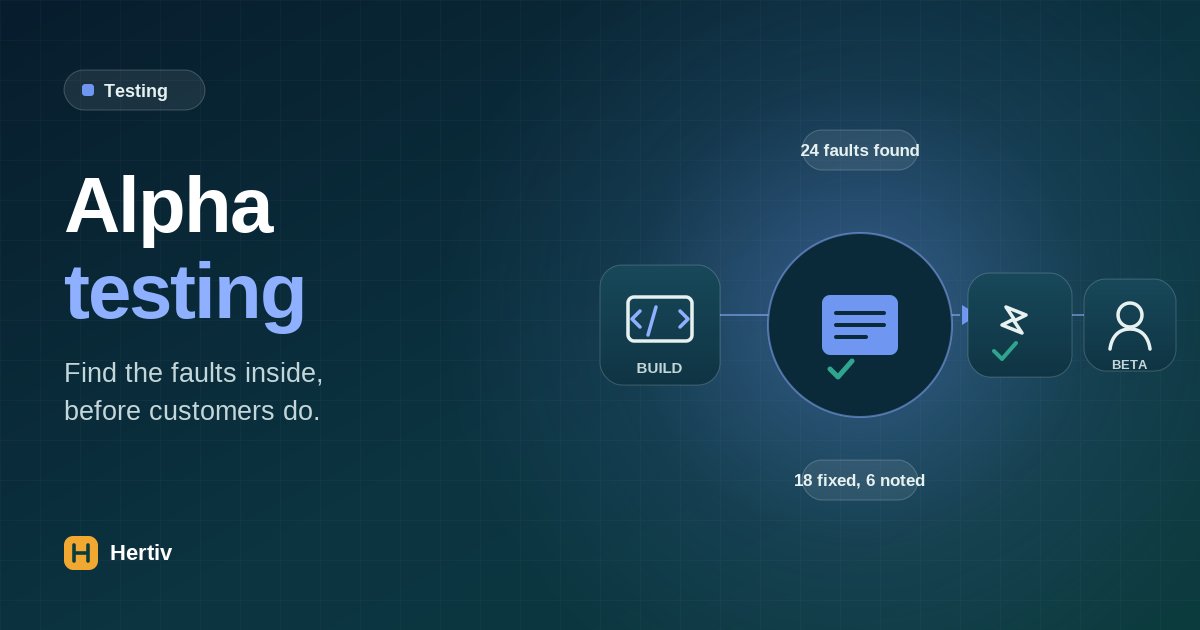
The testers find 24 faults. Eighteen are fixed before beta: twelve crashes and broken flows, and six wrong messages. Six are deferred: four minor display faults and two requests for features the team had not planned. The team records the six deferred items in the release notes so beta users are not surprised by them.
The app goes to beta with no known fault in the main booking flow, which was the exit rule the team had agreed in advance.
What are the common mistakes?
The most common mistakes in alpha testing are testing only your own code, skipping the written plan, and treating the alpha as a demo instead of a test.
- Testing your own code. The author already knows the intended path and will not try the wrong one. Swap testers between features.
- No written test cases. Without a plan, testers repeat the easy paths and skip the awkward ones, and nobody can tell what was actually covered.
- Only new devices. Customers use old phones, slow networks and small screens. Test on the devices they own, not the ones the team likes.
- Calling it a beta. Showing an unfinished build to customers and calling it a beta is not a beta test; it is a launch with faults in it.
- Ignoring the log. A fault reported without steps to repeat it is hard to fix, and a fixed fault that nobody retests may still be broken.
When is software ready to move from alpha to beta?
Software is ready to move from alpha to beta when the main flows work, there are no known blocking faults, and the remaining faults are listed with a plan.
The team should agree the exit rules before testing starts, not after. Typical rules are: every main flow passes on the target devices, no crash in the core task, data is saved and deleted correctly, and every fault found is either fixed and retested or written down as a known issue.
Beta is not the place to find basic faults. Beta users are real customers giving their time, and they will leave if the app crashes on the first screen. A short alpha that finds the worst faults is worth more than a long beta that finds them in front of customers.
If the team is unsure, the answer is usually one more alpha cycle on the weakest flow. A week of internal testing is cheaper than a week of refunds and bad reviews. For teams planning the whole release, custom software development planning usually includes the alpha and beta dates in the same schedule as the build.
Key takeaways
- Alpha testing happens in-house, before any outside user sees the software
- Testers should not test their own code, and they should use real devices
- Every fault needs the steps to repeat it, or it is hard to fix
- A build goes through several test-and-fix cycles until new faults stop appearing
- Beta starts only when the main flows pass and no blocking fault is known
Frequently asked questions
What is the difference between alpha and beta testing?
Alpha testing is done inside the company by the build team and colleagues, on an unfinished product. Beta testing is done by outside users on a product that is nearly finished. Alpha finds the worst faults early; beta finds the problems that only appear with real users.
Who should test in an alpha?
Developers, quality engineers, product managers and colleagues from other teams. Testers should not test a feature they built themselves, and colleagues from support or sales are useful because they behave like customers.
How long does alpha testing take?
It depends on the size of the product, but a small app often needs one to three cycles of a few days each. The work is done when the main flows pass and no blocking fault is known, not when a date on a calendar arrives.
Does alpha testing replace unit or system testing?
No. Unit tests check single functions and system tests check the whole product against its specification. Alpha testing checks how the product behaves when real people use it, which finds a different set of faults.
What should an alpha bug report contain?
It should contain the build number, the device and network, the exact steps taken, what happened, what was expected, and any screenshots or logs. A report without steps is hard to fix and often gets sent back.
Can a small team skip alpha testing?
A small team can run a short alpha with two or three testers and a short list of cases, but skipping it entirely means the first real users find the worst faults. Even a half-day alpha on the main flows catches problems worth finding early.


