AI Tools for Ecommerce: What They Do and How to Pick One
AI tools for ecommerce help shoppers find products, answer questions and forecast demand. Learn the four groups, how to pick one, and what they cost to run.
On this page
Short answer
AI tools for ecommerce are software products that use machine learning to help shoppers find products, answer questions, set prices and forecast demand. They fall into four groups: search and discovery, recommendations, support and operations, and the right one to buy is the one that fixes your store's biggest problem.
What are AI tools for ecommerce?
AI tools for ecommerce are software products that use machine learning to do a shopping task better than a fixed rule can: finding the right product, answering a question, setting a price, or spotting a problem order. They sit on top of a store's catalogue, orders and customer messages, and they learn from that data.
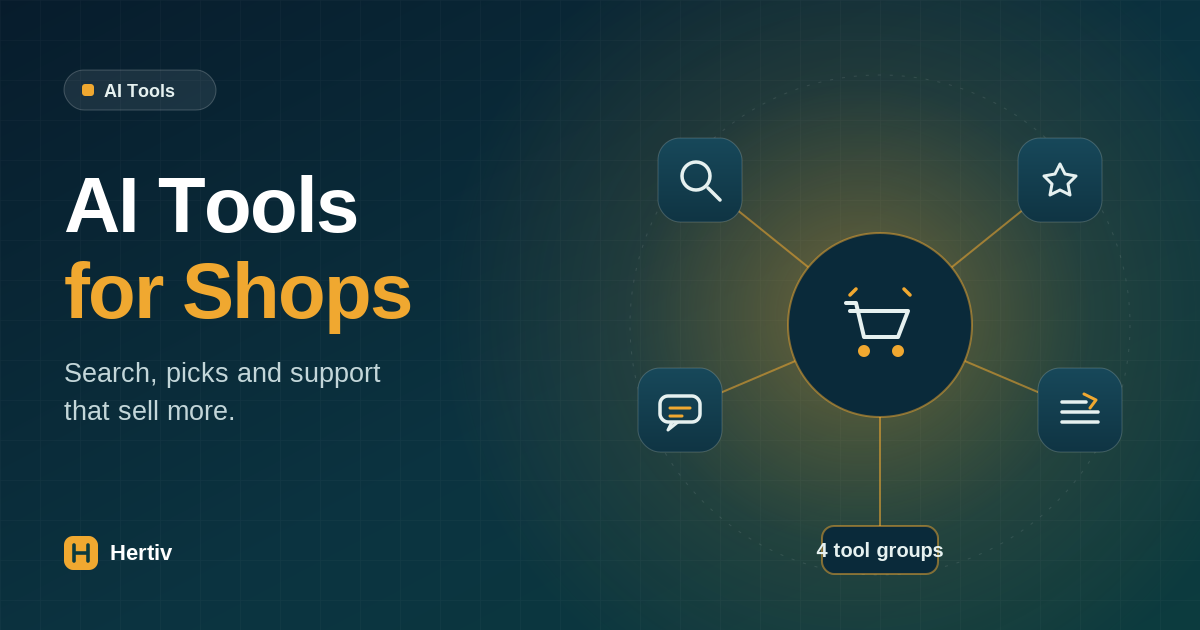
The tools fall into four groups. Search and discovery tools help shoppers find products. Recommendation tools suggest what to buy next. Support tools answer questions and handle returns. And operations tools forecast demand, set prices and flag fraud. Most stores start with one group and add the rest as the data improves.
| Group | What it does | Example task |
|---|---|---|
| Search and discovery | Finds products from words or images | Show the right shoes for a photo |
| Recommendations | Suggests what to buy next | Add a matching accessory to the cart |
| Support | Answers questions and handles returns | Reply to a delivery question at night |
| Operations | Forecasts demand and flags fraud | Order the right stock for next month |
None of these tools replace the store. They make the store's existing data work harder: the same catalogue, the same orders, the same messages, used to answer a question a shopper would otherwise have to ask a person. For the wider picture, see AI ecommerce trends.
Which tools help shoppers find products?
Search tools help shoppers find products when they do not know the exact name. A shopper who types 'waterproof walking shoes for wide feet' needs a search that understands meaning, not just keywords, and that is what semantic search does: it matches the intent behind the words to the products that fit.
Visual search works the other way round. A shopper uploads a photo of a jacket and the tool finds the same or similar jackets in the catalogue. It is useful for fashion and furniture, where the shopper knows what something looks like but not what it is called.
Recommendation tools work after the search. 'Frequently bought together' and 'you may also like' are the oldest forms, and they still work because they use the store's own order history. Newer tools personalise the home page and the email offers for each shopper, based on what that shopper has viewed and bought before.
The risk with recommendations is noise. A tool that suggests the same five products to everyone adds little, and a tool that suggests products the shopper has already bought feels broken. The fix is to test: show the recommendations to half the visitors, measure whether they buy more, and keep only the ones that pass the test.
Which tools help after the sale?
Support tools answer the questions that arrive after the sale: where is my order, how do I return this, is this item in stock. A chatbot trained on the store's help pages and order data can answer most of these at once, at any hour, and hand the hard ones to a person with the order details already attached.
The benefit is speed, but the risk is a wrong answer. A bot that promises a refund the store cannot give creates more work than it saves. The fix is to limit what the bot can promise: it can check an order status and start a return, but refunds above a set amount go to a person.
Review and feedback tools are a second group. They sort reviews by theme, flag the ones that need a reply, and show which products get the same complaint twice. That turns a pile of reviews into a short list of fixes for the product team.
Returns tools close the loop. They ask why a product came back, suggest an exchange instead of a refund where it fits, and feed the reason back into the catalogue, so a size chart or a photo can be fixed before the next return. The benefit is measured in fewer returns, not in faster replies.
How do you pick the right tool?
You pick the right AI tool by starting from the problem, not from the tool. A store with slow search needs a search tool; a store with too many support tickets needs a support tool. Buying a recommendation engine when the real problem is delivery questions wastes the budget and the team's time.
- Name the problem in one sentence. For example: 'shoppers cannot find the right size' or 'we answer the same five questions all day'.
- Check the data. The tool needs clean product data, order history and past messages. If the catalogue has missing sizes or wrong photos, fix that first.
- Run a short trial. Give the tool to a small share of visitors for two to four weeks and compare their behaviour with the rest.
- Measure one number. Pick the metric the tool should move, such as search-to-purchase rate or tickets per order, and judge it on that alone.
- Check the exit. Make sure your data can leave the tool if you stop using it, and that the tool does not hold your customer list hostage.
Price is the last check, not the first. Most tools charge by orders, messages or seats, and the price only makes sense next to the number it should move. If a tool costs $500 a month and should save 20 hours of support time, the maths is simple; if it should 'improve engagement', it is not. For the benefits these tools can bring, see AI in ecommerce benefits.
What does it cost to run them?
AI tools for ecommerce usually cost a monthly subscription, priced by usage: the number of orders, the number of messages, or the number of products in the catalogue. Entry plans are often aimed at small stores, and the price rises as order volume grows, so the cost scales with the business.
The hidden cost is setup, not the subscription. Connecting the tool to the store, cleaning the product data, and training the team to use it takes days or weeks, and that work is usually billed separately or done by the store's own team. A tool that needs a month of setup for a small store is the wrong tool for that store.
There is also a running cost in time. Someone has to read the tool's reports, fix the answers it gets wrong, and update the product data when it changes. A tool with no owner slowly goes stale, and a stale tool gives worse answers than no tool at all.
The honest way to judge the price is to write it next to the number it should move, and to ask the vendor for that number in writing. Vendors publish prices on their own pages, so check the vendor's pricing page for the plan you need; if the price is not published, ask for it before the trial ends, and treat 'see vendor site' as the answer when it is not.
Example (hypothetical): a small store adds recommendations
Example (hypothetical): a small clothing store gets 10,000 visitors a month and sells to 2 percent of them, which is 10,000 times 0.02, or 200 orders a month. The average order is $45, so monthly revenue is 200 times $45, which is $9,000.
The store adds a recommendation tool that suggests a matching accessory on the product page. The conversion rate rises from 2 percent to 2.5 percent, so orders become 10,000 times 0.025, which is 250 orders a month. That is 50 extra orders, and 50 times $45 is $2,250 of extra revenue a month.
The tool costs $300 a month, so the net gain is $2,250 minus $300, which is $1,950 a month, before the time spent keeping the catalogue clean. The store also checks the return rate: if the extra orders return at the same rate as the rest, the gain holds; if they return twice as often, the gain shrinks.
The store runs the test for a month, compares the numbers with the month before, and only then signs a yearly plan. The test cost one month of the tool and a few hours of setup, and it gave the store a number it could trust instead of a vendor's promise.
What are the common mistakes?
The most common AI tool mistakes in ecommerce are buying before the data is ready, trusting the tool too much, and measuring the wrong thing. Each one is easy to avoid with a short trial and one clear metric.
- Buying before the data is ready. A recommendation tool fed with missing sizes and wrong photos will recommend the wrong products. Clean the catalogue first.
- Letting the bot promise too much. A support bot that offers refunds it cannot give creates angry customers. Limit what it can promise.
- Measuring clicks, not sales. A tool can raise clicks while sales stay flat. Judge it on orders, revenue or tickets, not on engagement.
- Running too many tools at once. Three tools on one page fight for the shopper's attention. Add one, measure it, then add the next.
- No owner. A tool with nobody reading its reports goes stale in weeks. Give it an owner and a weekly check.
- Ignoring privacy. Personalised tools use customer data, so they need a clear privacy notice and a way to opt out. For building the store itself, see ecommerce app development cost.
Key takeaways
- AI ecommerce tools fall into four groups: search, recommendations, support and operations
- Search tools match intent, not just keywords, and visual search finds products from a photo
- Support bots should answer routine questions and hand refunds to a person
- Pick a tool by the problem it fixes, then trial it on half your visitors
- Judge the price against one metric, such as orders or tickets per order
Frequently asked questions
Do AI tools replace the people in a store?
No. They handle the routine work: finding products, answering common questions and flagging problems. People still handle the hard cases, such as a damaged delivery or a complaint, and they still decide the prices, the range and the brand.
What data does an AI tool need?
It needs clean product data, order history and past customer messages. A catalogue with missing sizes or wrong photos will make any tool give bad answers, so the data has to be fixed before the tool is bought, not after.
How long does a trial take?
Two to four weeks is usually enough. Give the tool to half your visitors, compare their orders and tickets with the other half, and judge it on one number, such as the search-to-purchase rate or tickets per order.
Are AI tools only for large stores?
No. Most tools charge by orders or messages, so a small store pays a small price. The tools that fit a small store are the ones with a short setup and no custom development, such as a search tool or a support chatbot.
What is the biggest risk?
A tool that gives wrong answers with confidence, such as a bot that promises a refund the store cannot give. The fix is to limit what the tool can promise and to have a person check the answers it gives in the first weeks.
Can one tool do everything?
Rarely well. A tool that does search, recommendations, support and forecasting usually does one of them well and the rest poorly. Most stores buy one tool per problem and connect them through the store platform, rather than buying one tool for everything.


