AI Legacy Migration vs Manual: Which Costs Less?
AI migration can be cheaper than manual work on large codebases, but review time decides the winner. Compare both routes on cost, speed and risk.
On this page
Short answer
AI-powered legacy migration uses AI tools to read old code and draft the new version, while manual migration is done by developers line by line. AI is usually cheaper on large, repetitive codebases, but only if review time stays low, so measure it on a pilot before you commit.
What is AI-powered legacy migration?
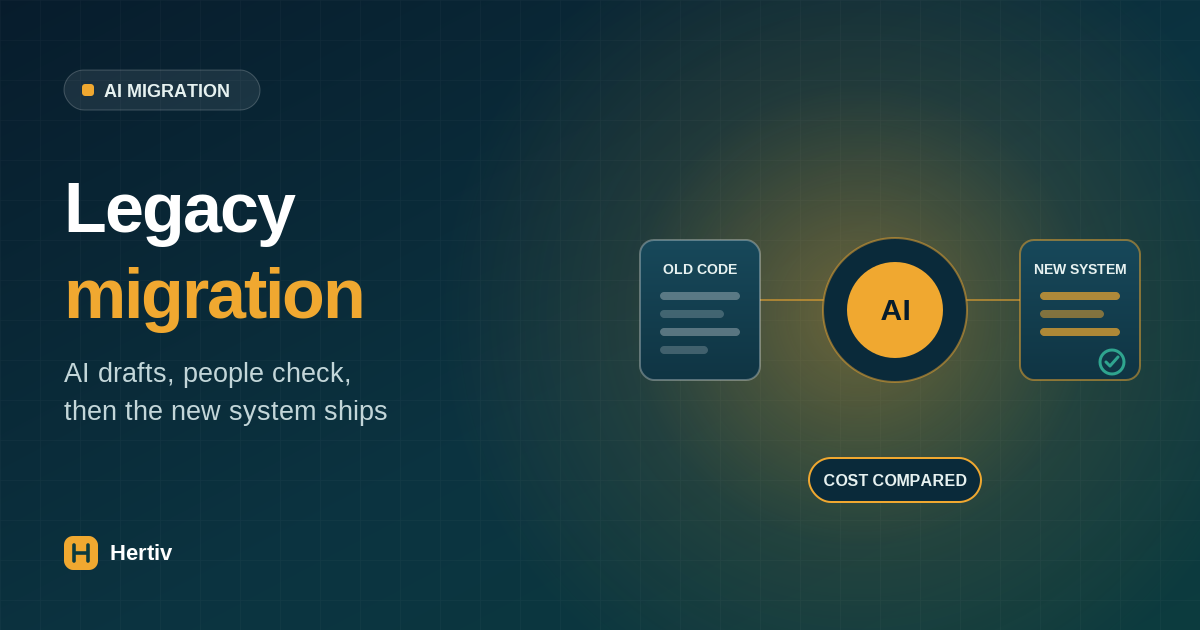
AI-powered legacy migration is the use of AI tools to read old code, map what it does, and help move it to a modern system, while manual migration is the same work done by developers reading and rewriting the code by hand. The AI does not replace the developers; it reads faster and drafts the first version, which people then check.
Manual migration is slower but fully understood by the team doing it. AI migration is faster on large codebases but needs careful checking, because the AI can misread old code that has no tests and little documentation.
| Factor | Manual migration | AI-powered migration |
|---|---|---|
| Speed | Slow, line by line | Faster on large codebases |
| Upfront cost | Mostly staff time | Tool cost plus staff time |
| Accuracy | Depends on the developer | Depends on the AI plus review |
| Risk | Well understood | Needs checks for AI errors |
| Best for | Small, well-known systems | Large, poorly documented systems |
The rest of this article compares the two on cost, so you can judge which fits your system and your budget.
What does manual migration cost?
Manual migration costs staff time, and the bill is mostly salaries. A team reads the old code, writes the new code, tests it and fixes the differences, and the work is measured in developer-months.
The hidden cost is discovery. Old systems often have rules that live only in the code, and finding them takes time. A developer who has to read 200,000 lines of code before writing anything will spend weeks on discovery alone.
Testing is the other large cost. Without tests, the team must write them, run the old and new systems side by side, and compare the results, which takes as long as the rewrite itself.
Manual work also has a staffing risk. If the one developer who knows the old system leaves halfway through, the project slows while a replacement learns the code. That risk is real on old systems, where knowledge often sits with one or two people.
For the wider modernisation picture, see how to modernize legacy software.
What does AI-powered migration cost?
AI-powered migration costs the tool, the time to set it up, and the review time. The AI reads the code and drafts the new version, but people must check the draft, fix its mistakes and run the tests.
Tool pricing varies. Some tools charge per line of code, some charge per user, and some are part of a consulting service, so check the vendor site for current pricing before you budget.
Review time is the part teams underestimate. An AI draft that is 80% right still needs a developer to find the wrong 20%, and on old code that check can take as long as writing the code from scratch. The saving comes from the 80% the AI got right, not from skipping review.
Where does AI save money, and where does it not?
AI saves money on large, repetitive codebases. When the same pattern repeats thousands of times, the AI drafts it once and repeats it, while a developer would type it thousands of times.
AI saves less on small or unusual systems. If the codebase is small, the setup and review time can cost more than the AI saves, and manual work is cheaper.
AI also struggles with undocumented business rules. If a rule lives only in a person's head, no tool can find it, and the team must interview the people who know the system either way. For a plan of the work itself, see legacy application modernization strategy.
Example: migrating a claims system
Example (hypothetical): a company migrates a claims system with 120,000 lines of old code. Manual migration is estimated at 10 developer-months at $9,000 a month, which is 10 x $9,000 = $90,000.
AI migration is estimated at a $15,000 tool cost plus 5 developer-months of review and fixes, which is $15,000 + 5 x $9,000 = $60,000. The AI route is $30,000 cheaper on this estimate, but only if the review really takes 5 months and not 8.
If review takes 8 months, the AI route costs $15,000 + 8 x $9,000 = $87,000, almost the same as manual. The numbers are made up to show the arithmetic, not a real quote.
The point is that review time decides whether AI saves money, so measure it on a small part of the system first, before you commit the whole budget to one route.
How to compare the two options
You compare the two options by measuring review time on a real slice of your own code, then pricing both routes on the same scope.
- Count the code. Measure lines of code, number of modules and how much has tests or documentation.
- Sample with AI. Run the AI tool on 5% of the codebase and time how long review and fixes take.
- Price both routes. Cost manual work in developer-months and AI work in tool cost plus review months.
- Check the data rules. Confirm whether old code and customer data may be sent to an AI tool.
- Run a pilot. Migrate one small module end to end, including tests, before you decide.
- Decide by measured cost. Choose the route with the lower measured cost on the pilot, not the lower hoped-for cost.
Before you start, an AI readiness assessment can show whether your team, data and rules are ready for an AI-led migration.
What are the common mistakes?
The most common mistakes in legacy migration are trusting the AI draft without tests, skipping the pilot, and budgeting only for the tool.
- Trusting the draft without tests. An AI draft that looks right can still be wrong. Run old and new systems side by side and compare the results.
- Skipping the pilot. A pilot on one module reveals the true review time. Without it, the budget is a guess.
- Forgetting the data rules. Sending old code or customer data to an AI tool without checking the rules is a compliance risk.
- Budgeting only the tool. The tool is often the smallest line. Review, testing and training cost more.
- No rollback plan. If the new system fails on day one, the team needs a way back to the old one. Plan it before cutover.
Key takeaways
- AI migration drafts code fast; manual migration is slower but fully understood
- Review time decides whether AI saves money, not the tool price
- AI saves most on large, repetitive codebases and least on small or unusual ones
- Undocumented business rules need people either way, since no tool can find them
- Measure review time on a 5% sample, then price both routes on the same scope
Frequently asked questions
How much can AI migration save?
It depends on the codebase. On large, repetitive systems the AI can draft much of the new code, so the saving comes from fewer developer-months. On small systems the setup and review time can cost more than the AI saves.
Is AI migration safe for old code?
It can be, if the team runs old and new systems side by side and compares the results. The risk is an AI draft that looks right but is wrong, which is why testing and review matter more than the tool.
What is the biggest cost in manual migration?
Staff time, especially discovery and testing. Reading old code to find hidden rules and writing tests for a system that has none often takes as long as the rewrite itself.
Can AI migrate a system with no documentation?
Partly. AI can read the code and map what it does, but rules that live only in people's heads cannot be found by any tool. The team still needs to interview the people who know the system.
How long does a migration take?
It depends on size, tests and how much of the system is still used. A small, well-tested system can take weeks, while a large, undocumented one can take a year or more either way.
Should we migrate everything at once?
No. Migrate one module at a time, run it alongside the old system, and move the next module only when the first one works. A big-bang cutover is the riskiest way to migrate.


