AI Language Learning App: How the AI Teaches You
An AI language learning app listens to how you speak, spots mistakes and adjusts lessons to what you still get wrong. Here is how it works and where it falls short.
On this page
Short answer
An AI language learning app uses speech recognition to hear your pronunciation, a language model to hold conversations with you, and adaptive lessons that change difficulty based on your mistakes. It works best as daily speaking and listening practice, not as a replacement for a teacher or real conversation with native speakers.
What is an AI language learning app?
An AI language learning app is a language app that uses artificial intelligence to listen, respond and adapt, instead of only showing fixed lessons. It hears how you pronounce words, understands what you say, and changes the next exercise based on what you got wrong.
Older language apps followed a set path: the same vocabulary lists and grammar drills for every learner, in the same order. An AI app builds the path around you. If you keep mixing up two verb tenses, it gives you more practice on those tenses. If your pronunciation of one sound is off, it repeats words that use that sound.
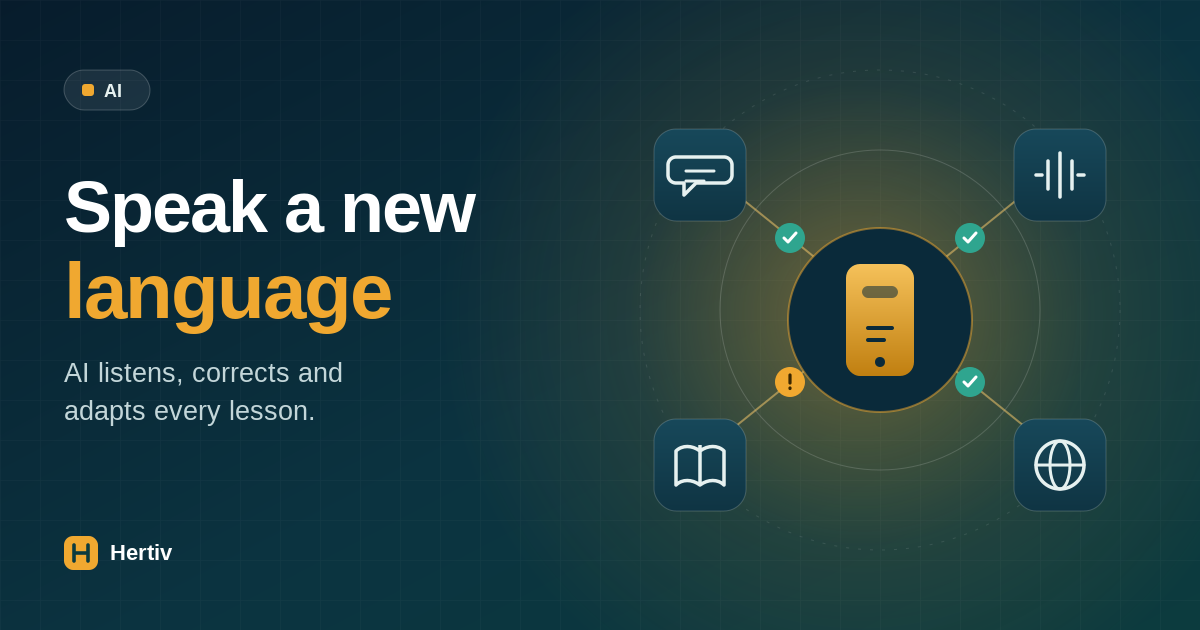
The AI usually appears in four places: speech recognition that scores your pronunciation, a conversation partner that chats with you, adaptive lessons that pick the next exercise, and feedback that explains a mistake right after you make it.
How does the AI in a language app actually work?
The AI in a language app works in a loop: listen, understand, respond, adapt. Each step uses a different piece of technology, and the quality of the app depends on how well the pieces fit together.
First, speech recognition turns your spoken words into text and scores your pronunciation against how a native speaker would say the same sounds. Then a language model reads what you said, works out what you meant even when the grammar is wrong, and writes a reply that keeps the conversation going.
Behind that, the app keeps a record of what you know: which words you remember, which grammar points you miss, and how long it has been since you practised each one. That record decides what the next lesson covers. The idea is simple, and it is where most of the value sits: practice should target what you have not learned yet, not what you already know.
| AI piece | What it does | Example |
|---|---|---|
| Speech recognition | Turns speech into text and scores pronunciation | Flags one sound you keep mispronouncing |
| Language model | Understands meaning and writes replies | Keeps a conversation going after a wrong sentence |
| Learner record | Tracks what you know and what you miss | Brings back the verb tense you keep mixing up |
| Spaced repetition | Shows words again before you forget them | Reviews a word days after you first learned it |
Together, the four pieces form a loop: your mistakes shape the next lesson, and the next lesson produces new mistakes to learn from.
What can AI do well in language learning?
AI does four things well in language learning: listening practice, pronunciation feedback, conversation at any hour, and spaced repetition that is tuned to your memory.
Listening and speaking are the biggest gains. A learner can speak for ten minutes a day and get a score on every sentence, which is hard to get from a textbook. Conversation practice with an AI partner is always available, so there is no waiting for a class or a tutor to be free.
Spaced repetition is the quieter win. The app shows you a word again just before you would forget it, based on how you answered last time. That timing matters more than the number of hours spent.
For more on the technology underneath, see what natural language processing is.
The conversation side runs on large language models, explained in how large language models work.
Where AI language apps fall short
AI language apps fall short in three places: real conversation, deep grammar explanations, and honest assessment of your level.
A conversation with an AI partner is not a conversation with a person. The AI is patient, it never misunderstands your accent in a confusing way, and it never changes the subject. Real people do all of those things, and coping with them is part of learning a language.
Grammar explanations are often shallow. The app can tell you a sentence is wrong and show the right version, but it rarely explains why the rule works that way. And the app's own level score is a rough guide at best: it measures what you do inside the app, not how you would cope in a shop, a meeting or an exam.
How to use an AI language app well
You get the most from an AI language app by treating it as daily practice, not as the whole course. The app builds habits and fluency; a teacher, a class or real conversation builds the rest.
- Speak every day, even briefly. Ten minutes of speaking beats an hour of tapping through multiple-choice questions once a week.
- Use the conversation mode. Pick topics you actually care about, so the practice feels like talking rather than drilling.
- Read the corrections. When the app corrects a sentence, say the corrected version out loud before moving on.
- Mix in real people. Add a weekly conversation with a tutor or a language exchange partner, so you practise with real reactions.
- Check progress outside the app. Try reading a news article or watching a short video in the language every few weeks to see what has actually improved.
Language exchange apps are a good partner for step four. See the best language exchange apps for options that pair you with native speakers.
Example (hypothetical): eight weeks of daily practice
Example (hypothetical): a learner wants to hold a basic conversation in Spanish before a trip. She uses an AI language app for 20 minutes a day, five days a week, for eight weeks.
That is 5 days times 20 minutes, which is 100 minutes a week, and 8 weeks times 100 minutes, which is 800 minutes, or 13 hours and 20 minutes in total. She spends about half of that time speaking, so roughly 400 minutes of spoken practice.
The app introduces 10 new words a day, so 5 days times 8 weeks times 10 words is 400 new words. Spaced repetition keeps about 7 in 10 of them, so she can use around 280 words by the trip. That is enough for greetings, ordering food, asking directions and small talk, which was her goal. It is not enough for a business meeting, and the app should not claim otherwise.
What are the common mistakes?
The most common mistakes with AI language apps are treating the app as the whole course, chasing streaks instead of speaking, and trusting the app's level score too much.
- Only doing easy exercises. Multiple-choice questions feel like progress but build little speaking skill. Use the speaking and conversation modes.
- Chasing the streak. A long daily streak is a habit tool, not a measure of learning. A short session of real speaking beats a long streak of tapping.
- Never speaking to people. An app cannot teach you to handle interruptions, slang or a fast speaker. Add real conversation early.
- Trusting the level score. The score measures app performance, not real-world ability. Test yourself with real material.
- Skipping review. New words fade without spaced repetition, so let the app bring them back on schedule.
If you are thinking of building one, costs depend on the features and the languages. See how much a language learning app like Babbel costs to build.
Key takeaways
- AI apps adapt lessons to your mistakes instead of following a fixed path
- Speaking and pronunciation feedback are the biggest gains over older apps
- Spaced repetition timed to your memory beats more hours of study
- An AI conversation partner is not a substitute for real people
- Judge progress by what you can do outside the app, not by its score
Frequently asked questions
Can an AI language app make you fluent?
No app alone makes you fluent. An AI app builds vocabulary, pronunciation and everyday speaking habits, but fluency needs real conversation with people, reading and listening to real material. Use the app as daily practice alongside those.
How does an AI app check my pronunciation?
Speech recognition turns your spoken words into text and compares the sounds you made with how a native speaker says them. It scores each word or sentence and points out the sounds that need work, so you can repeat them.
Is an AI language app better than a human tutor?
It is better for daily practice and instant feedback at any hour, and worse for deep explanations, cultural context and handling real conversation. Most learners get the best result from using both: the app every day and a tutor each week.
Do AI language apps work for any language?
They work best for widely spoken languages with plenty of training data, such as Spanish, French and German. Support for less common languages is often thinner, with weaker speech recognition and fewer conversation topics.
How much time should I spend in an AI language app each day?
About 15 to 20 minutes of speaking and listening practice a day is enough to make steady progress. Short daily sessions beat long weekly ones, because spaced repetition needs regular contact with the material.
Does an AI language app store my voice recordings?
That depends on the app. Some process speech on your phone, while others send recordings to their servers. Check the app's privacy settings before you start, and see the vendor site for its data policy.