AI in Healthcare Administration: What It Handles
AI in healthcare administration handles the back-office work: scheduling, billing, coding, claims and records. It cuts paperwork so clinical staff get time back.
On this page
Short answer
AI in healthcare administration is software that handles the non-clinical work of running a health service: booking appointments, writing notes, coding visits, submitting claims, chasing payments, and keeping records in order. It does not diagnose or treat patients; it removes the paperwork that eats clinical time.
What is AI in healthcare administration?
AI in healthcare administration is the use of software to carry out the back-office tasks of a clinic or hospital. It reads forms, drafts messages, sorts referrals, codes visits and flags billing errors, so that nurses, doctors and reception staff spend less of their day on paperwork.
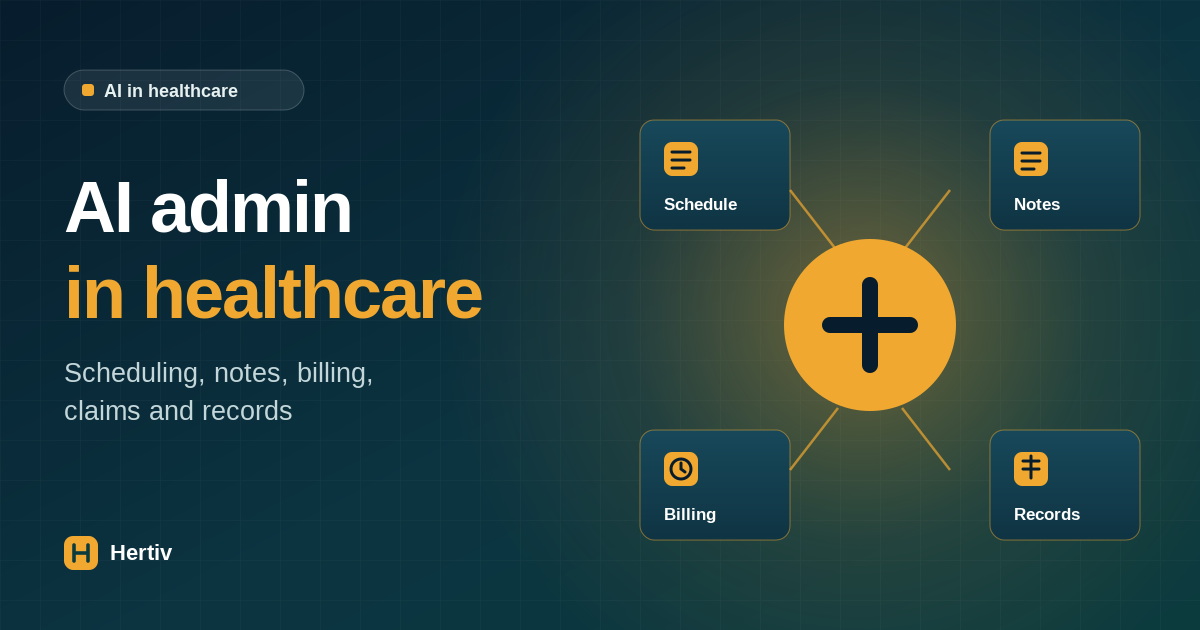
Administration is a large share of healthcare work. Booking, billing, coding, referrals, prior authorisations and record-keeping all take time, and much of that work follows patterns a system can learn. The table below shows the main areas where AI is used.
| Admin area | What the AI does | What staff still do |
|---|---|---|
| Scheduling | Fills slots, sends reminders, manages waitlists | Handle urgent and complex bookings |
| Clinical notes | Drafts notes from the consultation | Review, correct and sign off |
| Coding and billing | Suggests codes, checks claims before sending | Approve codes and chase denials |
| Referrals | Sorts and routes referrals by urgency | Decide borderline cases |
| Records | Files documents, finds missing items | Check accuracy and completeness |
| Staffing | Forecasts demand, drafts rosters | Approve rosters, cover gaps |
This is different from clinical AI, which helps with diagnosis and treatment. Admin AI works on the running of the service, which is why it is often the first place a clinic starts. See artificial intelligence in healthcare for the wider picture.
How does AI help with scheduling and patient contact?
AI helps with scheduling by matching patients to the right slot, reminding them, and filling gaps when someone cancels. It works from the clinic's own booking rules, not from a generic template.
A scheduling assistant can read a request, check which clinician and room are free, and offer the earliest suitable time. It can also send reminders by text or email, and offer the freed slot to the next person on the waitlist when a patient cancels. This cuts the phone queue and the empty slots that cost a clinic money.
For patient contact, AI drafts replies to common questions about opening hours, preparation for a visit, and test results that are ready. Staff review and send them. A clinic should set clear rules about what the assistant may say on its own and what must go to a person, because a wrong answer about a result or a medication is a safety issue, not a convenience issue.
What does AI do for billing, coding and claims?
AI helps with billing by reading the visit notes, suggesting the right codes, and checking a claim for errors before it is sent. Coding errors are one of the most common reasons claims come back unpaid.
After a visit, the system reads the notes and proposes the codes that match the care given. A coder reviews the suggestions and approves or corrects them. The system then checks the claim against the payer's rules — missing fields, mismatched codes, duplicate submissions — and flags problems while they are still cheap to fix.
When a claim is denied, AI can group denials by cause, so the team sees whether the problem is a missing document, a wrong code or a payer rule that changed. That pattern is what turns one-off fixes into a process that prevents the next denial. See denial management automation in healthcare for how teams handle denials at scale.
How does AI support staffing and records?
AI supports staffing by forecasting demand and drafting rosters, and it supports records by filing documents and finding the gaps. Both jobs are repetitive, and both get harder as a service grows.
For staffing, the system looks at past visit patterns, seasonal demand and booked leave, then drafts a roster that covers the expected load. A manager reviews it and fixes the gaps the system cannot see, such as a clinician who needs a lighter week. The point is a first draft in minutes, not a finished roster with no human check.
For records, AI reads incoming documents, files them against the right patient, and flags what is missing — a consent form, a referral letter, a lab result that was promised. It can also search across records to answer a staff question, such as which patients are waiting on a specific result. Staff still check the filing, because a document filed under the wrong patient is worse than one left in an inbox.
What are the rules and risks?
The rules for admin AI are the same privacy and record-keeping rules that already govern healthcare. Patient data must be protected, access must be limited to staff who need it, and every automated action must leave a record.
The main risks are a wrong draft going out unchecked, a code or claim that misstates what happened, and a system that quietly learns the wrong pattern from old data. The fix for all three is the same: a human reviews the output before it reaches a patient, a payer or a record. No admin AI should send a message or file a claim without a review step.
Teams should also check where the data goes. If the AI runs on a vendor's servers, the contract must say how patient data is stored, who can see it, and how it is deleted. That review belongs in the procurement step, not after the system is live. For the governance side, see AI governance in healthcare.
Example (hypothetical): a 30-doctor clinic
Example (hypothetical): a clinic with 30 doctors books about 1,200 appointments a week. Reception staff spend roughly 25 minutes on each booking cycle — taking the call, finding a slot, confirming, and sending a reminder. That is 500 hours a week across the team.
The clinic adds a scheduling assistant that handles routine bookings and reminders, and a note-drafting tool that turns the consultation into a draft note. Staff review every draft before it is filed. After three months, the booking cycle takes about 10 minutes per appointment, or 200 hours a week, and the note-drafting step takes about 5 minutes instead of 15.
The saving is about 300 hours a week on booking, plus roughly 200 hours a week on notes — about 500 hours in total, which the clinic uses to clear a backlog of referrals. The arithmetic is simple: 1,200 bookings times 15 minutes saved is 300 hours, and the note step saves about 10 minutes on each of the 1,200 visits, which is 200 hours.
What are the common mistakes?
The most common mistakes in healthcare admin AI are letting drafts go out unchecked, buying a tool before fixing the process, and ignoring the privacy review.
- No review step. An unchecked draft or claim can reach a patient or a payer with an error in it. Every output needs a human check.
- Automating a broken process. If the booking rules or coding steps are unclear, the AI will reproduce the confusion faster. Fix the process first.
- Skipping the privacy review. Patient data in a vendor system needs a contract that covers storage, access and deletion.
- Measuring the wrong thing. Counting messages sent says nothing. Measure hours saved, claims paid first time, and slots filled.
- Forgetting training. Staff who do not trust the tool will work around it. Show them how to check its output and when to overrule it.
Start with one admin area, measure the result for a month, and only then expand. A small pilot with clear numbers beats a big rollout with none. See RPA in healthcare for the simpler automation that often comes first.
Key takeaways
- Admin AI handles paperwork, not diagnosis or treatment
- Scheduling, notes, coding, claims and records are the main admin areas
- Every AI draft needs a human review before it reaches a patient or payer
- Measure hours saved and first-time claim approvals, not messages sent
- Fix the process before automating it, and check the privacy contract first
Frequently asked questions
Does admin AI replace reception or billing staff?
No. It takes the repetitive drafting, filing and checking, while staff handle exceptions, urgent cases and anything that needs judgement. Most clinics use the saved hours to clear backlogs, not to cut roles.
What admin task should a clinic automate first?
Start with the task that takes the most staff time and follows the clearest rules, often scheduling or reminders. Measure the hours saved for a month before adding a second area.
Is patient data safe with admin AI?
It can be, if the vendor contract covers storage, access and deletion, and if staff access is limited to those who need it. Check these terms during procurement, not after the system is live.
Can AI code a visit on its own?
It can suggest codes from the visit notes, but a trained coder should review them. A wrong code can mean a denied claim or a record that misstates the care given.
How do you measure whether admin AI works?
Track hours spent per booking, the share of claims paid first time, the number of empty slots, and the referral backlog. Compare each number with the month before the pilot started.
Does admin AI need clinical approval?
It needs approval from the people who own the process it changes, such as the practice manager and the coding lead. Clinical sign-off matters where the output touches patient care, such as notes and referrals.


