AI in Data Center Operations: Cooler Racks, Fewer Outages
AI in data center operations tunes cooling, predicts hardware failures and plans power use. Learn where it helps, what data it needs, and how to start.
On this page
Short answer
AI in data center operations is software that watches a data center's cooling, power, hardware and capacity, then acts on what it sees. It tunes cooling to the actual heat load, predicts which disks and fans are likely to fail, balances power across racks, and plans where the next servers should go.
What is AI in data center operations?
AI in data center operations is software that watches a data center's cooling, power, hardware and capacity, then acts on what it sees. It replaces fixed settings and scheduled checks with decisions based on live conditions.
A data center is a building full of servers that turn electricity into heat. Keeping it running means keeping the heat out, the power steady, the hardware healthy and the capacity ahead of demand. Traditionally each of those jobs ran on fixed rules and human rounds. AI adds a layer that reads the sensors, spots patterns and adjusts settings continuously.
| Job | What AI does | What it replaces |
|---|---|---|
| Cooling | Tunes fans and chillers to the real heat load | Fixed setpoints and manual tweaks |
| Fault prediction | Flags disks, fans and power units likely to fail | Fixed replacement schedules |
| Power | Balances load and caps peaks across racks | Static power budgets per rack |
| Capacity | Forecasts space, power and cooling needs | Spreadsheets and guesswork |
| Security | Spots unusual access and network patterns | Log reviews after the fact |
The goal is not a data center with no people. The goal is fewer surprises: fewer hot spots, fewer failed disks at 3 am, and fewer last-minute scrambles for power.
How does AI keep a data center cool?
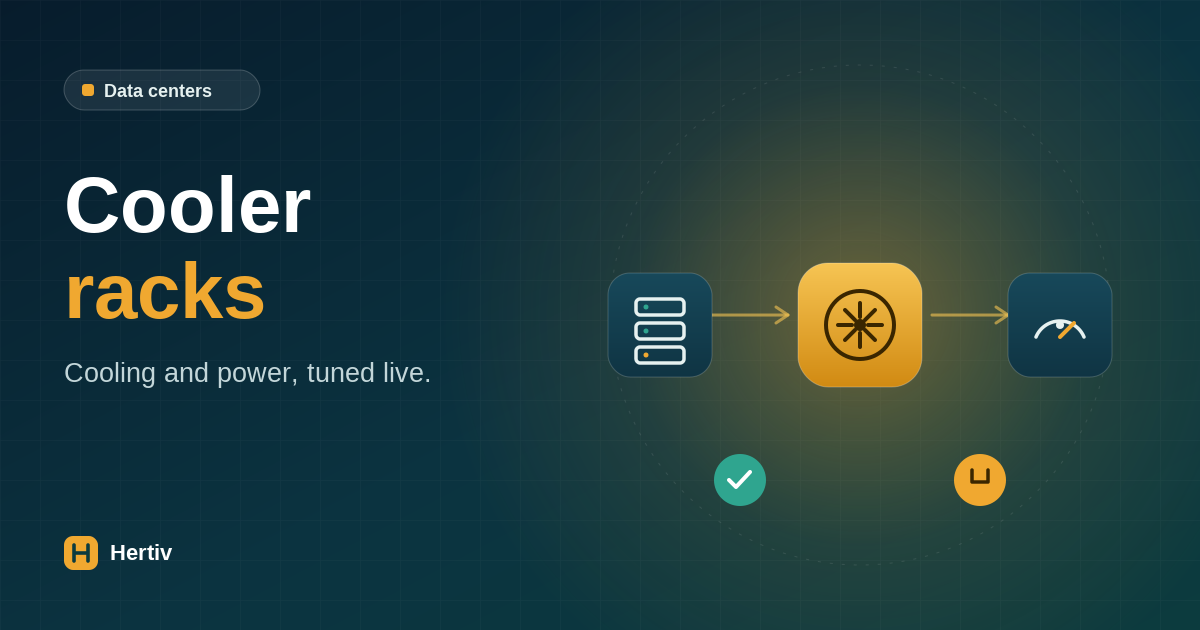
AI keeps a data center cool by reading temperature and airflow sensors across the floor, then adjusting fans, chillers and airflow to match the heat the servers are actually producing.
Most data centers are over-cooled. Fixed setpoints assume the worst case, so chillers run hard even when half the racks are idle. A model that sees the real load can raise the setpoint a few degrees when the floor is quiet, and push cooling to the hot aisle when a rack works hard, without risking the hardware.
The model learns from history: which racks run hot at which times, how long a chiller takes to respond, and how outside temperature changes the load. It then plans ahead instead of reacting, starting extra cooling before the afternoon peak rather than after the alarms go off.
Cooling is usually the biggest energy cost after the servers themselves, so this is where the savings show up first. For the wider energy picture, AI in energy covers how models manage demand.
How does AI predict hardware failures?
AI predicts hardware failures by watching the small signals that appear before a part breaks: a disk that retries reads more often, a fan whose vibration creeps up, a power unit whose temperature drifts from its neighbours.
Each signal on its own means little. Together they form a pattern that past failures shared, and the model scores each part on how closely it matches that pattern. Parts with high scores get replaced during planned maintenance, before they fail in production.
This works best for parts with good sensor data and a history of failures to learn from. New hardware with no failure history is harder to score, and a model trained on one vendor's disks may not transfer to another's. Treat a high score as a reason to inspect, not as a verdict.
The payoff is fewer unplanned outages and fewer emergency call-outs, which is where the real cost of a failure sits.
How does AI manage power and capacity?
AI manages power by watching the load across racks in real time and shifting work or capping peaks before a breaker trips. It also forecasts capacity: how much space, power and cooling the next quarter of growth will need.
Power is the hard limit in most data centers. A rack that draws more than its budget trips a breaker, and the whole rack goes dark. The model watches the draw, predicts the peak from the scheduled jobs, and moves non-urgent work to a quieter rack or a later slot.
Capacity planning uses the same forecasts. Instead of guessing how many racks the next year needs, the team sees a projection built from real growth: which customers are adding servers, which workloads are growing, and how much headroom the cooling and power systems have left.
For the monitoring that feeds these models, monitoring tools in DevOps covers the tooling that collects the signals.
For server-level checks, best server monitoring software compares eight tools.
How to start using AI in data center operations
Start with one hall and one job, not the whole building. A pilot that tunes cooling in one hall teaches you what sensor data is missing and which alarms matter, before you spend on a wider rollout.
- Pick one hall and one job, usually cooling, because the data and the payoff are clearest.
- Check the sensors: temperature, airflow, power draw and fan speed, with readings at least every minute.
- Collect two months of history before the model starts making changes.
- Run the model in advisory mode first: it suggests changes, and staff approve them.
- Measure energy use, hot-spot alarms and unplanned outages against the months before.
- Automate the routine changes only once the suggestions have proved trustworthy.
The pilot is the proof. If cooling energy falls and hot spots do not rise, the case for the next hall makes itself.
For the cloud side of the same problem, cloud services covers managed infrastructure options.
Example (hypothetical): a 500-rack data center
Example (hypothetical): a data center with 500 racks spends about 40,000 kilowatt-hours a day on cooling, which is roughly a third of its total power. A technician walks the floor twice a day and adjusts setpoints by hand.
With AI cooling control, the model reads the sensors every minute and tunes the chillers to the real load. Cooling energy falls by about a tenth, from 40,000 to about 36,000 kilowatt-hours a day, saving 4,000 kilowatt-hours a day, or about 120,000 a month. At a typical rate of 10 cents a kilowatt-hour, that is about $12,000 a month.
Hot spots fall too. Before, about 15 racks a month crossed their temperature limit; after, about 4 a month do, because the model pushes cooling to the hot aisle before the alarm. The arithmetic is simple; the hard part is the sensor data. If readings are sparse or stale, the model tunes from the wrong picture.
What are the common mistakes?
Most data center AI projects fail on data and trust, not on the model. Teams connect sparse sensors, let the model change settings nobody understands, and switch it off after the first surprise.
- Automating cooling changes before staff trust the suggestions
- Thin sensor data: one temperature probe per hall is not enough
- Training the model on one vendor's hardware and applying it to another's
- Ignoring the fallback: what happens when the model or a sensor fails
- Measuring energy saved but not hot spots created
- Skipping the maintenance window: predictions are useless if nobody acts on them
- Rolling out to every hall before one hall has proved it works
If your sensors are not ready, start there. Dense, fresh readings will improve even a hand-tuned cooling plan.
Key takeaways
- AI tunes cooling to the real heat load instead of a fixed setpoint.
- Replace parts on a failure score, not on a calendar date.
- Power is the hard limit: watch the draw and plan the peaks.
- Start with one hall, advisory mode first, and measure before automating.
- Dense, fresh sensor data matters more than model choice.
Frequently asked questions
Does AI in data centers replace the operations team?
No. It replaces the repetitive work of watching sensors and adjusting setpoints. The team still sets the limits, approves changes, acts on predictions and handles the failures the model cannot fix. The model makes the team faster, not smaller.
How much energy can AI cooling control save?
It depends on how over-cooled the building is today. Buildings running fixed setpoints often have the most room to save, because cooling runs hard even when the floor is quiet. Measure your current cooling energy for two months first, so the saving is real and not a guess.
What sensors does a data center AI need?
Temperature and airflow across the floor, power draw per rack, fan speed and vibration, and disk health signals. Readings at least every minute, with history going back two months. One probe per hall is not enough to tune cooling safely.
Can AI predict all hardware failures?
No. It is good at gradual failures, such as disks and fans that degrade over weeks. It cannot predict a power surge, a bad firmware update or a part that fails without warning signs. Keep the usual spares and maintenance windows alongside the predictions.
Is AI data center software only for large facilities?
It fits any facility where cooling and power are real costs. A small room with a dozen racks gains less in absolute terms, but the same ideas apply: watch the load, tune the cooling, and replace parts on a score. Start with monitoring before automation.
What happens if the AI system fails?
Keep a fallback: fixed setpoints the operators know, a manual override any operator can hit, and a log of every change the model made. A cooling system that fails with no fallback leaves the floor heating up with nobody in control, so plan the outage before it happens.