AI in Customer Relationship Management: What It Does
AI in CRM sorts, summarises and scores customer records so staff spend less time on admin. Learn where it helps, what data it needs and how to start.
On this page
Short answer
AI in customer relationship management uses machine learning inside a CRM to sort tickets, draft replies, score leads and flag churn risks, working from the records a business already keeps. Staff still make the final call on sensitive cases, while the AI handles the repetitive preparation around each customer.
What is AI in customer relationship management?
AI in customer relationship management (CRM) is the use of machine learning inside a CRM system to sort, summarise and act on customer data, so staff spend less time on admin and more time on the customer. It works on the records a business already keeps: contacts, tickets, calls, emails and orders.
The AI does not replace the relationship. It prepares the work around it: drafting a reply, flagging a churn risk, scoring a lead or summarising a long ticket thread before a human picks it up.
| CRM area | What AI does | What stays human |
|---|---|---|
| Support inbox | Sorts and drafts replies | Final answer on sensitive cases |
| Sales pipeline | Scores leads and forecasts | Negotiation and closing |
| Customer data | Merges duplicates, fills gaps | Decisions on data policy |
| Onboarding | Summarises history for staff | Welcome calls and trust building |
| Retention | Flags churn signals early | Save conversations and offers |
The test for any AI feature in a CRM is simple: does it save a real person time on a real record, and can you check its work? If the answer to either is no, the feature is decoration.
Where AI helps most in a CRM
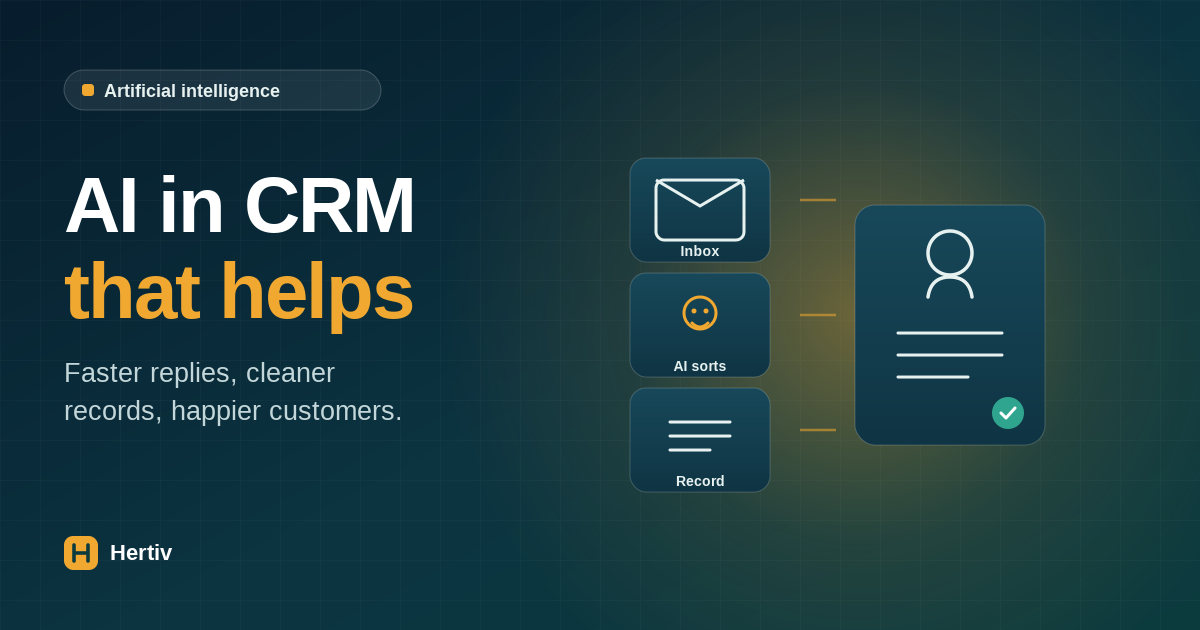
AI helps most where the work is repetitive and the data is already in the CRM. Support triage is the usual starting point: the AI reads an incoming message, finds the matching record and suggests a reply or a route, and a person approves it.
Lead scoring is the second common win. The AI looks at behaviour, fit and history and ranks new leads, so sales staff call the most promising ones first instead of working down a list in order. The ranking is only useful if sales staff trust it, so show the reasons behind the score.
Call and ticket summaries are the third. After a call, the AI writes a short summary into the record, which keeps the next person from re-asking the same questions. This only works when the summary is checked against the call, because a wrong summary misleads the next agent.
For support teams, AI chatbot use cases shows how automated first replies fit into the same inbox.
What data does AI in CRM need?
AI in a CRM needs clean, complete records. The model learns from past tickets, calls and deals, so if the history is full of duplicates, empty fields and out-of-date contacts, the AI will repeat those mistakes at speed.
Before buying any AI feature, fix the basics:
- One record per customer. Merge duplicates and agree on which system is the source of truth.
- Consistent statuses. If three teams use different labels for the same outcome, the AI cannot learn from them.
- Linked history. Tickets, calls and orders should attach to the same contact record.
- Consent and access rules. Decide which data the AI may read and which fields stay restricted.
Data quality work is unglamorous and it is where most AI-in-CRM projects succeed or fail. A team that cleans its records first gets useful AI in weeks; a team that skips it spends months arguing about wrong suggestions.
See how to use AI in customer service for the practical steps that sit alongside the data work.
How to start AI in your CRM in five steps
Start with one workflow, not a platform-wide rollout. A single inbox or a single sales queue is enough to prove the value and to learn what the AI gets wrong.
- Pick one workflow. Support triage or lead scoring are the usual first choices, because both are measurable.
- Clean the records for that workflow. Merge duplicates and fix the statuses the AI will read.
- Set a success measure. Time to first reply, tickets handled per person, or lead conversion on the scored list.
- Run with human review. Staff approve AI drafts and scores for the first month, and you log every correction.
- Expand only what works. Roll the AI into the next workflow once the first one is trusted and measured.
Keep a human in the loop for the first month at least. The corrections staff make are the training data that improves the next version, and they are also the evidence that the AI is safe to trust with more.
Example (hypothetical): a support team triages with AI
Example (hypothetical): a support team of six handles 300 tickets a day. Each ticket takes about 5 minutes to read, classify and route, which is 300 × 5 = 1,500 minutes, or 25 hours of triage work a day across the team.
The team adds AI triage to the CRM. The AI reads each ticket, finds the customer record and suggests a category and a draft reply. Staff review the suggestion, which takes about 1 minute per ticket. That is 300 × 1 = 300 minutes, or 5 hours a day, saving about 20 hours of triage time.
The team does not cut headcount. It uses the saved time for the tickets the AI flags as complex: billing disputes and account closures, which need a person from the first minute. After a month, the team checks the AI's accuracy on 200 sampled tickets and finds 184 correct, or 92%, and retrains the routing rules for the two categories it gets wrong most.
What AI in CRM cannot do well
AI in a CRM cannot repair a broken relationship, judge a delicate complaint or decide what a customer is owed. Those judgements need a person who understands the history and the stakes, and an AI that pretends otherwise creates risk.
It also cannot work from thin data. A new customer with one short message gives the AI nothing to reason about, so the first reply should come from a person or from a simple rule, not from a model guessing.
Finally, AI cannot fix a CRM nobody uses. If staff keep customer notes in spreadsheets and chat threads, the AI reads an empty system. Adoption of the CRM itself comes first; AI is the second step, not a shortcut around it.
Common mistakes with AI in CRM
Most AI-in-CRM failures come from trusting the model too early, feeding it dirty data, or measuring the wrong thing. The model is a tool for staff, not a replacement for them.
- Auto-sending AI replies. Drafts should be reviewed until accuracy is proven on your own tickets.
- Skipping data cleanup. Duplicate records and inconsistent statuses teach the AI bad habits.
- Measuring volume, not outcomes. More tickets closed is not a win if customers reopen them.
- Hiding the AI from staff. If agents do not know why a score or draft appeared, they will ignore it.
- No fallback path. When the AI is unsure, the ticket must reach a person fast, not sit in a queue.
- Ignoring consent. Customer data used for AI must follow the privacy rules the business already agreed to.
If you are planning the build, how to build an AI proof of concept covers the evaluation steps for a first CRM pilot.
Key takeaways
- AI in CRM prepares the work around a customer; staff still own the relationship
- Support triage and lead scoring are the most measurable first workflows
- Clean, deduplicated records decide whether the AI is useful or misleading
- Keep human review for the first month and log every correction
- Measure outcomes like first-reply time, not ticket volume alone
Frequently asked questions
What is AI in CRM in simple terms?
It is machine learning built into a customer relationship management system. It reads customer records, tickets and calls, then helps staff by sorting, summarising, drafting and scoring, so routine work takes less time and nothing important is missed.
Does AI in CRM replace support staff?
No. It handles sorting, drafting and summaries, while staff handle sensitive cases, negotiations and complaints. Most teams use the saved time on complex tickets that need a person from the first minute.
What data does AI in CRM need?
It needs clean customer records: one record per customer, consistent statuses, and tickets, calls and orders linked to the same contact. Duplicate records and empty fields are the most common reason AI suggestions go wrong.
How long does it take to start AI in a CRM?
A single workflow pilot, such as support triage, can run within a few weeks once the records are clean. Full rollout takes longer, because each new workflow needs its own review period and success measure before staff trust it.
Is customer data safe with AI in CRM?
It depends on the setup. Use a CRM and AI tools that keep data inside your agreed boundaries, restrict which fields the AI can read, and follow the privacy rules the business already applies to customer data.
How do you measure AI in CRM?
Pick one outcome per workflow, such as time to first reply, tickets reopened, or lead conversion on scored lists. Track it before and after the AI starts, and review the AI's accuracy on sampled records each month.


