AI in Change Management: Smoother Rollouts, Less Resistance
AI in change management helps teams plan rollouts, spot resistance early and support staff through new tools. What works, where it falls short, and how to start.
On this page
Short answer
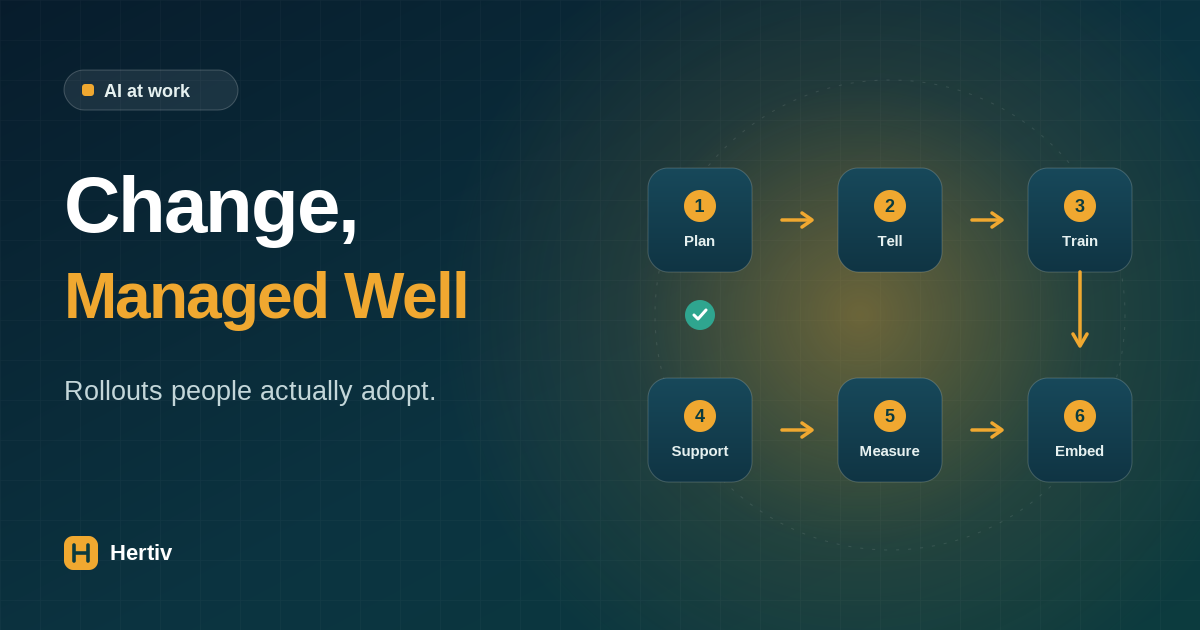
AI in change management means using AI tools to plan, communicate and track how people adopt a new system or way of working. It can draft messages, answer staff questions, flag teams that are struggling and measure adoption, but it cannot replace honest communication or managers who listen. The best results come when AI handles the routine work and people handle the trust.
What is AI in change management?
AI in change management is the use of AI tools to help people adopt a new system, process or way of working. Instead of sending one announcement and hoping for the best, teams use AI to draft clear messages, answer questions around the clock, spot which teams are struggling and track whether the new way of working is actually sticking.
Change management is mostly a people problem, not a software problem. New tools fail when staff do not understand why the change is happening, do not know how to use the new system, or quietly keep using the old one. AI helps with the routine parts of that problem, such as drafting, answering repeat questions and spotting patterns in feedback.
| Job | What AI does | What stays human |
|---|---|---|
| Drafting messages | Writes clear announcements and FAQs | Deciding what the change means for each team |
| Answering questions | Answers repeat questions day and night | Handling worries, rumours and conflict |
| Spotting resistance | Flags teams with low adoption or negative feedback | Talking to the people behind the numbers |
| Personalising training | Points each person to the right guide | Coaching and hands-on practice |
| Tracking adoption | Reports who is using the new system and how | Deciding what to do about the gaps |
Used well, AI makes a rollout feel organised rather than chaotic. Used badly, it makes staff feel managed by a machine, which is why the human parts of the table matter as much as the AI parts.
How does AI help people adopt new tools?
AI helps people adopt new tools by answering questions at the moment they get stuck, instead of making them wait for a training session or a helpdesk reply. A support assistant trained on your guides can walk someone through a task step by step, in plain language, at any hour.
It also helps by personalising the learning path. Instead of sending every employee the same 40-page manual, AI can point each person to the two or three guides that match their role and the tasks they actually do. That saves time and reduces the feeling of being buried in documentation.
None of this works if the underlying guides are out of date. Before adding an AI assistant, check that the help content is current and written in plain language, because the assistant will only be as good as the material it draws on.
Can AI spot resistance before it spreads?
AI can spot early signs of resistance by looking at patterns in how people use the new system and what they say about it. Low login rates in one team, a spike in helpdesk tickets about one feature, or repeated complaints in a feedback channel all show up faster in data than in a monthly survey.
The useful move is to treat these signals as a prompt for a conversation, not as a verdict. A team with low adoption may have a genuine problem with the tool, a broken workflow, or a manager who never explained the change. Data can point you to the right team; only talking to people tells you why.
Be careful with sentiment analysis of staff messages. Reading the tone of employee chat without clear consent damages trust fast, and trust is exactly what a change programme needs. Use adoption data and voluntary feedback channels instead.
How do you communicate a change with AI?
You communicate a change with AI by using it to draft and adapt messages, not to decide what to say. Start with a clear human decision about why the change is happening and what it means for each team, then let AI turn that into announcements, FAQs and short guides in the right tone for each audience.
AI is good at adapting one message for different groups: a short version for frontline staff, a detailed version for managers, and a version in another language where needed. It is bad at judging whether a message will land well, so a human should always review before anything is sent.
Keep the most important messages human. A change that affects jobs, pay or working hours should be explained by a person, face to face, not by an automated email. AI can draft the follow-up summary, but it should not deliver the news.
What role does AI play in training and support?
AI plays the role of a patient tutor in training and support. It can quiz staff on the new process, answer the same question for the tenth time without frustration, and suggest the next guide when someone finishes one. That frees trainers to spend their time on the hard cases and on coaching.
It also helps to keep training material fresh. When a process changes, AI can flag which guides mention the old steps, so the team updates them before staff are confused by conflicting instructions. This only works if someone owns the updates; AI can flag, but it cannot take responsibility.
For teams running a large rollout, an AI agent for operations can handle the routine support load while trainers focus on the people who need hands-on help.
How do you measure whether a change stuck?
You measure whether a change stuck by looking at behaviour, not by asking people if they like the new system. Useful measures include the share of work done in the new system, the time taken for key tasks, the number of workarounds still in use, and the volume of support tickets about the change.
Set a baseline before the rollout so you can compare honestly. If half the team was already using the new tool in a pilot, that is your starting point, not zero. Measure weekly for the first two months, then monthly, and share the results with the teams involved.
Numbers alone can mislead. A team may show high usage because a manager insists on it, while quietly keeping the old spreadsheet for the real work. Pair the data with short check-ins so you catch that gap early.
Example: a company rolling out a new CRM
Example (hypothetical): a 120-person sales and support company replaces its old customer system with a new CRM. Before the rollout, each person spends about 6 hours in training. With an AI assistant that answers questions during the first month, training drops to 3.5 hours per person. That is 120 people times 3.5 hours, or 420 hours, against 720 hours the old way, saving about 300 hours.
In the first two weeks the assistant answers most of the repeat questions, and the support team sees tickets about the new CRM fall from 40 a week to 12 a week. The adoption data shows one team still logging in rarely, so the manager visits that team and finds the new workflow does not fit how they handle renewals. The team fixes the workflow instead of blaming the staff.
By week six, most work is done in the new CRM, and the old system is read-only. The rollout worked because AI handled the routine questions and the data pointed to the real problem, while people handled the conversation and the fix.
What are the common mistakes?
The most common mistakes in AI-supported change management are letting AI do the talking, watching the data instead of the people, and treating the rollout as finished on launch day.
- Automating the hard conversations. News that affects jobs or pay should come from a person, not an email.
- Reading staff sentiment without consent. Analysing private messages destroys the trust a change needs.
- Out-of-date guides. An assistant trained on old material gives wrong answers with confidence.
- Measuring clicks instead of behaviour. Logins do not prove the new way of working is being used.
- Stopping at launch. Adoption takes weeks; keep measuring and supporting after go-live.
Key takeaways
- AI handles the routine parts of change: drafting, answering repeat questions and tracking adoption
- People handle the parts that build trust: honest explanations, coaching and listening
- Adoption data points to the struggling team, but only a conversation explains why
- Measure behaviour, not opinions: usage, task time, workarounds and ticket volume
- Keep supporting and measuring for weeks after launch, not just on go-live day
Frequently asked questions
What is AI in change management?
AI in change management is the use of AI tools to help people adopt a new system or way of working. It drafts messages, answers staff questions, spots teams that are struggling and tracks adoption, while managers handle the communication and coaching that build trust.
Can AI replace change managers?
No. AI can draft, answer repeat questions and surface patterns in data, but it cannot explain a difficult decision, handle conflict or earn trust. Change managers use AI to free up time for the human work, not to hand the human work to a machine.
How do you start using AI in a rollout?
Pick one rollout and one job for AI, such as answering questions about the new tool. Make sure the help content is current, set up a feedback channel for wrong answers, and measure adoption weekly. Add more AI jobs only after the first one works.
Is it safe to analyse staff messages with AI?
Only with clear consent and a stated purpose, and even then it is risky. Most teams get better results from adoption data and voluntary feedback channels. Analysing private messages without consent damages trust, which is the one thing a change programme cannot afford to lose.
What tools do teams use for AI in change management?
Most teams use a mix: a support assistant trained on their guides, a survey or feedback tool, and adoption reports from the system itself. The specific tools matter less than having current guides, a human owner for the rollout, and a clear measure of success.
How long does it take for a change to stick?
Most teams see the first signs within four to six weeks, and a new way of working usually takes two to three months to become habit. Keep measuring and supporting through that period, and do not switch off the old system until the new one is clearly being used.