AI for Quotations and Cost Estimation: A Practical Guide
AI can draft quotes from past jobs, price lists and drawings, then flag the ones that need a human eye. Here is how quoting teams use it without losing control.
On this page
Short answer
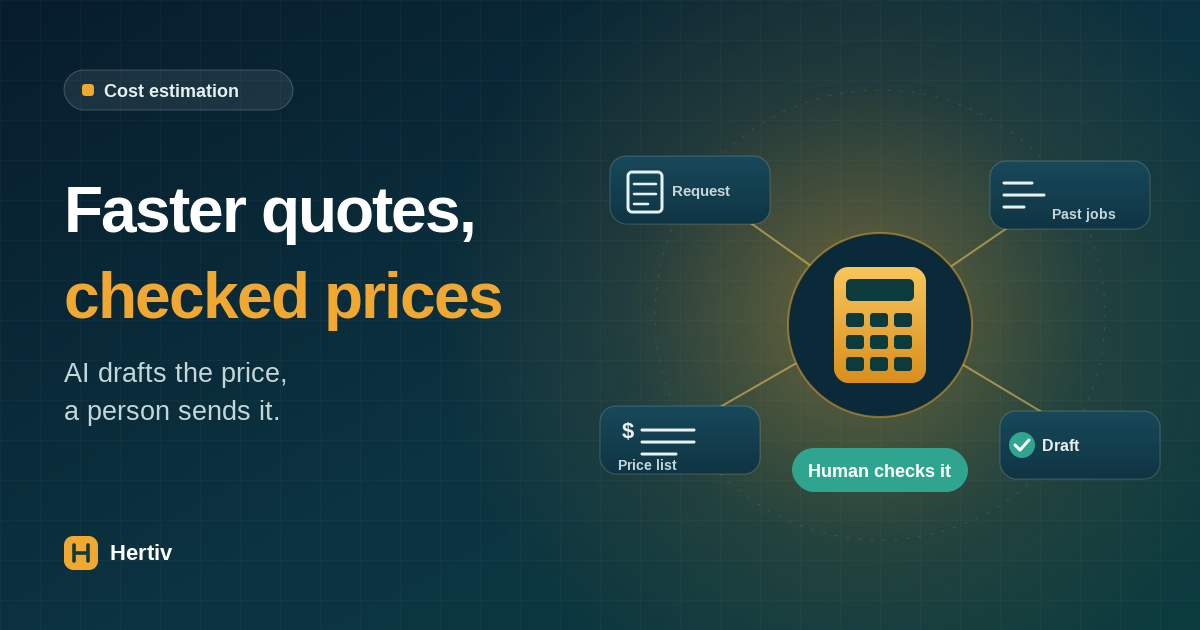
AI for quotations and cost estimation uses past quotes, price lists and job details to draft a price faster and with fewer errors. It reads the request, finds similar past work, applies current rates and produces a draft that a person checks before it goes to the customer. It works best where quotes repeat and past data is clean.
What is AI for quotations and cost estimation?
AI for quotations and cost estimation is software that drafts a price for a job using your past quotes, price lists and job records. A person still checks and sends the quote, but the AI does the slow part: reading the request, finding similar past work, and adding up the parts, labour and margin.
It suits businesses that quote often: builders, manufacturers, service firms, agencies and suppliers. A team that writes dozens of similar quotes a week can save hours a day, and a team that quotes rarely can still use AI to check its maths and catch missing items. The key point is that the AI drafts, and a person decides.
This is not the same as a fixed price list. A price list works when every job is the same. AI quoting works when jobs are similar but not identical, so the price depends on the details of each request. For background on the build side, see how to build an AI proof of concept before you commit to a full system.
Where does AI help in quoting?
AI helps most where the quoting work repeats and the records are good. The table below shows common quoting jobs and what the AI does for each one.
| Quote type | What AI does | Needs a human check |
|---|---|---|
| Repeat service jobs | Drafts from past similar jobs | Scope changes and discounts |
| Product and parts quotes | Matches parts and live prices | Stock and supplier terms |
| Project quotes | Breaks the job into costed parts | Risk, timing and margin |
| Custom builds | Estimates labour from past builds | New materials and methods |
| Renewals and variations | Updates an old quote for new terms | Contract changes |
Repeat service jobs are the easiest start: the work is similar, the records are plentiful, and a wrong draft is easy to spot. Custom builds are harder, because there are fewer past examples and more judgement in the price. Start where the data is cleanest and the cost of a mistake is lowest.
AI also helps with the parts of quoting that are not about price: reading a request to list what is included, spotting a missing detail, and writing the quote in clear language. Those steps cut the back-and-forth with customers even when the price itself still needs a person.
How does an AI quoting system work?
An AI quoting system follows the same path every time: read the request, find similar past work, price the parts, and draft the quote for a person to check. Each step depends on the one before it, so weak records at the start lead to weak quotes at the end.
- Read the request. The system pulls out the job details: what is wanted, how much, by when, and any special terms.
- Find similar past jobs. It searches past quotes and completed jobs for the closest matches, using the job type, size and materials.
- Price the parts. It applies current rates from your price list and supplier data, and adds labour from past job times.
- Apply rules. It follows your margin, discount and tax rules, and flags anything outside them.
- Draft the quote. It writes the quote in your format, with the items, prices and terms listed.
- Hand to a person. A staff member checks the draft, fixes anything wrong, and sends it to the customer.
The human check is part of the system, not an afterthought. A quote is a promise to a customer, so the person who sends it owns it. The AI saves time; it does not take responsibility. For what a build like this can cost, see what it costs to build an AI agent.
What data does the system need?
An AI quoting system is only as good as the records it learns from. Before you buy or build one, check that your past quotes, price lists and job records are complete, current and in one place.
Past quotes are the core. The system needs the job details, the items priced, the final price, and whether the job went ahead. Quotes that were never won still help, because they show what the market would not pay. Records with missing items or wrong prices will teach the system the wrong lessons, so clean the worst gaps first.
Price lists and supplier data come next. Rates change, so the system must read current prices rather than last year's. If your price list lives in spreadsheets, emails and supplier portals, bring it into one store first. Labour times matter too: past job sheets show how long each kind of work really took, which is often different from the estimate.
Finally, the system needs your rules: margins, discounts, tax treatment, payment terms and what to flag. Write them down as plain rules, not as habits in one person's head. A system built on undocumented rules will price like that person on a good day and like nobody on a bad one.
Example (hypothetical): a quoting team that saves a day a week
Example (hypothetical): a small electrical contractor writes 40 quotes a week. Each quote takes about 45 minutes by hand: reading the request, checking past jobs, pricing parts and labour, and writing the quote. That is 40 x 45 = 1,800 minutes, or 30 hours a week, most of one person's time.
The team adds an AI quoting draft. The AI reads each request, finds similar past jobs and drafts the quote, and a staff member spends about 10 minutes checking and fixing each draft. That is 40 x 10 = 400 minutes, or about 6 hours and 40 minutes a week. The team saves about 23 hours and 20 minutes a week, close to three working days.
The saving is only real if the drafts are good. In the first month the team tracks how many drafts go out unchanged, how many need small fixes, and how many are wrong. If most drafts need heavy fixes, the problem is usually the records, not the AI. Fixing the price list and past job records comes before tuning the model.
The team also keeps the human check on every quote that leaves the business. Speed helps, but a wrong quote that wins a job at a loss is worse than a slow quote that prices the job right.
What to check before you buy or build
Decide whether to buy a quoting tool, add AI to a tool you already use, or build your own. The right choice depends on how standard your quoting is and how clean your data is.
| Route | Best for | Watch out for |
|---|---|---|
| Buy a quoting tool | Standard jobs, fast start | May not fit your rules |
| Add AI to your CRM or ERP | Data already in one system | Needs clean records first |
| Build your own | Unusual jobs, strict rules | Highest cost and upkeep |
Before you choose, ask three questions. First, can the tool read your past quotes and price lists, or will you retype them? Second, can you change the pricing rules yourself, or does every change need the vendor?
Third, can a person see why the AI priced a job the way it did, so they can check it? If the answer to any of these is no, the tool will slow your team down rather than speed it up.
Run a trial on real quotes before you sign. Give the tool twenty past requests and compare its drafts with the prices you actually sent. That test tells you more than any demo. For how to scope a build of your own, see how to build an AI app and the cost ranges there.
What are the common mistakes?
The most common mistakes are trusting drafts without checking them, feeding the system messy records, and quoting from stale prices.
- Sending drafts unchecked. A quote is a promise. Every draft needs a human check before it goes to a customer.
- Messy past records. Missing items, wrong prices and half-finished quotes teach the system bad habits.
- Stale price lists. Rates change. A system reading last year's prices will underprice every job.
- No margin rules. Without clear margin and discount rules, the AI will price to win, not to profit.
- Quoting the wrong job. If the request is vague, the draft will be vague. Ask the customer for the missing details first.
- Measuring speed only. Faster quotes that lose money are worse than slow ones. Track win rate and margin too.
Key takeaways
- AI drafts quotes from past jobs and price lists; a person checks and sends them
- Repeat jobs with clean records are the easiest and safest place to start
- The system reads the request, finds similar work, prices parts and applies your rules
- Clean past quotes, current price lists and written margin rules come first
- Trial any tool on twenty real past quotes before you sign
- Track win rate and margin, not just speed, to know if quoting AI helps
Frequently asked questions
Can AI write a quote on its own?
It can draft one, but a person should check and send it. A quote is a promise to a customer, so the person who sends it owns the price, the scope and the terms. AI saves time on the draft; it does not take responsibility for the promise.
What kind of business benefits most from AI quoting?
Businesses that quote often for similar work benefit most: builders, manufacturers, service firms and suppliers. The more past quotes you have, and the more the jobs repeat, the better the drafts. One-off custom jobs are harder to price this way.
How accurate are AI-generated quotes?
Accuracy depends on your records. With clean past quotes and current prices, drafts are often close enough to need only small fixes. With messy records or stale prices, drafts will be wrong in the same ways your records are wrong.
Does AI quoting work with my existing CRM or ERP?
Often, yes, if the tool can read your past quotes and price lists from that system. Check the integration before you buy, and confirm you can change pricing rules yourself. A tool that cannot read your data will need manual retyping.
Will AI quoting cut my prices?
Not by itself. AI prices from your rules, so set margin and discount rules first. Without them, the system may price to win work at any cost. Track margin on quoted jobs to catch that early.
How do I start with AI quoting?
Pick one repeat job type, clean the past quotes and price list for it, and run a trial on twenty real requests. Compare the drafts with the prices you actually sent, then decide whether to widen the trial or fix the records first.


